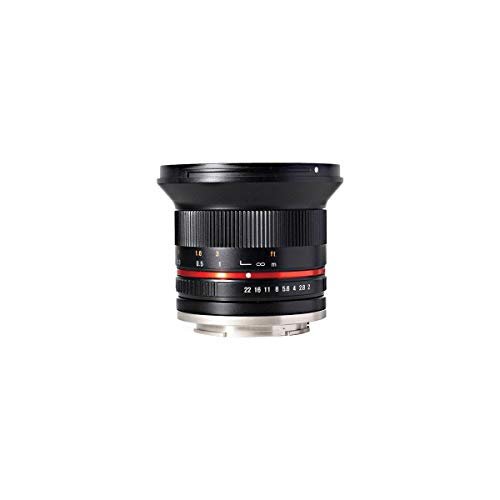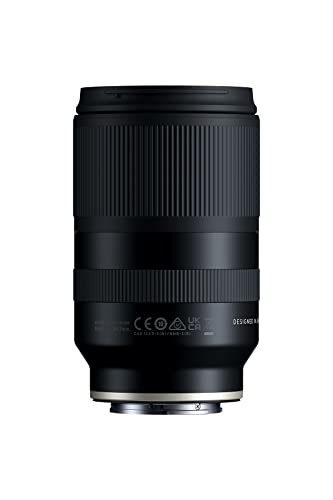

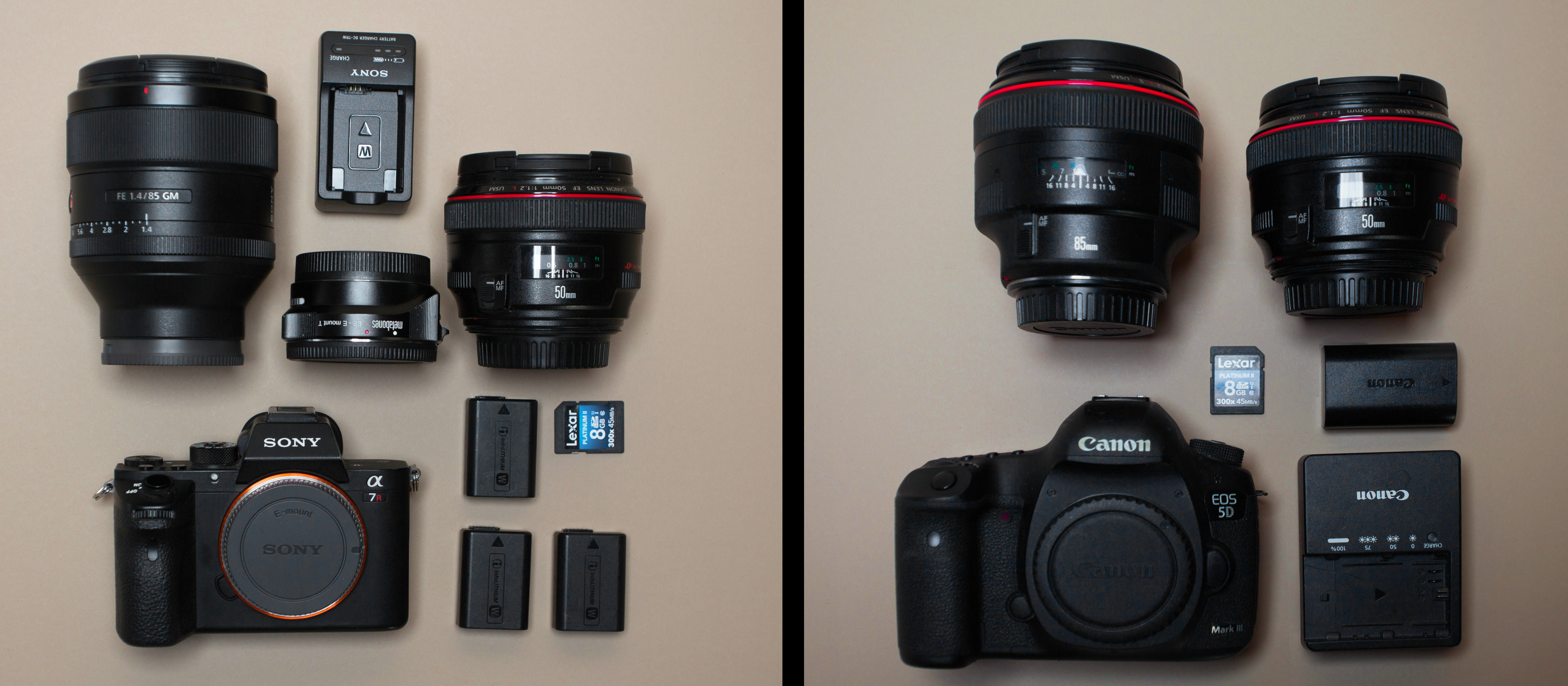
Yes. You can use many Canon lenses on Sony cameras with the right lens adapter. The most common setup is a Canon EF or EF-S lens on a Sony mirrorless camera with an E-mount adapter.
The best results come from Canon EF lenses made for Canon EOS cameras. Some electronic adapters support autofocus, image stabilization, aperture control, and EXIF data. Basic adapters provide only a physical connection and usually require manual focus and manual aperture control.
The answer depends on three things:
- The Canon lens mount
- The Sony camera mount
- The features supported by the adapter

Which Canon Lenses Work on Sony Cameras?
Canon EF lenses are usually the easiest Canon lenses to use on Sony E-mount cameras. Canon EF-S lenses can also work, but their smaller image circle creates limits on full-frame Sony bodies.
Canon EF lenses
Canon EF lenses are designed for Canon’s full-frame EOS cameras. They can mount to Sony E-mount cameras with an electronic or manual adapter.
Common examples include:
- Canon EF 50mm f/1.8
- Canon EF 24-70mm f/2.8L
- Canon EF 70-200mm f/2.8L
- Canon EF 85mm f/1.8
- Canon EF 100mm f/2.8 Macro
- Canon EF 16-35mm wide-angle zooms
On a full-frame Sony camera, an EF lens keeps its normal angle of view. On a Sony APS-C camera, the lens has a narrower field of view because of the camera’s crop factor.
Canon EF-S lenses
Canon EF-S lenses are made for Canon APS-C cameras. They can often be used on Sony APS-C cameras with a compatible adapter.
On a full-frame Sony camera, an EF-S lens may:
- Produce dark corners
- Show a circular image
- Work only in Sony’s crop mode
- Fail to cover the full sensor
For example, a Canon EF-S 10-18mm lens may not cover the full sensor of a Sony a7-series camera. The lens may still be useful if the Sony camera has an APS-C or Super 35 crop setting.
Canon EF-M lenses
Canon EF-M lenses are made for Canon’s EOS M cameras. They are not a practical choice for Sony E-mount cameras.
The EF-M mount has a short flange distance. This leaves little room for a simple adapter between the lens and Sony E mount. Electronic communication is also a major issue. Manual conversion projects may exist, but they are not a normal plug-and-play solution.
Canon RF and RF-S lenses
Canon RF lenses are designed for Canon’s RF-mount mirrorless cameras. They are not generally adaptable to Sony E-mount cameras with a simple adapter.
The main problem is the difference in flange distance. Canon RF cameras place the lens mount close to the sensor. Sony E-mount cameras also use a short flange distance, so there is not enough space for a normal adapter that preserves infinity focus.
Canon RF lenses also depend on electronic communication with the camera. A reliable Sony adapter system for RF lenses is not widely available in the same way that EF-to-Sony adapters are.
Canon FD and older manual lenses
Older Canon FD lenses can be used on Sony cameras with a simple mechanical adapter. These lenses are manual focus lenses, so they do not need electronic communication for basic operation.
You will usually need to:
- Focus by hand
- Set the aperture on the lens
- Enable Sony’s release-without-lens setting
- Use focus magnification or focus peaking
These lenses can work well for photography and video, but they do not provide modern autofocus or electronic aperture control.
What Adapter Do You Need?
You need an adapter that matches the Canon lens mount and Sony camera mount. For most modern Canon DSLR lenses, that means a Canon EF-to-Sony E adapter.
The adapter type determines what the camera can do.
| Adapter type | Autofocus | Aperture control | Image stabilization | Best use |
|---|---|---|---|---|
| Basic mechanical adapter | No | Usually no electronic control | No lens communication | Manual focus and video |
| Electronic EF-to-E adapter | Often, with limits | Yes | Sometimes | General photography |
| Advanced electronic adapter | Better, but varies by lens | Yes | Often | Autofocus and mixed use |
| Speed booster | Sometimes | Yes | Depends on model | APS-C cameras and low-light work |
Electronic adapters are made by several companies. Examples include adapters from Metabones, Sigma, Viltrox, and other specialist brands. Support differs by camera body, lens model, and firmware version.
Do not assume that every electronic adapter works the same way. Check the adapter maker’s compatibility list before buying.

How to Use a Canon EF Lens on a Sony Camera
Follow these steps to mount and test a Canon EF lens safely.
1. Confirm both mounts
Check the label on the Canon lens. Look for:
- EF
- EF-S
- EF-M
- RF
- RF-S
- FD
Then check the Sony camera mount. Most Sony interchangeable-lens cameras use either:
- Sony E mount
- Sony A mount
An EF-to-E adapter does not fit a Sony A-mount camera. Sony A-mount cameras need a different adapter design.
2. Choose the correct adapter
For a Canon EF lens on a Sony E-mount camera, buy an EF-to-E adapter.
Choose a manual adapter if you only need:
- Manual focus
- Manual exposure
- Video work
- Use with older lenses
- Low-cost lens adaptation
Choose an electronic adapter if you need:
- Autofocus
- Electronic aperture control
- Lens-based image stabilization
- Lens metadata
- Automatic exposure support
3. Update the adapter firmware
Many electronic adapters use firmware to communicate with Sony cameras and Canon lenses. Firmware updates may improve:
- Autofocus speed
- Eye autofocus
- Tracking
- Aperture control
- Compatibility with newer Sony bodies
- Compatibility with newer Canon lenses
Install updates according to the adapter maker’s instructions. Some adapters require a computer or a USB connection.
4. Mount the lens and adapter
Turn off the camera before mounting the lens and adapter. Attach the Canon lens to the adapter first, then attach the adapter to the Sony camera.
Do not force the mount. The alignment marks should meet with light pressure.
5. Set the camera for adapted lenses
If the camera does not detect the lens, turn on Sony’s Release w/o Lens setting. The exact menu name may differ by camera model and firmware.
This setting tells the camera to take a picture even when it does not receive lens information.
For manual lenses, enable useful tools such as:
- Focus peaking
- Focus magnification
- Manual focus assist
- Zebra display for video
- Histogram or exposure warnings
6. Test the main functions
Before using the setup for an important shoot, test:
- Aperture changes
- Autofocus
- Eye autofocus
- Continuous autofocus
- Image stabilization
- Manual focus
- EXIF data
- Video recording
- Lens release and mounting
A lens may appear to work while still having problems with tracking, stabilization, or video autofocus.

Does Autofocus Work With Canon Lenses on Sony?
Autofocus may work, but it is not guaranteed to match the performance of a native Sony lens.
An electronic adapter translates signals between the Canon lens and Sony camera. This translation can support autofocus, but the camera, adapter, and lens must all work together.
Autofocus performance may vary by:
- Sony camera model
- Canon lens model
- Adapter model
- Adapter firmware
- Focus mode
- Subject movement
- Lighting
- Video or photo use
Single autofocus
Single-shot autofocus often works better than continuous autofocus. It is useful for:
- Landscapes
- Portraits
- Products
- Still objects
- General travel photos
Continuous autofocus
Continuous autofocus can be less reliable. You may see:
- Slower subject tracking
- Focus hunting
- Delayed focus changes
- Reduced burst performance
- Limited subject recognition
- Inconsistent eye autofocus
Fast-moving subjects are the hardest test. Sports, birds, and active children may expose the limits of an adapted lens sooner than still subjects.
Video autofocus
Video autofocus is often more difficult than still-photo autofocus. The camera must make smooth focus changes without sudden jumps or noise.
For video, a manual adapter may be the better choice if you use controlled focus pulls. A follow-focus system can also help with manual lenses.
Will Image Stabilization Work?
Image stabilization may work, but the result depends on the camera and lens combination.
Canon lenses may use optical image stabilization, called IS. Sony cameras may use in-body image stabilization, called SteadyShot INSIDE or IBIS.
With an electronic adapter, the camera may receive focal-length information from the lens. This can help the camera set stabilization correctly. With a manual adapter, you may need to enter the focal length manually on cameras that support that option.
Possible results include:
- Lens stabilization works
- Camera stabilization works
- Both systems work together
- Stabilization works only in one mode
- Stabilization does not work correctly
Test stabilization at the shutter speeds and focal lengths you plan to use. Do not assume that an adapted lens will provide the same stabilization performance as a native Sony lens.

What Features May Not Work?
The main trade-off is that an adapted Canon lens may not provide the full feature set of a native Sony lens.
Potentially limited features include:
- Real-time Eye AF
- Animal Eye AF
- Subject tracking
- High-speed burst shooting
- Silent shooting
- Focus-area changes
- Lens corrections
- Distortion correction
- Vignetting correction
- In-camera chromatic aberration correction
- Video autofocus
- Focus-by-wire behavior
- Electronic manual-focus response
- EXIF lens identification
The exact result depends on the adapter and lens. Some combinations work very well for still images. Others provide only basic aperture control and autofocus.
Sony’s native lenses are designed for direct communication with Sony cameras. That gives them a practical advantage when you need fast tracking, reliable video autofocus, or advanced camera corrections.
Can You Use Canon EF-S Lenses on a Full-Frame Sony Camera?
Yes, but the lens may not cover the full sensor. Most Canon EF-S lenses are designed for APS-C sensors, which are smaller than full-frame sensors.
If you use an EF-S lens on a full-frame Sony camera, check for dark corners at several focal lengths and apertures. Some lenses may cover more of the frame at certain settings, but this is not something to rely on without testing.
You have three choices:
- Use the camera’s APS-C crop mode
- Crop the image later
- Use a full-frame Canon EF lens instead
Crop mode reduces the active image area. The final image has fewer pixels than a full-frame capture, but the lens can still be useful.
On a Sony APS-C camera, an EF-S lens is a more natural match. The lens and sensor use similar image-circle sizes.
Is an Adapter Better Than Buying a Sony Lens?
An adapter can be the better choice when you already own several Canon EF lenses. It may cost less than replacing an entire lens collection.
Adaptation makes sense when:
- You already own Canon EF glass
- You mainly shoot still subjects
- You are comfortable with some manual control
- You need a special Canon lens
- You want to use older lenses for video
- You are changing systems gradually
A native Sony lens is usually better when you need:
- Reliable continuous autofocus
- Fast sports tracking
- Consistent eye autofocus
- Quiet video focusing
- Full lens corrections
- Small size and low weight
- Guaranteed camera-lens compatibility
The financial calculation is simple:
Adapter cost + existing Canon lens cost = adaptation cost
Compare that total with the cost of replacing the Canon lens with a Sony E-mount lens. Also consider resale value, autofocus needs, and the cost of future lenses.
Common Problems and Fixes
The camera says there is no lens
Possible causes include:
- The adapter has no electronic contacts
- The contacts are dirty
- Release-without-lens is disabled
- The adapter firmware is outdated
- The lens is not fully locked into the adapter
Clean contacts gently with a dry, lint-free cloth. Do not use liquid on the camera mount.
The aperture stays wide open
This usually happens with a manual adapter. Canon EF lenses use electronic aperture control, so they do not have a normal mechanical aperture ring.
Use an electronic adapter if you need to change the aperture from the Sony camera. If the adapter supports aperture control but the aperture does not change, update its firmware and test another lens.
Autofocus works but is slow
Try:
- Single AF instead of continuous AF
- A smaller focus area
- Good light
- Updated adapter firmware
- A different AF-S mode
- A different lens
If the problem remains, the combination may simply have limited compatibility.
The image has dark corners
This is most common with EF-S lenses on full-frame Sony cameras. Switch to crop mode or use a full-frame EF lens.
The camera freezes or behaves oddly
Turn off the camera and remove the battery if needed. Then:
- Remove the adapter
- Update the adapter firmware
- Test the lens without another accessory
- Check the maker’s compatibility list
- Test one lens at a time
Do not use a damaged adapter or one with loose contacts. A poor electrical connection can cause intermittent operation.
Canon EF-to-Sony Adapter Buying Checklist
Before buying an adapter, check these points:
- Is the Canon lens EF, EF-S, FD, EF-M, or RF?
- Is the Sony camera E mount or A mount?
- Does the adapter support your exact camera?
- Does it support your exact lens?
- Does it control the aperture?
- Does autofocus work in photo mode?
- Does continuous autofocus work?
- Does Eye AF work?
- Does image stabilization work?
- Can you update the firmware?
- Does the adapter have a tripod foot if the lens is heavy?
- Can you return it if the combination fails?
For a heavy Canon telephoto lens, support the lens rather than hanging the full weight from the camera mount. This reduces stress on the camera and adapter.
Canon Lens Compatibility at a Glance
| Canon lens type | Sony E-mount compatibility | Main limitation |
|---|---|---|
| EF | Good with the right adapter | Autofocus and features vary |
| EF-S | Good on Sony APS-C; limited on full frame | Smaller image circle |
| FD | Good with a simple adapter | Manual focus and aperture |
| EF-M | Poor practical compatibility | Short flange distance and electronics |
| RF | Generally not practical | Mount distance and electronic limits |
| RF-S | Generally not practical | Same RF compatibility limits |
This table describes practical use, not every specialized conversion project. A custom solution may exist for unusual equipment, but it may not be reliable for regular photography.
Frequently Asked Questions
Can I use a Canon 50mm lens on a Sony camera?
Yes, if it is a Canon EF 50mm lens and you use an EF-to-Sony E adapter. A Canon FD 50mm lens also works with a manual adapter. Canon RF or EF-M versions are not normally suitable for simple adaptation.
Can I use Canon lenses on a Sony a7 camera?
Yes. The Sony a7 series uses Sony E mount. Canon EF lenses can be used with an EF-to-E adapter. EF-S lenses may require crop mode because the Sony a7 camera has a full-frame sensor.
Can I use Canon lenses on a Sony a6000?
Yes. The Sony a6000 uses APS-C E mount. Canon EF and EF-S lenses can work with suitable adapters. The camera’s APS-C sensor gives the lens a narrower field of view than a full-frame camera.
Will Canon lenses autofocus on Sony?
Some Canon EF lenses can autofocus on Sony cameras through an electronic adapter. Speed and tracking depend on the specific lens, adapter, firmware, and camera. Manual adapters do not provide autofocus.
Can I use a Canon lens without an adapter?
No. Canon EF, EF-S, FD, EF-M, and RF lenses use different mounts from Sony E-mount lenses. A physical adapter is required. Never try to force an incompatible lens onto the camera.
Is it safe to leave an adapter on a Canon lens?
Usually, yes, if the adapter is well made and correctly mounted. Keep the mount clean and protect the exposed contacts. For large lenses, support the lens during use and transport.
Conclusion: Should You Adapt Canon Lenses to Sony?
Yes, Canon lenses can work well on Sony cameras, especially Canon EF lenses used with a quality EF-to-E electronic adapter. The best results come when the lens, adapter, and Sony body appear on the adapter maker’s compatibility list.
Use a manual adapter for simple, low-cost, controlled shooting. Use an electronic adapter when you need aperture control, autofocus, or image stabilization. If you need the most dependable autofocus and video performance, native Sony E-mount lenses remain the safer choice.
Before buying, identify the Canon lens mount, identify the Sony camera mount, and confirm support for the exact models. That three-step check prevents most compatibility problems.