Yes. You can use Canon EF and EF-S lenses on Canon RF-mount cameras with the correct EF-to-RF adapter. The adapter sits between the lens and camera and keeps the lens at the right distance from the sensor.
Canon’s official Mount Adapter EF-EOS R supports many EF and EF-S lenses on EOS R-series cameras. Autofocus, image stabilization, aperture control, and lens data often continue to work, but performance can vary by camera, lens, firmware, and adapter.
This guide applies to photographers and videographers using Canon cameras in the United States, including EOS R, RP, R5, R6, R7, R8, R10, R50, and other RF-mount models.
Introduction
Canon’s RF mount is newer than the EF mount, but that does not make older EF lenses unusable. An adapter lets you keep using many EF lenses instead of replacing your entire lens kit.
The key point is simple: EF lenses can adapt to RF cameras, but RF lenses cannot adapt to EF cameras. The lens and camera mount must also match the adapter. A Canon EF lens needs an EF-to-RF adapter, not an EF-M adapter or a generic spacer.
What Are EF and RF Mounts?
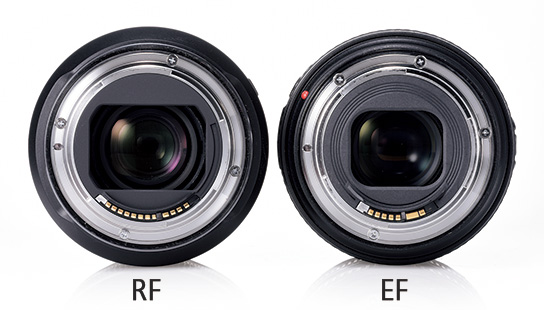
EF is Canon’s older full-frame and DSLR lens mount. Canon introduced it in 1987. Many Canon DSLR lenses use this mount, including EF lenses made for full-frame cameras and EF-S lenses made for APS-C cameras.
RF is Canon’s mirrorless lens mount for EOS R-series cameras. It has a shorter flange distance, which is the space between the lens mount and the camera sensor. That extra space allows an adapter to fit between an EF lens and an RF camera.
The mount types work in these directions:
| Lens | Camera | Works? | Required equipment |
|---|---|---|---|
| EF | RF-mount camera | Yes | EF-to-RF adapter |
| EF-S | RF-mount camera | Yes | EF-to-RF adapter |
| RF | RF-mount camera | Yes | No adapter |
| RF | EF-mount DSLR | No | No practical adapter |
| EF-M | RF-mount camera | Generally no | No standard Canon solution |
An EF-to-RF adapter is more than a simple tube. Canon’s electronic adapters pass signals between the lens and camera. This allows the camera to control the aperture and communicate with the lens.

Which Adapter Do You Need?
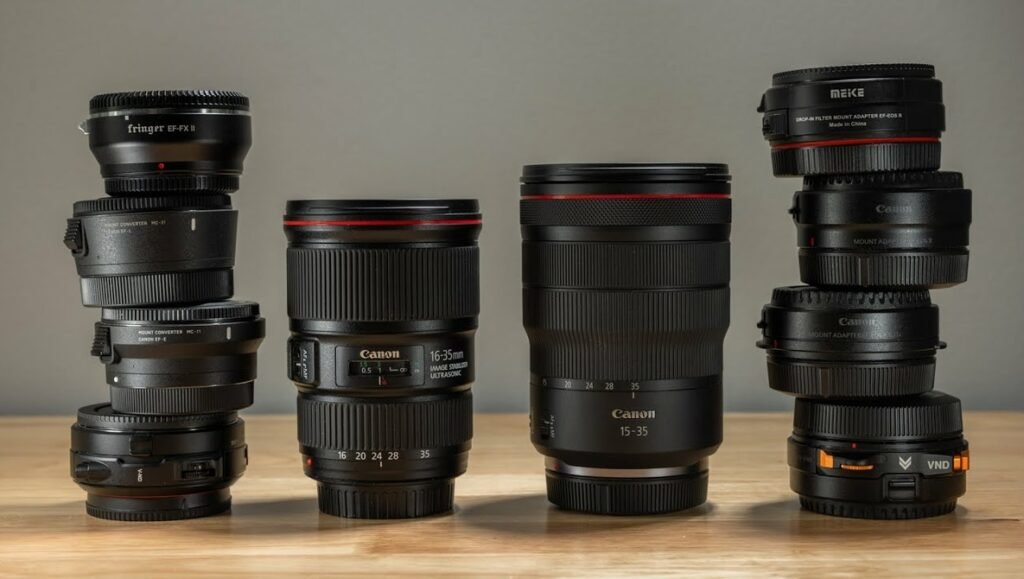
For most users, the best choice is Canon’s Mount Adapter EF-EOS R. It is designed to connect Canon EF and EF-S lenses to Canon RF-mount cameras.
Canon also sells versions with added features:
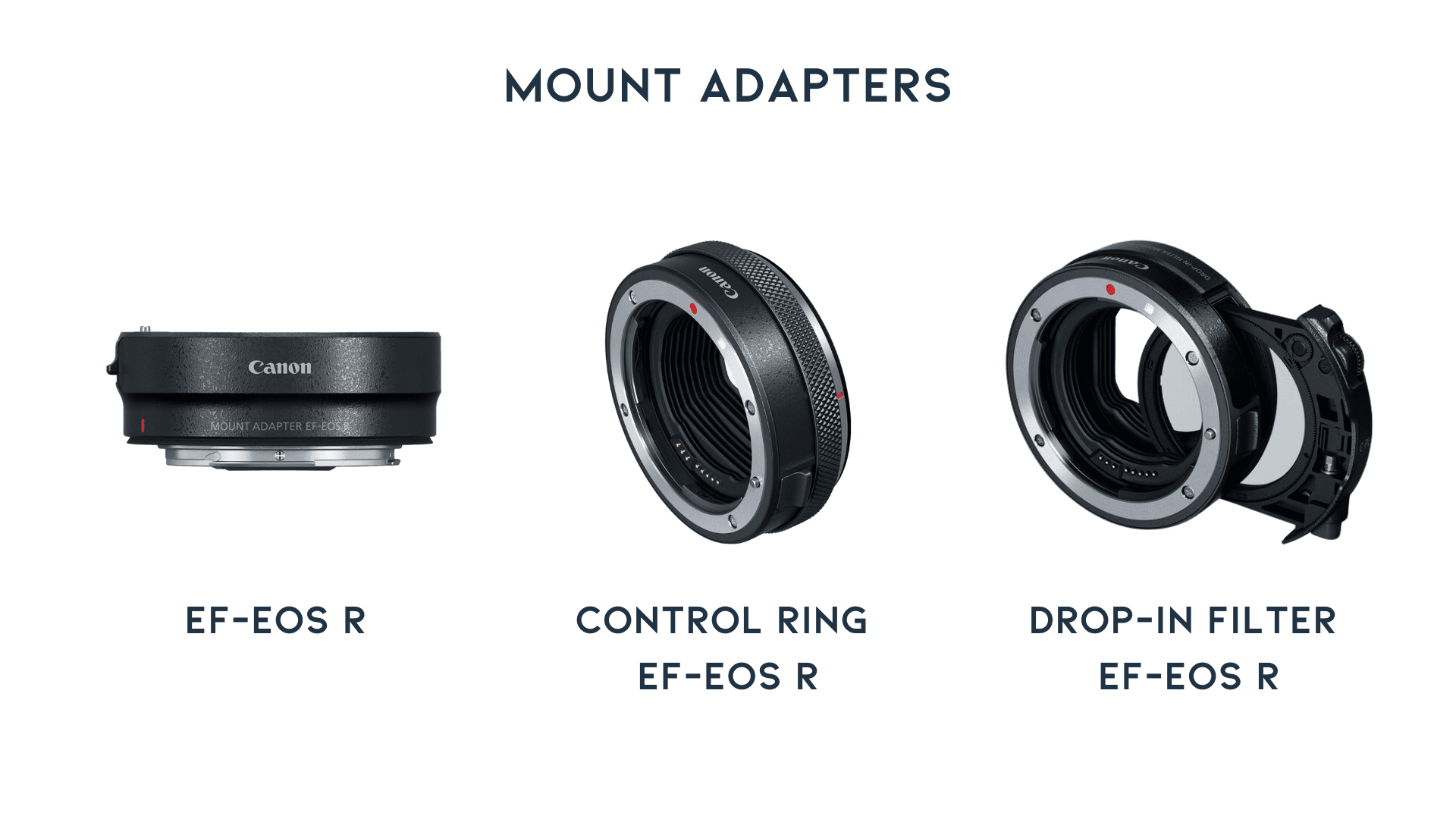
- Mount Adapter EF-EOS R: Basic adapter with no added control ring.
- Control Ring Mount Adapter EF-EOS R: Adds a programmable control ring.
- Drop-In Filter Mount Adapter EF-EOS R: Accepts compatible drop-in filters inside the adapter.
A basic adapter is enough for normal photography. The control-ring model may help if you want quick access to settings such as ISO, shutter speed, or exposure compensation.
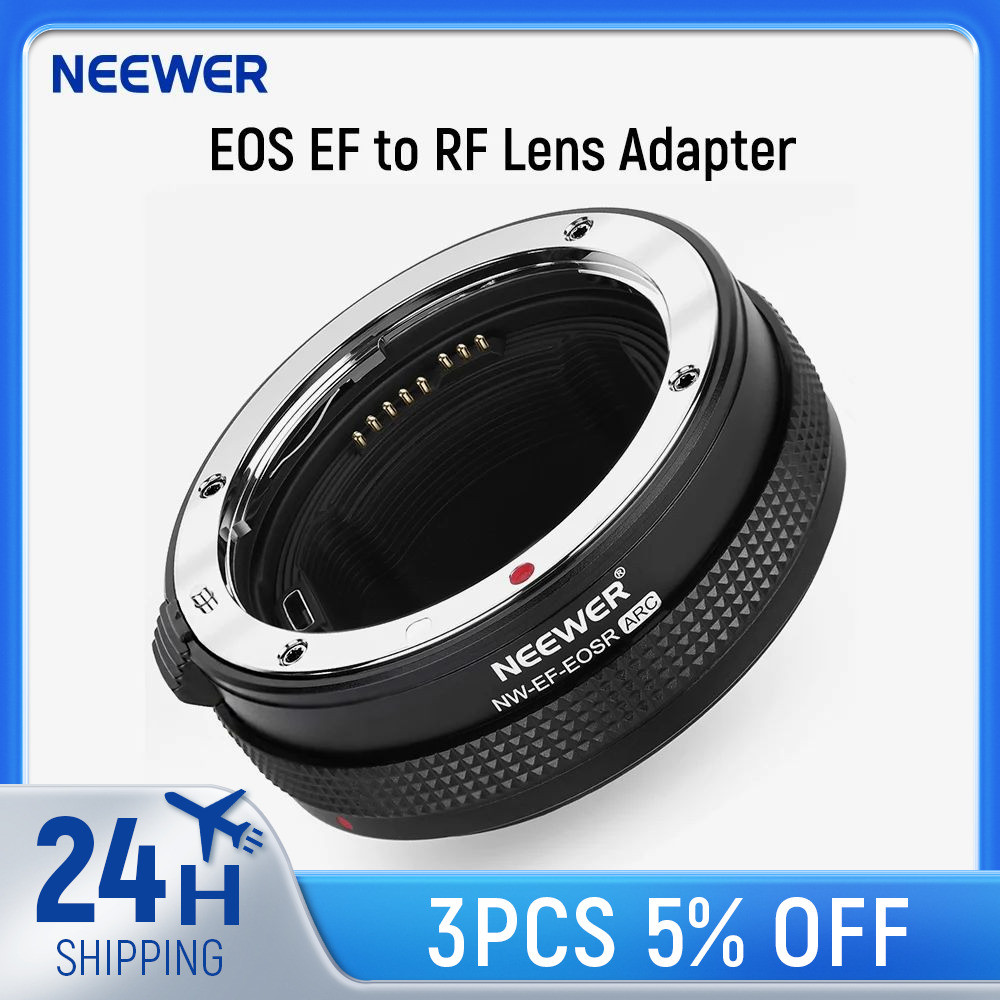
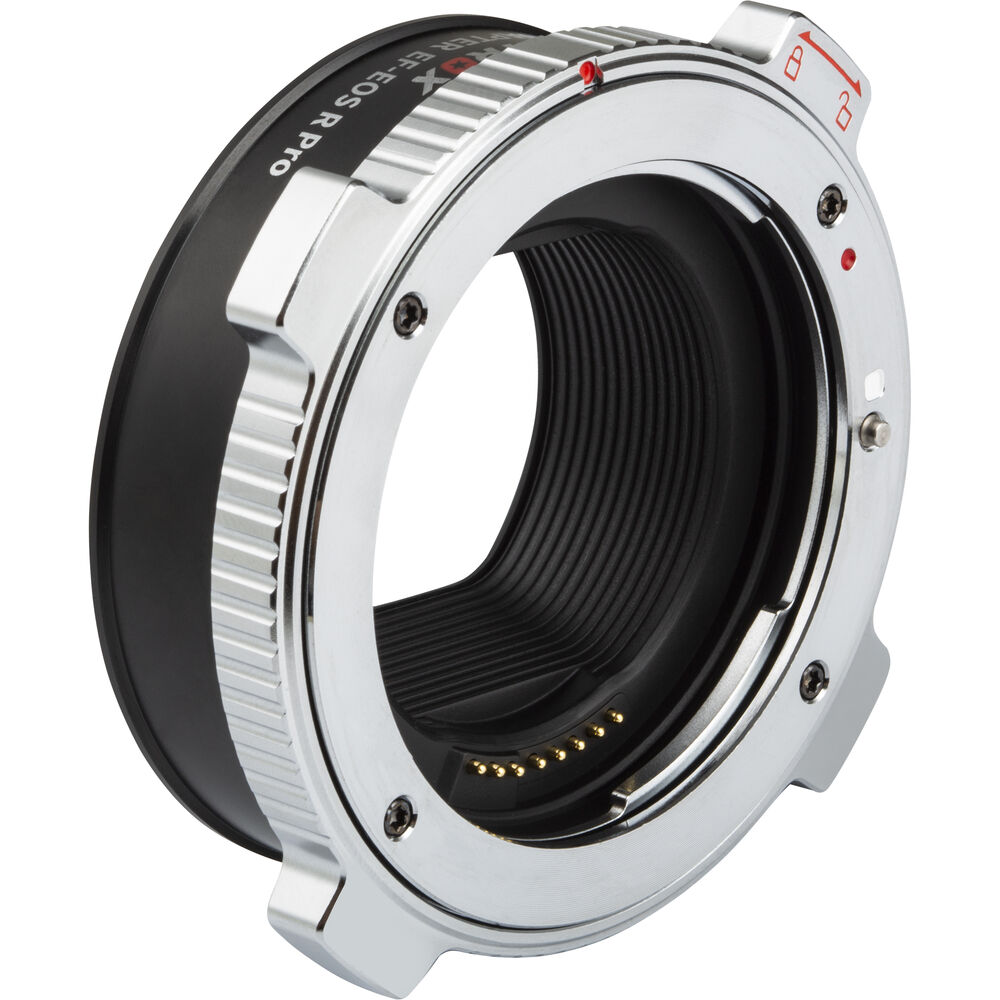
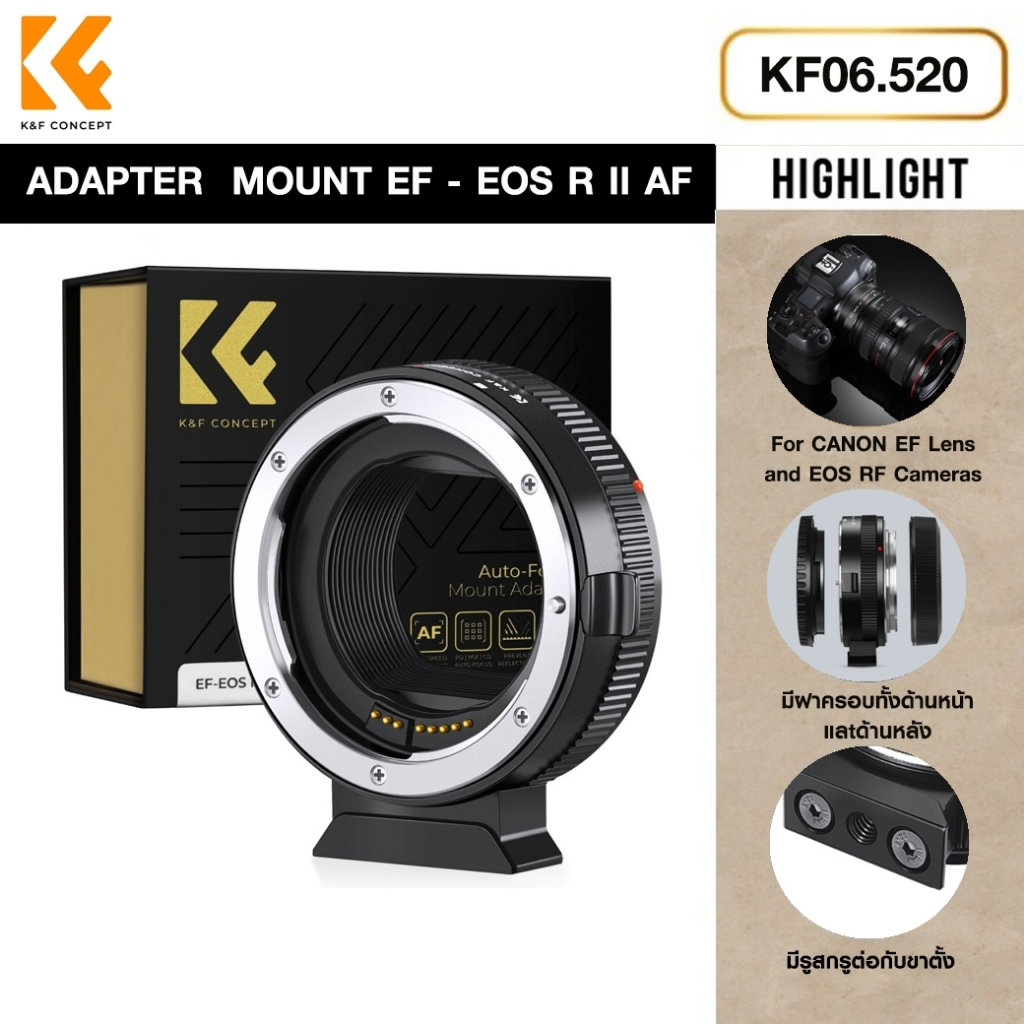
Third-party adapters can cost less. Some work well, but compatibility is less predictable. Before buying one, check:
- Your exact camera model
- Your exact lens model
- Autofocus support
- Image stabilization support
- Firmware update options
- Electronic communication
- Clearance around the lens and adapter
avoid adapters that claim to solve every compatibility issue without naming supported cameras and lenses. A purely mechanical adapter may mount the lens but disable autofocus, aperture control, and image stabilization.
How to Use an EF Lens on an RF Camera
Follow these steps to mount an EF lens safely.
- Turn off the camera. This reduces the chance of electronic connection problems while changing the lens.
- Remove the RF body cap and rear lens cap.
- Attach the EF lens to the adapter. Match the red alignment mark on the EF lens with the matching mark on the adapter.
- Lock the lens into place. Rotate the lens until it clicks.
- Attach the adapter to the camera. Match the adapter’s RF alignment mark with the mark on the camera body.
- Turn on the camera.
- Test autofocus, aperture control, and image stabilization.
- Update the camera or lens firmware if a supported update is available.
Do not force the lens or adapter. If the lens does not rotate smoothly, remove it and check the alignment marks. A damaged mount, bent contact, or incorrect adapter can cause expensive damage.
To remove the lens, press the camera’s lens-release button and rotate the adapter. To remove the lens from the adapter, use the release button on the adapter.
Signs that the setup is working
The combination is usually working correctly when:
- The camera recognizes the lens
- The aperture changes when you adjust it
- Autofocus responds normally
- Lens information appears in the camera menu or image data
- Image stabilization activates when supported
- The shutter operates without an error message
Will Autofocus and Image Stabilization Work?
Usually, yes, especially with Canon EF lenses and a Canon EF-to-RF adapter. The adapter passes electronic signals between the camera and lens, so many normal functions remain available.
However, “works” does not always mean “works exactly like an RF lens.” Differences may appear in focus speed, tracking, noise, or video performance. Older lenses may also behave differently from newer lenses because their motors and firmware were designed for DSLR systems.
Autofocus
Autofocus often works with:
- Canon EF lenses
- Canon EF-S lenses
- Canon telephoto lenses
- Canon lenses with USM or STM focus motors
Some older lenses may focus more slowly. Certain third-party lenses may need a firmware update or may support only limited autofocus functions.
For sports, wildlife, or fast-moving subjects, test the lens before an important assignment. Check continuous autofocus, subject tracking, and low-light focusing rather than relying only on single-shot autofocus.
Image stabilization
A stabilized EF lens may keep its optical image stabilization when adapted. If the RF camera also has in-body image stabilization, the camera may coordinate with the lens when both systems support that function.
The result depends on the exact camera and lens combination. Do not assume that every adapted lens receives the same stabilization benefit as a native RF lens.
Electronic aperture control
Most modern Canon EF lenses allow the camera to control the aperture through the adapter. Older or unusual lenses may not behave the same way. A basic mechanical adapter cannot provide this electronic control.

What Happens With EF-S Lenses?
EF-S lenses are designed for Canon APS-C sensors. They can mount on RF cameras through an EF-to-RF adapter, but the result depends on the camera sensor.
On an APS-C RF camera
On cameras such as the Canon EOS R7, R10, R50, and R100, an EF-S lens generally works as expected. The lens is designed for the camera’s APS-C sensor size, so the image uses the available sensor area.
The field of view includes the familiar APS-C crop factor. Canon APS-C cameras use a crop factor of about 1.6x compared with full-frame cameras. For example, a 50mm EF-S lens gives a field of view similar to an 80mm lens on full frame.
This does not change the lens’s actual focal length. It changes only the portion of the image captured by the smaller sensor.
On a full-frame RF camera
On a full-frame RF camera such as an EOS R5, R6, R8, or RP, an EF-S lens cannot cover the entire full-frame sensor. The camera will generally use a crop mode to avoid dark corners.
This creates three practical effects:
- The image uses a smaller part of the sensor.
- The field of view becomes narrower.
- The final image has fewer pixels than a full-frame capture.
A full-frame RF camera may still produce useful images with an EF-S lens, but it is not using the full sensor. For regular full-frame work, an EF lens is usually the better adapted choice.
EF Lens Compatibility: What Changes in Real Use?
An adapted EF lens usually keeps its basic optical behavior, but the camera system may feel different from a DSLR.
The lens may feel longer
The adapter adds physical length between the camera and lens. The focal length does not change, but the setup becomes longer and may feel less balanced.
Large EF telephoto lenses can also place more strain on the camera mount. Support the lens with your hand or a tripod collar when appropriate. Do not carry a heavy camera-and-lens combination by the camera body alone.
Some lenses may focus differently
Mirrorless cameras focus directly from the image sensor. This can improve consistency, but older EF lenses may not focus as quickly as they did on a DSLR. Video autofocus can also be less smooth with some lenses.
Lens corrections may vary
Camera bodies can apply corrections for distortion, shading, and chromatic aberration. Support depends on the lens, camera, and firmware. If a correction does not appear to work, shoot a test image and check the camera’s correction settings.
Manual focus still works
Even if autofocus is unavailable, an adapted EF lens may still be useful for landscapes, portraits, video, macro work, and studio photography. The camera’s focus peaking and magnified-view tools can make manual focusing easier.

Common Problems and How to Fix Them
Most problems come from the wrong adapter, dirty contacts, old firmware, or unsupported third-party equipment.
| Problem | Likely cause | What to try |
|---|---|---|
| Camera says “No lens attached” | Poor electronic contact or unsupported adapter | Remove and remount the adapter; inspect contacts |
| Autofocus does not work | Lens or adapter limitation | Try another lens; check firmware |
| Aperture stays fixed | Mechanical adapter or electronic fault | Use an electronic Canon-compatible adapter |
| Dark corners appear | EF-S lens on a full-frame body | Use crop mode or switch to an EF lens |
| Image stabilization fails | Unsupported communication | Test with stabilization on and off |
| Camera freezes or shows an error | Firmware or contact problem | Power off, remove the lens, and update supported firmware |
| Lens will not mount | Wrong mount or poor alignment | Confirm it is EF or EF-S, not EF-M |
Clean contacts only with care. Use a clean, dry, lint-free cloth if needed, and do not apply liquid to the camera or lens contacts. Avoid touching the sensor.
If the camera displays an error after mounting an adapted lens, turn the camera off before removing the lens. If the issue continues with several known-compatible lenses and adapters, contact Canon or a qualified camera repair provider.
Is It Better to Adapt EF Lenses or Buy RF Lenses?
The better choice depends on your budget, lens collection, and shooting needs.
Adapting EF lenses often makes sense when:
- You already own several good EF lenses
- You want to reduce the cost of moving to mirrorless
- You use specialty EF lenses that have no direct RF replacement
- You are comfortable with a longer camera setup
- You mainly shoot still photos
Native RF lenses may be preferable when:
- You want the smallest or lightest setup
- You need the newest autofocus behavior
- You shoot demanding video
- You want a lens designed specifically for the RF system
- You are building a new kit from scratch
An adapter does not make an EF lens optically identical to an RF lens. It only allows the lens to work on the newer mount. The adapter also adds one more connection point, although a properly made adapter should lock securely without noticeable play.
For many photographers, the most practical path is to keep useful EF lenses and replace them gradually only when a native RF lens offers a clear benefit.

Frequently Asked Questions
Can I use Canon EF lenses on a Canon EOS R camera?
Yes. Use a Canon EF-EOS R adapter or a compatible third-party electronic adapter. Most Canon EF lenses retain key functions, but check your exact lens and camera combination.
Can I use EF-S lenses on RF cameras?
Yes. EF-S lenses work through an EF-to-RF adapter. On an APS-C RF camera, they generally use the sensor normally. On a full-frame RF camera, the camera typically uses a crop area, which lowers the image resolution and narrows the field of view.
Can I use an EF lens on a Canon R7 or R10?
Yes. The EOS R7 and R10 are RF-mount APS-C cameras. An EF-to-RF adapter lets you use EF and EF-S lenses. The lens keeps its focal length, while the APS-C sensor gives the image a narrower field of view than full frame.
Can I use a cheap manual adapter?
Only if you accept limited functions. A manual adapter may allow the lens to mount, but it usually cannot control autofocus or the electronic aperture. For normal Canon EF use, an electronic EF-to-RF adapter is the safer choice.
Can I use RF lenses on an EF DSLR?
No. RF lenses are made for the shorter flange distance of mirrorless RF cameras. They cannot be adapted to EF DSLRs in a practical way while maintaining correct focus and normal operation.
Key Takeaways
- EF lenses work on RF-mount cameras with an EF-to-RF adapter.
- Canon’s Mount Adapter EF-EOS R is the most direct compatibility choice.
- Autofocus, aperture control, and stabilization often continue to work.
- EF-S lenses work best on APS-C RF cameras.
- On full-frame RF cameras, EF-S lenses use a crop area and produce lower-resolution images.
- EF-M lenses are not part of the normal EF-to-RF adapter system.
- Test third-party lens and adapter combinations before important work.
- Never force a lens or adapter into place.
Conclusion
You can use EF lenses on Canon RF-mount cameras, and an adapter makes the transition from Canon DSLR gear to EOS R mirrorless cameras much easier. For the most reliable results, use a Canon EF-EOS R adapter and confirm compatibility with your exact lens and camera.
If you already own quality EF lenses, there is usually no need to replace them at once. Keep using them, test their autofocus and stabilization, and move to native RF lenses only when their size, speed, video features, or autofocus performance justify the change.