
For U.S. homes, the eufy Security SoloCam S340 is a wire-free outdoor security camera with a built-in solar panel, local storage, dual-camera coverage, and pan-and-tilt tracking. It is designed for homeowners who want motion alerts and video recording without running power cable or paying a required monthly cloud fee.
The S340 works best when mounted in a spot with regular sunlight and a clear view of the area you want to watch. It is less suitable for users who need continuous 24/7 recording, strong cellular backup, or full smart-home support without checking device compatibility first.

What Is the eufy SoloCam S340?
The eufy SoloCam S340 is a wireless outdoor camera in eufy Security’s SoloCam range. It combines a wide-angle camera with a second telephoto camera. The two lenses help the camera show both a broad scene and closer detail.
According to eufy’s U.S. product information, the main features include:
- A 3K wide-angle camera
- A 2K telephoto camera
- Up to 8× hybrid zoom
- 360-degree horizontal pan
- 70-degree vertical tilt
- Built-in solar charging
- Two-way audio
- A built-in spotlight
- A siren
- Motion alerts
- Local video storage
- Optional connection to eufy HomeBase 3
- Support for 2.4 GHz Wi-Fi
The camera is made for outdoor use. Its IP65 weather-resistance rating means it is designed to resist dust and water jets. This does not mean it is waterproof in every situation. Do not place it where water can enter the charging port or where it can sit in standing water.
What does “wireless” mean here?
“Wireless” refers mainly to power and network connection. The camera does not need a wired Ethernet connection or a normal indoor power outlet during daily use.
It still needs:
- A Wi-Fi connection during setup and normal operation.
- A charged internal battery.
- Sunlight strong enough to help replace the energy used by the camera.
- The eufy Security app for setup, alerts, and settings.
A wireless camera is not independent of the network. If your Wi-Fi signal is weak at the mounting point, the camera may fail to upload alerts or load live video.
Is the solar panel built in?
Yes. The SoloCam S340 has a built-in solar panel on top of the camera. The panel reduces the need for manual charging, but it does not create unlimited power.
The camera may still need charging when:
- The camera receives many motion events.
- The area is shaded.
- Winter sunlight is weak.
- Snow, dust, or leaves cover the panel.
- The camera records often.
- The camera is aimed at a busy road or sidewalk.
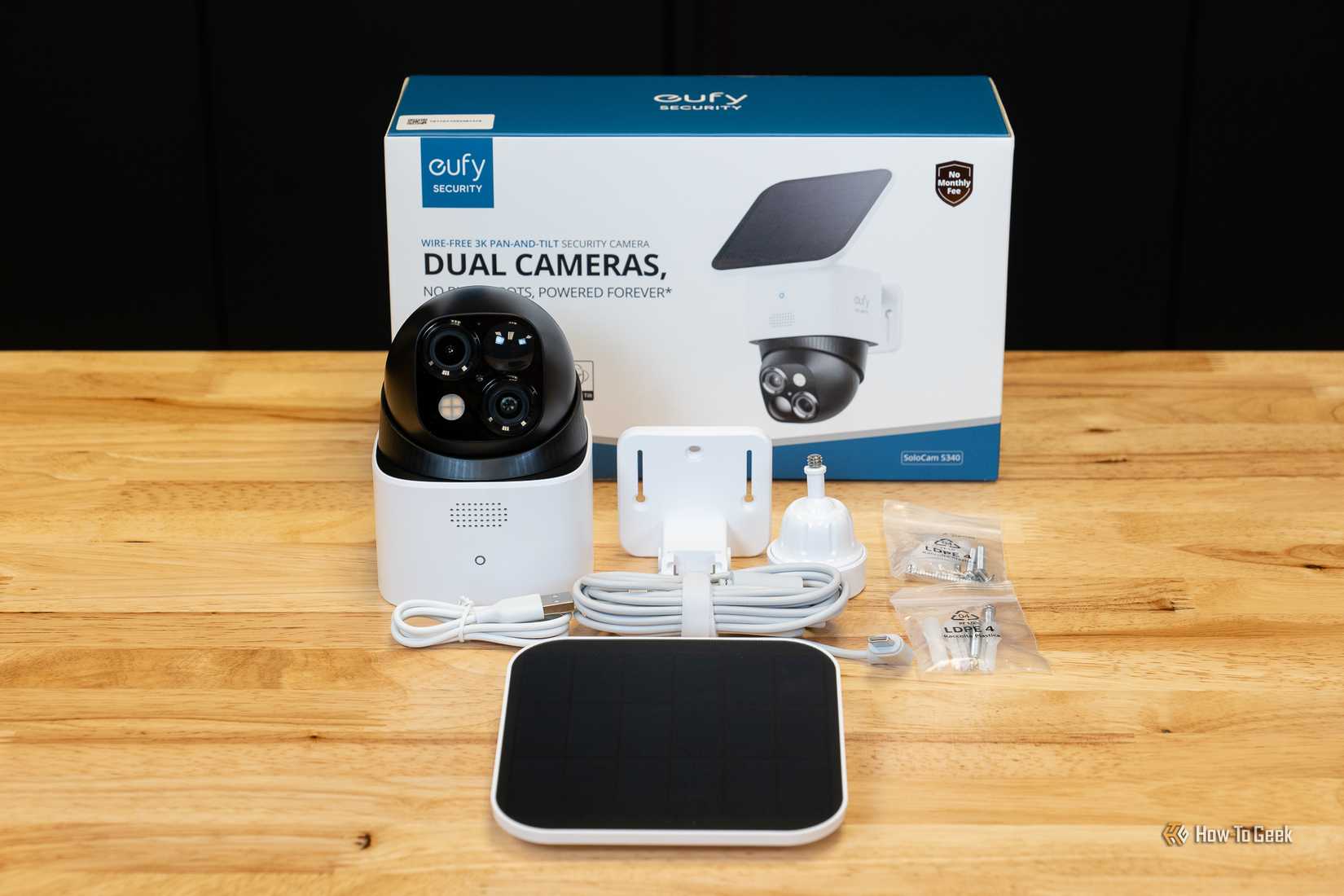
eufy SoloCam S340 Features and Specifications
The table below summarizes the main documented features. Exact app functions can vary by firmware, region, and whether the camera is used alone or with HomeBase 3.
| Feature | SoloCam S340 details | Practical effect |
|---|---|---|
| Camera system | Dual-camera design | Provides wide scene coverage and closer views |
| Main resolution | 3K wide-angle camera | Helps capture more detail than basic 1080p cameras |
| Secondary resolution | 2K telephoto camera | Helps view distant subjects more clearly |
| Zoom | Up to 8× hybrid zoom | Combines optical and digital zoom; detail can drop at high zoom |
| Movement | 360° pan and 70° tilt | Can cover a broad area when tracking is enabled |
| Power | Built-in solar panel and rechargeable battery | Reduces routine charging |
| Storage | Built-in local storage | Video can be saved without a required cloud plan |
| Network | 2.4 GHz Wi-Fi | Better range than 5 GHz, but usually lower Wi-Fi speed |
| Audio | Two-way talk | Lets you listen and speak through the app |
| Deterrence | Spotlight and siren | Can warn or discourage a person near the camera |
| Weather protection | IP65-rated enclosure | Intended for outdoor exposure, not submersion |
| Smart-home link | eufy Security app and selected eufy systems | Allows alerts and management through supported devices |
Dual cameras and zoom
The two-camera layout is the main reason to consider the S340 over a basic fixed camera. The wide lens can show a driveway, yard, or entry area. The telephoto lens can help inspect a person or object farther away.
Hybrid zoom is not the same as having a high-quality optical zoom lens across the full range. At higher zoom levels, digital processing enlarges the image. The result may look softer, especially at night or when the subject is moving.
For best results, mount the camera so the important area is within a moderate distance. Do not expect the camera to identify a small license plate far down a dark street.
Pan and tilt coverage
The camera can rotate from side to side and move up and down. This can reduce blind spots, but movement does not guarantee full coverage.
A camera may miss an event when:
- A moving person passes outside the current view.
- The camera has not yet turned toward the event.
- An object blocks the lens.
- The subject moves too close to the camera.
- Tracking settings are disabled or limited.
Use a fixed camera or a second camera when an area must remain visible at all times.

How to Install and Set Up the SoloCam S340
Set up the camera indoors before mounting it outside. This makes it easier to update firmware, connect Wi-Fi, and confirm that the camera works.
Before you begin
Prepare the following:
- A compatible iPhone or Android phone
- The eufy Security app
- A 2.4 GHz Wi-Fi network
- Your Wi-Fi password
- The camera and mounting hardware
- A location with useful daylight
- A drill and suitable anchors if mounting on masonry or siding
Check the mounting surface before drilling. Avoid locations that may damage electrical wiring, plumbing, or structural parts.
Setup steps
-
Charge the camera if needed.
A partial charge can make setup easier. Follow the charging instructions supplied with the unit. -
Install the eufy Security app.
Create or sign in to your eufy account. -
Add the camera in the app.
Select the SoloCam S340 and follow the pairing instructions. -
Connect to 2.4 GHz Wi-Fi.
Many routers combine 2.4 GHz and 5 GHz under one network name. If setup fails, temporarily separate the bands or connect your phone to the 2.4 GHz band. -
Install available firmware updates.
Updates may improve stability, security, or compatibility. -
Test live view before mounting.
Walk through the area you want to monitor. Check the picture, audio, motion alerts, and pan-and-tilt response. -
Choose the mounting position.
Aim for a clear view and several hours of useful daylight. Avoid placing the solar panel under a roof overhang or behind thick glass. -
Mount the camera securely.
Use anchors suited to the wall material. Tighten the mount, but do not force the screws. -
Set the detection area.
Exclude streets, swaying trees, and other areas that may create unnecessary alerts. -
Test day and night performance.
Confirm that the camera can see the entry point after dark. Check that nearby walls or objects do not reflect the infrared light.
Signs of a successful installation
The installation is working as expected when:
- Live view loads without repeated delays.
- The camera stays connected to Wi-Fi.
- Motion alerts arrive during a planned test.
- The solar panel receives direct or strong indirect light.
- The battery level does not fall quickly over several days.
- The camera view includes the target area without large blind spots.
If setup fails
Try these checks in order:
- Move the camera close to the router during pairing.
- Confirm that the Wi-Fi password is correct.
- Use a 2.4 GHz network.
- Restart the router and camera.
- Update the eufy Security app.
- Reset the camera only after recording any settings you may need.
- Contact eufy Support if the camera cannot pair after a reset.
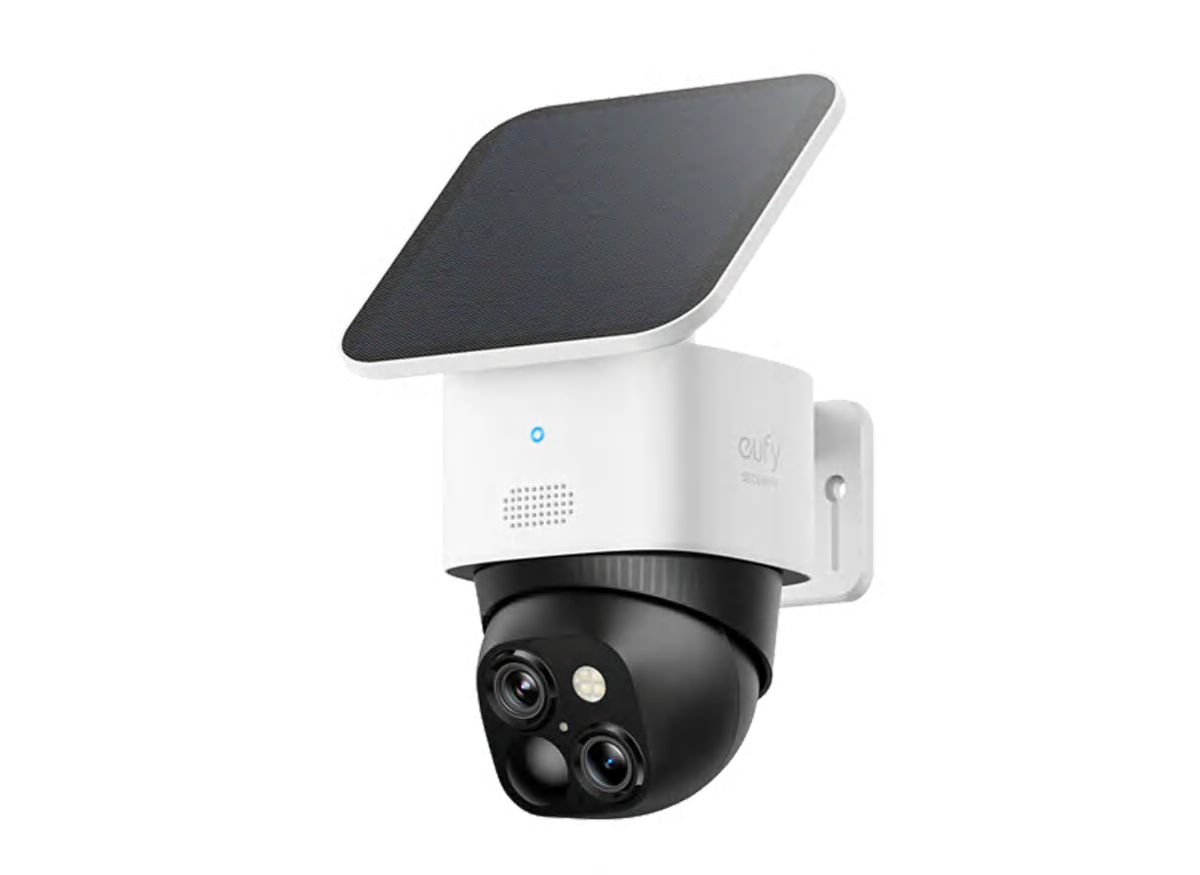
Where Should You Mount the Camera?
The best mounting point balances three needs: a clear view, a strong Wi-Fi signal, and enough sunlight.
Good mounting locations
Common U.S. residential locations include:
- A front porch facing the walkway
- A garage corner covering the driveway
- A side gate
- A rear patio
- A detached shed with Wi-Fi coverage
- A backyard entry point
Mount the camera high enough to reduce tampering, but not so high that faces become small in the image. A moderate downward angle often works better than aiming straight across a large yard.
Avoid these locations
Avoid mounting the S340:
- Behind glass
- Under dense shade
- Facing a bright sunrise or sunset
- Directly above a light that causes glare
- Where rainwater runs over the lens
- Where branches move across the detection area
- Where the camera records a neighbor’s private space
In the United States, privacy rules vary by state and situation. Aim cameras at your own property and avoid recording places where people reasonably expect privacy. Audio recording can also raise separate state-law concerns, especially in conversations. Review local rules before enabling audio in sensitive areas.
Solar placement matters
The built-in solar panel works best when it receives regular sunlight. A camera that sees only a small amount of weak winter light may still lose battery power over time.
Clean the panel with a soft, slightly damp cloth. Do not use abrasive cleaners. Check the panel after storms, pollen season, and snowfall.
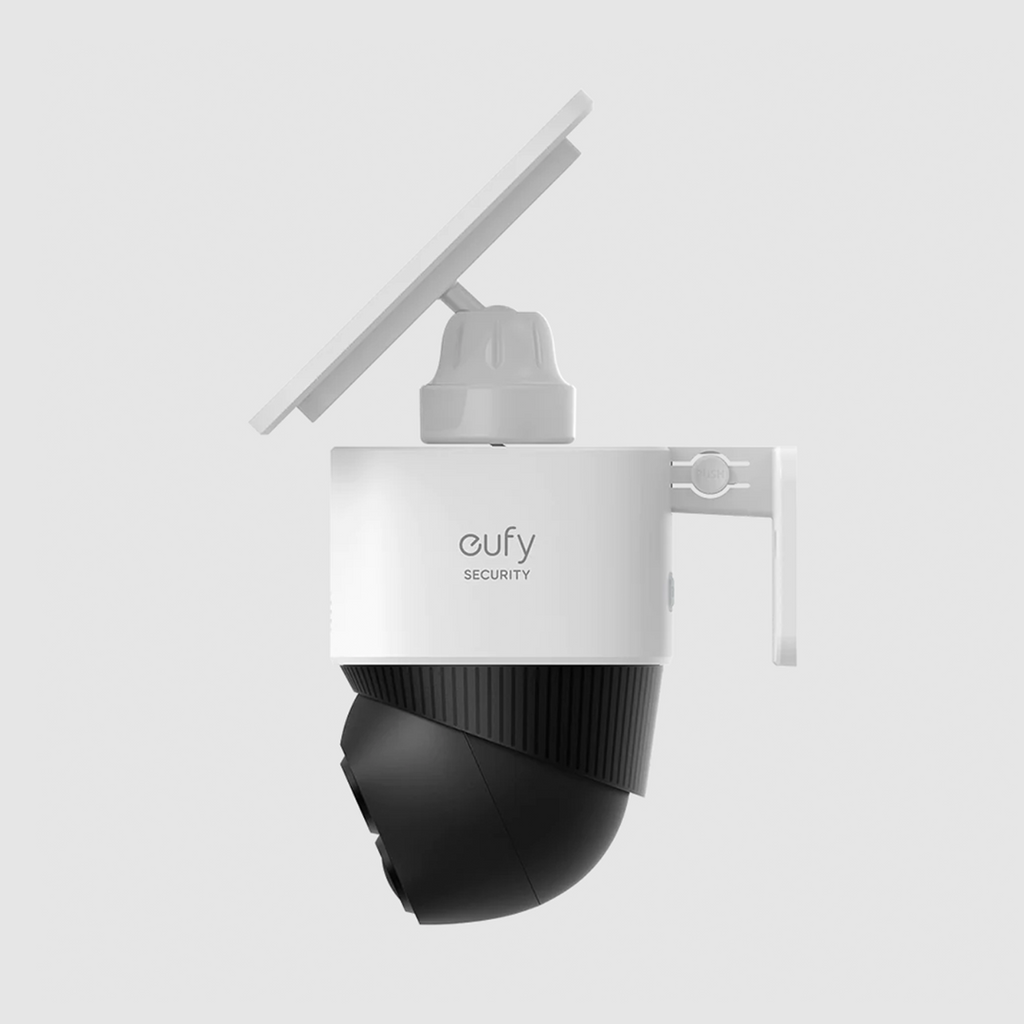
Local Storage, HomeBase 3, and Subscription Costs
The SoloCam S340 is designed around local storage. That can reduce recurring costs and keep recordings inside your eufy system instead of requiring a cloud plan.
The camera includes built-in storage for recorded clips. eufy also documents support for expanded storage through compatible setups, including HomeBase 3. Confirm the current storage limit and compatibility in the eufy app or the latest U.S. support documentation before buying a card or HomeBase unit.
Standalone camera use
When used by itself, the S340 can provide:
- Motion-triggered recordings
- App alerts
- Live viewing
- Local video access
- Two-way audio
- Camera controls
Standalone use may be enough for a porch, driveway, or side entrance.
HomeBase 3 use
HomeBase 3 may be useful when you have several compatible eufy devices. It can centralize storage and add selected smart detection features.
Do not assume every eufy camera feature works in the same way with every HomeBase model. Check the exact model list and firmware requirements before purchasing HomeBase 3 for a specific function.
Is there a required monthly fee?
The S340 is promoted with local storage and no required monthly cloud subscription for its core recording features. Optional cloud services or other eufy features may have separate terms.
The most reliable way to confirm current fees is to check the U.S. eufy Security app and the official product page at the time of purchase. Prices, plans, and service terms can change.

Motion Detection, Alerts, and Night Video
The S340 can send alerts when it detects movement. Alert quality depends on the camera angle, lighting, detection settings, Wi-Fi connection, and the type of movement.
Reduce unwanted alerts
Start with conservative settings:
- Create an activity zone around the driveway or door.
- Exclude sidewalks and busy roads.
- Lower sensitivity if trees trigger alerts.
- Use human or vehicle filters when available.
- Adjust notification schedules.
- Keep the camera away from reflective surfaces.
No consumer camera identifies every event correctly. A person may be missed, and harmless movement may still create an alert.
Night performance
The S340 can use infrared night vision and a spotlight. The spotlight may provide a color image when there is enough light. In very dark areas, image quality can decline.
Night video is affected by:
- Distance from the subject
- Light-colored walls near the lens
- Headlights
- Rain and fog
- Spider webs or insects
- Reflective objects
- Fast movement
Clean the lens and test the camera at night after installation. A clear daytime image does not guarantee a useful nighttime image.
Sound and two-way talk
Two-way audio lets you speak through the camera from the app. It is useful for telling a delivery driver where to leave a package or warning someone away from a private area.
Do not use the siren or two-way talk as a substitute for emergency services. If you see an active threat, contact local emergency services rather than approaching the person.

Common Problems and Practical Fixes
The battery keeps dropping
Possible causes include shade, heavy traffic in the detection zone, frequent live viewing, cold weather, or a dirty solar panel.
Move the camera toward better light if possible. Reduce unnecessary detection zones and check whether the battery begins to stabilize over several days.
The camera goes offline
Check the Wi-Fi signal at the camera, not just beside the router. Restart the router, reduce obstructions, and consider a compatible mesh Wi-Fi system if the mounting point is far away.
A Wi-Fi extender can help, but it may also create a second network that complicates setup. Use a reliable signal test before permanently mounting the camera.
Alerts arrive late
Delayed alerts may result from weak Wi-Fi, phone notification settings, battery-saving limits, or server and app conditions.
Confirm that:
- The eufy app can send notifications.
- Your phone allows background activity.
- The camera has a stable Wi-Fi connection.
- The camera firmware and app are current.
- The battery is not critically low.
The image looks blurry
Clean the lens first. Then check whether the subject is too far away, moving quickly, or poorly lit. High digital zoom may look soft even when the camera is working normally.
The camera records too many clips
Narrow the activity zone, reduce sensitivity, and enable available human or vehicle filters. Avoid pointing the camera at moving branches, flags, busy roads, or reflective surfaces.

Who Should Buy the SoloCam S340?
The eufy SoloCam S340 is a reasonable fit for a U.S. homeowner who wants:
- A wire-free outdoor camera
- Solar-assisted battery charging
- Local video storage
- Wide and closer views from one device
- Pan-and-tilt coverage
- App alerts without a required subscription
- A camera for a porch, driveway, gate, or yard
It may not be the right choice for someone who needs:
- Guaranteed 24/7 recording
- Cellular operation without home internet
- A fully hidden camera
- Long-range plate capture
- Unlimited battery operation in deep shade
- A system that works with every smart-home platform
- Professional monitoring included with the hardware
The biggest trade-off is simple: solar power lowers maintenance, but it does not remove the need for good placement and occasional checks.

Frequently Asked Questions
Does the eufy SoloCam S340 need Wi-Fi?
Yes. The camera uses Wi-Fi for app access, alerts, and remote viewing. It is designed for 2.4 GHz Wi-Fi. Local storage does not mean the camera can provide full remote access without a network connection.
Can the SoloCam S340 record continuously?
The S340 is primarily designed for motion-triggered recording rather than standard 24/7 continuous recording. Check the current eufy documentation for any firmware-specific recording modes before buying it for constant surveillance.
Does the S340 work without a subscription?
Its core local-storage features are designed to work without a required monthly cloud subscription. Optional cloud services may have separate charges and terms.
Can the solar panel fully charge the camera?
It can help maintain the battery when sunlight and camera use are favorable. Heavy activity, shade, short winter days, and dirty panels can still cause the battery to fall.
Is the SoloCam S340 compatible with HomeBase 3?
eufy lists the S340 as compatible with selected HomeBase 3 functions. Compatibility can depend on firmware and the exact feature you want. Confirm the current eufy compatibility list before purchase.
Can I use the S340 to monitor a public street?
You can physically aim it toward an area near your property, but recording public areas, neighbors, or audio may create privacy concerns. Limit the view to your property and review applicable local and state rules.

Final Recommendation
The eufy Security SoloCam S340 Solar Security Camera is best understood as a solar-assisted, motion-based outdoor camera with dual-lens coverage and local storage. Its strongest benefits are flexible mounting, fewer charging tasks, wide-area viewing, and the option to avoid a required cloud subscription.
Before buying, confirm three things: your mounting point receives useful sunlight, your 2.4 GHz Wi-Fi reaches the location, and motion-triggered recording meets your security needs. If you need continuous recording or cellular backup, compare the S340 with a wired camera or a cellular security system instead.
Official information to verify before purchase
- eufy Security U.S. official website
- eufy Support
- The current SoloCam S340 product page
- The latest SoloCam S340 user manual
- The current HomeBase 3 compatibility list
- Current U.S. warranty, storage, and subscription terms

