
For photographers in the United States, the K&F Concept lens mount adapter can let you use a Canon EOS EF or EF-S lens on a camera with a different lens mount. The correct adapter depends on the camera body mount, not only the Canon lens. Most K&F adapters are simple mechanical rings, so autofocus, electronic aperture control, image stabilization, and lens data may not work unless the specific model has electronic contacts.
“Canon EOS EF/EF-S” describes the lens side of the adapter. It does not identify the camera side. Before buying, match all three parts:
- The Canon lens mount: EF or EF-S.
- The camera body mount: Sony E, Nikon Z, Fujifilm X, Micro Four Thirds, Canon RF, or another mount.
- The adapter type: manual or electronic.

What the K&F Concept Canon EF/EF-S adapter does
The adapter creates a physical connection between a Canon EF or EF-S lens and a compatible camera body. It also helps place the lens at the correct distance from the camera sensor.
A typical K&F Concept adapter has:
- A Canon EF/EF-S mount on the lens side.
- A second mount made for a specific camera system.
- A metal or metal-alloy body.
- A release mechanism for removing the lens.
- No optical glass in most manual versions.
A manual adapter is best understood as a precision spacer with locking mounts. It does not turn an old Canon lens into a native lens for the new camera.
EF and EF-S are not the same lens format
Canon EF lenses were made for Canon EOS cameras with a full-frame or APS-C sensor. Canon EF-S lenses were made mainly for Canon APS-C DSLR cameras.
The main differences are:
| Lens type | Common sensor format | Key point |
|---|---|---|
| Canon EF | Full frame and APS-C | Usually offers the widest body compatibility |
| Canon EF-S | APS-C | May have a rear design that limits compatibility |
| Canon EF-M | Canon EOS M mirrorless | Not the same as EF or EF-S |
| Canon RF/RF-S | Canon EOS R mirrorless | Not the same as EF or EF-S |
Do not treat EF, EF-S, EF-M, RF, and RF-S as interchangeable names. They are different mounts and lens families.
How to confirm compatibility before you buy
The camera body mount is the deciding factor. A listing that says “compatible with Canon EOS EF/EF-S lenses” still needs a second mount name.
For example:
- Canon EF lens to Sony E camera requires an EF-to-Sony E adapter.
- Canon EF lens to Nikon Z camera requires an EF-to-Nikon Z adapter.
- Canon EF lens to Fujifilm X camera requires an EF-to-Fujifilm X adapter.
- Canon EF lens to Micro Four Thirds camera requires an EF-to-M4/3 adapter.
- Canon EF lens to Canon RF camera requires an EF-to-RF adapter.
The lens goes first in the name. The camera body mount goes second.
Use this four-step check
-
Read the label on the lens.
Look for “EF,” “EF-S,” or another Canon mount mark. -
Identify the camera mount.
Check the camera manual, manufacturer page, or the mount marking on the body. -
Read the full K&F product title.
The title should name both mounts. “For Canon EOS EF/EF-S lens” alone is incomplete. -
Check the compatibility notes.
Look for warnings about autofocus, aperture control, crop mode, mirror clearance, or electronic contacts.
A product photo is not enough. Different K&F adapters can look similar while supporting different camera systems.

Manual versus electronic K&F adapters
The most important practical difference is whether the adapter has electronic contacts.
Manual adapters
A manual K&F adapter normally provides physical mounting only. With one of these adapters, the camera may not control the lens.
You may lose:
- Autofocus.
- Electronic aperture adjustment.
- Lens-based image stabilization control.
- EXIF lens data.
- Focus confirmation.
- Automatic correction profiles.
The lens may still work well for manual photography. Many cameras offer focus magnification, focus peaking, and exposure tools that make manual operation easier.
Electronic adapters
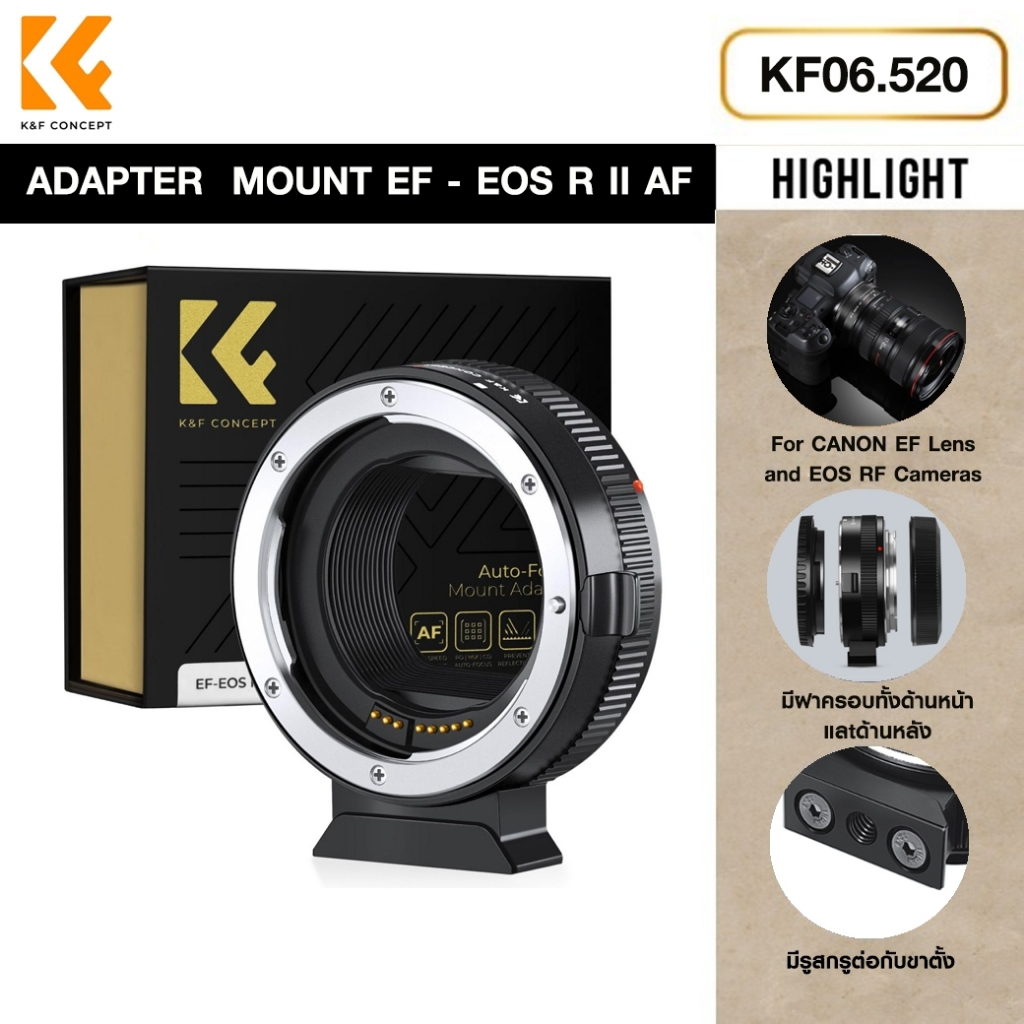
Electronic adapters contain contacts and internal electronics. Some can pass signals between the lens and camera body.
Depending on the exact model, an electronic adapter may support some of these features:
- Autofocus.
- Electronic aperture control.
- Image stabilization communication.
- Lens information.
- Camera-controlled focus modes.
Support is not always complete. Performance can vary by lens, camera, firmware, focus mode, and lighting. An electronic adapter should not be assumed to perform like a native lens.
Read the exact K&F specification. Words such as “manual,” “no electrical contacts,” or “automatic focus not supported” are strong warnings that the adapter is a mechanical model.
What happens to autofocus and aperture?
A manual adapter cannot operate the electronic controls inside a Canon EF or EF-S lens. The camera may show an error, display a blank aperture value, or fail to take a picture until the release setting is changed.
The exact steps differ by camera. Some mirrorless bodies have a menu option such as:
- Release shutter without lens.
- Shoot without lens.
- No lens release.
- Enable shutter release.
If the lens has no manual aperture ring, a manual adapter can leave the aperture fixed at its last electronic setting. This is a major limitation.
An electronic adapter may allow aperture control, but the result depends on the adapter and lens. Autofocus may be acceptable for still subjects and less reliable for moving subjects. Video focus can also vary.
Manual exposure is often the simplest setup
With a manual adapter, try this basic workflow:
- Set the camera to aperture priority or manual exposure.
- Set the aperture by the method supported by the lens and adapter.
- Turn on focus peaking or focus magnification.
- Focus by hand.
- Check the shutter speed and ISO.
- Take a test image.
- Review focus at 100% magnification.
This setup works best for landscapes, portraits with time to focus, close-up work, studio scenes, and video with controlled movement.
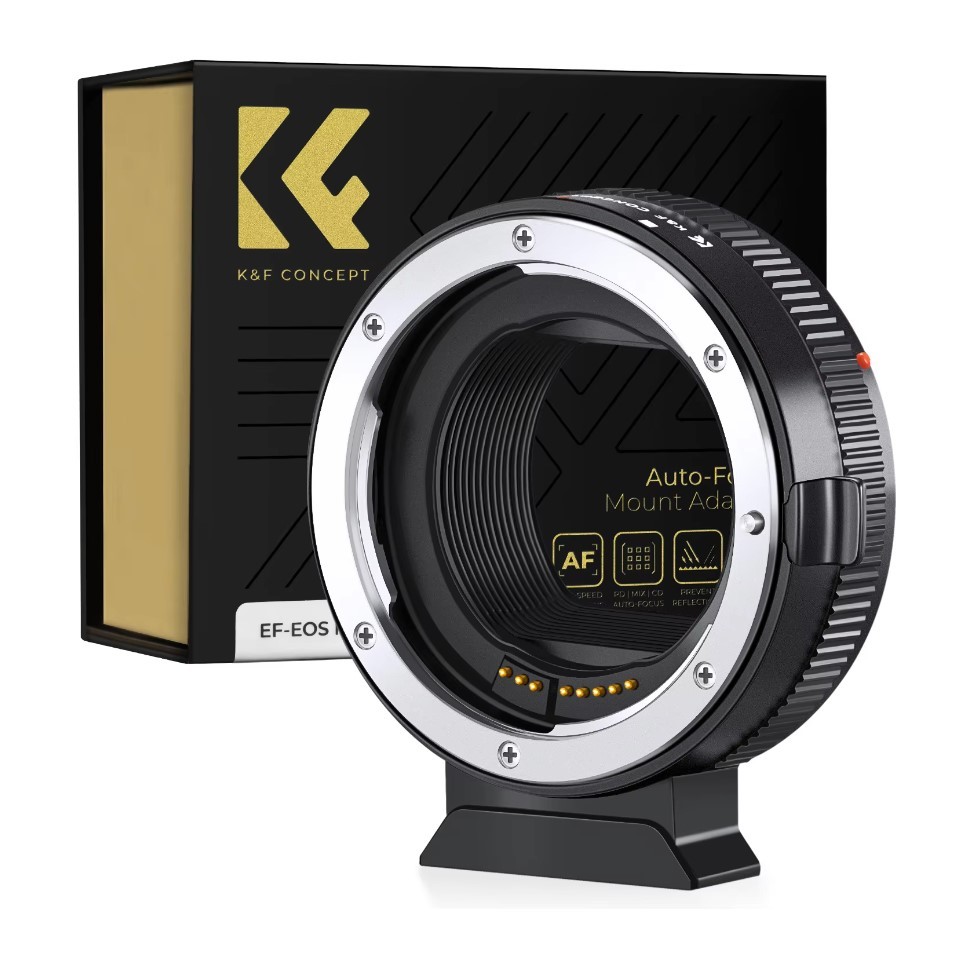
Image quality, crop factor, and field of view
The adapter itself usually does not change a lens’s focal length. A 50mm lens remains a 50mm lens.
The camera sensor changes the field of view. A smaller sensor captures a narrower part of the image circle. This makes the lens appear more “zoomed in” compared with a full-frame camera.
Approximate field-of-view comparisons are useful:
| Camera sensor | Common crop factor | Approximate view of a 50mm lens |
|---|---|---|
| Full frame | 1.0× | Similar to 50mm |
| Canon APS-C | 1.6× | Similar to 80mm |
| Nikon APS-C | 1.5× | Similar to 75mm |
| Micro Four Thirds | 2.0× | Similar to 100mm |
These are field-of-view comparisons, not changes to the lens itself.
EF-S lenses need extra care
An EF-S lens is designed to project a smaller image circle than a full-frame EF lens. On a full-frame mirrorless camera, the image may show dark corners or heavy vignetting.
Some camera systems can crop automatically. Others may require manual crop settings. The result may be a lower-resolution image because only part of the sensor is used.
Check the camera and adapter instructions before mounting an EF-S lens on a full-frame body. Never force a lens or adapter if the rear of the lens touches the adapter, shutter, or sensor area.
Step-by-step installation
Use this method when the adapter and lens are confirmed compatible.
Before mounting
- Turn off the camera.
- Remove the body cap and rear lens cap.
- Inspect the mounts for dust or grit.
- Check that the adapter has no bent tabs or loose screws.
- Make sure the red or white alignment marks are visible.
Mount the adapter to the camera
- Align the adapter’s camera-side mark with the camera mount mark.
- Insert the adapter without twisting it at an angle.
- Rotate it until it clicks or locks.
- Check that the adapter is secure.
- Do not use excessive force.
Mount the Canon lens
- Align the Canon lens mark with the matching mark on the adapter.
- Insert the lens into the adapter.
- Rotate the lens until the lock engages.
- Gently test the connection by holding the lens barrel, not the focus ring.
- Turn on the camera.
Test basic operation
Take a test photo at a small aperture and a moderate shutter speed. Confirm that:
- The lens stays locked.
- The camera can release the shutter.
- The image is formed across the frame.
- There is no unusual scraping or resistance.
- Focus tools work as expected.
- The aperture behaves as the adapter instructions describe.
Remove the setup if you hear grinding, feel binding, or see contact damage.

Common problems and practical fixes
The lens will not attach
Likely causes:
- Wrong adapter mount.
- Lens is not an EF or EF-S model.
- Adapter is reversed.
- Mount marks are not aligned.
- A locking pin is damaged.
What to do:
Remove the lens. Compare the adapter label with the camera mount. Do not push or twist harder. A wrong adapter can damage the lens mount.
The camera says “no lens”
This is normal for many manual adapters. The camera does not detect electronic lens data.
Try the camera’s release-without-lens setting. Then use manual focus and manual exposure. If you need autofocus or automatic aperture, a manual adapter is the wrong type for that task.
The shutter will not fire
Check whether the camera blocks shutter release without an electronic lens. Enable the relevant setting in the camera menu if the manufacturer permits it.
If the camera still refuses to fire, remove the adapter and test the body with a native lens. This helps separate a camera setting from an adapter problem.
The image has dark corners
The lens may be an EF-S model used on a full-frame sensor. The adapter cannot enlarge the lens’s image circle.
Use crop mode if supported. Crop the image later. Or use an EF lens designed for full-frame coverage.
Autofocus is slow or unreliable
Possible causes include:
- The adapter is manual.
- The adapter has limited electronic support.
- The lens firmware is not fully compatible.
- The camera focus mode is not supported.
- The scene has low contrast or poor light.
Use manual focus for critical work. For fast action, native lenses or a well-supported electronic adapter are usually safer choices.
The aperture cannot be changed
This is a common issue with electronic Canon EF lenses and manual adapters. If the lens has no physical aperture ring, the adapter cannot control it.
If the lens is stuck at an unusable aperture, mount it on a compatible Canon EF camera or use an electronic adapter that specifically supports aperture control. Do not attempt to disassemble the lens or adapter.

When this adapter makes sense
A K&F Concept Canon EF/EF-S adapter is a reasonable option when you:
- Already own Canon EF lenses.
- Use a compatible mirrorless camera.
- Accept manual focus or limited electronic control.
- Want a low-cost way to try older lenses.
- Shoot still subjects, landscapes, portraits, or controlled video.
- Need a simple mechanical connection.
It may not be the best choice when you need:
- Reliable tracking autofocus.
- Fast sports or wildlife focus.
- Full lens communication.
- Automatic aperture control.
- Professional event work where missed focus is costly.
- Weather sealing equal to a native lens system.
The main trade-off is simple: a manual adapter usually costs less and has fewer points of failure, but it also provides less camera-lens communication.
Buying checklist for U.S. photographers
Before ordering from a U.S. retailer or marketplace, confirm the following:
- The lens mount says Canon EF or EF-S.
- The camera-side mount matches your exact camera.
- The adapter is made for your sensor and body type.
- The listing states whether it is manual or electronic.
- The listing explains aperture control.
- The listing explains autofocus support.
- The adapter does not include an optical element unless you specifically want one.
- The seller provides a return policy for compatibility issues.
- The product version matches the current listing, not only an old product photo.
Product names can be shortened or misspelled in marketplace listings. “Canon EOS Efef” may be a search or listing error for Canon EOS EF/EF-S. Confirm the actual mount markings before purchase.
Key takeaways
- The K&F Concept adapter must match both the Canon lens and the camera body.
- “Canon EF/EF-S compatible” identifies the lens side only.
- Most low-cost versions are manual adapters.
- Autofocus and automatic aperture may not work.
- EF-S lenses can produce dark corners on full-frame cameras.
- Do not force a lens or adapter into place.
- Choose an electronic adapter when camera control is essential.
Frequently asked questions
Is the K&F Concept adapter compatible with all Canon EOS cameras?
No. Canon EOS is a broad camera family. The adapter must match the specific camera mount. Canon EF and EF-S DSLR bodies are different from Canon RF mirrorless bodies and Canon EF-M bodies.
Can I use a Canon EF lens on a Sony mirrorless camera?
Yes, but you need a Canon EF-to-Sony E adapter. A generic adapter marked only “for Canon EF lens” is not enough. A manual version will usually require manual focus and may not control aperture.
Can I use a Canon EF-S lens on a full-frame mirrorless camera?
It may physically mount with the correct adapter, but the lens may not cover the full sensor. Dark corners or automatic crop mode are possible. Check the camera and lens restrictions before use.
Does the adapter change focal length?
A standard mechanical adapter does not change focal length. The camera sensor can change the field of view, especially on APS-C and Micro Four Thirds bodies.
Will image stabilization work through the adapter?
Not always. A manual adapter cannot pass electronic stabilization commands. An electronic adapter may support some functions, but compatibility depends on the camera, lens, adapter model, and firmware.
How can I tell if a K&F adapter is manual?
Look for terms such as “manual focus,” “no electrical contacts,” or “aperture control not supported.” A row of electronic contacts on the mount may indicate an electronic model, but the product specifications are the safer source.
Conclusion
The K&F Concept lens mount adapter can be a useful bridge between Canon EF/EF-S lenses and another camera system. The key is to identify the complete connection: Canon lens mount to camera body mount.
For simple, low-cost use, a manual adapter may be enough. For autofocus, automatic aperture, stabilization, or lens data, choose a compatible electronic model and verify support for your exact lens and camera. Check the mount, read the limitations, and test the setup before using it for important work.

