
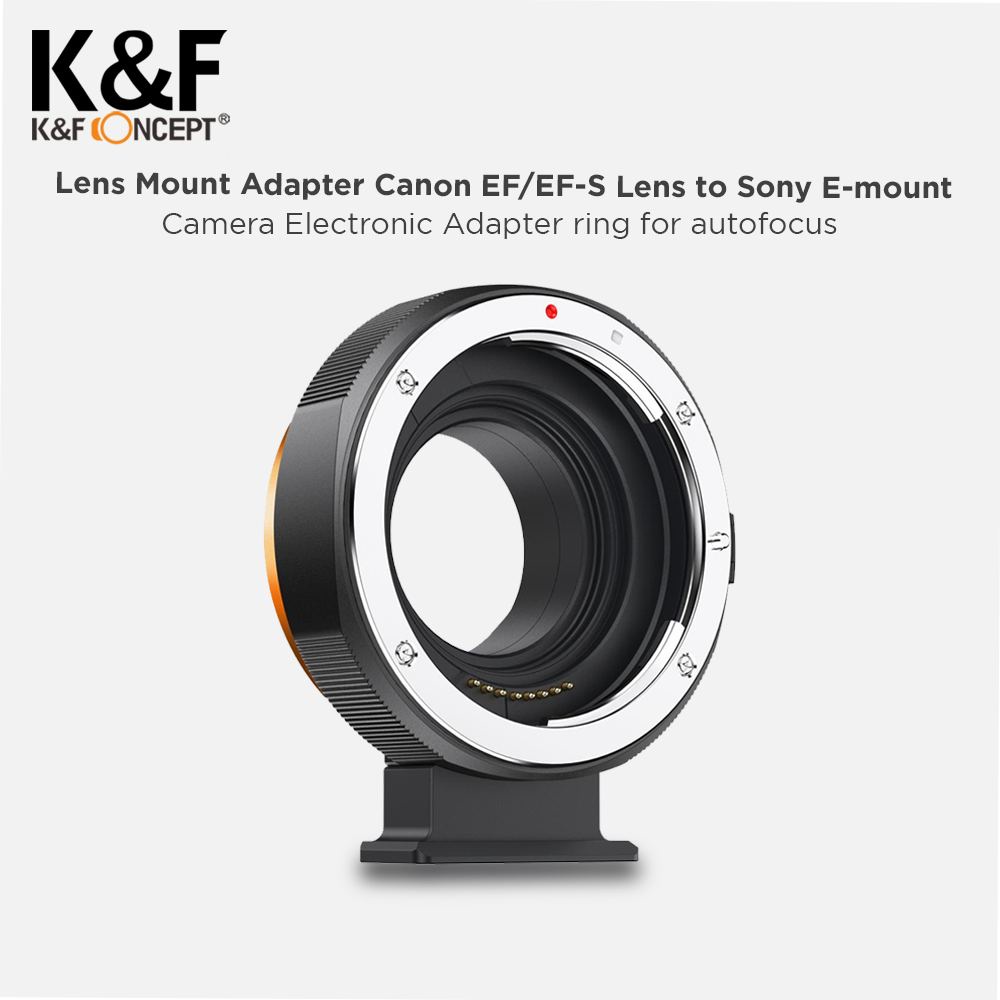
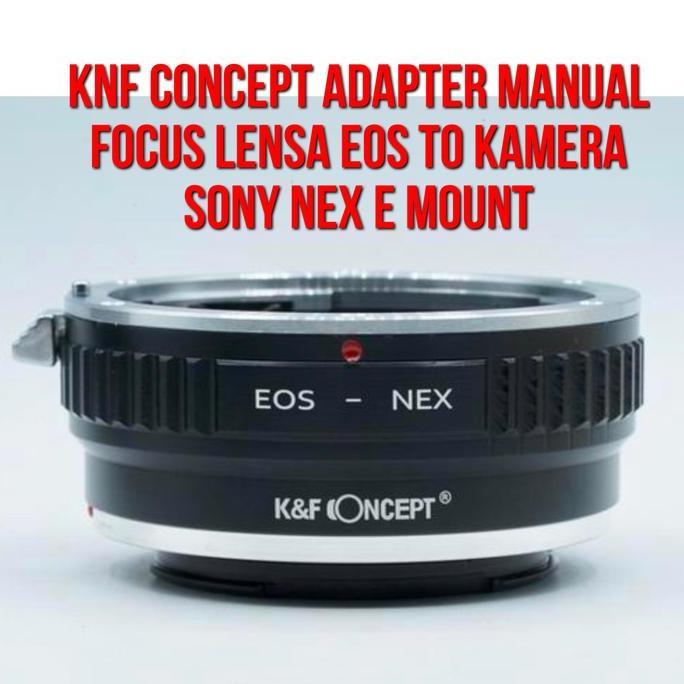
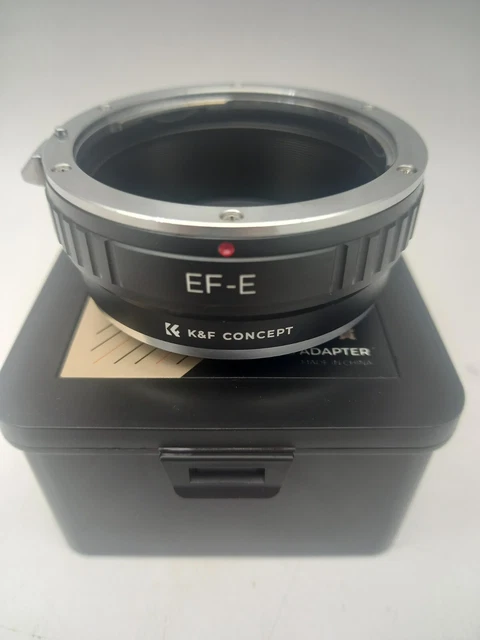
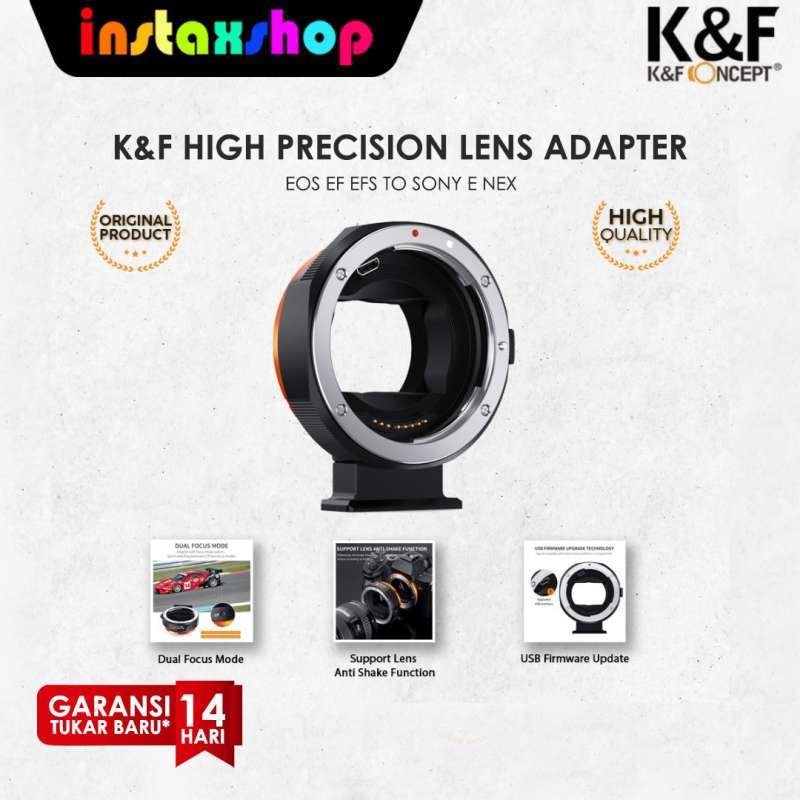
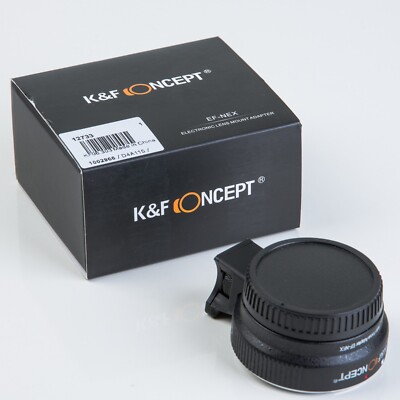
For photographers in the United States, the K&F CONCEPT EF/EF-S Lens to NEX Adapter offers a low-cost way to use Canon EF and EF-S lenses on Sony cameras with an E-mount, including many older cameras sold under the NEX name. The adapter is fully manual, so it does not provide autofocus, electronic aperture control, EXIF data, or image stabilization communication.
It can work well for portraits, landscapes, video, and studio photography. However, the setup requires the user to focus by hand and control exposure through the lens, camera, or an external iris system, depending on the lens and adapter design.

What the K&F CONCEPT EF/EF-S to NEX Adapter Does
The K&F CONCEPT adapter creates a mechanical connection between a Canon EF or EF-S lens and a Sony E-mount camera. It does not convert the lens electronics into Sony-compatible electronics.
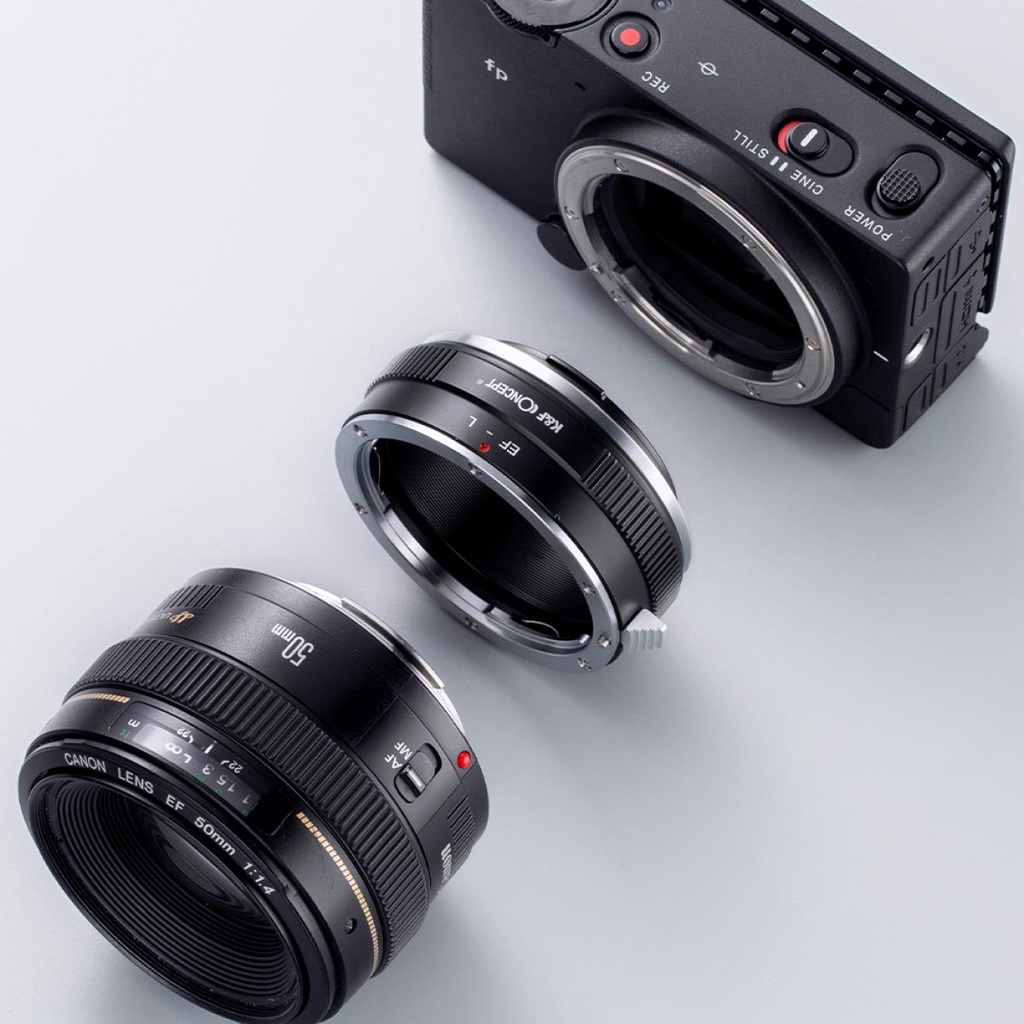
The basic mounting path is:
Canon EF or EF-S lens → K&F CONCEPT adapter → Sony E-mount camera
“NEX” refers to Sony’s earlier mirrorless camera line. The NEX mount is the same physical Sony E-mount used by many later Sony APS-C cameras, although camera features and firmware can differ.
The adapter is commonly used with cameras such as:
- Sony NEX-3 and NEX-5 series cameras
- Sony NEX-6 and NEX-7
- Sony a5000 and a6000 series cameras
- Sony a6400, a6500, and similar APS-C E-mount bodies
- Sony full-frame E-mount cameras, subject to crop and image-circle limits
Compatibility depends on the exact adapter version and the lens. Before purchase, check the current K&F CONCEPT product listing for the supported Canon lens type and Sony mount.
EF and EF-S are not the same
Canon EF lenses are made for Canon full-frame and APS-C DSLR cameras. Canon EF-S lenses are designed for Canon APS-C cameras and produce a smaller image circle.
This creates an important difference:
| Lens type | Sony APS-C camera | Sony full-frame camera |
|---|---|---|
| Canon EF | Normally covers the sensor | Usually covers the full-frame sensor |
| Canon EF-S | Normally covers the sensor | May vignette; crop mode is often needed |
An EF-S lens may fit a full-frame Sony camera through the adapter, but the lens may not illuminate the full sensor. Dark corners can appear, especially at wide focal lengths.
Manual Focus and Exposure: What to Expect
The K&F CONCEPT EF/EF-S to NEX adapter is a “dumb” adapter in its basic manual form. It contains no electronic contacts that pass data between the lens and camera.
As a result, the camera usually cannot use:
- Autofocus
- Canon lens electronic aperture control
- Optical image stabilization through the adapter
- Lens-based EXIF data
- Automatic focal-length recording
- Focus-distance communication
The lens may still have a focus ring, but the camera cannot drive it. You must turn the ring by hand.
How to focus manually
Use this process:
- Attach the lens to the adapter.
- Attach the adapter and lens to the Sony camera.
- Enable the camera’s setting for using a lens without electronic communication.
- Select manual focus.
- Turn the lens focus ring until the subject is sharp.
- Use focus magnification or focus peaking to confirm focus.
- Recheck focus after changing the aperture or moving the camera.
Focus peaking can help, but it is not always exact. For critical work, use magnified live view and check the most important part of the image, such as the eye in a portrait.
Aperture control is the main limitation
Canon EF and EF-S lenses generally use electronic aperture control. They do not have a traditional mechanical aperture ring.
With a basic manual adapter, the camera cannot tell the lens to change its aperture. This means the lens may remain at its default state, often its widest aperture, unless the adapter has a separate mechanical iris or the lens was preset using another compatible Canon camera.
Some third-party adapters include a built-in aperture ring. This ring does not control the lens’s true electronic iris. Instead, it reduces the opening inside the adapter. The result can be less precise exposure, altered bokeh, extra vignetting, or reduced image quality.
Check the exact product photos and specifications before assuming that an adapter ring provides normal EF lens aperture control.
How to Mount the Adapter Safely
Mount the adapter with the camera turned off. This reduces the chance of accidental contact problems and prevents the camera from attempting to communicate with a lens that has no electronic connection.
Step-by-step installation
- Remove the rear cap from the Canon lens.
- Remove the body cap from the Sony camera.
- Align the Canon lens mounting mark with the matching mark on the K&F adapter.
- Rotate the lens until it locks.
- Align the adapter’s Sony E-mount mark with the mark on the camera.
- Rotate the adapter until it clicks into place.
- Turn on the camera.
- Enable the camera’s “release without lens” or similarly named setting if required.
- Set the camera to manual or aperture-priority exposure.
- Focus and expose the image manually.
Do not force the mount. If the adapter does not rotate smoothly, remove it and check for incorrect alignment, dirt, or a damaged mounting surface.
Removing the lens
Press the lens release button on the adapter, not the Sony camera body, if the lens is still attached to the adapter. Then rotate the Canon lens away from the adapter.
To remove the adapter from the camera, press the Sony body’s lens release button and rotate the adapter in the normal E-mount removal direction.
Keep a rear cap on the lens and a body cap on the adapter when they are not in use. Dust inside the adapter can reach the camera sensor during lens changes.
Recommended Sony Camera Settings
The exact menu names vary by Sony camera model, but these settings usually provide the best starting point:
- Focus mode: Manual Focus
- Release without lens: Enable
- Exposure mode: Manual or Aperture Priority
- Focus peaking: Enable
- Focus magnification: Assign to a custom button if possible
- Metering: Start with Multi or Center-Weighted
- Auto ISO: Optional, if supported by the camera
- Image stabilization: Set the focal length manually if the camera allows it
If the camera displays an error or refuses to take a picture, look for a setting named “Release w/o Lens,” “Shutter Lock,” or “Lens Without Contacts.” Older Sony NEX cameras may use different menu wording from newer Alpha models.
Manual exposure workflow
With a lens that has no working electronic aperture control, use this sequence:
- Choose the aperture available from the lens or adapter.
- Set the shutter speed.
- Adjust ISO until the meter indicates a suitable exposure.
- Focus using magnification or peaking.
- Take a test image.
- Inspect highlights and shadows.
- Adjust shutter speed or ISO as needed.
The rear screen may become darker when the adapter’s iris is reduced. This is normal for many manual setups. A brighter screen setting does not change the exposure recorded by the sensor.

Image Quality and Optical Performance
The K&F CONCEPT adapter does not contain corrective glass in a standard mechanical design. Its main role is to place the lens at the correct distance from the Sony sensor.
That means the adapter should not normally change the lens’s optical character in the same way a teleconverter or focal reducer would. Image quality still depends on:
- The Canon lens
- Adapter alignment
- Mount tolerances
- Sensor and camera processing
- Focus accuracy
- Aperture control
- Dust or reflections inside the adapter
A poorly aligned adapter can cause uneven sharpness across the frame or make infinity focus inaccurate. A well-made adapter should hold the lens at the correct flange distance and allow it to focus near infinity.
Infinity focus
Many manual EF-to-E adapters are designed to retain infinity focus. This is essential for landscapes, architecture, and distant subjects.
Test infinity focus before an important shoot:
- Mount the lens and adapter.
- Select a distant subject.
- Set the lens close to the infinity mark.
- Use magnified live view.
- Turn the focus ring slightly in both directions.
- Confirm where the sharpest point occurs.
The infinity mark on a lens is not always exact. Use the live image rather than relying only on the printed mark.
Does the adapter change focal length?
No. A simple EF-to-E adapter does not change the lens’s focal length.
A 50mm lens remains a 50mm lens. The apparent field of view changes when it is used on a smaller sensor. For example, a 50mm lens on a Sony APS-C camera gives a field of view similar to about 75mm on a 35mm full-frame camera, using Sony’s approximately 1.5× crop factor.
This is a field-of-view comparison, not a change in the lens’s actual focal length.
Common Problems and Practical Fixes
Most issues come from the absence of electronic communication or from incorrect mounting. Check the simple causes first.
| Symptom | Likely cause | What to check |
|---|---|---|
| Camera will not take a picture | Release-without-lens setting is disabled | Enable the setting in the camera menu |
| Lens will not autofocus | Adapter has no electronic contacts | Use manual focus |
| Aperture will not change | EF lens needs electronic control | Confirm whether the adapter has a mechanical iris |
| Image is dark | Lens is stopped down or adapter iris is closed | Open the lens or adapter iris if possible |
| Image has black corners | EF-S lens on a full-frame body | Use APS-C crop mode or a full-frame EF lens |
| Focus is never sharp at infinity | Mount or adapter tolerance issue | Check alignment and adapter fit |
| Adapter is hard to remove | Lock pin or mount misalignment | Do not force it; release the correct button |
| Camera shows no lens data | No electronic contacts | Enter focal length manually if required |
If the camera shows “no lens”
This message is normal with a manual adapter. It does not necessarily indicate a fault.
Enable the camera’s release-without-lens function. Then set the camera to manual focus and take a test photo.
If the camera still refuses to operate, remove the adapter and check for:
- A damaged mount
- A stuck locking pin
- Foreign material on the mount
- Incorrect lens or adapter alignment
- A camera setting that blocks shutter release
If the image is too dark
First check whether the lens is stopped down. If the lens has no aperture ring, the lens may be operating at a fixed aperture.
If the adapter has an iris ring, open it fully and take another test image. Then adjust shutter speed or ISO. Do not assume that the camera’s exposure meter will work perfectly with every manual iris design.
If the image has dark corners
Dark corners usually indicate that an EF-S lens is being used on a full-frame Sony camera. Turn on APS-C or Super 35 crop mode if available.
Cropping removes the affected outer area but lowers the recorded image size. If full-frame coverage is important, use a Canon EF lens designed for a full-frame image circle.

K&F CONCEPT Adapter Versus an Electronic EF-to-Sony Adapter
A basic K&F CONCEPT manual adapter is usually simpler and less expensive than an electronic adapter. The trade-off is control.
| Feature | Manual K&F adapter | Electronic EF-to-Sony adapter |
|---|---|---|
| Physical lens mounting | Yes | Yes |
| Manual focus | Yes | Usually |
| Autofocus | No | May work, depending on lens and adapter |
| Electronic aperture control | No in basic versions | May work |
| EXIF transfer | No | May work |
| Lens stabilization communication | No | May work |
| Compatibility consistency | Often straightforward | Can vary by lens and firmware |
| Battery use | Low | Higher than a passive adapter |
Electronic adapters are not automatically better. Autofocus speed and reliability can vary across Canon lenses, Sony bodies, adapter firmware, and shooting modes.
Choose the manual K&F adapter when:
- You already own compatible Canon lenses
- You mainly shoot still subjects
- You are comfortable focusing by hand
- You want a simple mechanical connection
- You use video or controlled lighting
- You do not need lens data or automatic aperture control
Choose an electronic adapter when:
- You need autofocus
- You use moving subjects
- You need normal aperture control
- You depend on lens stabilization
- You want EXIF information
- Your specific lens and camera combination is listed as supported

Advantages and Limitations
The K&F CONCEPT EF/EF-S to NEX adapter can be useful, but its value depends on the type of photography you do.
Advantages
- Allows Canon EF and EF-S lenses to be used on Sony E-mount cameras
- Provides a simple mechanical connection
- Supports manual focus
- Usually preserves infinity focus when correctly made
- Does not require lens firmware or camera communication
- Can extend the life of older DSLR lenses
- Works well for deliberate shooting and video
Limitations
- No autofocus in the basic manual design
- No normal electronic aperture control
- No EXIF lens data
- No automatic communication with Canon or Sony stabilization systems
- EF-S lenses may vignette on full-frame Sony cameras
- Manual focusing can be slow for moving subjects
- Adapter-based iris control may reduce exposure precision
- Fit and finish can vary by adapter revision
The main decision is simple: this adapter saves money and adds lens flexibility, but it replaces automation with manual control.
Is the K&F CONCEPT EF/EF-S to NEX Adapter Worth It?
The adapter is a practical choice for Sony APS-C users who already own Canon EF or EF-S lenses and do not need autofocus or electronic lens control. It is especially useful for portraits, landscapes, tabletop scenes, macro experiments, and video with a fixed subject.
It is less suitable for sports, wildlife, weddings, children, and fast-moving events. In those situations, manual focus and manual aperture can slow the photographer down or cause missed images.
Before buying, confirm three details:
- The lens is Canon EF or EF-S.
- The camera uses the Sony E/NEX mount.
- You accept manual focus and limited aperture control.
For a full-frame Sony camera, also confirm whether the lens is an EF-S model. If it is, expect to use crop mode or accept possible corner shading.
Frequently Asked Questions
Can I use Canon EF lenses on a Sony NEX camera with this adapter?
Yes. A compatible K&F CONCEPT EF-to-NEX adapter can mount Canon EF lenses on Sony E-mount NEX cameras. The lens will normally operate manually.
Will autofocus work?
No, not with a basic manual adapter. The adapter has no electronic connection for autofocus commands. Focus must be set with the lens focus ring.
Can I change the aperture on a Canon EF lens?
It depends on the exact adapter and lens. A basic passive adapter cannot electronically control an EF lens aperture. Some versions include a mechanical iris, but that is not the same as normal electronic aperture control.
Can I use EF-S lenses on a Sony full-frame camera?
You can often mount them, but the smaller EF-S image circle may cause vignetting. Use the camera’s APS-C crop mode or choose a Canon EF lens designed for full-frame coverage.
Does the adapter reduce image quality?
A simple adapter without optical glass should not add a magnification or focal-reduction effect. However, poor alignment, internal reflections, dust, or inaccurate flange distance can affect results.
Does the camera need a special setting?
Many Sony cameras require the “release without lens” setting to be enabled. The exact name depends on the NEX or Alpha model.
Final Recommendation
The K&F CONCEPT EF/EF-S Lens to NEX Adapter is best viewed as a manual lens adapter, not an electronic converter. It can give Sony NEX and E-mount users access to Canon EF and EF-S glass, but the photographer must handle focus and may need to manage aperture without normal camera control.
It is a sensible option for controlled shooting and existing Canon lens owners. For autofocus, automatic aperture, stabilization communication, and EXIF data, choose a compatible electronic EF-to-Sony adapter instead.

