
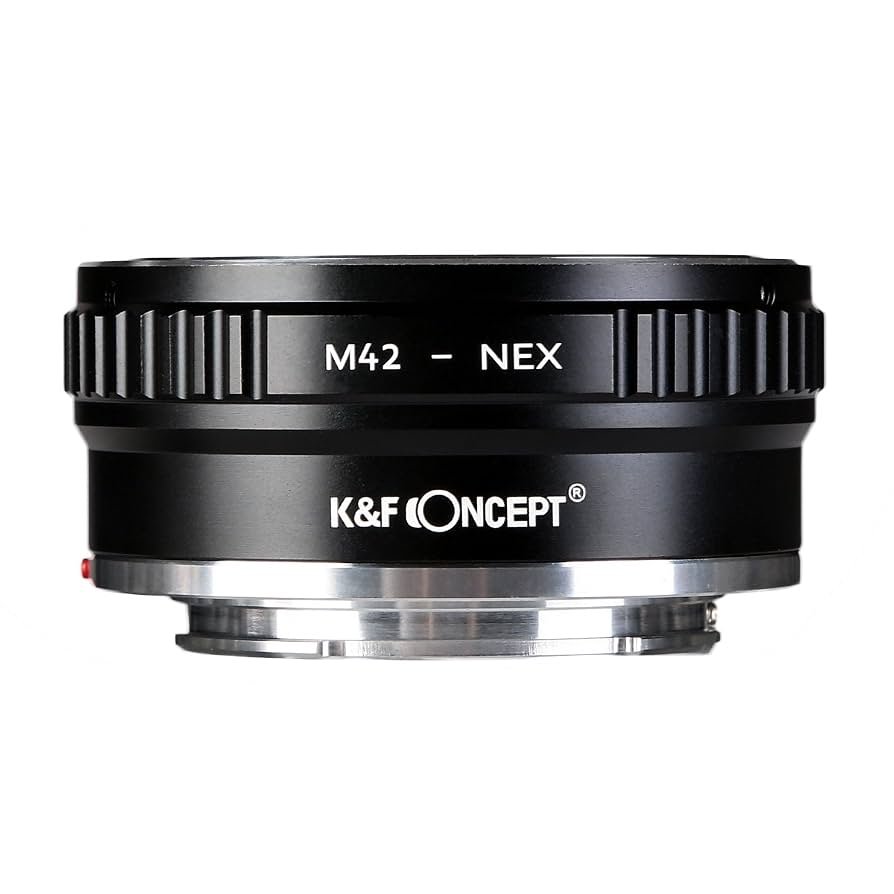
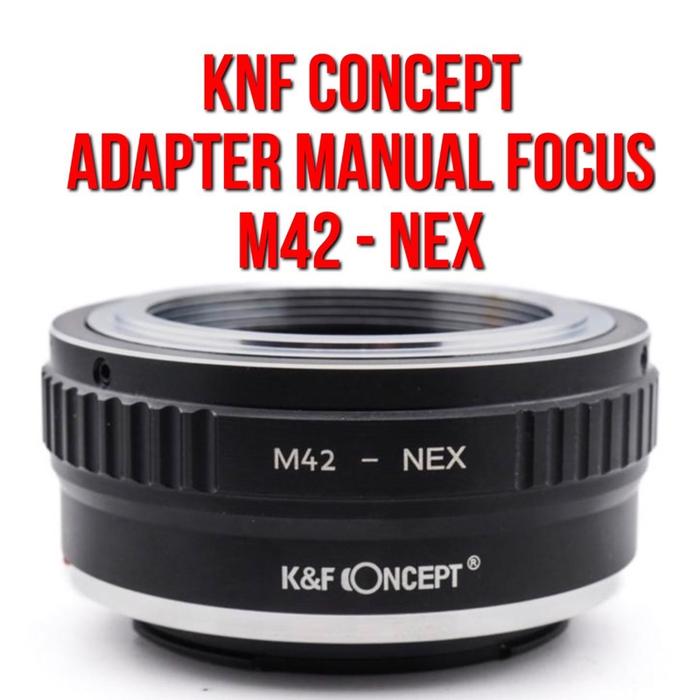
For photographers in the United States, the K&F Concept M42-NEX IV adapter offers a simple way to use vintage M42 screw-mount lenses on Sony NEX and Sony E-mount mirrorless cameras. It is a mechanical adapter, so it does not provide autofocus, electronic aperture control, lens data, or image stabilization communication. You focus by hand and set the lens aperture yourself.

What the K&F Concept M42-NEX IV Adapter Does
The K&F Concept M42-NEX IV connects an M42 lens to a Sony E-mount camera. M42 refers to the 42 mm screw thread used by many older lenses. NEX refers to Sony’s earlier mirrorless camera line, which uses the same basic E mount found on many Sony Alpha cameras.
The adapter creates the correct distance between the lens and camera sensor. This lets a compatible M42 lens focus at or near infinity without an optical correction lens.
Basic compatibility
| Adapter side | Mount |
|---|---|
| Lens side | M42 screw mount |
| Camera side | Sony E mount |
| Focus method | Manual focus |
| Electronic contacts | None |
| Autofocus | Not supported |
| Aperture control | Set on the lens |
| Focal-length change | None |
The adapter does not turn an M42 lens into a modern electronic lens. It only provides the physical connection and the correct mount spacing.
Cameras that may work
The adapter is generally intended for Sony cameras with a standard E mount, including:
- Sony NEX mirrorless cameras
- Sony a6000-series cameras
- Sony a6100, a6400, and a6600 cameras
- Sony a7, a7 II, a7 III, and similar full-frame E-mount cameras
- Other Sony E-mount bodies with a compatible throat and mount
Check the camera manual before use. A Sony A-mount camera is not the same as a Sony E-mount camera. An M42-to-E adapter will not directly fit a Sony A-mount DSLR or SLT camera.
Understanding M42 and Sony E Mounts
M42 is a threaded lens mount. The lens screws into the adapter instead of locking in place with a bayonet. Sony E mount is a bayonet mount designed for mirrorless cameras.
The two mounts use different flange distances:
- M42 lens register: about 45.46 mm
- Sony E-mount register: about 18 mm
- Required spacing: about 27.46 mm
This spacing is why a simple metal adapter can preserve normal focusing distance. The adapter fills the gap without adding glass.
What the adapter does not change
A plain mechanical adapter does not change:
- Focal length
- Maximum aperture
- Depth of field caused by the lens
- Optical character
- Lens distortion
- Bokeh shape
A 50 mm M42 lens remains a 50 mm lens. The camera sensor still affects the field of view. On a Sony APS-C body, a 50 mm lens gives a narrower view than it does on a full-frame camera. Sony’s APS-C crop factor is about 1.5×, so the field of view is similar to a 75 mm lens on full frame.
That is a field-of-view comparison, not a change in the lens’s actual focal length.

How to Install the Adapter
Install the adapter slowly and keep the lens and camera aligned. Most problems come from cross-threading, a loose mount, or a lens with a rear part that extends too far.
Before you start
you need:
- The K&F Concept M42-NEX IV adapter
- An M42 screw-mount lens
- A Sony E-mount camera
- A clean, dry work area
- A rear lens cap, if available
Turn the camera off before attaching the adapter. Remove the camera battery if the camera manual recommends doing so during accessory changes.
Installation steps
-
Check the lens thread.
Confirm that the lens uses an M42 screw mount. Do not force a T-mount, M39 lens, Pentax K lens, or another threaded lens into the adapter. -
Inspect the rear of the lens.
Look for a protruding aperture pin, lever, or rear element. Some M42 lenses use an automatic aperture pin that needs a manual-aperture setting or a way to remain pressed. -
Attach the lens to the adapter.
Hold the adapter by its outer edge. Turn the lens gently in the correct direction. The thread should engage smoothly. -
Stop at firm resistance.
Do not use tools or excessive force. A cross-threaded M42 lens can damage the adapter or lens. -
Attach the adapter to the camera.
Align the adapter’s Sony E-mount markers with the camera mount. Rotate it until it locks. -
Enable camera shooting without a lens.
Many Sony cameras require the “Release w/o Lens” or similarly named setting to be enabled. Menu names vary by model. -
Choose a manual exposure mode.
Aperture Priority and Manual exposure are usually the easiest modes. The camera cannot read the lens aperture. -
Set the lens aperture.
Turn the lens aperture ring to the desired f-stop. Use a wide aperture for a brighter view and a narrow aperture for more depth of field. -
Focus through the viewfinder or screen.
Turn the lens focus ring. Use focus magnification and focus peaking when available.
Signs of a correct installation
The setup is likely correct when:
- The adapter mounts without force.
- The lens sits firmly and does not wobble.
- The camera recognizes the physical mount position.
- The camera can take a photo after “Release w/o Lens” is enabled.
- The lens can focus from nearby subjects toward infinity.
- The aperture ring changes the opening of the lens.
If the lens cannot reach infinity, stop and check the adapter, lens thread, and lens rear mount. Do not assume that more force will solve the problem.
Manual Focus and Exposure Settings
Manual focus is the central trade-off of the K&F Concept M42-NEX IV. Vintage lenses can produce distinctive images, but the camera cannot control focus or aperture through the adapter.
Recommended Sony settings
The exact menu names depend on the camera model, but these settings are useful:
- Enable Release w/o Lens
- Turn on Focus Peaking
- Set a visible peaking color
- Assign a button to Focus Magnifier
- Use Manual Focus Assist if available
- Use Aperture Priority or Manual exposure
- Review images at high magnification
- Consider Auto ISO when lighting changes quickly
Focus peaking highlights areas with strong edge contrast. It helps, but it is not a guarantee of exact focus. At wide apertures, use focus magnification for eyes, fine detail, or distant subjects.
Aperture Priority
Aperture Priority is often the simplest approach:
- Set the lens aperture by hand.
- Set the camera to Aperture Priority.
- Let the camera select shutter speed.
- Adjust ISO when the shutter speed becomes too slow.
The camera may display an incorrect aperture or show a blank aperture value. That is normal for a lens with no electronic contacts.
Manual exposure
Manual exposure gives more control:
- Select the aperture on the lens.
- Set the shutter speed on the camera.
- Set ISO manually or use Auto ISO.
- Use the exposure meter as a guide.
- Check the histogram when lighting is difficult.
The camera meter can usually measure light through the lens, even though it cannot communicate with the lens.
Why the viewfinder may darken
When you stop the lens down, the physical aperture becomes smaller. Less light reaches the sensor and viewfinder. Some Sony cameras compensate with a live preview, but the display can still become darker in low light.
For easier focusing:
- Open the lens to its widest aperture.
- Focus on the subject.
- Stop down to the desired aperture.
- Take the photo.
This method is especially useful with older lenses that have separate automatic and manual aperture settings.

M42 Aperture Pins and Automatic Diaphragm Lenses
Some M42 lenses have an aperture pin on the rear. This pin controls the diaphragm when the lens is used on a compatible film camera. A simple adapter may not operate that pin.
The result depends on the lens design:
- The lens may stay wide open.
- The lens may stop down only when the pin is pressed.
- The lens may have an A/M switch that allows manual aperture control.
- The aperture may close when the lens is mounted, making the viewfinder dark.
How to check the lens
With the lens removed from the camera:
- Look at the rear mount.
- Find the small aperture pin, if present.
- Turn the aperture ring.
- Watch whether the iris changes.
- Check for an “A/M” switch or a similar manual setting.
If the aperture changes only when the pin is pressed, the adapter may need a compatible pin solution. Do not glue, bend, or permanently modify the lens unless you fully understand the repair and accept the risk.
A lens that cannot be stopped down manually may still work for testing, but it may be limited to one aperture.

Image Quality, Cropping, and Infinity Focus
The adapter adds no optical elements, so it does not directly reduce image quality. The final image depends mainly on the vintage lens, camera sensor, alignment, dust, and the photographer’s technique.
Full-frame Sony cameras
On a full-frame Sony E-mount camera, an M42 lens usually projects an image circle intended for 35 mm film or full frame. However, some older lenses may show:
- Corner darkening
- Soft corners
- Strong vignetting
- Internal reflections
- Rear interference with the camera
A lens designed for a smaller format may not cover a full-frame sensor.
APS-C Sony cameras
On a Sony APS-C camera, the smaller sensor uses the center portion of the lens image circle. This can reduce visible corner problems, but it also narrows the field of view.
For example, a 35 mm M42 lens on a Sony APS-C camera gives a field of view similar to about a 52.5 mm lens on full frame:
35 mm × 1.5 = 52.5 mm
This is an approximate field-of-view comparison.
Infinity focus
A correctly made adapter should allow an M42 lens to focus to infinity. If it does not, possible causes include:
- Incorrect adapter thickness
- A damaged or incorrect lens thread
- A lens modified from its original mount
- A lens with a rear element that contacts the adapter
- An adapter that is not fully seated
- Optical or mechanical variation between products
Test infinity focus on a distant subject in daylight. Do not judge it through a close indoor subject.

Common Problems and Fixes
Use the safest checks first. Never force the lens or camera mount.
| Symptom | Likely cause | What to check |
|---|---|---|
| Camera will not take a photo | Lens release setting is disabled | Enable “Release w/o Lens” |
| Lens cannot reach infinity | Incorrect spacing or mount issue | Check seating, lens type, and adapter |
| Aperture does not change | Auto aperture pin is not controlled | Use the lens’s manual setting, if available |
| Viewfinder is very dark | Lens is stopped down | Open the aperture while focusing |
| Lens feels loose | Thread or adapter fit issue | Remove and inspect; do not keep shooting if unstable |
| Lens will not screw in | Wrong lens mount or cross-threading | Stop and confirm M42 compatibility |
| Image corners are dark | Lens image circle is too small | Test APS-C mode or use another lens |
| Camera shows no aperture value | No electronic contacts | Set and record aperture manually |
| Focus appears soft | Manual focus error or lens issue | Use magnification and test at a fixed subject |
| Adapter will not release | Mount tension or misalignment | Hold the release button and turn gently |
If the camera does not shoot
First, confirm that the camera is set to allow shutter release without an electronic lens. If that does not help, remove the adapter and inspect the mount. Look for dirt, a bent mount edge, or a lens that is not fully threaded.
If the lens is stuck
Do not use pliers, a wrench, or a large twisting force. Support the lens and adapter close to the mount. If the parts will not separate with light hand pressure, stop and seek help from a camera repair shop.
If photographs are consistently soft
Check focus at 100% magnification. Make sure the shutter speed is fast enough for the focal length and subject movement. Then test the lens on a distant, detailed subject at several apertures.
The problem may be technique, adapter alignment, lens wear, haze, fungus, or a damaged focusing helicoid. The adapter alone is not proof of the cause.

Advantages and Limitations
The K&F Concept M42-NEX IV makes sense when the goal is to use existing or affordable vintage lenses on a Sony E-mount camera. It is most useful for still subjects, portraits, landscapes, learning manual photography, and creative lens experiments.
Main advantages
- Connects M42 lenses to Sony E-mount cameras
- Preserves the lens’s native focal length
- Does not add corrective glass
- Allows use of many vintage lenses
- Supports manual aperture and manual focus
- Works with compact mirrorless bodies when the lens is physically compatible
Main limitations
- No autofocus
- No electronic aperture control
- No lens data in image files
- No automatic lens correction
- No optical stabilization communication
- Possible aperture-pin problems
- Possible vignetting on full-frame cameras
- Manual focus can be slow for moving subjects
- Fit and finish may vary by individual lens and adapter
A modern Sony autofocus lens is a better choice for sports, fast-moving children, wildlife, weddings, and other situations that depend on rapid focus. The M42 adapter is better suited to deliberate shooting and older lenses.

Is the K&F Concept M42-NEX IV Worth Using?
The adapter is a practical choice if you already own M42 lenses or want to explore vintage optics on a Sony E-mount body. Its value comes from mechanical compatibility, not automation.
Before buying, confirm three points:
- Your camera uses Sony E mount.
- Your lens uses M42 × 1 screw mount.
- Your lens has a usable manual-aperture method.
For an APS-C Sony camera, the adapter can be especially useful with older 28 mm, 35 mm, and 50 mm lenses. For full-frame cameras, check image-circle coverage and rear-element clearance before regular use.
The best result comes from treating the adapter as a simple bridge. It connects two mounts, but the photographer supplies the focus, aperture, and lens information.

Key Takeaways
- The K&F Concept M42-NEX IV adapts M42 lenses to Sony E-mount cameras.
- It is fully manual and has no autofocus or electronic contacts.
- Enable “Release w/o Lens” if the Sony camera blocks the shutter.
- Set aperture on the lens and focus with the lens focus ring.
- Check M42 aperture pins before buying or installing a lens.
- A correct adapter should preserve infinity focus.
- APS-C cameras create a narrower field of view than full-frame cameras.
- Do not force a lens, adapter, or camera mount.
Frequently Asked Questions
Does the K&F Concept M42-NEX IV support autofocus?
No. The adapter has no electronic contacts or autofocus motor. Focus must be set manually on the M42 lens.
Can I use the adapter on a Sony a6000?
Yes, the Sony a6000 uses the E mount, which is the camera-side mount intended by an M42-to-NEX adapter. You may need to enable the camera’s “Release w/o Lens” setting.
Does this adapter change the focal length?
No. A mechanical adapter does not change focal length. It only positions the lens at the correct distance from the sensor.
Can I use an M42 lens with a Sony full-frame camera?
Usually, yes, if the lens clears the mount and covers the full-frame sensor. Some lenses may produce dark corners or may be intended only for a smaller image format.
Why is the aperture not shown in the camera?
The adapter has no electronic contacts. The camera cannot read the lens aperture, so the aperture must be set and recorded manually.
Why will my M42 lens not reach infinity?
Check whether the adapter is fully seated, whether the lens is truly M42, and whether the lens has been modified. A spacing problem or an incorrect adapter can prevent infinity focus.
Conclusion
The K&F Concept Lens Mount Adapter M42-NEX IV is a basic mechanical link between vintage M42 lenses and Sony E-mount mirrorless cameras. It can extend the useful life of older glass, but it requires manual focus, manual aperture control, and careful compatibility checks.
Before use, verify the mount type, inspect the aperture pin, enable “Release w/o Lens,” and test infinity focus without force. If you need speed and automation, use a native Sony E-mount lens. If you want hands-on control and the character of older optics, this adapter can be a useful addition to a Sony camera kit.

