
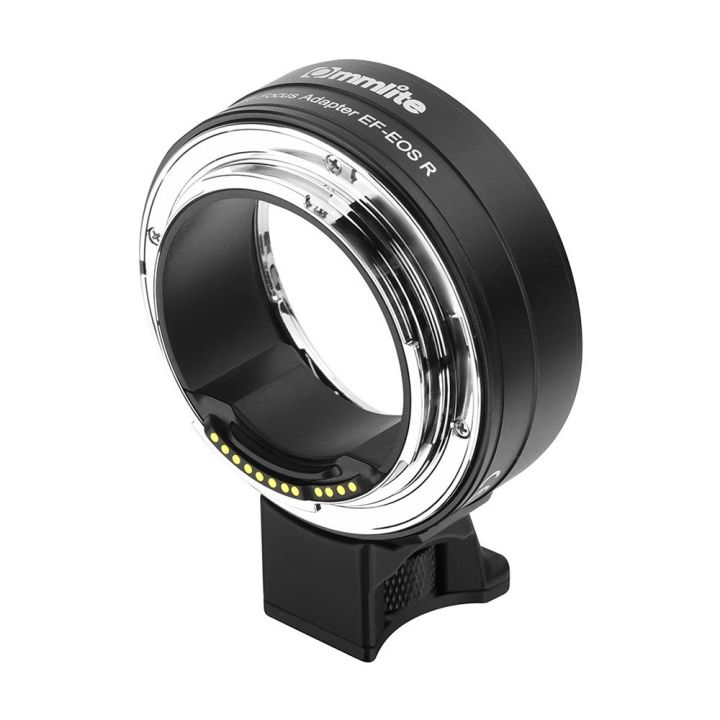
The Commlite CM-EF-EOS R Lens Adapter Electronic Auto Focus EF lets photographers in the United States mount many Canon EF and EF-S lenses on Canon EOS R-series mirrorless cameras. It is an electronic adapter, so it may pass lens data, aperture control, image stabilization commands, and autofocus signals between the lens and camera.
The adapter does not change a lens into an RF lens. It also does not add optical magnification, increase light transmission, or guarantee the same autofocus performance as a native RF lens. Compatibility depends on the exact Commlite version, lens, camera body, and firmware.

What the Commlite CM-EF-EOS R Adapter Does
The Commlite CM-EF-EOS R is a Canon EF-to-Canon RF mount adapter. It connects a Canon EF or EF-S lens to a Canon EOS R-series camera body.
In simple terms:
- Lens side: Canon EF or EF-S mount
- Camera side: Canon RF mount
- Electronic function: Transfers selected lens and camera signals
- Optical function: No lens elements or focal-length change
- Main use: Reuse DSLR lenses on a Canon mirrorless camera
Canon EF lenses were designed for Canon EOS DSLR cameras. Canon RF cameras use a shorter flange distance and a different mount design. The adapter fills that physical space while also attempting to maintain electronic communication.
Supported lens types
The adapter is intended for many lenses with a Canon EF or EF-S mount, including:
- Canon EF lenses
- Canon EF-S lenses
- Compatible third-party EF-mount lenses
- Some lenses with optical image stabilization
- Some lenses with electronic aperture control
Third-party lenses require extra caution. Sigma, Tamron, Tokina, Yongnuo, Rokinon, and other brands may behave differently from Canon lenses. A lens can fit physically yet still have limited autofocus, unstable aperture control, or no electronic communication.
Compatible camera family
The adapter is made for Canon RF-mount mirrorless cameras, such as selected models in the:
- Canon EOS R series
- Canon EOS RP series
- Canon EOS R5 series
- Canon EOS R6 series
- Canon EOS R7 and other APS-C RF bodies
The exact camera list can change with firmware. Confirm the model and firmware requirements before relying on the adapter for paid work.
Autofocus, Aperture, and Image Stabilization
The electronic contacts are the main reason to choose this adapter instead of a simple mechanical EF-to-RF adapter. They may allow the camera to control key lens functions.
Autofocus performance
The adapter is designed to support electronic autofocus with compatible lenses. However, “electronic autofocus” does not mean that every EF lens will focus like a native RF lens.
Autofocus results can vary because of:
- Lens motor design
- Camera autofocus system
- Adapter firmware
- Lens firmware
- Subject movement
- Low light
- Video or still-photo mode
- Single-shot or continuous autofocus settings
A lens may focus well for still subjects but struggle with subject tracking. Older EF lenses may also focus more slowly than newer lenses designed for mirrorless cameras.
For critical photography, test the exact lens and camera combination before an assignment. Do not assume that a successful physical connection proves full autofocus support.
Electronic aperture control
Many Canon EF lenses use an electronic diaphragm. With a working electronic adapter, the camera may control the lens aperture from the body.
This can allow you to:
- Change f-stop from the camera
- Use exposure modes such as aperture priority
- Record aperture data in image files
- Preview depth of field
- Use automatic exposure functions
If the camera shows an error or the aperture remains fixed, remove the lens and clean the contacts with a dry, clean microfiber cloth. Do not use liquid on the contacts.
Optical image stabilization
Some EF lenses include Canon Optical Image Stabilizer, often marked IS. The adapter may pass stabilization commands between the lens and camera.
The result depends on the lens and camera body. A camera with in-body image stabilization may also coordinate with a stabilized lens, but the exact behavior is model-dependent.
When testing stabilization, compare the same lens at the same shutter speed with stabilization enabled and disabled. Use a static subject and take several frames. This is a practical check, not a guarantee of performance in every shooting condition.
EXIF and lens information
Electronic communication may allow the camera to record information such as:
- Focal length
- Aperture
- Exposure settings
- Lens identification
- Image stabilization status
The data recorded can vary by lens and camera. Missing or incomplete EXIF information does not always mean the adapter is defective.
What the adapter does not do
The Commlite adapter does not:
- Convert EF lenses into RF lenses
- Improve a lens’s optical sharpness
- Increase maximum aperture
- Change focal length
- Add weather sealing to an unsealed lens
- Guarantee Canon-level support for every third-party lens
- Make every EF lens suitable for professional video autofocus

EF and EF-S Lens Compatibility on Canon EOS R Cameras
The most important compatibility question is whether the lens is EF or EF-S, and whether the camera body is full frame or APS-C.
EF lenses on full-frame EOS R cameras
Canon EF lenses are designed for the 35mm full-frame image circle. They are generally suitable for full-frame EOS R cameras when used with an appropriate electronic adapter.
The adapter does not change the lens’s focal length. A 50mm EF lens remains a 50mm lens in optical terms.
EF-S lenses on full-frame EOS R cameras
EF-S lenses are designed for Canon APS-C cameras. Their image circle is smaller than a full-frame sensor.
When an EF-S lens is used on a full-frame EOS R body, the camera may:
- Automatically enter a crop mode
- Produce a smaller image area
- Reduce the effective resolution
- Show dark corners if crop mode is not used
- Refuse some lens functions, depending on the body and lens
The exact behavior depends on the camera model and settings. Check the camera manual before using an EF-S lens for a full-frame project.
EF and EF-S lenses on APS-C EOS R cameras
An APS-C EOS R camera uses a smaller sensor. EF and EF-S lenses are usually a more natural match for this format.
The field of view appears narrower than it would on a full-frame camera. For Canon APS-C bodies, a commonly used approximate crop factor is 1.6×.
For example:
| Lens | Approximate full-frame field-of-view equivalent on Canon APS-C |
|---|---|
| 24mm | 38mm |
| 35mm | 56mm |
| 50mm | 80mm |
| 85mm | 136mm |
This calculation describes field of view. It does not change the lens’s actual focal length or optical properties.
Physical fit versus electronic compatibility
A lens can mount correctly and still have electronic problems. Check these separate questions:
- Does the lens mount physically?
- Does the camera recognize the lens?
- Does the camera control the aperture?
- Does autofocus work?
- Does continuous autofocus work?
- Does image stabilization work?
- Is EXIF data recorded correctly?
This checklist prevents a common mistake: treating physical fit as proof of full compatibility.
How to Install and Use the Commlite CM-EF-EOS R
Use the following sequence when installing the adapter for the first time.
Before installation
Prepare the following:
- Canon EOS R-series camera
- Compatible Canon EF or EF-S lens
- Commlite CM-EF-EOS R adapter
- Charged camera battery
- Current adapter firmware, if an update is required
- Clean, dry work area
Turn the camera off before attaching or removing the adapter. Keep dust away from the exposed sensor and mount surfaces.
Installation steps
- Turn off the camera.
- Remove the rear cap from the adapter.
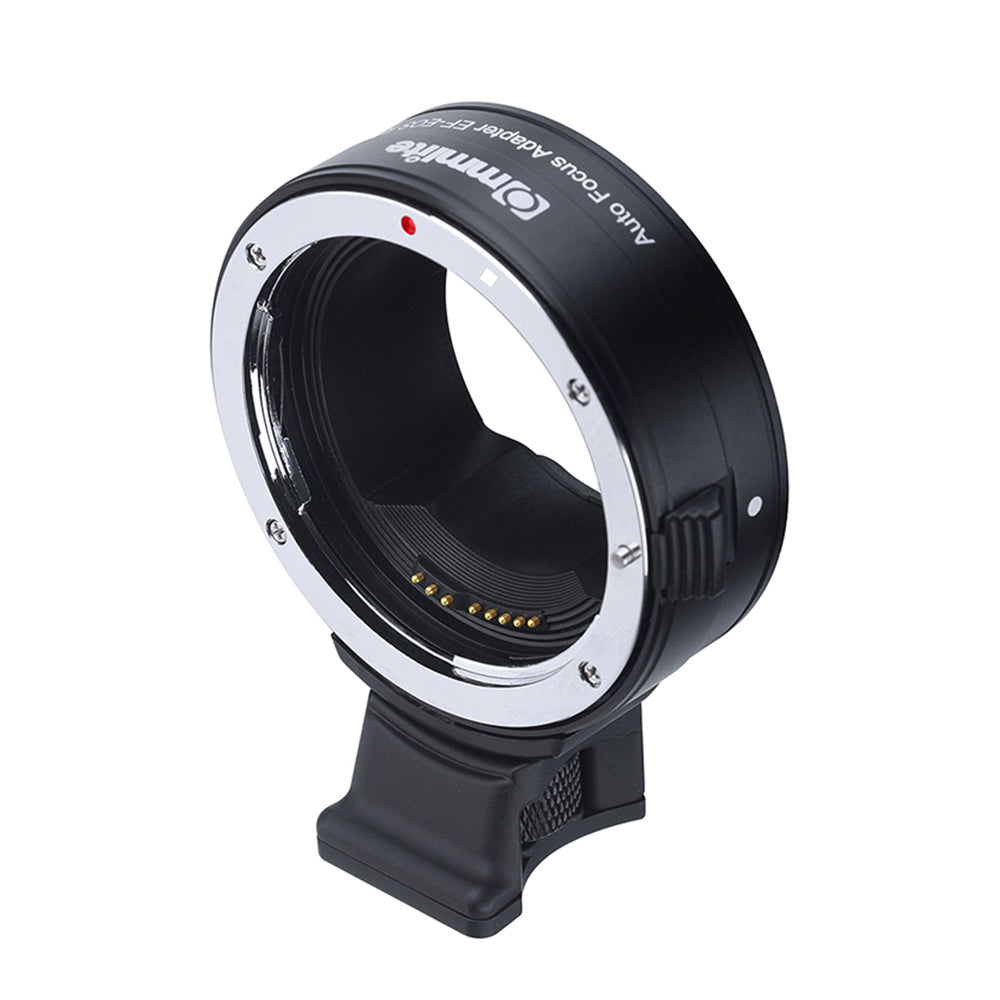
- Align the adapter’s camera-side mark with the EOS R mount mark.
- Rotate the adapter until it locks.
- Align the EF or EF-S lens with the adapter’s lens mark.
- Rotate the lens until the lens-release button clicks into place.
- Turn on the camera.
- Select an appropriate exposure mode.
- Test aperture control, autofocus, stabilization, and image recording.
Do not force the lens or adapter. If the mount does not align easily, remove it and check for dirt, a damaged mount, or an incorrect lens type.
Signs of a successful connection
A normal connection may show these signs:
- The camera displays a lens name or focal length
- The aperture can be changed from the camera
- The camera can take a photograph
- Autofocus responds when the shutter button is pressed
- Image stabilization activates when supported
- EXIF data includes lens information
These signs can differ by camera and lens. A missing lens name alone does not prove that all functions have failed.
Firmware updates
Some electronic adapters include a USB port or another method for firmware updates. Firmware can improve compatibility with newer camera bodies or lenses, but the process varies by model and production version.
Before updating:
- Confirm the exact adapter model
- Use the manufacturer’s official support file
- Read the update instructions
- Keep the camera and computer powered during the process
- Do not disconnect the adapter during installation
- Confirm whether the update works on your operating system
Do not install firmware intended for another Commlite adapter. A wrong file can make the adapter unusable.
Troubleshooting Common Problems
Start with simple, low-risk checks. Many connection problems come from dirty contacts, weak batteries, incomplete mounting, or unsupported lens combinations.
The camera says “No lens attached”
Possible causes include:
- The adapter is not fully locked
- The lens is not fully locked onto the adapter
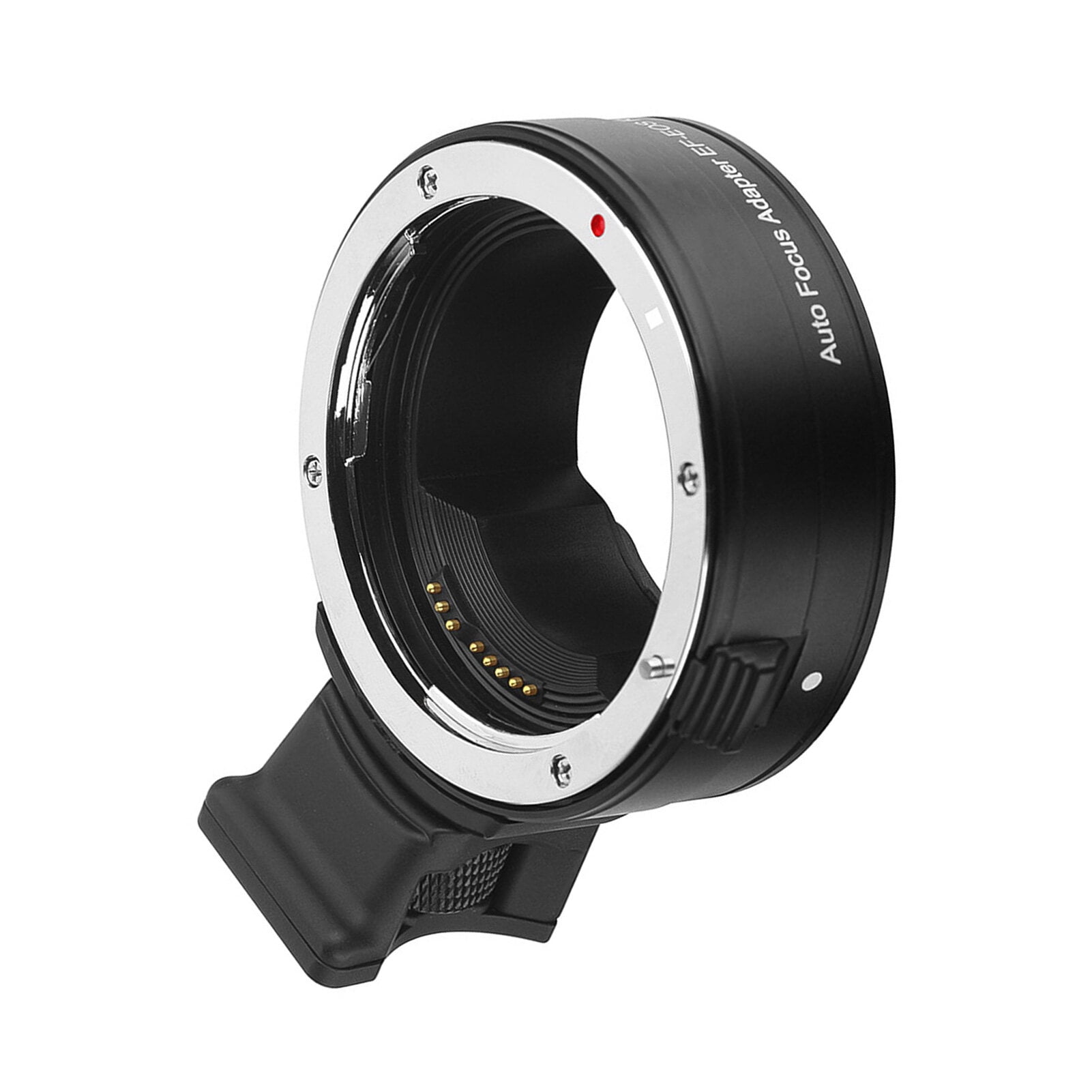
- Electronic contacts are dirty
- The adapter or lens is damaged
- The lens is not supported
- Firmware is outdated
Try this order:
- Turn off the camera.
- Remove the lens and adapter.
- Inspect the contacts for dirt or damage.
- Clean them gently with a dry microfiber cloth.
- Reattach the adapter firmly.
- Reattach the lens.
- Turn on the camera and test again.
If the camera works with a different lens, the first lens may be the source of the problem. If no EF lens works, the adapter or camera mount may need service.
Autofocus does not work
Check the following:
- Is the lens switch set to AF?
- Is the camera set to autofocus?
- Is the subject too close for the lens’s focus range?
- Is the scene too dark or low in contrast?
- Does the lens focus correctly on a compatible DSLR?
- Is the lens listed as compatible with the adapter?
Some older lenses may support only limited autofocus. Manual focus can still work if the camera provides an electronic shutter release and the lens has a manual focus ring.
The aperture cannot be changed
A fixed aperture may result from:
- Poor electronic contact
- Incomplete mounting
- Incompatible lens electronics
- Adapter firmware problems
- A lens fault
Remove and remount the lens first. Test another compatible EF lens if possible. If one lens fails while others work, the issue may be inside that lens rather than the adapter.
The camera shows an error after mounting
Turn the camera off before repeatedly removing equipment. Then:
- Remove the lens.
- Remove the adapter.
- Inspect both mounts.
- Check the camera battery.
- Reattach the adapter without the lens.
- Attach the lens after the adapter locks.
- Test one function at a time.
If the error continues with multiple known-good lenses, stop using the combination until you confirm the correct manual or contact the manufacturer.
Image stabilization behaves unexpectedly
Do not assume that every stabilization mode will work through the adapter. Test the lens with:
- Stabilization on
- Stabilization off
- A static subject
- A consistent shutter speed
- Several images at each setting
For tripod use, follow the lens and camera instructions. Some stabilization systems should be disabled on a stable tripod, while others can remain active. The correct choice depends on the lens and camera.
Commlite CM-EF-EOS R vs. Canon EF-EOS R Adapters
The Commlite adapter is one option among several EF-to-RF solutions. The best choice depends on your lens collection, required reliability, and budget.
| Adapter type | Main advantage | Main limitation |
|---|---|---|
| Commlite electronic adapter | May provide autofocus, aperture, IS, and EXIF functions | Compatibility may vary by lens and firmware |
| Canon standard Mount Adapter EF-EOS R | Designed within Canon’s EOS system | Usually costs more than third-party options |
| Canon Control Ring Mount Adapter | Adds a programmable control ring | Higher cost and a different control layout |
| Simple mechanical adapter | Basic physical mounting for compatible manual lenses | No autofocus, electronic aperture, or EXIF |
| Specialized filter adapter | Adds drop-in filter capability | Higher cost and extra filter considerations |
A Canon-branded adapter may be the safer choice for photographers who need predictable performance across Canon lenses. The Commlite can be practical for users who want to reuse EF lenses while controlling cost, but the exact lens list matters more than the brand name alone.
For paid events, weddings, sports, or commercial video, test the full setup before the job. A lower purchase price is not useful if a key lens loses autofocus at the wrong time.
Advantages and Limitations
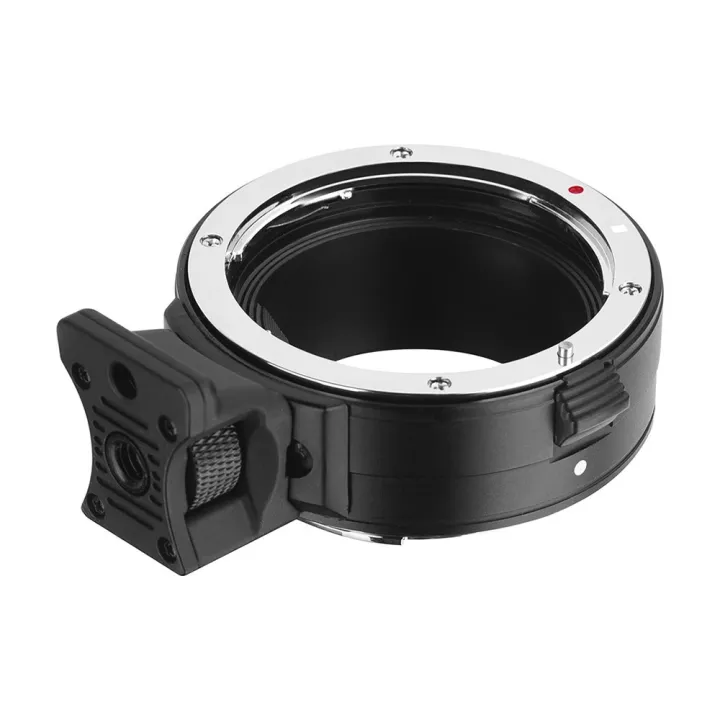
The Commlite CM-EF-EOS R can extend the useful life of an EF lens collection. It may also let photographers move to an EOS R body without replacing every lens at once.
Potential advantages
- Reuses existing Canon EF lenses
- Supports electronic lens communication on compatible equipment
- May retain autofocus
- May retain electronic aperture control
- May support lens-based image stabilization
- Can preserve some lens metadata
- Avoids adding optical glass to the image path
Important limitations
- Performance varies by lens and camera
- Third-party lens support is less predictable
- Older lenses may focus slowly
- Video autofocus may be less consistent than still-photo autofocus
- EF-S lenses can create crop or image-circle issues on full-frame bodies
- Firmware support may affect newer camera compatibility
- The adapter does not improve the lens’s optical performance
- It may not provide the same reliability as a Canon adapter
The central trade-off is simple: an electronic third-party adapter may offer useful function at a lower cost, but a Canon adapter may provide a more predictable system experience.

Buying Checklist for U.S. Photographers
Before buying, confirm all of the following:
- The listing names CM-EF-EOS R, not a different Commlite model
- The adapter is for Canon EF or EF-S lenses
- Your camera uses the Canon RF mount
- Your exact lens appears on the compatibility list
- The seller provides a return period
- Firmware update instructions are available
- The adapter has undamaged electronic contacts
- You understand whether you need autofocus, aperture control, IS, or only physical mounting
- The adapter’s warranty applies to your U.S. purchase
- The seller clearly identifies whether the item is new, used, or refurbished
Avoid listings that use only broad phrases such as “works with all Canon lenses.” That claim is too general to guide a safe purchase. Exact model numbers matter.
Also check whether the item is sold as the adapter alone or as part of a kit. Some listings use similar names for different products, including speed boosters, manual adapters, or adapters for Sony E-mount cameras.

Frequently Asked Questions
Does the Commlite CM-EF-EOS R change the focal length of an EF lens?
No. It is a mount adapter without optical conversion glass. A 50mm EF lens remains a 50mm lens. On a Canon APS-C EOS R camera, the field of view appears narrower because of the smaller sensor.
Can I use EF-S lenses with this adapter?
Usually, EF-S lenses are intended for Canon APS-C cameras. They may work on an APS-C EOS R body, but use on a full-frame EOS R body can activate crop mode or cause dark corners. Check the specific camera manual and lens compatibility information.
Will autofocus work with every Canon EF lens?
No. The adapter is designed to provide electronic autofocus with compatible lenses, but performance can vary. Older Canon lenses and third-party EF lenses may have limited or unreliable autofocus.
Does the adapter support Canon image stabilization?
It may pass stabilization commands for compatible lenses. The exact result depends on the lens, camera, and adapter firmware. Test the combination rather than assuming that every IS mode will work.
Is it safe to leave the adapter on the camera?
It can remain mounted during normal use if the mount is secure and clean. However, protect the exposed lens and camera contacts from dust, moisture, impact, and unnecessary stress. Remove the adapter if it becomes loose or shows damage.
Is a Canon adapter better for professional work?
A Canon EF-EOS R adapter may offer more predictable compatibility within the Canon system. The Commlite can still be suitable for some users, but professional photographers should test the exact camera, adapter, lens, and firmware combination before relying on it.
Conclusion
The Commlite CM-EF-EOS R Lens Adapter Electronic Auto Focus EF is designed to connect Canon EF and EF-S lenses to Canon EOS R-series cameras while retaining selected electronic functions. Its value depends on the exact lens and camera combination, not just the fact that both use Canon technology.
Use the adapter when you want to reuse EF lenses and can verify autofocus, aperture, stabilization, and firmware support. Choose a Canon adapter when maximum system predictability matters more than the lowest cost. Before purchase or paid work, confirm the exact model, test each important lens, and keep a backup plan for any function that the adapter does not reliably provide.

