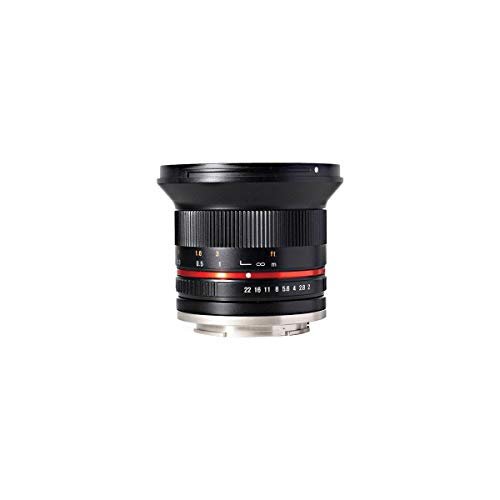
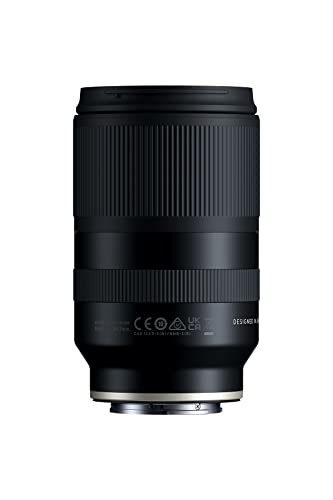
For photographers in the United States, a Pentax lens can fit some Canon cameras, but it will not attach directly in most cases. You usually need a mount adapter, and the result depends on both the Pentax lens mount and the Canon camera mount.
Pentax K and M42 lenses can often be adapted to Canon EOS DSLR and mirrorless cameras. However, autofocus, electronic aperture control, and lens data usually will not work. Some combinations may also create mirror or clearance problems.
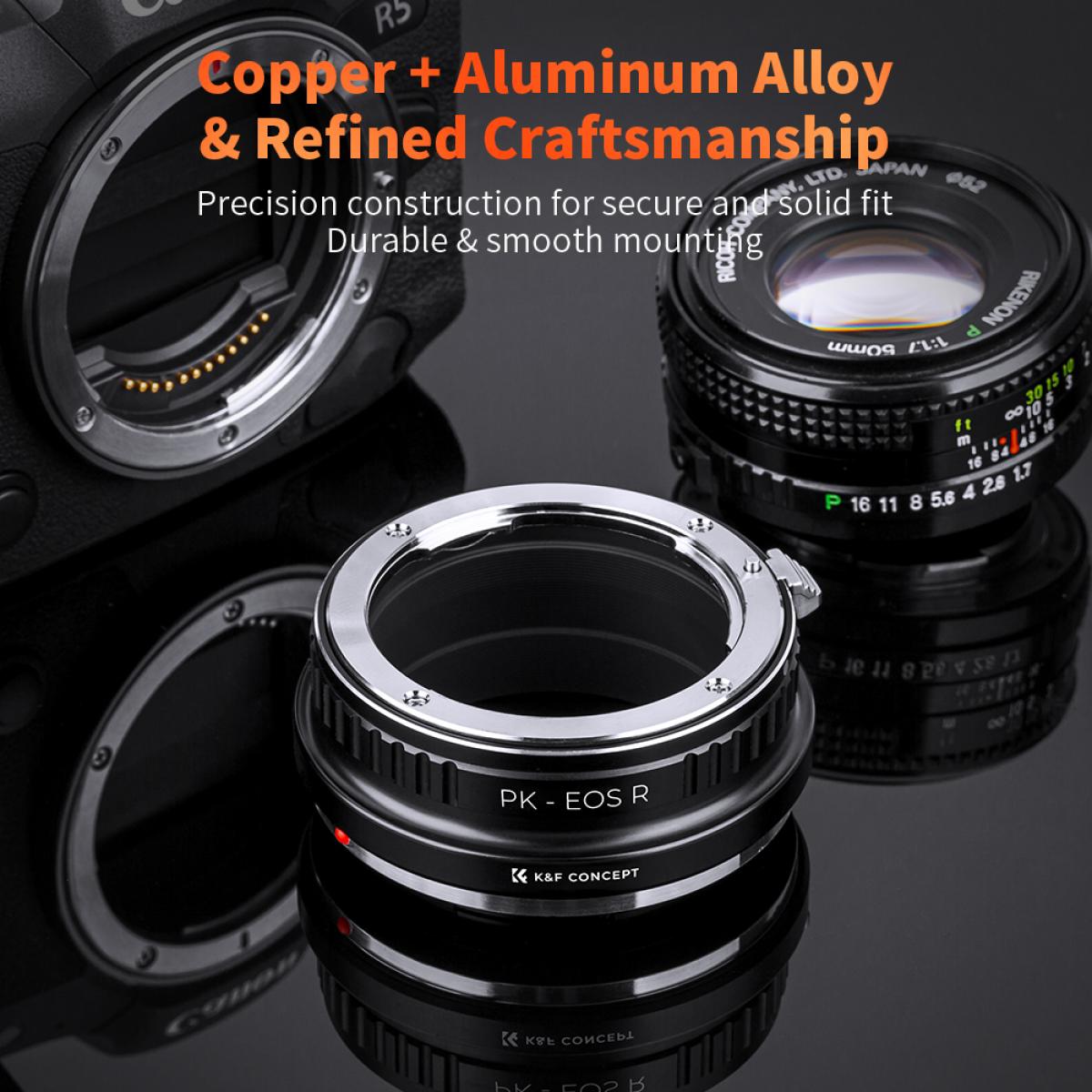
The Short Answer: Can a Pentax Lens Fit a Canon Camera?
Yes, a Pentax lens can fit a Canon camera with the correct adapter. The most practical combinations are:
| Pentax lens mount | Canon camera mount | Adapter situation | Typical result |
|---|---|---|---|
| Pentax K | Canon EF or EF-S DSLR | Usually simple mechanical adapter | Manual focus and manual aperture |
| Pentax K | Canon RF mirrorless | Mechanical adapter available | Manual focus and manual aperture |
| M42 screw mount | Canon EF or EF-S DSLR | Thread-to-bayonet adapter | Manual focus and manual aperture |
| M42 screw mount | Canon RF mirrorless | Adapter available | Manual focus and manual aperture |
| Pentax 645 | Canon EF or RF | Specialty adapter needed | Manual operation; large image circle |
| Pentax 67 | Canon EF or RF | Specialty adapter needed | Manual operation; bulky setup |
| Pentax Q | Canon systems | Not generally practical | Usually not recommended |
A Pentax lens does not become a Canon lens after mounting it. The camera may not recognize the lens, and the lens may not communicate with the camera.
The safest rule is simple: identify the Pentax lens mount and the exact Canon camera mount before buying an adapter.
Which Pentax Lens Mount Do You Have?
The word “Pentax lens” covers several different mounts. The mount determines whether an adapter exists and how well the lens will work.
Pentax K mount
Pentax K is the most common Pentax lens mount. It has been used on many Pentax film and digital SLR cameras.
- SMC Pentax and SMC Pentax-M lenses
- Pentax-A lenses
- Pentax-F and FA autofocus lenses
- Pentax-DA digital lenses
- Third-party K-mount lenses
A K-mount lens can often be adapted to Canon EOS cameras because its flange focal distance is longer than Canon EF’s. The flange focal distance is the space between the lens mounting surface and the camera sensor or film plane.
Pentax K has a flange distance of about 45.46 mm. Canon EF has a flange distance of 44 mm. This difference leaves room for a thin adapter without corrective glass.
M42 screw mount
Older Pentax lenses may use the M42 screw mount. These lenses attach with a threaded screw connection rather than a bayonet mount.
M42 lenses can often be adapted to Canon EOS cameras with a simple M42-to-EF adapter. They can also be adapted to Canon RF mirrorless cameras.
M42 lenses are fully manual. Some have an automatic or manual aperture switch, while others need the aperture pin held in a certain position by the adapter.
Pentax 645 and Pentax 67
Pentax 645 and Pentax 67 lenses are made for medium-format cameras. They can sometimes be used on Canon cameras with specialty adapters.
These lenses are large and heavy. Their image circles are usually much larger than a Canon full-frame sensor needs, but that does not guarantee convenient operation. Autofocus, electronic aperture control, and lens data are generally unavailable.
Pentax-DA lenses
Pentax-DA lenses are designed mainly for APS-C digital cameras. Many do not have a traditional aperture ring.
This creates a major limitation on Canon cameras. A simple adapter may let you mount the lens, but it may not give you a practical way to choose the aperture. A Pentax-DA lens can also have a rear design that requires careful clearance checking.
Pentax K Lenses on Canon EF and EF-S DSLRs
Pentax K lenses can often be used on Canon EOS DSLR cameras with a K-to-EF adapter.
Compatible Canon DSLR mounts include:
- Canon EF full-frame cameras
- Canon EF-S APS-C cameras
- Some older Canon EOS film cameras with the EF mount
The adapter provides the physical connection. It does not normally provide electronic communication.
What usually works
With a manual Pentax K lens on a Canon EOS DSLR, you can usually:
- Focus by turning the focus ring
- Select the aperture on the lens, if it has an aperture ring
- Take photographs in manual exposure mode
- Use aperture-priority mode on many Canon cameras
- Use the camera’s exposure meter with stop-down metering
The exact metering behavior varies by camera model and settings. On many Canon EOS bodies, aperture-priority mode can measure the light after you stop the lens down.
What usually does not work
A basic adapter normally does not provide:
- Autofocus
- Automatic aperture control
- Lens-based image stabilization
- Electronic lens data
- Automatic focal-length reporting
- EXIF lens information
Some adapters include an electronic chip. These are often called “AF-confirm” adapters. The chip may trigger a focus-confirmation light or sound, but it does not turn a manual lens into an autofocus lens.
Important clearance warning
Some Pentax K lenses have a rear lever or rear element that can extend into the camera body. On certain Canon DSLR models, that part may contact the mirror.
This can damage the lens, mirror, or camera. Before using a K-to-EF adapter:
- Check the adapter maker’s compatibility list.
- Search for clearance information for the exact lens and Canon body.
- Inspect the rear of the lens.
- Mount the lens gently without forcing it.
- Test at a slow shutter speed before regular use.
- Stop immediately if the mirror makes contact.
Do not assume that every K-mount lens is safe on every Canon DSLR.

Pentax Lenses on Canon EOS R Mirrorless Cameras
Pentax lenses are often easier to adapt to Canon EOS R mirrorless cameras than to Canon DSLRs.
Canon EOS R cameras use the RF mount. This includes models such as the EOS R, RP, R6, R7, R8, R10, R50, and other EOS R bodies.
A K-to-RF adapter or M42-to-RF adapter can create the needed physical spacing. Mirrorless cameras do not have the large reflex mirror found in DSLRs, so mirror clearance is usually less of a concern.
Benefits of adapting Pentax lenses to RF cameras
A manual Pentax lens on a Canon RF camera can often use:
- Manual focus magnification
- Focus peaking
- Electronic viewfinder exposure preview
- Manual exposure
- Aperture-priority exposure
- In-body image stabilization, where supported and configured
These tools make manual focusing easier than it may be on an older DSLR.
Limits remain
The adapter still does not add the lens electronics. You should expect to focus manually and set the aperture manually.
If the lens lacks an aperture ring, such as many Pentax-DA lenses, the setup may be difficult or impractical. An adapter cannot always control the lens aperture.
Canon RF-S and APS-C bodies
Canon APS-C RF cameras, such as the EOS R7, R10, and R50, apply a crop factor to the image. This does not prevent a Pentax lens from working, but it changes the field of view.
For example, a 50 mm lens on a Canon APS-C body gives a field of view similar to an 80 mm lens on full frame. The lens remains a 50 mm lens; only the captured view changes.
Will a Pentax Lens Focus to Infinity on a Canon Camera?
A correctly designed adapter can allow infinity focus, but the answer depends on the mounts and adapter thickness.
For Pentax K to Canon EF, the difference in flange distance allows a simple adapter to maintain the correct optical position. For Pentax K to Canon RF, there is even more physical space for an adapter.
Infinity focus may fail when:
- The adapter is too thick
- The adapter is poorly manufactured
- The lens has been modified
- The wrong mount is being identified
- The lens has a damaged focus mechanism
- The adapter includes incorrect optical glass
A cheap adapter may fit physically but still place the lens at the wrong distance. That can prevent distant subjects from coming into focus.
You can test infinity focus by setting the lens to its infinity mark and checking a distant subject through the viewfinder. The infinity mark is not always exact, so confirm focus visually rather than trusting the scale alone.
Does a Pentax Lens Keep Its Image Quality on Canon?
The lens’s optical design does not change simply because it is mounted on a Canon camera. However, the final result can change because of the adapter, sensor size, and camera settings.
A good adapter should be:
- Correctly machined
- Free from unwanted play
- Properly aligned
- Matte black inside
- Free of haze or poor optical glass, unless glass is required
A basic metal adapter without glass usually has less effect on image quality than an adapter with an inexpensive optical element. For Pentax K-to-EF and K-to-RF use, a simple non-glass adapter is often the preferred design when the mount combination supports infinity focus.
The camera sensor also matters. A lens may show more edge problems on full frame than on APS-C because the smaller APS-C sensor uses less of the image circle.
How to Use a Pentax Lens on a Canon Camera
Use this process before taking the lens outside for a shoot.
1. Identify the Pentax mount
Look for:
- K mount
- M42 screw mount
- Pentax 645
- Pentax 67
- Pentax-DA labeling
Do not buy an adapter based only on the word “Pentax.”
2. Identify the Canon camera mount
Canon cameras may use:
- EF
- EF-S
- EF-M
- RF
- RF-S
EF and EF-S are DSLR mounts. RF and RF-S are mirrorless mounts. EF-M is Canon’s older compact mirrorless mount.
The adapter must match both ends. For example:
- Pentax K to Canon EF
- Pentax K to Canon RF
- M42 to Canon EF
- M42 to Canon RF
A Pentax K-to-EF adapter will not directly fit a Canon RF camera.
3. Choose a manual adapter
For most Pentax lenses, choose a plain mechanical adapter with no optical glass if the mount combination supports infinity focus.
Look for:
- Secure locking
- Correct flange distance
- A clean, rigid mount
- No excessive wobble
- A compatible aperture lever design
- A return policy if fit is uncertain
4. Enable shutter release without a lens
Many Canon cameras refuse to take a photo when they do not detect an electronic lens.
On compatible models, enable the camera setting often called Release shutter without lens. The wording can vary by camera.
Check the camera manual for the exact menu path.
5. Set the lens aperture
If the lens has an aperture ring, set the desired f-stop on the lens.
If it has no aperture ring, confirm how the adapter handles the lens. A basic adapter may leave the lens at its widest aperture or may not provide usable aperture control.
6. Focus manually
Use the viewfinder or rear screen. On a Canon mirrorless camera, focus magnification and focus peaking can help.
For moving subjects, manual focusing is harder. A Pentax lens adapted to Canon is usually better suited to landscapes, portraits, still life, architecture, and other subjects that allow time to focus.
7. Check exposure
Start in manual exposure mode. Adjust shutter speed, ISO, and aperture until the meter or exposure preview looks correct.
Aperture-priority mode may also work, especially when the lens is stopped down manually. Test it with your camera before relying on it.
8. Take a test photograph
Check:
- Focus accuracy
- Exposure
- Edge shading
- Camera or lens contact
- Adapter looseness
- Mirror clearance on DSLR bodies
If anything binds, scrapes, or feels unusually tight, remove the lens and adapter.
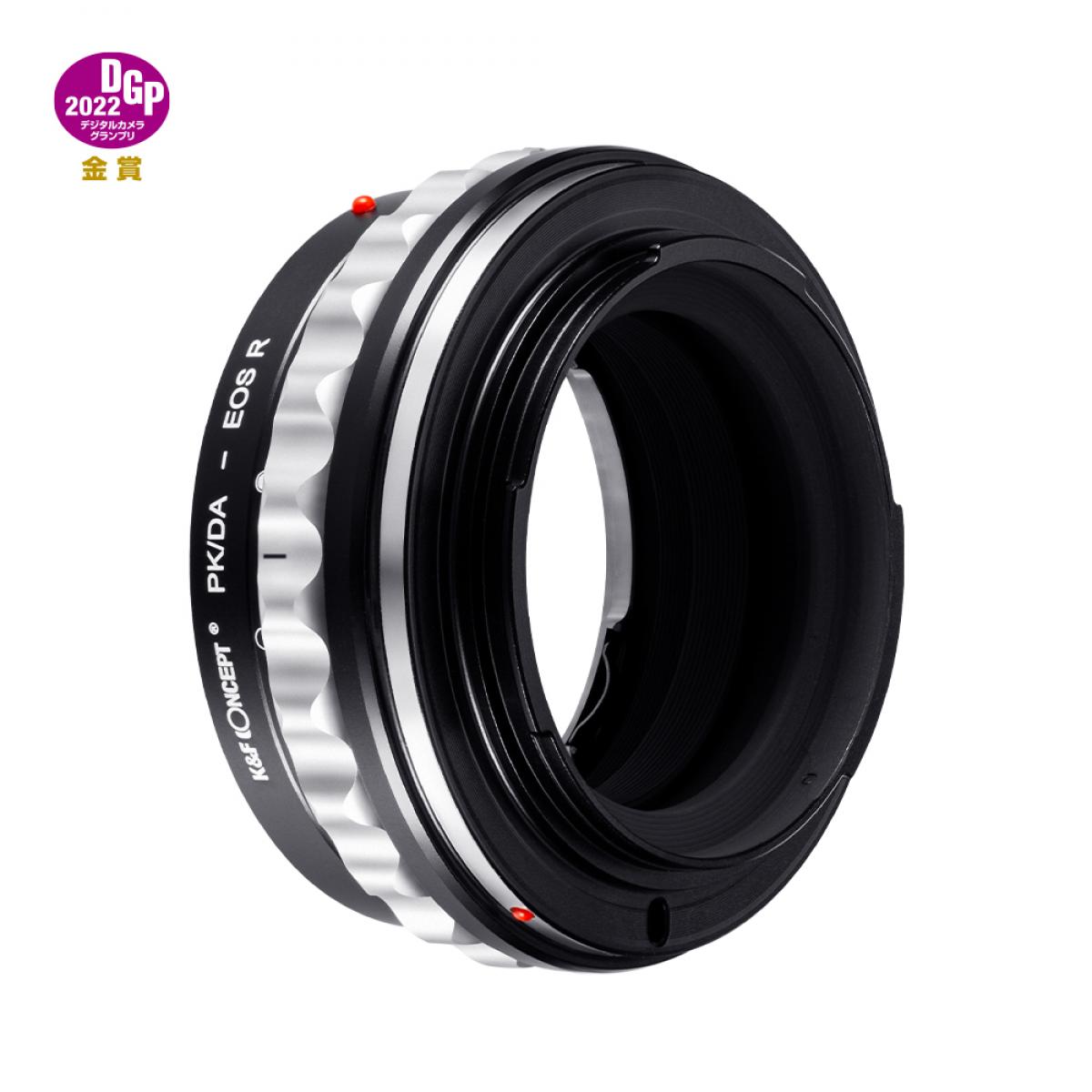
Pentax-to-Canon Compatibility by Lens Type
The lens type affects how useful the adapted setup will be.
| Lens type | Manual focus | Manual aperture | Infinity focus potential | Main concern |
|---|---|---|---|---|
| Pentax-M K lens | Yes | Usually yes | Good with correct adapter | No electronics |
| Pentax-A K lens | Yes | Usually yes | Good with correct adapter | Limited automatic functions |
| Pentax-F or FA lens | Yes | Varies | Good with correct adapter | Autofocus is lost |
| Pentax-DA lens | Yes | Often limited | Varies | No traditional aperture ring on many models |
| M42 Pentax lens | Yes | Usually yes | Good with correct adapter | Aperture pin behavior |
| Pentax 645 lens | Yes | Often manual | Often possible | Size and adapter availability |
| Pentax 67 lens | Yes | Often manual | Often possible | Weight and bulk |
Older manual lenses are usually the easiest to adapt. A Pentax-M 50 mm lens with an aperture ring is often more straightforward than a newer electronic Pentax lens.
Common Problems and Fixes
The lens will not mount
Possible causes include:
- Wrong adapter
- Wrong lens mount
- Adapter made for Canon RF instead of EF
- Adapter not aligned correctly
- Lens or adapter locking pin interference
Do not force the mount. Remove it and confirm the exact lens and camera specifications.
The camera displays “No lens attached”
This is normal with a basic mechanical adapter. Enable the shutter-release setting for use without an electronic lens, if your camera provides one.
The camera cannot change the aperture
The lens may lack an aperture ring. This is common with some Pentax-DA lenses.
Use a lens with a physical aperture ring, or confirm that the chosen adapter has a safe and effective aperture-control mechanism.
The image is always dark
The lens may be stopped down too far. Raise the ISO, slow the shutter speed, or open the aperture.
Also check whether the lens aperture is stuck. A stuck aperture can keep the lens nearly closed.
The camera cannot focus at infinity
The adapter may be too thick or poorly made. Try a better adapter designed for the exact mount pair.
Do not grind or modify the lens or adapter unless you fully understand the mechanical risks.
The image has dark corners
This may result from:
- A lens designed for a smaller sensor
- An adapter with a narrow internal opening
- Natural lens vignetting
- Incorrect lens coverage
Test the lens at several apertures and focus distances. APS-C bodies may avoid some corner problems that appear on full-frame cameras.
The lens is loose
A small amount of play can affect focus and image alignment. A loose adapter may also wear the camera mount.
Replace an adapter that wobbles, fails to lock, or allows the lens to rotate after mounting.
Is It Worth Adapting a Pentax Lens to Canon?
Adapting a Pentax lens makes the most sense when you already own a good manual lens and enjoy deliberate shooting.
It may be worthwhile for:
- Vintage lens rendering
- Low-cost manual photography
- Portraits
- Landscapes
- Macro work
- Video
- Learning manual exposure and focus
It is less suitable when you need:
- Fast autofocus
- Reliable subject tracking
- Automatic aperture control
- Lens-based stabilization
- Fast sports or wildlife shooting
- Full EXIF lens data
The main trade-off is simple: you may gain access to an interesting or affordable lens, but you give up convenience and automation.

Can Pentax Lenses Fit Canon EF-M Cameras?
Pentax lenses can sometimes be adapted to Canon EF-M mirrorless cameras, but the adapter must be made specifically for EF-M.
The EF-M mount has a short flange distance, so there is room for a mechanical adapter. Manual operation is generally possible with Pentax K and M42 lenses.
However, EF-M is a separate Canon system from EF and RF. An EF adapter is not the same as an EF-M adapter.
Can Canon Lenses Fit Pentax Cameras?
This is a different question, and the answer depends on the Canon lens mount.
Canon EF lenses are not normally simple to adapt to Pentax K cameras while preserving infinity focus because Canon EF has a shorter flange distance than Pentax K. A corrective optical adapter or modification may be required.
Canon FD lenses also involve different spacing and control issues. Do not assume that an adapter works in both directions. Lens adaptation is not automatically reversible.
Are Pentax and Canon Lens Mounts the Same?
No. Pentax and Canon use different lens mounts.
Pentax K, Pentax M42, Canon EF, Canon EF-S, Canon EF-M, and Canon RF use different mechanical designs and electronic systems. A lens may fit only when a properly engineered adapter connects the two mounts.
A lens that physically attaches is not necessarily fully compatible. Focus range, aperture control, clearance, and camera settings still matter.
Frequently Asked Questions
Can a Pentax K lens fit a Canon DSLR?
Yes. A Pentax K lens can often fit a Canon EOS DSLR with a K-to-EF adapter. Expect manual focus and manual aperture. Check mirror clearance, especially with older or unusual K-mount lenses.
Can a Pentax lens fit a Canon mirrorless camera?
Yes. Pentax K and M42 lenses can often be adapted to Canon RF or EF-M mirrorless cameras. Mirrorless bodies generally make manual focusing easier with magnification and focus peaking.
Will autofocus work with a Pentax lens on Canon?
No, not with a normal mechanical adapter. An electronic adapter may provide limited communication for some specialized combinations, but it should not be expected to restore Pentax autofocus on a Canon body.
Will image stabilization work?
Usually not through the lens. Some Canon cameras may provide in-body stabilization with manually entered focal-length information. Check the manual for your exact camera model.
Can I use a Pentax-DA lens on a Canon camera?
Sometimes, but the result may be inconvenient. Many Pentax-DA lenses lack a traditional aperture ring, and some may not provide a practical way to control the aperture through a basic adapter. Check the exact lens model before purchasing an adapter.
Final Recommendation
A Pentax lens can fit a Canon camera, but the correct adapter is essential. Pentax K and M42 lenses are the most practical choices, especially on Canon EOS DSLR and EOS R mirrorless bodies.
For the simplest setup, use a Pentax lens with a physical aperture ring and a well-made mechanical adapter. Confirm infinity focus, check clearance, and expect to focus and expose manually.
Before you buy anything, write down the exact Pentax lens mount and Canon camera mount. That single step prevents most compatibility mistakes.