
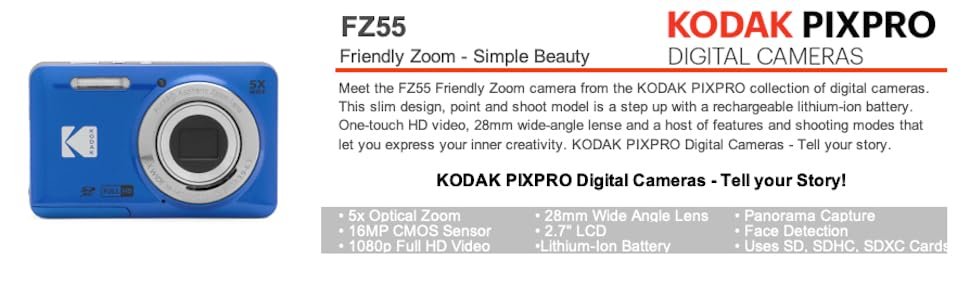
The Kodak PIXPRO FZ55 BK is a small point-and-shoot camera for simple everyday photos, travel, family events, and casual video. It combines a 16-megapixel BSI CMOS sensor, a 5x optical zoom lens, a wide 28mm-equivalent starting view, a 2.7-inch LCD, and Full HD video in a compact body.
The FZ55 is best for people who want a dedicated camera that is easy to carry and simple to use. It is not a replacement for a modern mirrorless camera or a high-end smartphone in low light. Its main strengths are its low weight, physical zoom lens, traditional camera controls, and lack of phone notifications or storage concerns while shooting.
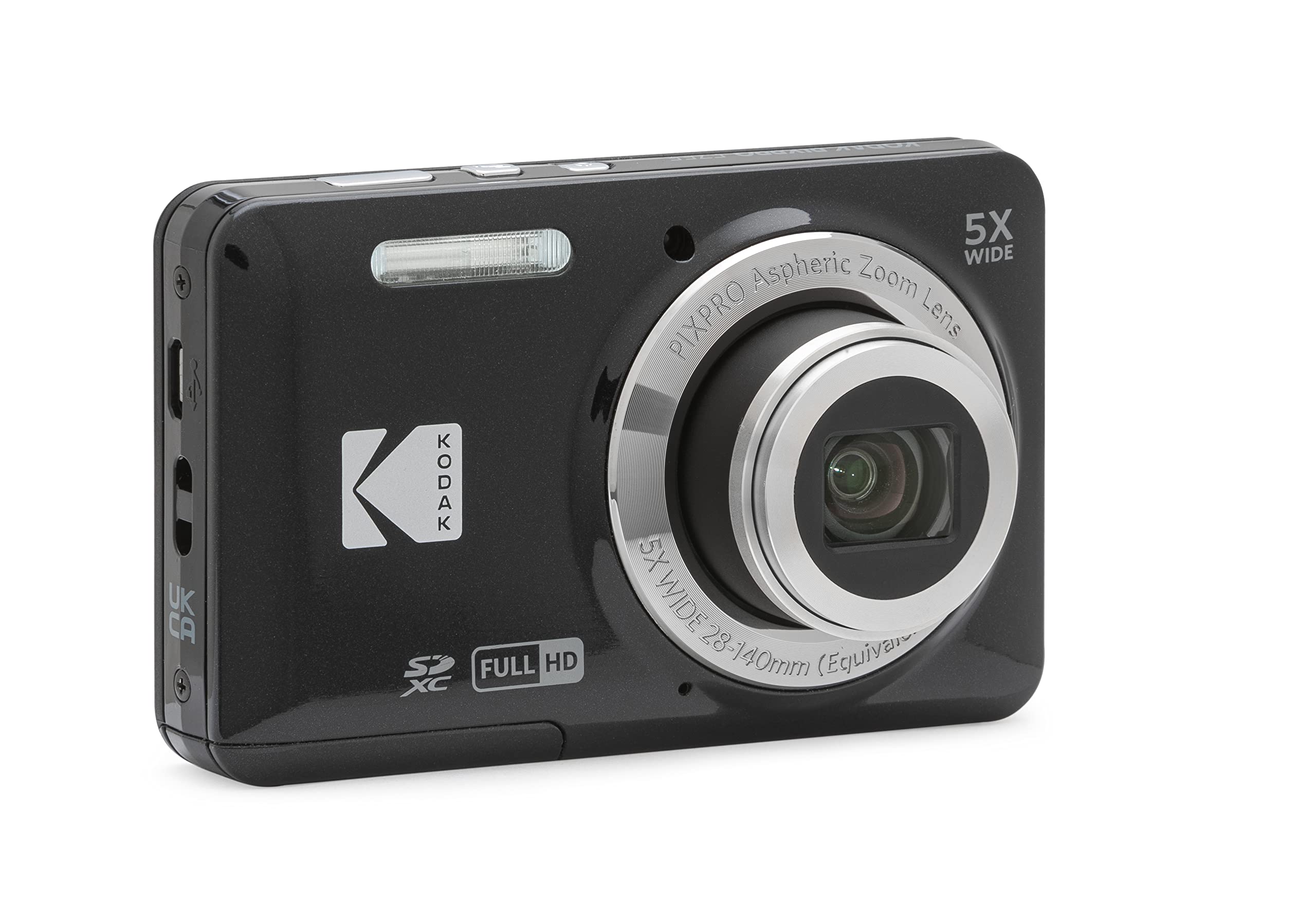
Kodak PIXPRO FZ55 BK: Key Specifications
The Kodak PIXPRO FZ55 BK is a basic compact digital camera with a wide-angle-to-telephoto zoom range.
| Feature | Kodak PIXPRO FZ55 BK specification |
|---|---|
| Camera type | Compact point-and-shoot digital camera |
| Sensor | 16MP BSI CMOS |
| Optical zoom | 5x |
| Lens range | 5.1–25.5mm, approximately 28–140mm equivalent |
| Maximum aperture | Approximately f/3.9–f/6.3 |
| Display | 2.7-inch LCD |
| Still-image format | JPEG |
| Video | Full HD 1080p recording |
| Image stabilization | Electronic image stabilization |
| Storage | SD, SDHC, and SDXC memory cards |
| Battery | Rechargeable lithium-ion battery |
| Body color | Black |
| Intended market | United States and other regional markets, depending on package and retailer |
Specifications can vary by region, firmware, or retail package. Check the current Kodak PIXPRO product page and the included manual before buying memory cards, batteries, or accessories.
The “BK” in the product name normally identifies the black version. The “5X” refers to optical zoom, not simply a digital crop. Optical zoom changes the lens position and preserves more detail than digital zoom.
What the 16MP CMOS Sensor Means
The 16MP CMOS sensor gives the Kodak PIXPRO FZ55 enough resolution for routine prints, web sharing, and family snapshots. A 16-megapixel image is also large enough to allow modest cropping when the original photo is sharp and well exposed.
The sensor is a BSI CMOS design. BSI means “back-side illuminated.” This design places more of the sensor’s light-sensitive area where it can receive incoming light. In practical terms, it can support better light gathering than an older sensor design of similar size.
That does not make the FZ55 a strong low-light camera. The sensor is still small, and the built-in lens has a relatively narrow maximum aperture at the telephoto end. Indoor and evening photos may show noise, soft detail, or motion blur when the camera raises sensitivity or uses a slower shutter speed.
What image quality to expect
The FZ55 should perform best in:
- Daylight outdoors
- Well-lit rooms
- Travel scenes
- Landscapes
- Group photos with enough space
- Close subjects that do not move quickly
Results may be less consistent in:
- Dim restaurants
- Concerts
- Night streets
- Fast indoor action
- Subjects far away in poor light
- Photos taken at the full 5x zoom without support
The 16MP rating describes the number of pixels. It does not guarantee sharpness, dynamic range, color accuracy, or low-light performance. Lens quality, light, focus, camera movement, and image processing all affect the final photo.

How the 5x Optical Zoom Works
The FZ55’s 5x optical zoom covers a useful range from a wide view to a short telephoto view. Its approximately 28mm-equivalent wide end is useful for buildings, landscapes, travel photos, and small groups. Its approximately 140mm-equivalent long end can help frame distant details or fill the image with a single subject.
The zoom range is more useful than a fixed lens for travelers. You can capture a broad city view, then zoom in on a sign or architectural detail without changing cameras.
Wide-angle use: approximately 28mm equivalent
Use the wide end when you need to fit more into the frame. It works well for:
- Landscapes
- Rooms
- Buildings
- Group photos
- Street scenes
- Travel snapshots
At close range, wide-angle lenses can make objects near the camera look larger than objects behind them. Step back when possible if you want a more natural group portrait.
Telephoto use: approximately 140mm equivalent
Use the long end when you need a tighter view. It can help with:
- Portrait framing
- Stage or event details
- Wildlife that is not too far away
- Sports played in good light
- Signs and objects across a street
The long end also magnifies camera shake. Hold the camera with both hands, brace your arms, and use good light. The FZ55 is not a superzoom camera, so it cannot replace a long telephoto lens for distant wildlife or field sports.
Optical zoom versus digital zoom
Optical zoom uses the lens. Digital zoom enlarges or crops the image through software. Optical zoom generally gives the better result because it records the subject with more real detail.
For the cleanest photos, use the optical range first. If you use digital zoom, expect softer detail, especially in low light or when the final image is viewed at full size.

Using the Kodak PIXPRO FZ55 for Photos and Video
The FZ55 is designed around simple automatic shooting. This makes it suitable for users who want to point, frame, and press the shutter without learning complex exposure controls.
Before your first outing:
- Charge the supplied rechargeable battery.
- Insert a compatible SD, SDHC, or SDXC card.
- Turn the camera on.
- Set the date, time, and regional options.
- Format the memory card in the camera if it is new or has been used in another device.
- Take a test photo and play it back.
- Confirm that the battery and card work before an important event.
Formatting erases the card. Copy any needed files to a computer before formatting.
Tips for sharper photos
Use these habits to reduce common point-and-shoot problems:
- Half-press the shutter to let the camera focus before taking the photo.
- Keep the lens clear of fingerprints.
- Hold the camera with both hands.
- Stand still when pressing the shutter.
- Use the flash only when it helps the subject.
- Move closer instead of relying on heavy digital zoom.
- Give the camera more light when photographing people indoors.
- Take more than one photo of moving subjects.
The camera’s electronic image stabilization can help with minor hand movement. It cannot freeze a moving person or compensate for major shake. More light remains the simplest way to improve a difficult shot.
Recording Full HD video
The FZ55 supports Full HD video recording. Full HD is commonly associated with 1,920 × 1,080 pixels, but the exact frame-rate options and recording limits should be confirmed in the camera menu or manual for the specific regional version.
For better video:
- Start recording after framing the subject.
- Use the wide end when walking or holding the camera by hand.
- Avoid fast zoom movements.
- Keep the camera steady.
- Record in a quiet area when sound matters.
- Use a card with enough free space.
- Check the battery before a long recording.
A compact camera can be easier to hold than a phone during a short clip, but the FZ55 does not offer the advanced microphone, stabilization, autofocus tracking, or editing features found on higher-end cameras.
Memory Cards, Battery, and Everyday Care
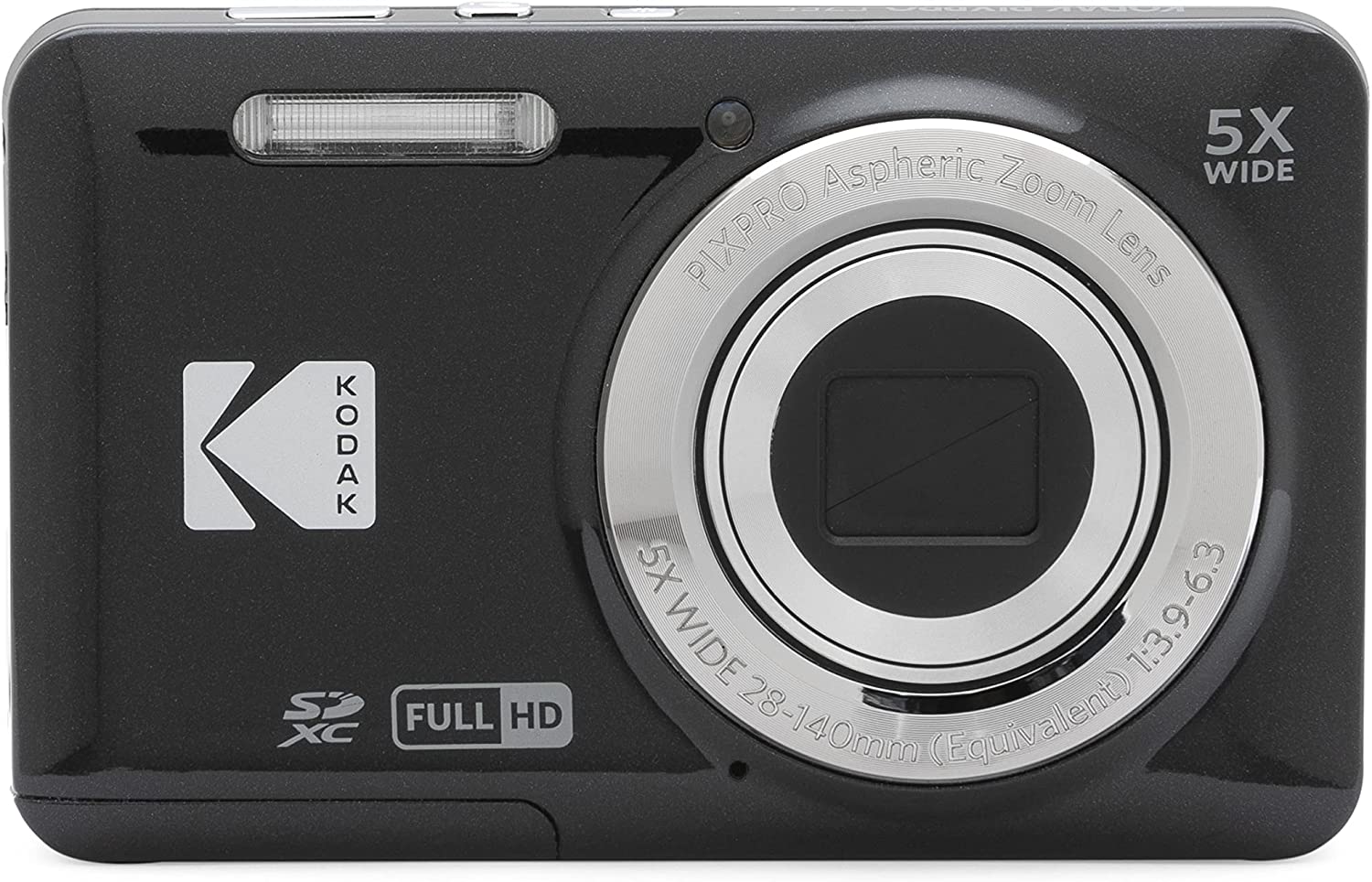
The FZ55 uses a removable memory card for photo and video storage. The official manual for your camera should control the final choice of card type and capacity. In general, use a reliable SD-family card from a known brand and avoid buying a card solely because it advertises an unusually large capacity at a very low price.
A card that works in another device may still need to be formatted in the FZ55. If the camera displays a card error, first turn it off, remove and reinsert the card, and confirm that the card’s write-protect tab is not locked.
Battery care
Use the correct rechargeable battery and charging method listed for the FZ55. Do not use a damaged, swollen, leaking, or unusually hot battery. Keep spare batteries away from loose metal objects such as coins and keys.
For longer use:
- Charge the battery before travel.
- Carry the camera in a case.
- Avoid leaving it in a hot car.
- Reduce unnecessary LCD use when practical.
- Keep a spare battery for long days.
- Remove the battery if the camera will be stored for an extended period, following the manual’s guidance.
Lithium-ion batteries lose capacity over time. A battery that once lasted all day may later need replacement even if the camera itself still works correctly.
Protecting the camera
The FZ55 is a compact consumer camera, not a waterproof or rugged action camera. Keep it away from rain, pools, sand, and heavy dust unless the product documentation specifically states otherwise.
Use a soft, dry cloth for the body. Do not spray cleaner directly onto the lens or LCD. If the lens is dirty, use a proper lens-cleaning method rather than a rough shirt or paper towel.

Kodak PIXPRO FZ55 Compared With a Smartphone
The FZ55 and a modern smartphone solve different problems. A smartphone usually offers stronger computational photography, faster sharing, and better software. The FZ55 offers a separate device with an optical zoom lens, physical controls, removable storage, and less dependence on phone battery life.
| Choose the FZ55 when you value | Choose a smartphone when you value |
|---|---|
| A separate camera for trips and events | Instant sharing and messaging |
| Physical optical zoom controls | Strong automatic HDR and night processing |
| A simple point-and-shoot design | Advanced editing apps |
| Keeping photos separate from your phone | One device for photos, calls, and video |
| A compact camera with a traditional shutter | Fast cloud backup and social posting |
The decision depends on the phone already in your pocket. An older or entry-level phone may produce less pleasing zoom photos than the FZ55 in bright light. A recent premium phone may produce better indoor and night images through computational processing.
The FZ55 is most appealing when you want simplicity and a dedicated optical zoom camera. It is less appealing if you expect strong night photography, instant wireless transfer, or advanced creative controls.

Common Problems and Practical Fixes
The camera will not turn on
Check the battery charge and confirm that the battery is inserted in the correct direction. Remove and reinstall it, then try again. If the camera was exposed to moisture, do not keep powering it on; allow it to dry and seek qualified service if needed.
The camera says the card is full
Copy photos to a computer or backup drive, then delete files through the camera or format the card. Do not format the card until important files are safely backed up.
Photos look blurry
Blur may come from camera movement, subject movement, missed focus, low light, or fingerprints on the lens. Clean the lens, add light, hold the camera with both hands, and half-press the shutter before taking the photo.
Flash photos look too bright or too dark
The flash has limited range. A nearby subject may be overexposed, while a distant subject may remain dark. Move within a reasonable distance, reduce reflective backgrounds, and use available room light when possible.
Video stops during recording
A full card, low battery, file-size limit, camera temperature, or unsupported card condition may cause recording to stop. Check the manual, use a compatible card, start with a fully charged battery, and test the camera before a long event.
The camera cannot read the memory card
Power the camera off before removing the card. Reinsert it, check the write-protect switch, and test a compatible card. If the card contains needed files, do not format it until recovery or backup is complete.

Who Should Buy the Kodak PIXPRO FZ55 BK?
The Kodak PIXPRO FZ55 BK makes sense for a buyer who wants:
- A simple camera with automatic shooting
- A physical 5x optical zoom
- A lightweight camera for travel
- A basic camera for family events
- Full HD video without using a phone
- A traditional camera body at a modest feature level
It may not be the right choice for:
- Serious night photography
- Professional work
- Fast sports or wildlife at long distances
- Waterproof shooting
- Interchangeable lenses
- Advanced manual exposure control
- Wireless transfer as a central feature
The main trade-off is clear: the FZ55 is easy to carry and use, but its small sensor and basic lens limit performance in difficult light. Buyers should judge it as a simple compact camera, not as a lower-cost professional system.
Frequently Asked Questions
Is the Kodak PIXPRO FZ55 a good beginner camera?
Yes, it can suit beginners who want simple automatic photography. The optical zoom gives more framing control than a basic fixed-lens camera, while the menu and controls remain approachable.
Does the Kodak PIXPRO FZ55 have a viewfinder?
The FZ55 uses its rear LCD for framing. It is not designed around a traditional optical viewfinder.
Can the FZ55 take photos without a memory card?
Some cameras may hold a small number of images in internal memory, but a memory card is the practical choice for regular use and video. Confirm the exact behavior in the camera manual.
Does the Kodak PIXPRO FZ55 use digital or optical image stabilization?
The model is commonly specified with electronic image stabilization. This can reduce the effect of minor camera movement, but it does not replace a tripod or stop subject motion.
Is the Kodak PIXPRO FZ55 waterproof?
Do not treat it as waterproof or rugged unless the exact product documentation says so. Keep it away from water, rain, sand, and high humidity.
Final Recommendation
The Kodak PIXPRO FZ55 BK is a straightforward American-market compact camera for daylight photos, travel, family snapshots, and basic Full HD video. Its most useful features are the 16MP BSI CMOS sensor, 5x optical zoom, wide 28mm-equivalent lens setting, and small body.
Buy it for simplicity, portability, and a dedicated optical zoom camera. Choose another type of camera if you need strong low-light results, advanced autofocus, long-range wildlife reach, waterproof construction, or professional controls.
Before purchase, verify the current package contents, battery, memory-card requirements, warranty, and regional specifications on the official Kodak PIXPRO product site. Also check the camera’s user manual for the exact supported card capacity, video settings, charging instructions, and operating limits.

