
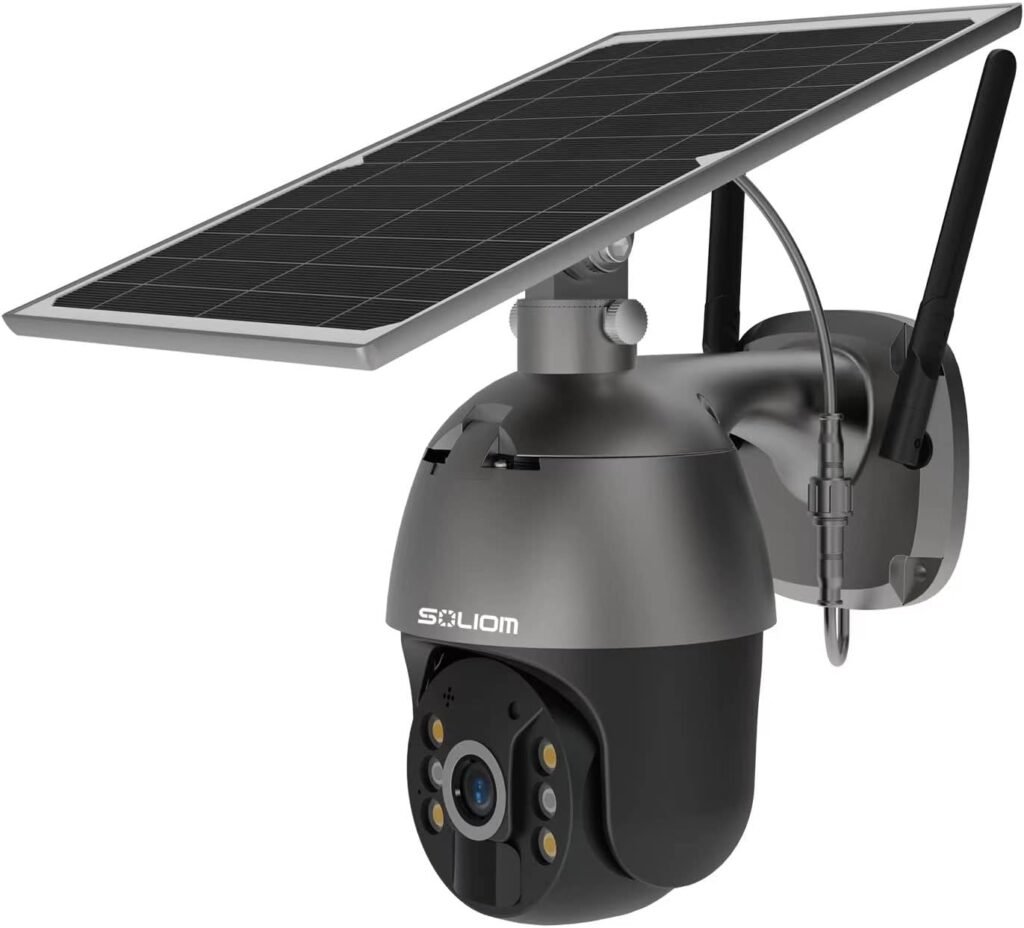
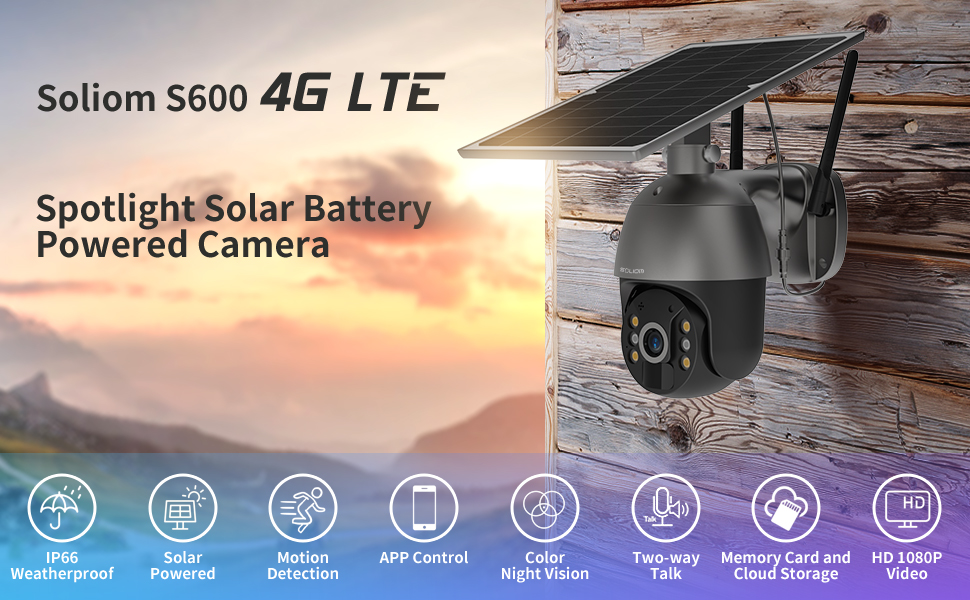
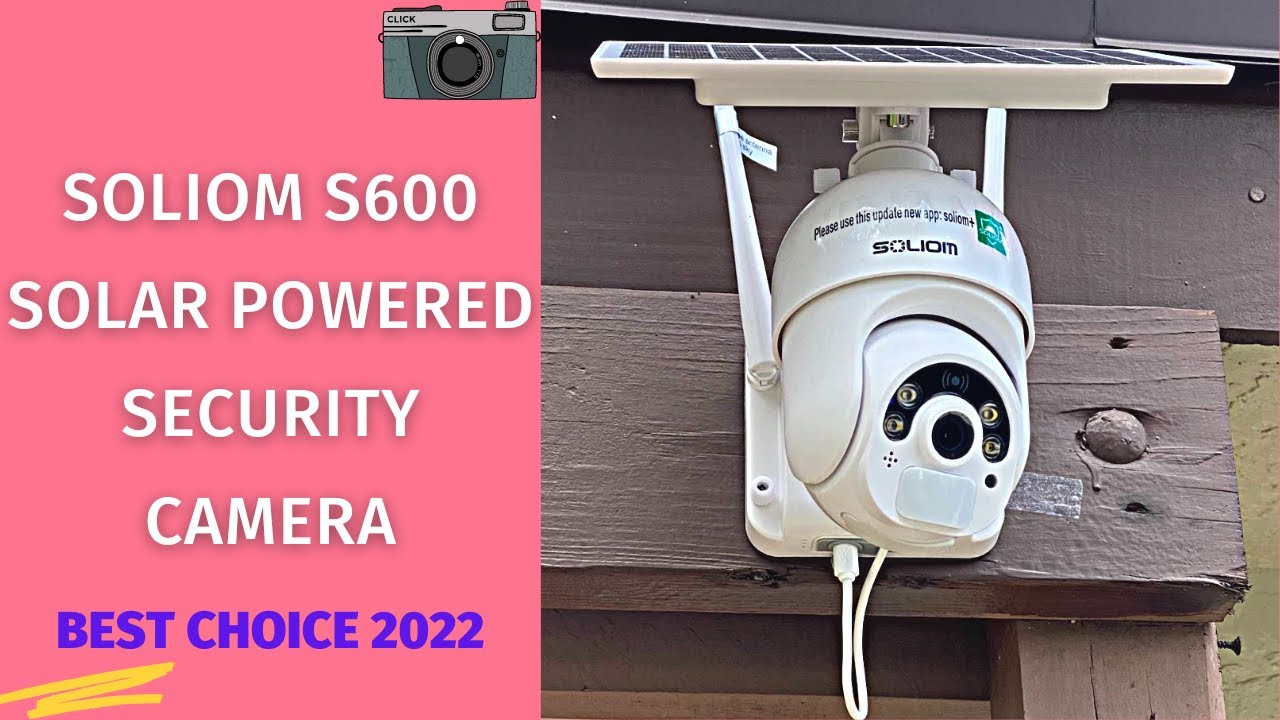
The SOLIOM S600 is a wire-free security camera designed for places in the United States where Wi-Fi and standard electrical power are not available. It uses a cellular data connection and a solar panel, so it may suit farms, cabins, driveways, construction sites, storage areas, and rural property.
The key buying issue is not only image quality. You must confirm that the exact S600 version supports a US LTE band and carrier that still provides service in your area. A camera marketed as “3G/4G” may not work well in the United States if it relies on retired 3G networks or lacks current LTE support.

What Is the SOLIOM S600?
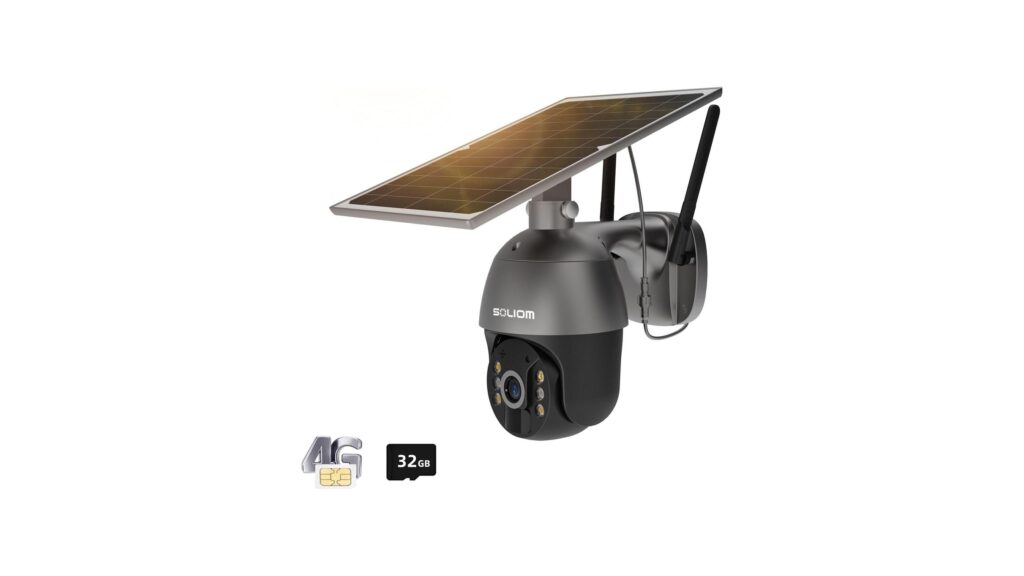
The SOLIOM S600 is a cellular outdoor security camera with a rechargeable battery and solar charging system. Unlike a Wi-Fi camera, it sends video and alerts through a compatible SIM card and mobile network.
Its basic operating system is simple:
- The camera detects motion or receives a live-view request.
- It uses a cellular network to send an alert or video.
- The internal battery powers the camera when sunlight is weak or absent.
- The solar panel replenishes the battery during suitable daylight.
- A mobile app provides remote access and camera controls.
This design removes the need for a nearby router. It also means the camera depends on cellular coverage, data service, battery charge, and proper solar placement.
Main product category
The S600 belongs to the solar-powered cellular security camera category. It is not the same as:
- A Wi-Fi security camera
- A wired PoE camera
- A conventional analog CCTV camera
- A trail camera that stores images only on a memory card
- A cellular camera that includes its own unlimited service plan
The camera may be useful where running Ethernet cable or electrical wiring would cost more than the camera itself. However, cellular service creates an ongoing cost and a new point of failure.
Important US network warning
The phrase “3G/4G LTE” needs careful attention in the United States. Major US carriers have shut down their 3G networks, so a device that depends on 3G may no longer provide reliable service. The practical requirement is current LTE support, suitable frequency bands, and carrier approval.
Before buying or installing the SOLIOM S600, check:
- The exact model number and regional version
- Supported LTE bands
- Whether the camera is locked to a carrier
- Whether your preferred carrier supports the device
- Whether the SIM requires a phone plan, tablet plan, or IoT plan
- Whether the carrier permits security cameras on that plan
- Coverage at the planned installation point
Do not assume that a SIM card from any US phone plan will work.

SOLIOM S600 Features That Matter in Real Use
The most useful S600 features are its cellular connection, solar power system, motion detection, outdoor design, and remote access. Each feature has limits that affect installation and daily use.
4G LTE cellular connection
The S600 can use a cellular network instead of local Wi-Fi. This makes it a possible option for:
- Rural driveways
- Detached garages
- Barns and sheds
- Hunting or fishing property
- Vacant homes
- Job sites
- Land without broadband service
– Temporary outdoor monitoring
Cellular video uses data. Live viewing and cloud video can use much more data than short motion clips. A plan with a low data limit may run out sooner than expected, especially if the camera records often or several people view the feed.
Solar charging and battery operation
The solar panel is intended to keep the internal battery charged. It does not mean the camera will operate forever without maintenance.
Charging depends on:
- Direct sunlight
- Panel angle
- Shade from trees or buildings
- Snow, dust, pollen, and bird debris
- Camera activity
- Temperature
- Battery age
- Cable and connector condition
A camera aimed at a shaded north-facing wall may receive too little energy. In much of the United States, winter sunlight is weaker and daylight hours are shorter. Heavy cloud cover can also reduce charging for several days.
Solar power works best when the camera has low to moderate activity and the panel has a clear view of the sky.
Motion alerts
The camera may use passive infrared, or PIR, motion detection. PIR sensors detect changes in heat from moving objects. They are generally better at detecting people and animals than a basic software-only motion system, but they are not perfect.
False alerts may come from:
- Small animals
- Moving branches
- Hot vehicles
- Direct sun
- Sudden temperature changes
- Rain or snow
- People walking near the edge of the detection zone
Set the camera so it does not point directly at a busy road or a large moving tree. Use activity zones or sensitivity settings if the app provides them.
Remote viewing
A cellular camera can allow remote live viewing through a mobile app. Actual performance depends on signal strength, network congestion, data speed, and battery level.
Live video may load slowly when:
- The camera has a weak signal
- The camera is inside a metal building
- The battery is nearly empty
- The cellular network is busy
- The device has entered a low-power mode
- The data plan has been suspended or exceeded
Remote viewing is useful, but it should not be treated as a guaranteed real-time security service.
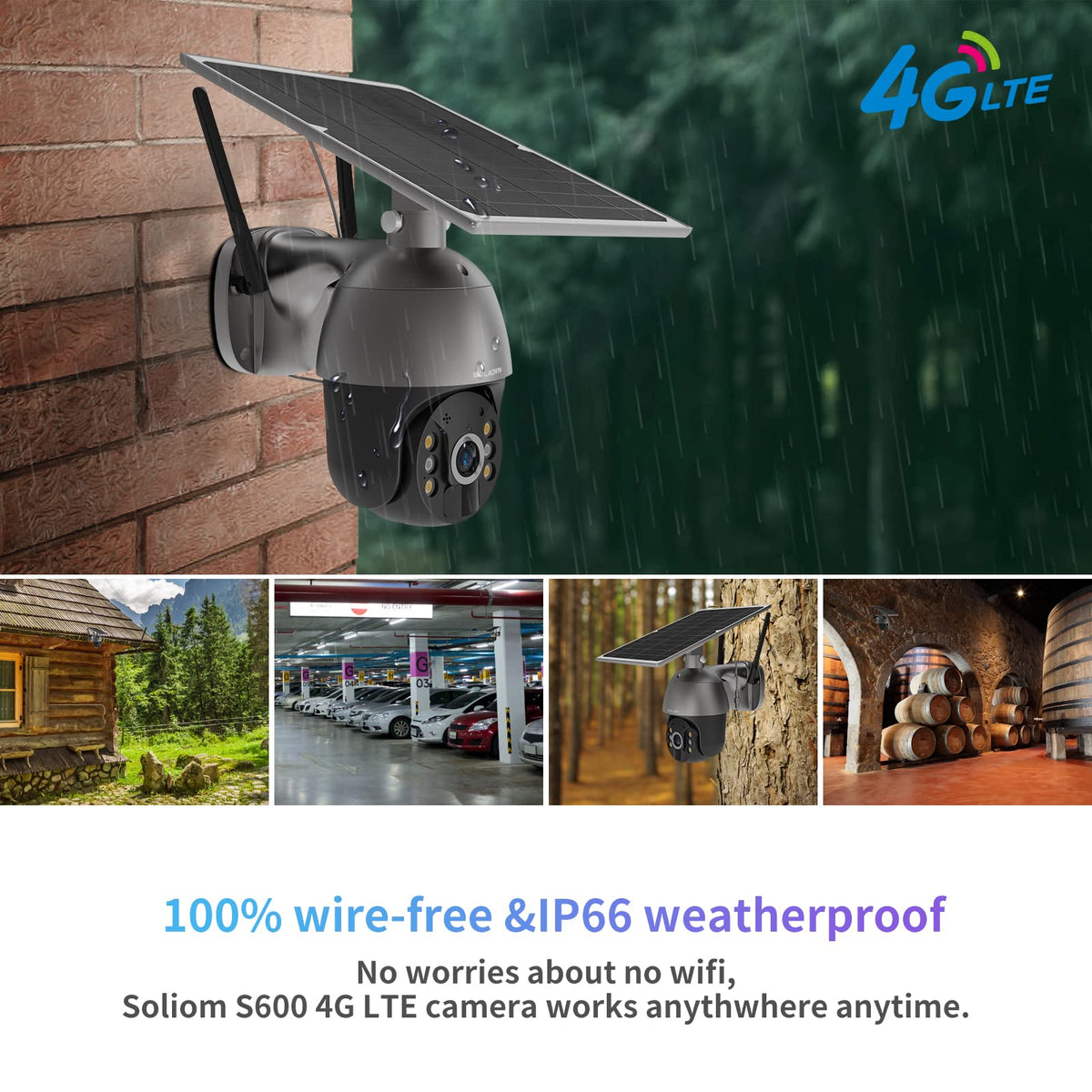
Outdoor installation
The S600 is intended for outdoor use, but outdoor-rated does not mean damage-proof. Protect the camera from:
- Flooding
- Direct water spray into ports
- Ice buildup
- Extreme heat
- Salt spray
- Vandalism
- Loose mounting
- Chewed cables
Review the exact IP rating and operating temperature in the manual for your unit. Different listings or production versions may show different specifications.

SOLIOM S600 Specifications: What to Verify Before Purchase
Online listings can differ by region, seller, and production batch. Verify the product page and manual for the exact unit rather than relying on a generic S600 description.
| Specification | Why it matters | What to verify |
|---|---|---|
| Cellular technology | Determines network compatibility | LTE bands and supported US carriers |
| SIM format | Prevents installation problems | Nano, micro, or another SIM size |
| Data plan | Controls operating cost | Required plan type and monthly data |
| Video resolution | Affects detail and data use | Recorded and live-view resolution |
| Night vision | Determines nighttime coverage | Infrared range and color-night mode |
| Motion detection | Controls alerts and battery use | PIR range, sensitivity, and zones |
| Battery | Determines operation during low light | Capacity, replaceability, and charging time |
| Solar panel | Affects battery recovery | Panel output, cable length, and mount |
| Storage | Determines how clips are retained | Cloud plan, microSD support, or both |
| Weather protection | Reduces outdoor failure risk | IP rating and temperature range |
| App support | Controls setup and remote access | Current iOS and Android compatibility |
| Warranty | Affects long-term risk | Warranty length and US support contact |
Camera resolution
A higher resolution can show more detail, but it also uses more storage and data. It does not guarantee that a person’s face or license plate will be readable.
Identification depends on:
- Distance from the camera
- Lighting
- Camera angle
- Motion blur
- Compression
- Lens quality
- The target’s direction of travel
Mount the camera close enough to cover the area without creating an unsafe or easily reachable position. Test the view before final installation.
Storage and cloud access
Some cellular cameras use cloud storage, while others support a memory card. The exact options for the S600 should be confirmed in the current manual.
Ask these questions before purchase:
- Does the camera include cloud storage?
- Is a paid subscription required?
- Can clips be saved locally?
- Does local storage continue if cloud service ends?
- Can the camera record without cellular service?
- How long are cloud clips retained?
- Can clips be downloaded to a phone?
A camera that sends alerts but stores no usable recordings may be less helpful after an incident.
Audio and privacy controls
If the model includes a microphone or speaker, check the app controls and local law before using two-way audio. Recording conversations can raise privacy and consent issues that vary by state.
Aim the camera at your own property. Avoid unnecessary views into neighbors’ homes, private yards, bedrooms, or other areas where people reasonably expect privacy.
How to Install the SOLIOM S600 in the United States
Install the camera in stages. Test cellular service and charging before fastening the mount permanently.
1. Confirm the network before climbing or mounting
Insert the required SIM card according to the manual. Confirm that the SIM is active and that the plan supports the camera.
Test the camera outdoors near the planned location. Check:
- Signal strength
- App connection
- Live view
- Motion alerts
- Upload speed
- Battery status
- SIM registration
A phone may show a strong signal while the camera fails because the camera supports different bands or cannot use the same plan.
2. Charge the camera
Fully charge the internal battery before the first outdoor installation unless the manual gives a different instruction. Initial charging helps separate setup problems from solar-charging problems.
Do not place the camera in service with a nearly empty battery and then assume the solar panel is defective.
3. Select a suitable mounting point
Choose a location with:
- A clear view of the target area
- Strong cellular reception
- Direct sunlight for the solar panel
- A stable mounting surface
- Limited exposure to tampering
- No obstruction in front of the lens
- Enough space to clean and service the unit
Avoid placing the camera behind glass. Glass can reflect infrared light at night and can weaken or block cellular signals.
4. Aim the lens and panel separately when possible
The best camera angle is not always the best solar angle. If the design permits separate adjustment, point the camera toward the activity area and the panel toward the strongest available sunlight.
In the United States, the ideal solar direction depends on the site and season. A clear southern exposure often receives strong sunlight, but nearby buildings, trees, and roof lines matter more than a compass rule alone.
5. Adjust motion settings
Start with medium sensitivity. Then observe the alerts for at least one day.
If alerts are excessive:
- Lower sensitivity
- Narrow the activity zone
- Move the camera away from roads
- Avoid pointing at trees or reflective surfaces
- Reduce live-view and test activity
If the camera misses people:
- Raise sensitivity
- Aim across the path rather than straight at approaching people
- Improve lighting
- Move the camera closer
- Check whether the battery is entering a low-power state
6. Test night performance
Check a recorded clip after dark. Look for:
- Faces that are too small
- Glare from nearby walls
- Infrared reflections
- Dark areas outside the night-vision range
- Motion blur
- A blocked or dirty lens
A daytime test alone cannot confirm nighttime performance.

How Much Cellular Data Does the S600 Use?
The S600’s data use depends on video resolution, clip length, motion frequency, live viewing, and network settings. The exact amount must come from measured use or the manufacturer’s current documentation.
A simple planning method is:
Monthly data = number of uploaded clips × average clip size + live-view data + app overhead
Hypothetical example
Suppose a camera uploads 20 clips per day and each clip averages 2 MB:
- 20 clips × 2 MB = 40 MB per day
- 40 MB × 30 days = about 1,200 MB per month
That example does not include live viewing. If the area has frequent motion, the camera could upload far more clips.
Use a low-data plan only after observing real activity. A busy driveway can consume much more data than a quiet backyard.
Ways to reduce data use
- Use shorter motion clips
- Lower video quality when detail allows
- Narrow the detection zone
- Reduce false alerts
- Avoid repeated live viewing
- Schedule monitoring during key hours if supported
- Use local storage if available
- Check carrier data records each month
Data use and battery use often rise together. A camera that records many events must wake, process, and transmit more often.
SOLIOM S600 Battery and Solar Troubleshooting
A battery that keeps falling is usually caused by low sunlight, high activity, weak cellular service, cold weather, or a charging fault.
Symptom: The battery drops during sunny weather
Check the following in order:
- Remove dirt, pollen, or snow from the solar panel.
- Confirm that the panel cable is fully seated.
- Look for shade during the strongest daylight hours.
- Check whether the camera records too many clips.
- Review cellular signal strength.
- Confirm that the battery is not old or damaged.
- Compare charging behavior with the camera turned off, if the manual allows it.
A weak signal can increase power use because the camera works harder to upload data.
Symptom: The camera works during the day but fails overnight
The battery may not have enough stored energy. Common causes include:
- Too little direct sunlight
- Excessive motion events
- Long live-view sessions
- Cold conditions
- A worn battery
- A disconnected solar cable
Reduce activity and live viewing first. If the battery still declines after several clear days, contact the seller or manufacturer.
Symptom: The camera goes offline
Check:
- Cellular coverage at the camera
- SIM activation
- Account balance or data limit
- SIM orientation
- APN settings, if required
- Battery charge
- Firmware and app status
- Water or corrosion near ports
- Carrier compatibility
Restart the camera only after checking the power and SIM connections. Repeated resets will not solve a carrier-band mismatch.
Is the SOLIOM S600 a Good Choice for You?
The S600 may fit your needs if you need remote monitoring in a place without Wi-Fi and can provide reliable LTE service and sunlight.
It may be a good fit for
- Rural US properties
- Temporary construction sites
- Detached structures
- Farm entrances
- Remote storage areas
- Vacation homes
- Locations where trenching power cable is difficult
Consider another type of camera if
- Reliable Wi-Fi is already available
- You need continuous 24/7 recording
- You need professional monitoring
- You need multiple cameras with a central recorder
- The site has weak cellular service
- The location receives little direct sunlight
- You cannot maintain a recurring data plan
- You require guaranteed facial or license-plate identification
A wired PoE camera may be better for continuous recording. A Wi-Fi camera may cost less to operate when broadband already exists. A professionally installed system may be better for high-risk sites that require formal alarm response.
Common Buying and Installation Mistakes
Buying by the “3G/4G” label alone
US network support is the most serious compatibility issue. Confirm LTE bands and carrier acceptance before buying.
Assuming solar means maintenance-free
Solar reduces the need for manual charging, but the panel still needs a clear view of the sky and occasional cleaning.
Choosing a low-data plan without testing
Motion-heavy locations can use far more data than expected. Start with a plan that provides enough capacity, then adjust after reviewing actual use.
Mounting before testing
Test the SIM, app, battery, signal, and live view at the installation point first. Moving a mounted camera is harder than moving a test unit.
Pointing at a road or moving trees
This can create a steady stream of alerts and drain the battery. Aim across the area of movement and use detection zones when available.
Expecting video to prove every event
Night glare, distance, rain, low light, and motion blur can reduce useful detail. Place the camera where it can observe the subject at a reasonable distance.
Frequently Asked Questions
Does the SOLIOM S600 need Wi-Fi?
No, a cellular version can use a compatible SIM card and mobile network instead of Wi-Fi. It still needs adequate LTE coverage and an active data plan.
Does the camera include cellular service?
Do not assume that it does. Many cellular cameras require the buyer to provide a SIM card and data plan. Check the exact package contents and seller terms.
Will the SOLIOM S600 work with every US carrier?
No guarantee can be made without checking the exact regional model, LTE bands, carrier approval, and plan rules. Verify compatibility before purchase.
Can the S600 work without sunlight?
It may continue operating from its internal battery for a period, but runtime depends on battery charge, temperature, cellular signal, motion activity, and live viewing. Extended cloudy weather can eventually stop the camera.
Does the camera record continuously?
Solar cellular cameras are commonly designed around motion-triggered clips and on-demand live viewing rather than continuous recording. Confirm the current manual before relying on continuous recording.
Is a subscription required?
A cellular data plan is generally required for remote transmission. A separate cloud-storage subscription may also apply, depending on the current app and storage options.
Final Recommendation
The SOLIOM S600 is best viewed as a remote cellular camera for locations without Wi-Fi, not as a replacement for every wired security system. Its value depends on four conditions: current US LTE compatibility, dependable cellular coverage, enough solar exposure, and a suitable data plan.
Before ordering, verify the exact S600 model, supported LTE bands, SIM requirements, storage method, app support, warranty, and carrier rules. Then test the camera at the intended site before permanent installation. That process will prevent the most common failure: installing a camera that has power but cannot reliably connect to the US cellular network.

