
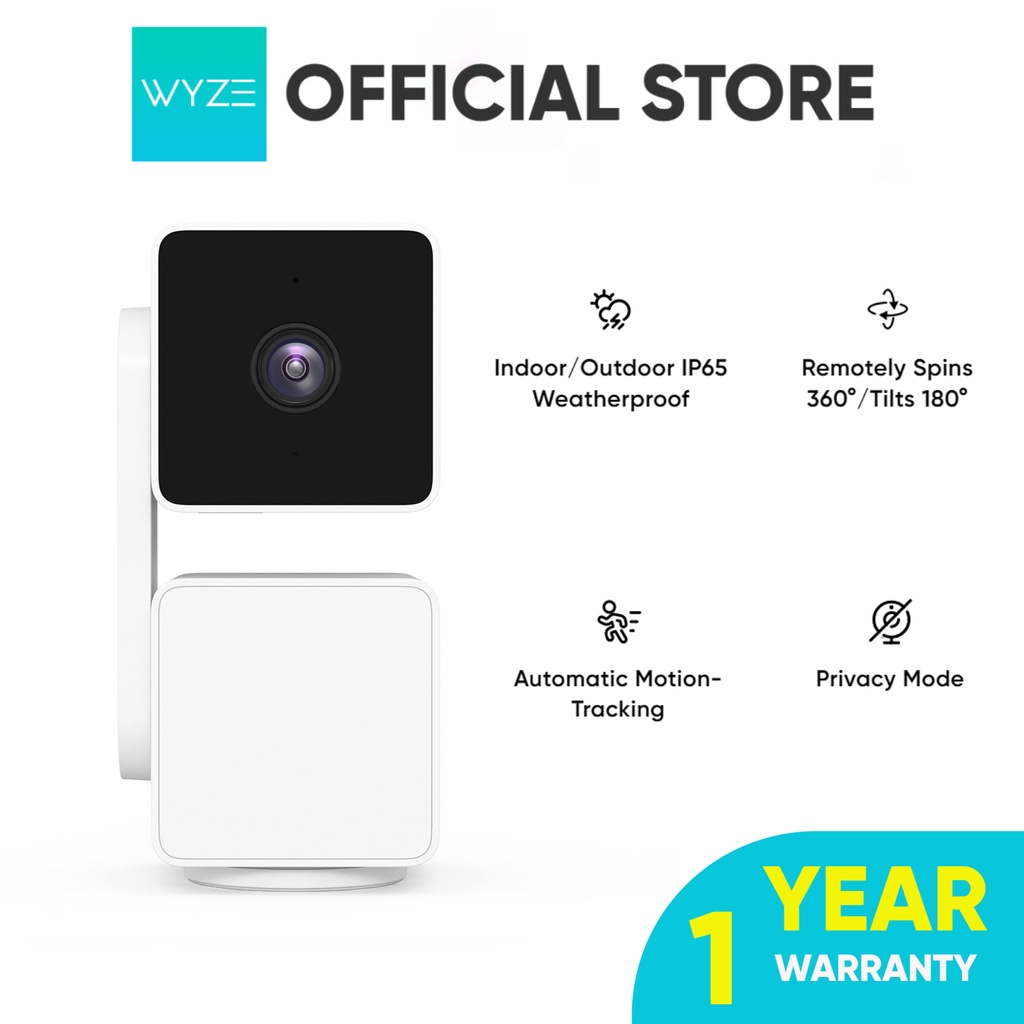
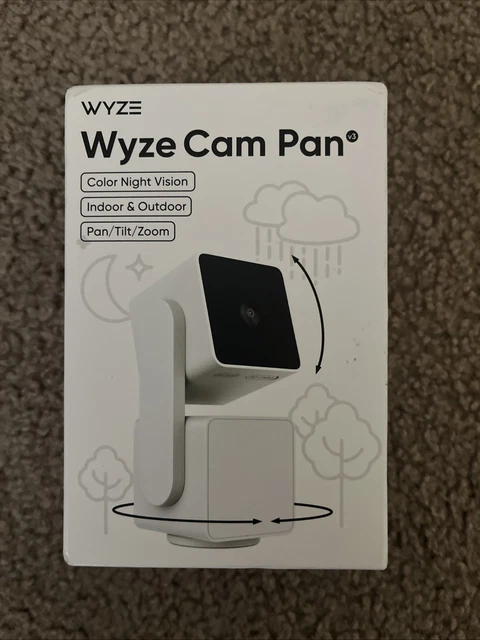
The WYZE Cam Pan v3 is a compact indoor/outdoor security camera for U.S. homes, apartments, garages, porches, and small businesses. It records in 1080p Full HD, pans across a wide area, tilts vertically, and uses digital zoom. Its IP65 rating helps protect the camera from dust and water spray when it is installed correctly outdoors.
It is a strong fit for buyers who want one camera to watch a room, front porch, driveway, workshop, or backyard. However, it needs a nearby power source, uses 2.4 GHz Wi-Fi, and some features depend on a paid Wyze subscription or a microSD card.
Quick answer: Buy the WYZE Cam Pan v3 if you need broad room or yard coverage at a modest cost. Choose another camera if you need battery power, 4K video, optical zoom, local storage without setup, or full protection from severe weather.

Key takeaways
- Video: 1920 × 1080 Full HD resolution.
- Movement: 360-degree horizontal pan and 180-degree vertical tilt.
- Zoom: 3× digital zoom, not optical zoom.
- Weather rating: IP65 for dust protection and low-pressure water jets.
- Power: Wired power; it is not a battery camera.
- Wi-Fi: Designed for 2.4 GHz Wi-Fi networks.
- Night view: Infrared night vision and color night vision with suitable lighting.
- Storage: Cloud recording options and microSD card recording.
- Best for: Rooms, porches, garages, workshops, entry areas, and small outdoor spaces.
- Main limits: No 4K video, no true optical zoom, and no complete protection against flooding or high-pressure water.
What is the WYZE Cam Pan v3?
The WYZE Cam Pan v3 is a motorized pan-and-tilt security camera. “Pan” means the lens can turn from side to side. “Tilt” means it can move up and down. Together, these movements let one camera inspect a much wider area than a fixed camera.
The camera records at 1080p, which is enough for general monitoring. It can show people, pets, vehicles, packages, and activity near an entry point. At longer distances, fine details such as a license plate or face may still be hard to identify.
The “zoom” in the product name refers to digital zoom. Digital zoom enlarges part of the image in the app. It does not add new detail in the way a glass optical zoom lens can.
What does IP65 mean?
IP65 is an Ingress Protection rating. The first number, 6, indicates protection against dust. The second number, 5, indicates protection against water jets from limited directions under test conditions.
IP65 does not mean the camera can be submerged. It also does not mean that every cable connection is weatherproof. The camera should be mounted as directed, with the power connection protected from standing water, direct exposure, and pooling moisture.
For outdoor use in the United States, place the camera under an eave when possible. Use the correct outdoor power accessory and keep the adapter and connection above wet ground.

WYZE Cam Pan v3 features and specifications
The table below separates documented product features from performance claims that depend on placement, Wi-Fi quality, light, and settings.
| Feature | WYZE Cam Pan v3 detail | What it means in practice |
|---|---|---|
| Video resolution | 1080p Full HD | Clear general video, but less detail than 2K or 4K cameras |
| Pan range | Up to 360 degrees | The camera can scan around its horizontal axis |
| Tilt range | Up to 180 degrees | It can look above and below its center view |
| Zoom | 3× digital zoom | Enlarges the image but does not create optical detail |
| Weather rating | IP65 | Suitable for dust and water spray when installed correctly |
| Night vision | Infrared and color night vision options | Color needs enough visible light |
| Audio | Two-way audio | Lets you listen and speak through the app |
| Motion features | Motion tracking and camera tours | Can follow movement or scan set views |
| Storage | Cloud and microSD options | Storage terms depend on the selected method and plan |
| Power | Wired | A power outlet or suitable outdoor power setup is required |
| Wireless connection | 2.4 GHz Wi-Fi | Better range than 5 GHz in many homes, but often slower and more crowded |
The motorized movement is the camera’s main advantage. A single camera can cover a room or small yard without requiring several fixed cameras. Still, the camera cannot view every direction at once. When it turns to follow motion, another area may leave the frame.
Color night vision also has a practical limit. It needs ambient light or an added light source. In a dark yard with no visible light, infrared mode may provide a black-and-white image instead.
What the WYZE Cam Pan v3 is best for
The camera works best when its wide movement solves a real coverage problem.
Indoor rooms
Use it in a living room, nursery, home office, or pet area. Pan and tilt can help you check several parts of one room from a single mounting point.
For indoor use, keep the camera away from a window aimed at bright outdoor light. Strong backlight can make people appear dark. A higher shelf or corner mount may provide a better view than a low table.
Covered porches and entry areas
The camera can monitor a front porch, side door, or covered entry. Its movement may help you view a package area and the approach to the door.
Do not point it through a glass window for outdoor monitoring if you expect reliable night vision. Infrared light can reflect off the glass and create glare.
Garages and workshops
A garage is a useful location because the camera can watch a workbench, door, and storage area. Check Wi-Fi strength before permanent installation. Concrete walls, metal doors, and cabinets can weaken the signal.
Small yards and driveways
The camera may cover a small yard or a short driveway. It is less suitable for a long driveway where distant identification matters. At distance, 1080p digital video may not preserve enough detail for a clear face or plate.
Pet monitoring
The pan-and-tilt system can follow pets as they move. Motion tracking is not perfect, though. A fast pet, poor lighting, furniture, or a weak connection can cause missed or delayed tracking.
The best placement depends on the goal. Put the camera high for a broader view, or lower it when you need to see a pet or person more closely. Higher placement improves coverage but can reduce facial detail.

How to set up WYZE Cam Pan v3
Before setup, prepare the camera, its power cable, a supported mobile device, the Wyze app, and a 2.4 GHz Wi-Fi network. Use a strong account password and enable two-factor authentication if the account supports it.
- Install the Wyze app. Download it from the official Apple App Store or Google Play Store.
- Sign in or create a Wyze account. Do not reuse a password from email, banking, or another smart-home service.
- Connect the camera to power. Wait for the setup prompt or status light.
- Add the camera in the app. Select the Cam Pan v3 model and follow the on-screen steps.
- Connect to 2.4 GHz Wi-Fi. If your router combines 2.4 GHz and 5 GHz under one name, follow the app or router instructions for device setup.
- Scan the setup code. The app may display a QR code that the camera reads through its lens.
- Name the camera. Use a clear name such as “Front Porch” or “Garage.”
- Update firmware. Install available updates before final mounting.
- Set the view. Test pan, tilt, motion tracking, night vision, and two-way audio.
- Mount the camera. Secure it to a stable surface and protect the power connection.
- Test remote access. Use mobile data or another network to confirm that the camera can be reached away from home.
Signs that setup worked
A successful setup usually includes live video, working pan and tilt controls, audio in both directions, and event notifications when motion occurs. Test these features during both daytime and nighttime conditions.
If setup fails, move the camera near the router first. Confirm that the phone is connected to the correct Wi-Fi band, restart the camera, and repeat the pairing process. Avoid mounting the camera until it works reliably at the intended location.
Storage, subscriptions, and recording choices
The WYZE Cam Pan v3 can use cloud-based event recording and local microSD storage. These options serve different needs.
Cloud recording
Cloud recording can make event clips available through the Wyze app. The exact clip length, retention period, detection features, and access rules can vary by Wyze plan and product support.
A subscription may be useful when you want convenient remote access and smart detection. Check the current plan terms before buying because pricing, included features, and supported detection types can change.
microSD recording
A compatible microSD card can provide local recording. Local storage may support continuous recording or event recording, depending on the camera settings and card capacity.
Use a card intended for continuous video writing. Cheap or worn cards can fail, produce gaps, or cause recording errors. Format the card in the Wyze app when the camera supports that option, and replace it when the camera repeatedly reports storage problems.
Local recording does not remove every privacy or network risk. Live viewing, alerts, firmware updates, and account access may still involve the camera’s network and Wyze services.
Which storage option should you choose?
Choose cloud storage for simple remote event access. Choose a microSD card when you want local recording or continuous video. Some owners use both, but that can increase cost and create more data to manage.
For privacy-sensitive areas, avoid pointing the camera at bedrooms, bathrooms, or neighboring homes. Use privacy mode when available, and limit account access to people who need it.
WYZE Cam Pan v3 limitations to understand
The camera’s limits matter as much as its feature list.
1080p is not the same as identification detail
1080p is suitable for general awareness. It may not provide reliable evidence at the far end of a driveway or across a large yard. Distance, motion blur, glare, low light, and camera angle all reduce detail.
If identification is the main goal, mount the camera closer to the subject area. A fixed camera with a tighter view may produce more useful detail than a pan camera placed far away.
Digital zoom cannot replace optical zoom
Digital zoom enlarges existing pixels. It may help you inspect an object on a phone screen, but it cannot restore detail that the sensor did not capture.
The camera is not battery powered
The WYZE Cam Pan v3 needs wired power. This helps it support motor movement and continuous operation, but it limits placement. You need an indoor outlet, protected outdoor outlet, or suitable weather-rated power setup.
Do not modify the power system or use an unsafe extension arrangement. For permanent outdoor electrical work, follow local rules and use a qualified electrician when needed.
IP65 does not cover every outdoor risk
Heavy rain, snow buildup, ice, salt air, extreme heat, and poor cable placement may create risks beyond the rating’s test conditions. IP65 is not an installation guarantee.
Keep the power adapter dry. Make a drip loop in the cable where appropriate, and do not allow water to run along the cable into the connection.
Movement creates blind moments
A camera that pans cannot record all directions at the same time. Motion tracking can move the lens toward one subject while another event occurs outside the frame.
For critical coverage, use overlapping fixed cameras or a camera system designed for simultaneous multi-view recording.

Troubleshooting common WYZE Cam Pan v3 problems
The camera will not connect to Wi-Fi
Check that the phone and camera are using the required 2.4 GHz network. Move the camera near the router, restart both devices, and verify the Wi-Fi password.
If setup works near the router but fails at the final location, the problem is likely signal strength or interference. A mesh node or better router placement may help.
The live view is slow or shows a low-quality image
Weak upload speed at the camera’s location can cause delays. Other causes include network congestion, a busy Wi-Fi channel, and poor signal through walls or metal structures.
Test the camera at a shorter distance from the router. If the image improves, adjust the network or camera location rather than assuming the camera itself is defective.
Motion tracking misses people or pets
Check lighting, detection settings, camera position, and the subject’s path. Tracking can fail when a person blends into the background or moves behind furniture.
Avoid placing the camera where constant motion, such as a ceiling fan or busy road, fills the frame. That can create unwanted events and distract the tracking system.
Night video is too dark or washed out
Clean the lens and remove nearby reflective objects. For color night vision, add soft light aimed at the monitored area rather than directly at the lens.
If infrared mode creates glare, check for nearby walls, windows, or shiny surfaces. Repositioning the camera often works better than changing many settings.
Recordings are missing
Check the subscription status, event filters, microSD card condition, storage mode, and camera time zone. A full or failing card can stop local recording.
Do not rely on event recording alone for situations that require uninterrupted evidence. If continuous recording is needed, use a suitable card and confirm that the camera is actually saving files.
Is the WYZE Cam Pan v3 worth buying?
The WYZE Cam Pan v3 makes sense when broad coverage, low installation complexity, and a modest purchase price matter more than high-resolution detail.
It is a practical option for:
- Indoor rooms that need one moving view.
- Covered porches and entryways.
- Garages and workshops.
- Pet monitoring.
- Small yards with nearby power.
- Buyers who want cloud and local storage choices.
Consider another type of camera when you need:
- Battery or solar power.
- 2K or 4K detail.
- Optical zoom.
- Simultaneous views in several directions.
- Stronger protection for exposed or severe outdoor conditions.
- A fully local system with no cloud account.
The key buying decision is not just “1080p or not.” It is whether the camera will be close enough to the activity, have reliable power, and maintain a strong Wi-Fi connection. A well-placed 1080p camera can be more useful than a higher-resolution model installed too far away.
Frequently asked questions
Can the WYZE Cam Pan v3 be used outdoors?
Yes. The camera is designed for indoor and outdoor use and has an IP65 rating. Install it correctly, protect the power connection, and avoid immersion, flooding, and high-pressure water.
Does the WYZE Cam Pan v3 record continuously?
It can support continuous local recording when a compatible microSD card and the correct recording settings are used. Cloud recording features depend on the current Wyze service plan and camera support.
Does it work with 5 GHz Wi-Fi?
The camera is generally intended for 2.4 GHz Wi-Fi. Check the current Wyze setup requirements if your router uses a combined network name or has band-steering enabled.
Does it have optical zoom?
No. The WYZE Cam Pan v3 uses digital zoom. Digital zoom can enlarge the view but cannot match the detail of optical zoom.
Does color night vision work in complete darkness?
Color night vision needs some visible light. In very dark conditions, infrared night vision may switch to or provide a black-and-white image.
Can the camera watch two areas at once?
No. The camera can pan between areas, but its lens cannot show separate directions at the same time. Use more than one camera when simultaneous coverage matters.
Is the camera suitable for a long driveway?
It can monitor a short driveway, but 1080p video and digital zoom may not provide enough detail at long distances. Test the viewing distance before permanent installation, especially if license-plate or face identification is important.
Final recommendation
The WYZE Cam Pan v3 is a flexible 1080p pan-and-tilt camera for U.S. homes and small outdoor spaces. Its 360-degree pan, 180-degree tilt, two-way audio, night modes, and IP65 housing give it broad everyday use.
Its best results come from careful placement: keep the subject reasonably close, provide strong 2.4 GHz Wi-Fi, protect the power connection, and choose cloud or microSD storage based on how you need to review events. If you need higher detail, battery power, optical zoom, or simultaneous multi-direction coverage, compare fixed, higher-resolution, or multi-camera alternatives before buying.

