
Introduction
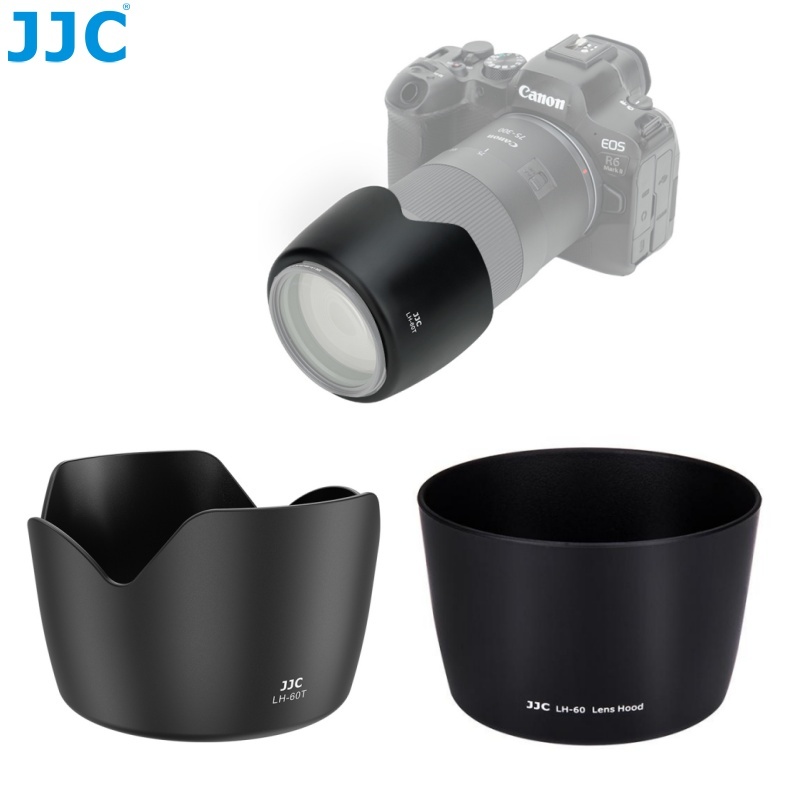
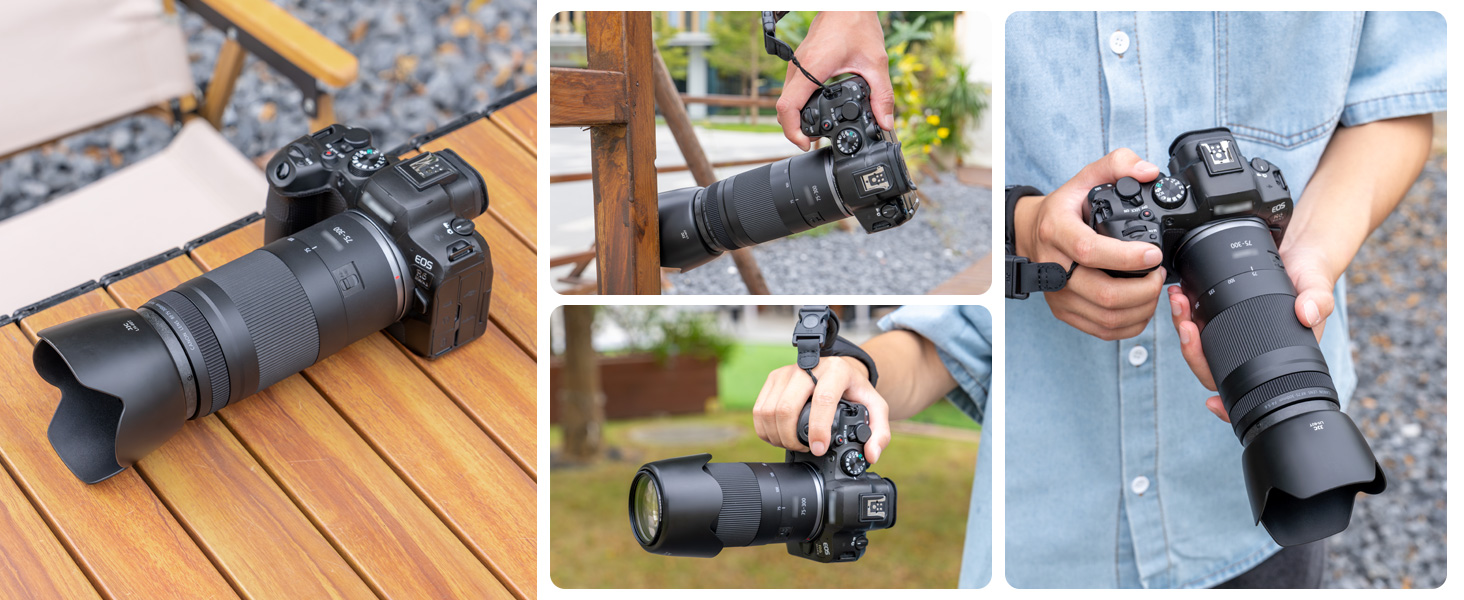
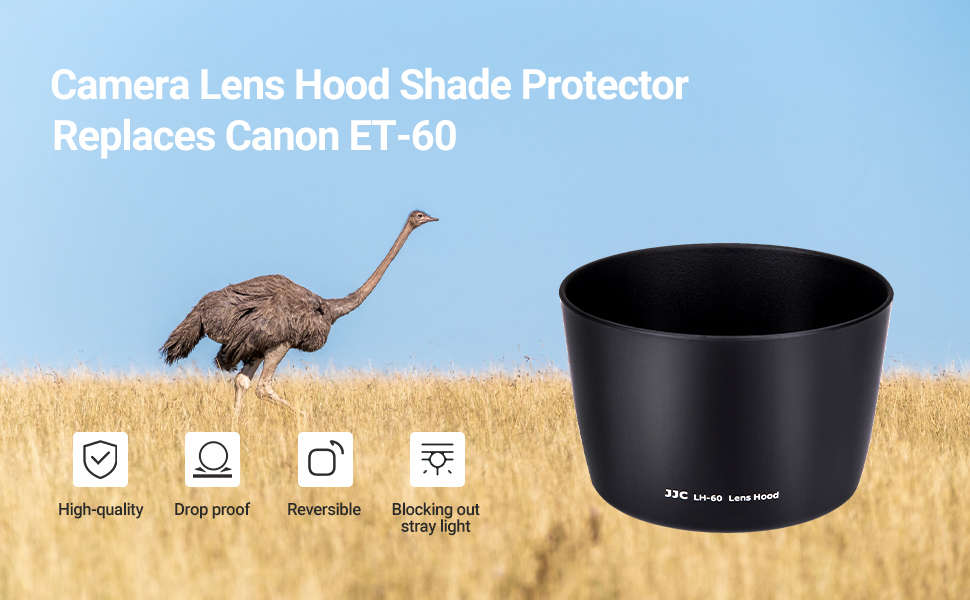
The JJC ET-60 lens hood is a bayonet-style shade made for select Canon 75-300mm lenses. In the United States, it is commonly listed as a replacement or third-party alternative to Canon’s ET-60 hood for lenses such as the Canon EF 75-300mm f/4-5.6 series and the newer Canon RF 75-300mm f/4-5.6 IS STM, when the seller confirms ET-60 compatibility.
Its main job is simple: the hood helps block light from outside the image area. This can reduce flare and improve contrast in bright conditions. It also gives the front of the lens some protection from bumps, fingerprints, and light rain.
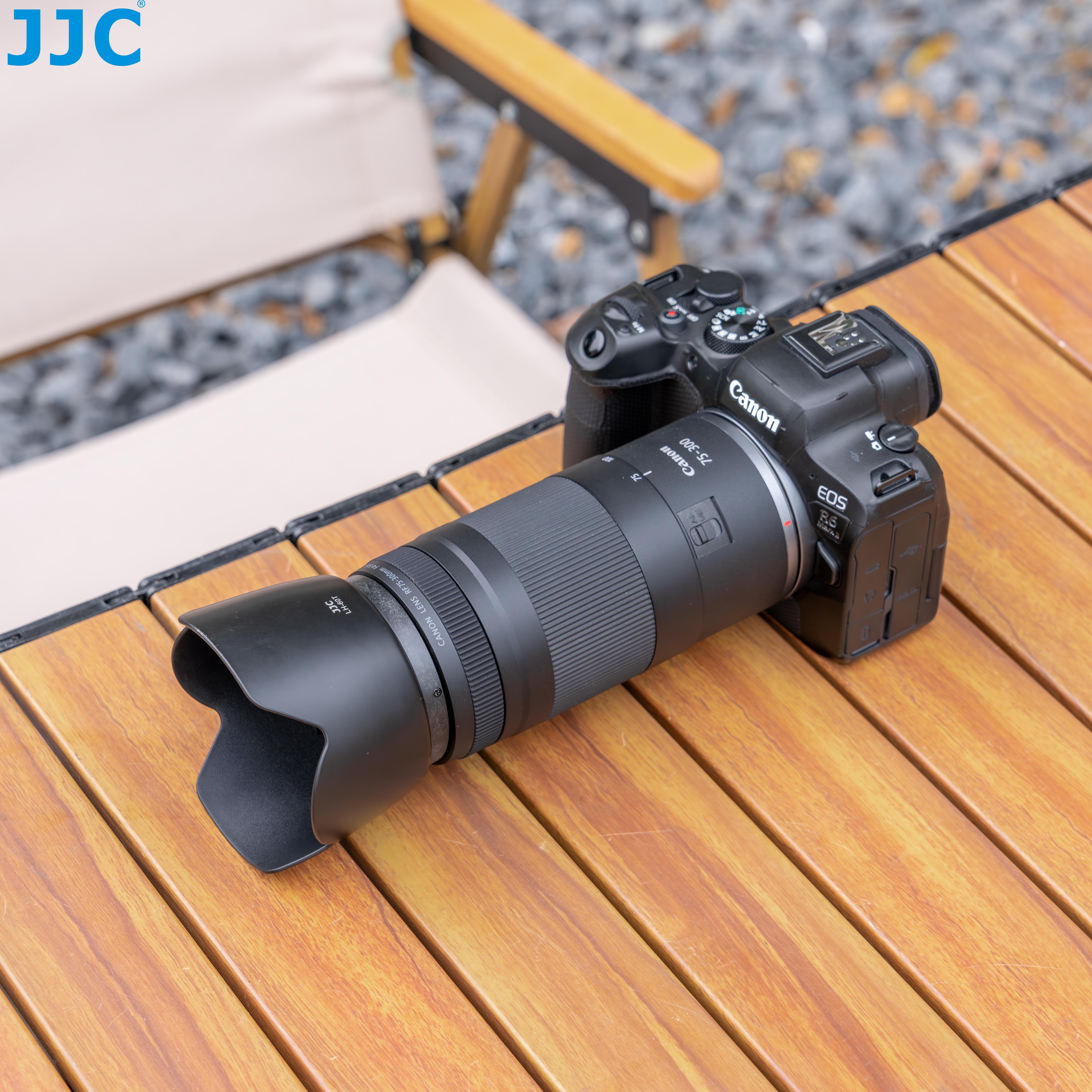
Before ordering, check the exact lens model and the seller’s compatibility list. An EF lens and an RF lens use different camera mounts, but the lens hood mount is a separate issue. A hood that fits one 75-300mm lens may not fit another lens with a similar name.
What the JJC ET-60 Lens Hood Does
The JJC ET-60 is a lens hood, not an adapter. It does not change the focal length, aperture, autofocus, image stabilization, or camera mount of the lens.
A correctly fitted hood can help in three ways:
- Blocks stray light: Light from the side can enter the lens and bounce between internal surfaces. This may create flare, haze, or lower contrast.
- Shields the front element: The hood forms a small barrier around the front glass.
- Provides a grip point: A hood can make it easier to handle the lens without touching the front element.
The benefit is greatest when the sun or another bright light source is just outside the frame. A hood cannot remove flare caused by a bright light source inside the frame, and it cannot replace careful shooting technique.
The ET-60 shape is generally suited to telephoto zoom lenses. At the 75mm setting, the lens sees a wider area than it does at 300mm. The hood must therefore be short enough to avoid cutting into the image corners at the widest focal length.
Canon Lens Compatibility: RF 75-300mm vs. EF 75-300mm
The most important buying step is identifying the exact Canon lens.
| Lens type | Camera mount | What to verify before buying |
|---|---|---|
| Canon RF 75-300mm f/4-5.6 IS STM | Canon RF mount | Confirm that the listing names the RF lens and ET-60 hood |
| Canon EF 75-300mm f/4-5.6 | Canon EF mount | Confirm the exact EF version and hood mount |
| Canon EF 75-300mm f/4-5.6 II | Canon EF mount | Check the seller’s model list |
| Canon EF 75-300mm f/4-5.6 III | Canon EF mount | Check for ET-60 compatibility |
| Other Canon telephoto zooms | Varies | Do not assume the hood fits because the focal length is similar |
The words RF and EF describe the lens-to-camera connection. They do not, by themselves, prove that the same hood fits both lenses.
The exact lens model may appear:
- Around the front ring
- On the lens barrel
- On the original box
- In the camera’s lens information
- In the online order record
For an EF lens, the product name often includes “EF 75-300mm.” For the RF version, the name includes “RF 75-300mm.” Do not rely only on a product title that says “Canon 75-300mm.”
Why model matching matters
A lens hood attaches to a specific hood mount. The mount may differ in diameter, locking position, or depth from one lens to another. A loose hood can fall off. A hood that is too deep can cause dark corners, known as vignetting.
The safest choice is a JJC listing that names your exact lens model. If the listing only says “for Canon 75-300mm,” ask the seller to confirm the model before purchase.

How to Install the JJC ET-60 Hood
Installation is usually quick, but the hood should be fitted without force.
- Remove the front cap. Keep the cap nearby in case you need to protect the lens.
- Find the hood bayonet mount. It is normally near the front of the lens barrel.
- Align the hood marks. Match the mark on the hood with the alignment mark on the lens.
- Turn the hood gently. Rotate it in the direction shown by the hood markings.
- Stop when it locks. The hood should feel secure, with no major wobble.
- Check the viewfinder or screen. Look for dark corners at 75mm, the widest focal length.
- Reverse the hood for storage if supported. Many bayonet hoods can face backward on the lens.
Do not twist the hood by gripping the lens barrel. Do not force it past the locking point. Excess pressure can damage the plastic bayonet mount.
Signs of a correct fit
A properly fitted hood should:
- Lock into place
- Sit straight
- Stay attached when the lens is moved
- Leave the zoom and focus controls clear
- Show no dark corners in a test image
- Allow the lens cap to fit, if the design supports cap use with the hood installed
If the hood does not lock, remove it and check the alignment. A hood that appears to fit but does not lock is not secure enough for normal use.

Image Quality Benefits and Limits
The JJC ET-60 can reduce unwanted light, but it will not improve every image. Its effect depends on the light source, shooting angle, lens coatings, and scene contrast.
A hood is most useful when:
- The sun is to the side of the lens
- You photograph near windows or bright lamps
- A bright sky is just outside the frame
- You shoot outdoors with strong backlight
- You want extra protection for the front element
A hood may have little effect when the light is soft and even. It also cannot fix motion blur, missed focus, poor exposure, or low sharpness caused by camera movement.
A simple test can show whether the hood helps:
- Photograph the same scene without the hood.
- Attach the hood.
- Keep the camera position and exposure settings the same.
- Compare contrast in shadows and bright areas.
- Check the corners for vignetting.
This is a practical comparison, not a laboratory measurement. Results change with the light and scene.
Using Filters With the ET-60
The JJC ET-60 may work with a front filter, but the result depends on the exact hood design and lens.
Check these points before use:
- Whether the hood has a front filter thread
- Whether a filter can be installed under the hood
- Whether the lens cap still fits
- Whether a thick filter causes corner darkening
- Whether a circular polarizer can be turned while the hood is attached
A slim circular polarizer is often easier to use with a wide-angle lens, but the 75-300mm range is less demanding than an ultra-wide lens. Even so, a thick filter stack can change the way the hood fits.
If you use a polarizing filter, test the setup at 75mm. The widest setting is usually the most likely place to reveal vignetting.

JJC ET-60 vs. the Original Canon Hood
The JJC hood is generally considered a third-party replacement. The original Canon hood may offer the most direct fit and the same finish as the lens, but it can cost more or be harder to find.
| Consideration | JJC ET-60 | Original Canon hood |
|---|---|---|
| Main purpose | Blocks stray light and protects the front lens area | Same |
| Fit | Depends on exact JJC model and lens match | Designed for the named Canon lens |
| Cost | Often lower, but varies by seller | May cost more |
| Finish | Third-party finish and plastic | Canon-matched finish |
| Warranty | Depends on the seller or JJC distributor | Covered by Canon or the retailer under its terms |
| Buying risk | Incorrect listings can cause confusion | Model number is usually clearer |
The better choice depends on the price difference and the importance of exact fit. For casual outdoor photography, a correctly matched JJC hood may be a practical replacement. For professional work, frequent travel, or strict accessory matching, the original Canon part may be worth considering.
Do not treat a lower price as proof of poor quality, and do not treat the Canon name as proof that every used hood is in good condition. Inspect the locking tabs on any used hood.
Common Problems and Troubleshooting
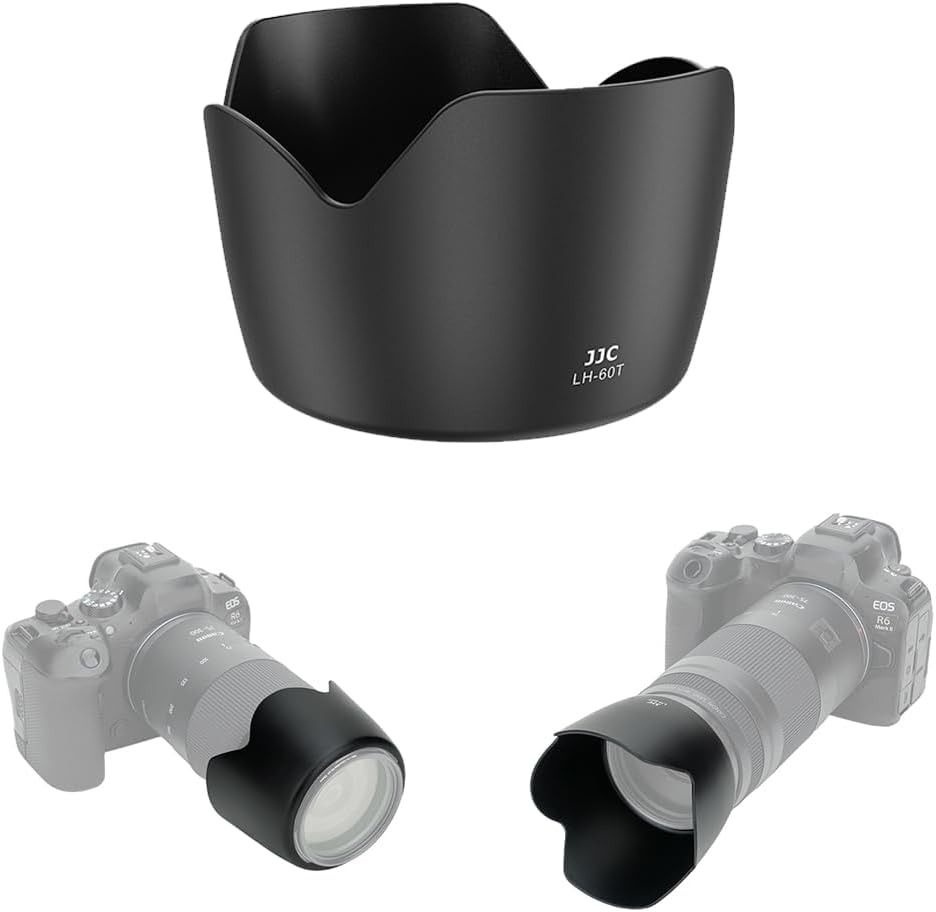
The hood will not attach
Possible causes include:
- The hood is for a different lens
- The alignment mark is not positioned correctly
- The hood is being turned in the wrong direction
- The lens mount is damaged
- A filter or accessory is blocking the hood mount
Remove the hood and compare its locking tabs with the mount on the lens. Never force the hood. If the parts do not align smoothly, stop and verify the model.
The hood feels loose
A loose hood may have worn or damaged locking tabs. It may also be the wrong model. Remove it before carrying the camera, because it could fall and expose the front element.
Dark corners appear in photos
Dark corners usually mean vignetting. Test at 75mm, where the lens has its widest view. Remove extra filters or accessories and take another image. If the corners remain dark with only the hood attached, the hood may be too deep or incompatible.
Flare is still visible
A hood cannot block light from every direction. Reposition the camera, shade the lens with your hand without blocking the frame, or change the shooting angle. Keep fingers and loose objects away from the front of the lens.
The lens cap does not fit
Some hoods allow the cap to attach through the hood opening. Others require the hood to be removed or reversed. Check the product design and never force the cap into place.
Care, Storage, and Safety
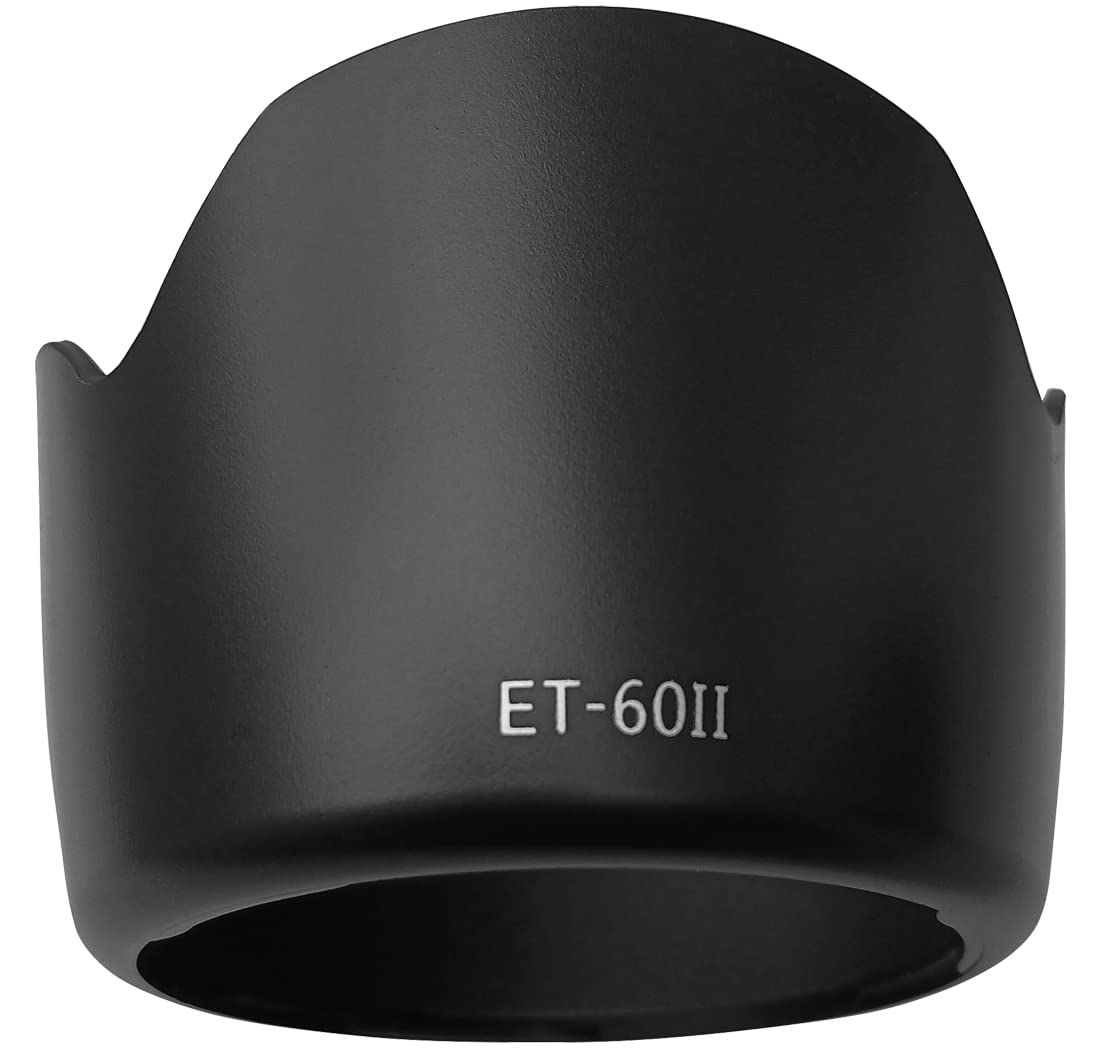
Keep the hood clean and dry. Dust on the hood usually has little effect on images, but dirt can transfer to the lens or prevent a proper lock.
Use a soft, dry cloth for routine cleaning. If the hood gets wet, let it dry before storing it in a closed camera bag. Avoid solvents unless the manufacturer specifically permits them.
When storing the lens:
- Use the hood in its reversed position if supported
- Keep the front cap attached
- Avoid placing heavy gear on the hood
- Check the locking tabs after drops or impacts
- Replace the hood if it is cracked or no longer locks
A lens hood is not a rain cover. It may shield the front element from a few drops, but it does not protect the camera and lens from heavy rain, spray, or water immersion.
Buying Checklist for the JJC ET-60
Before ordering from a U.S. retailer or marketplace, check the following:
- Exact lens name: Is your lens RF 75-300mm or EF 75-300mm?
- Hood model: Does the listing clearly identify ET-60?
- Compatibility wording: Does it name your exact lens version?
- Mount type: Is it a bayonet hood rather than a screw-in shade?
- Return policy: Can you return it if the fit is wrong?
- Seller details: Does the seller provide clear product photos and specifications?
- Condition: Is the hood new, used, or refurbished?
- Included parts: Does it include a case, cap, or only the hood?
- Filter use: Will your filter and lens cap work with the hood?
- Shipping location: Are delivery time and return shipping clear for your U.S. address?
Product listings can change. Verify current fit, stock, price, and warranty terms at the time of purchase.
Frequently Asked Questions
Is the JJC ET-60 compatible with the Canon RF 75-300mm f/4-5.6 IS STM?
It may be, if the JJC listing specifically names the Canon RF 75-300mm f/4-5.6 IS STM. Confirm the exact model with the seller before ordering. Do not assume that compatibility with an EF 75-300mm lens guarantees compatibility with the RF version.
Is the JJC ET-60 compatible with Canon EF 75-300mm lenses?
The ET-60 is commonly associated with several Canon EF 75-300mm lenses, including versions II and III. Check the exact lens version because accessory fit should be confirmed by model, not only by focal length.
Does a lens hood make photos sharper?
Not directly. A hood can reduce stray light and flare, which may preserve contrast. It does not improve the optical sharpness of the lens or correct focus and camera shake.
Can I leave the ET-60 hood on the lens?
Yes, if it locks correctly and does not interfere with storage or handling. Many bayonet hoods can be reversed for storage. Check that the hood does not press against the zoom ring or camera bag.
Can I use a filter with the JJC ET-60?
Often, but the answer depends on the hood and filter design. Check whether the hood leaves access to the filter and test for vignetting at 75mm. Thick filters or stacked filters can change the fit.
Final Recommendation
The JJC ET-60 lens hood is a sensible accessory when you need a replacement shade for a compatible Canon 75-300mm lens. It can help reduce side-light flare and add basic protection to the front of the lens.
The key decision is not the focal length alone. Confirm the exact lens—RF 75-300mm or EF 75-300mm—and match it with the JJC compatibility list. If the hood locks firmly, remains straight, and produces no dark corners at 75mm, it is ready for normal use.

