

The Canon EOS Rebel T7 DSLR camera with an 18-55mm lens and built-in Wi-Fi is an entry-level camera for people in the United States who want more control than a phone can provide. It offers a 24.1-megapixel APS-C sensor, an optical viewfinder, manual controls, Full HD video, and wireless photo transfer through the Canon Camera Connect app.
This Canon camera is a good fit for family photos, travel, school events, portraits, landscapes, and basic photography practice. It is less suitable for fast sports, advanced video work, or buyers who need a touch screen, 4K video, or modern subject-tracking autofocus.
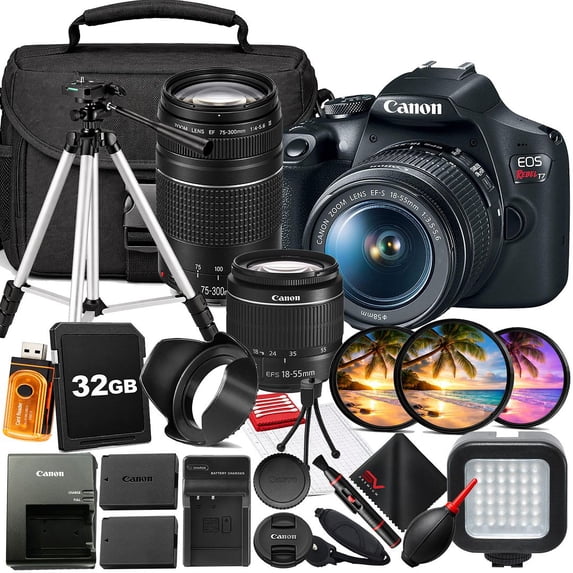
Canon EOS Rebel T7 Key Specifications
The EOS Rebel T7 combines a large APS-C sensor with a simple DSLR body. Its main parts are easy to understand, even if you are new to interchangeable-lens cameras.
| Feature | Canon EOS Rebel T7 specification |
|---|---|
| Camera type | Digital single-lens reflex camera |
| Sensor | 24.1MP APS-C CMOS |
| Image processor | DIGIC 4+ |
| Lens mount | Canon EF and EF-S mount |
| Included lens | Usually EF-S 18-55mm, kit version may vary |
| ISO range | ISO 100-6400, expandable to ISO 12800 |
| Autofocus | 9-point AF system |
| Continuous shooting | Up to about 3 frames per second |
| Video | Full HD up to 1080p at 30 frames per second |
| Viewfinder | Optical pentamirror viewfinder |
| Screen | 3-inch LCD monitor |
| Wireless features | Built-in Wi-Fi and NFC on supported versions |
| Memory card | SD, SDHC, and SDXC cards |
| Battery | Canon LP-E10 rechargeable battery |
| Image format | JPEG and RAW |
Canon lists the Rebel T7 as an approximately 24.1-megapixel camera. The sensor is larger than the sensor in most smartphones, which helps the camera collect more light and create files that allow more cropping.
The exact lens included in a retail bundle matters. Many U.S. kits include the EF-S 18-55mm f/3.5-5.6 IS II lens, while some packages may include a newer EF-S 18-55mm IS STM lens. Both lenses cover a useful everyday range, but the STM version is generally quieter during video autofocus.
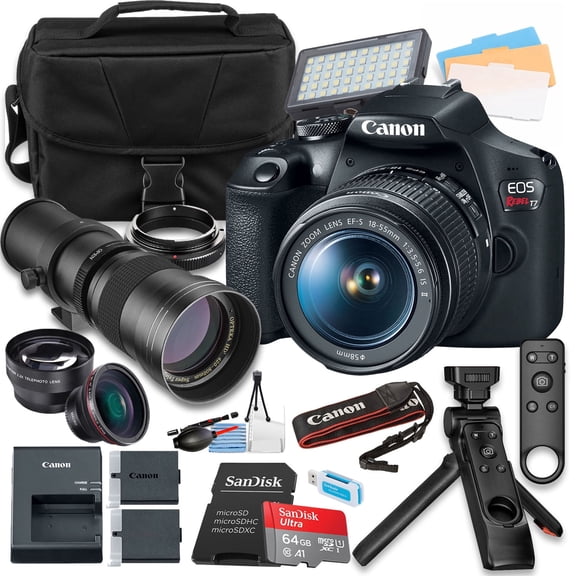
What the 18-55mm Lens Can Do
The 18-55mm kit lens is a general-purpose lens for everyday photography. On the Rebel T7’s APS-C sensor, its field of view is similar to about 29-88mm on a full-frame camera.
At 18mm, the lens is useful for:
- Landscapes
- Buildings and rooms
- Group photos
- Travel scenes
- Indoor family pictures
At 55mm, it works better for:
- Head-and-shoulder portraits
- Details
- Children who are a short distance away
- Street scenes
- Simple product photos
The lens has a variable maximum aperture. It is wider at 18mm and narrower at 55mm. In plain terms, the lens lets in less light when you zoom in. This can cause slower shutter speeds indoors or a higher ISO setting.
The lens also limits how much background blur you can create. For strong portrait blur, a low-cost 50mm f/1.8 lens is a common later upgrade. For distant wildlife or sports, a telephoto lens such as a 55-250mm lens may be more useful.
Is the 18-55mm lens good for beginners?
Yes. It covers the most common shooting situations without adding much weight or cost. It also lets a new photographer learn how focal length changes a picture.
The main limitation is low-light performance. If indoor images look dark or blurry, add light, use a tripod, raise the ISO, or use a lens with a wider aperture. Do not assume that zooming in will bring distant subjects close enough for wildlife or field sports.
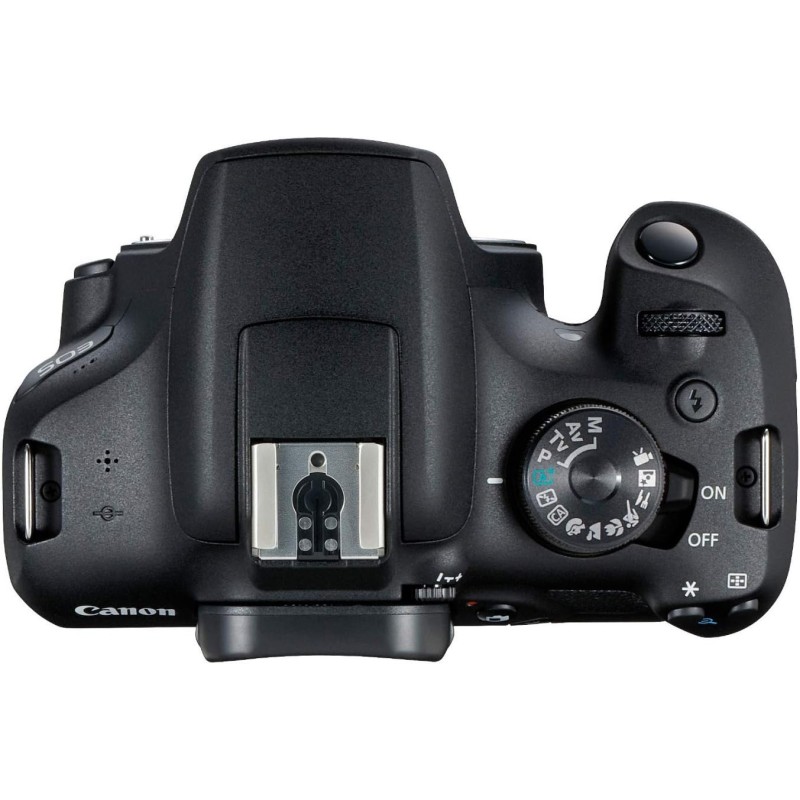
Image Quality and Everyday Performance
The Canon EOS Rebel T7 can produce detailed images in good light. Its 24.1MP sensor gives enough resolution for common prints, online sharing, and moderate cropping.
The camera performs best when the photographer uses the right settings for the scene. In bright outdoor light, the ISO can stay low, which helps preserve detail. Indoors or at night, the smaller kit-lens aperture and older image processor become more noticeable.
A useful starting point is:
- Outdoor daylight: ISO 100-400
- Cloudy outdoor light: ISO 400-800
- Indoor scenes: ISO 800-3200
- Very dark scenes: ISO 3200-6400, with more visible noise
These are starting points, not fixed rules. A moving subject may need a faster shutter speed, even if that means using a higher ISO.
The Rebel T7 does not have built-in sensor-shift image stabilization. Stabilization depends on the lens. If the included 18-55mm lens has “IS” in its name, it includes optical image stabilization. Stabilization can reduce blur from hand movement, but it cannot freeze a moving person or animal.
Autofocus limits
The 9-point autofocus system is simple and works well for still subjects, portraits, and ordinary family photos. It is less advanced than the autofocus systems found in newer mirrorless cameras.
For a still subject, select one focus point and place it over the most important detail, such as an eye. For a moving subject, use AI Servo autofocus and a faster shutter speed. The camera can track movement, but its limited focus-point layout and modest burst rate make it less suited to demanding sports photography.
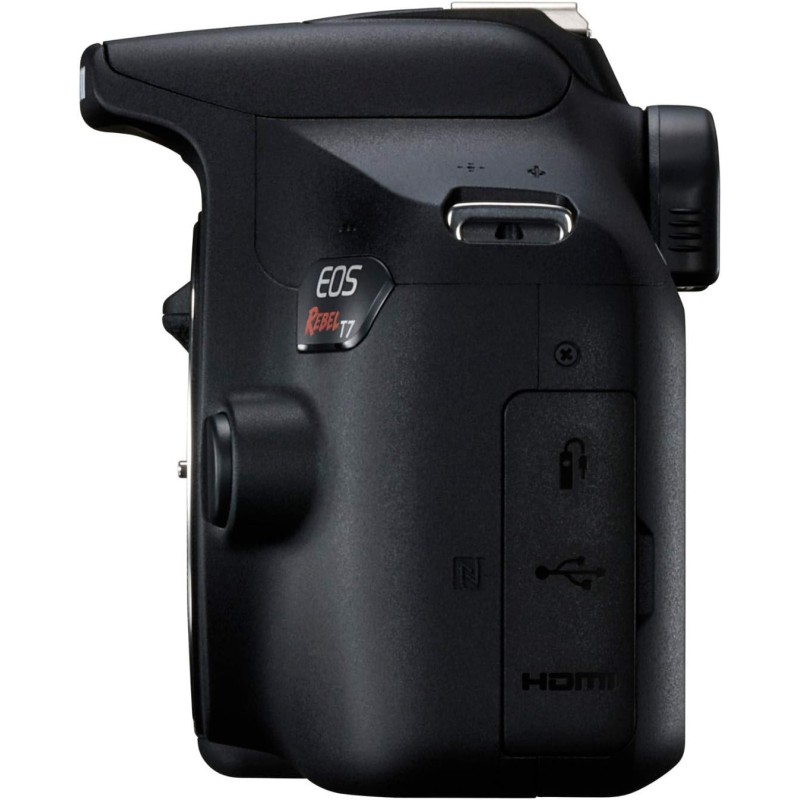
Built-In Wi-Fi: What It Does and How to Use It
The Canon EOS Rebel T7 includes built-in Wi-Fi for wireless image transfer and remote camera control. Supported versions also use NFC to simplify pairing with compatible Android devices.
Wi-Fi does not mean that the camera has cellular service. The camera cannot upload photos on its own when it is away from a phone or Wi-Fi network. Instead, it creates or joins a wireless connection with a compatible smartphone, tablet, or computer.
How to connect the Rebel T7 to a phone
- Install the current Canon Camera Connect app from the Apple App Store or Google Play.
- Turn on the camera and press the Menu button.
- Open the wireless communication settings.
- Choose the smartphone connection option.
- Give the camera a device name if prompted.
- Select the camera’s network on the phone.
- Open Canon Camera Connect and complete the pairing steps.
- Allow the app to access photos and local network functions when requested.
- Choose images to save to the phone or use the remote-shooting feature.
Canon can change app requirements and supported operating systems over time. If the app does not connect, check Canon’s current Camera Connect support page and the phone’s operating system settings.
What Wi-Fi is useful for
Built-in Wi-Fi is helpful when you want to:
- Send selected photos to a phone
- Share photos on social media
- Back up images before leaving a location
- Use a phone as a basic remote control
- Review images on a larger mobile screen
Wireless transfers may use more battery power. For long photo sessions, carry a charged LP-E10 battery and transfer images after the main shoot.

Canon Rebel T7 Video Features
The EOS Rebel T7 records Full HD video, with a maximum resolution of 1920 by 1080 pixels. It does not record 4K video.
Full HD is enough for family clips, classroom projects, online posts, and basic YouTube work. The camera can also record at lower resolutions and frame rates, depending on the selected movie setting.
The main video limits are:
- No 4K recording
- No touch screen
- No fully articulating monitor
- Basic autofocus compared with current mirrorless cameras
- Kit-lens autofocus behavior depends on the exact lens version
- DSLR live-view shooting uses more battery than optical-viewfinder shooting
For better sound, use a quiet location and keep the camera close to the subject. Check the exact camera and lens bundle before purchase if quiet continuous autofocus is important.
The optical viewfinder is useful for still photography because it does not require the rear screen to stay active. For video, however, the camera must use live view on the LCD screen.

How to Set Up the Canon EOS Rebel T7
Start with a few simple settings rather than changing every option at once.
Basic setup
- Charge the LP-E10 battery.
- Insert a compatible SD, SDHC, or SDXC memory card.
- Attach the 18-55mm lens with the camera turned off.
- Set the lens switch to AF.
- Insert the battery and memory card.
- Turn on the camera.
- Set the date, time, and time zone.
- Format the memory card in the camera if it is new or was used in another camera.
Formatting deletes all images on the card. Copy important photos to a computer or other storage first.
Simple shooting setup
Use Scene Intelligent Auto or the basic zone modes while learning. Then move to:
- Av mode to control aperture and background blur
- Tv mode to control shutter speed
- M mode to control both shutter speed and aperture
- P mode for flexible automatic exposure
For a first manual practice session, try ISO Auto, a shutter speed of at least 1/125 second for people, and a single autofocus point. Review the image and histogram after each test.
Signs the setup is working
You should be able to:
- Focus on a nearby subject
- Save a photo to the memory card
- Review the photo on the LCD screen
- Transfer a selected photo to a phone
- Record a short Full HD video clip
If the camera will not take a picture, check the battery, memory card, lens connection, focus mode, and available storage space.

Common Canon Rebel T7 Problems and Fixes
Most early problems come from power, storage, connection, or lens settings. Check the simple causes first.
The camera will not turn on
Remove and reinstall the battery. Charge it with a compatible Canon charger. Check that the battery door and card door are fully closed.
A battery can lose capacity with age. If a fully charged battery drains very quickly, replacement may be needed.
The camera says “Card Error”
Turn the camera off and remove the card. Reinsert it and try again. If the error remains, test another compatible card.
Back up the card before formatting it. A card that repeatedly fails may be damaged and should not be trusted for important events.
Photos are blurry
Blurry photos may come from camera shake, subject movement, incorrect focus, or a dirty lens. Use a faster shutter speed for moving subjects. Hold the camera with both hands and support the lens with the other hand.
If only distant subjects are blurry, the focus point may be on the wrong object. Use a single focus point and place it on the subject.
Wi-Fi will not connect
Restart both devices. Confirm that the Camera Connect app is current. Remove the old camera connection from the phone and pair again if needed.
Some phone settings can block local device connections. Check Wi-Fi, Bluetooth, location permission where required by the operating system, and local network permission. If the camera has been paired with several devices, remove unused connections from the camera’s wireless settings.
The camera overheats during video
Stop recording and let the camera cool in a shaded, ventilated place. Do not cover the camera with clothing or place it in a hot vehicle. Heat, long recording times, and warm outdoor conditions can limit camera operation.

Canon EOS Rebel T7 Versus a Smartphone
The Rebel T7 has advantages over a phone, but a phone may be easier for quick sharing.
| Need | Rebel T7 advantage | Smartphone advantage |
|---|---|---|
| Lens control | Interchangeable lenses and optical zoom | Multiple built-in cameras |
| Background blur | Natural optical control with suitable lenses | Computational blur |
| Manual settings | Direct control over exposure | Simple automatic shooting |
| Battery | Replaceable camera battery | One battery powers many tasks |
| Sharing | Built-in Wi-Fi transfer | Immediate cellular sharing |
| Video | DSLR lens options and physical controls | Often better convenience and stabilization |
| Size | Larger grip and optical viewfinder | Smaller and easier to carry |
The T7 is worthwhile when you want to learn photography, use a viewfinder, change lenses, or keep full control over exposure. A phone may be the better tool when speed, pocket size, and instant sharing matter most.

Is the Canon EOS Rebel T7 Still Worth Buying?
The Canon EOS Rebel T7 can still make sense at a reasonable price, especially for a beginner who wants a traditional DSLR and an included lens. Its strongest points are the 24.1MP sensor, simple controls, large lens ecosystem, optical viewfinder, and built-in Wi-Fi.
Its age matters. Newer mirrorless cameras usually offer faster autofocus, better live-view tracking, electronic viewfinders, improved video features, and more modern wireless tools. The T7 also lacks 4K video, a touch screen, an articulating display, and advanced subject detection.
Before buying, compare the total package rather than only the camera body. Check the exact lens version, battery, charger, memory card, warranty, return policy, and condition. For a used camera, inspect the sensor, lens glass, battery compartment, card slot, LCD, flash, and autofocus before finalizing the purchase.

Recommended Accessories
The camera can work with the included kit, but a few accessories can improve daily use.
Useful first accessories
- A reliable SDHC or SDXC memory card
- One spare LP-E10 battery
- A small camera bag
- A lens cleaning cloth and blower
- A basic USB card reader
- A compact tripod for still subjects
- A 50mm f/1.8 lens for low-light portraits
- A 55-250mm lens for distant subjects
Avoid very cheap batteries and memory cards from unknown sellers. A failed card can damage a photo session, while an unreliable battery can interrupt a trip or event.
A lens hood can help reduce stray light and protect the front of the lens. Confirm that the hood matches the exact 18-55mm lens model.

Frequently Asked Questions
Does the Canon EOS Rebel T7 have built-in Wi-Fi?
Yes. The EOS Rebel T7 has built-in Wi-Fi. Compatible versions also support NFC. Wi-Fi connects the camera to a phone, tablet, computer, or compatible printer; it does not provide cellular internet access.
Does the Canon Rebel T7 come with a lens?
Many retail packages include an 18-55mm EF-S lens, but bundle contents can differ. Confirm the listing before buying. Some kits include the EF-S 18-55mm IS II lens, while others may include an IS STM version.
Can the Canon EOS Rebel T7 record 4K video?
No. The Rebel T7 records Full HD video, with a maximum resolution of 1920 by 1080 pixels.
Is the Canon Rebel T7 good for portraits?
Yes, with the 18-55mm lens for basic portraits. For stronger background blur and better low-light results, a fast prime lens such as a 50mm f/1.8 is a useful upgrade.
Does the Canon T7 use an SD card?
Yes. It uses SD, SDHC, and SDXC memory cards. Format the card in the camera after backing up any files you need to keep.
Does the Canon EOS Rebel T7 have Bluetooth?
The Rebel T7 is primarily described as a Wi-Fi and NFC camera. Do not assume it has Bluetooth simply because a phone app is required. Confirm the exact model and region on the product label or Canon documentation.
Final Recommendation
The Canon EOS Rebel T7 DSLR camera with an 18-55mm lens and built-in Wi-Fi is a practical entry-level option for U.S. buyers who want an affordable path into interchangeable-lens photography. It delivers good daylight image quality, a useful starter lens, an optical viewfinder, and simple wireless transfer.
Choose it if you value low cost, basic manual control, and DSLR handling. Consider a newer mirrorless camera instead if you need fast subject tracking, 4K video, a touch screen, better live-view autofocus, or a more compact body. Before purchase, verify the exact lens, included accessories, wireless features, warranty, and return terms.

