
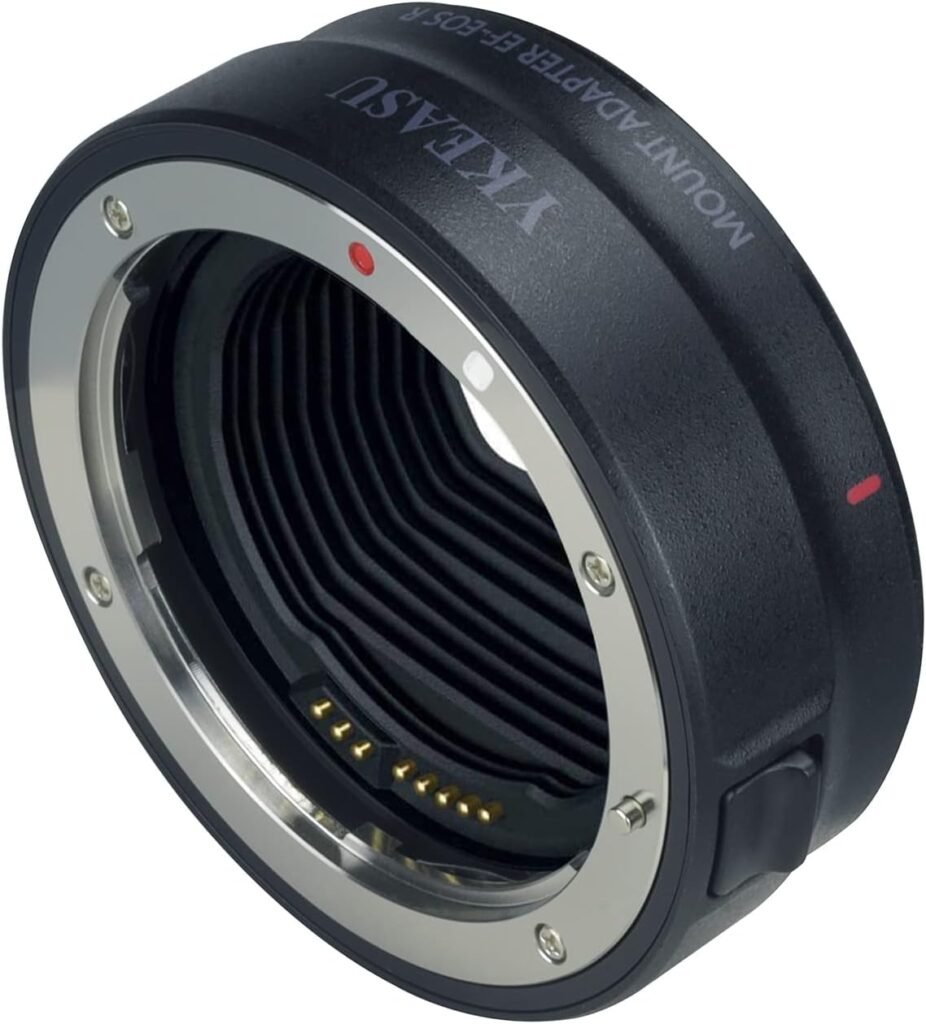
For photographers in the United States, the Canon Mount Adapter EF-EOS R is the official way to use Canon EF and EF-S lenses on the full-frame Canon EOS R and EOS RP mirrorless cameras. It connects the older EF lens mount to the newer RF mount without adding glass, so the lens keeps its stated focal length, maximum aperture, autofocus functions, and optical image stabilization when those features are supported.
The adapter does not turn an EF or EF-S lens into an RF lens. It also does not improve image quality by itself. Its main value is simple: it lets photographers continue using compatible Canon DSLR lenses while moving to the EOS R system.

What the Canon EF-EOS R Mount Adapter Does
The Canon EF-EOS R adapter is a mechanical and electronic bridge between two different Canon lens mounts:
- EF mount: Used by Canon full-frame and APS-C DSLR lenses.
- EF-S mount: Used by Canon APS-C DSLR lenses.
- RF mount: Used by Canon EOS R-series mirrorless cameras.
- EF-EOS R adapter: Connects EF or EF-S lenses to an RF-mount camera.
The adapter has no optical elements. It changes the physical distance between the lens and the camera sensor so an EF lens can focus correctly on an EOS R body. Because there is no corrective glass, the adapter does not change the lens’s focal length or maximum aperture.
For example, a Canon EF 50mm f/1.8 lens remains a 50mm f/1.8 lens when used on an EOS R or EOS RP with the adapter. A full-frame EF lens also keeps the same field of view on these full-frame cameras.
The adapter transfers electronic communication between the lens and camera. Depending on the lens model and camera firmware, this can support:
- Autofocus
- Electronic aperture control
- Lens data in image files
- Optical image stabilization
- Camera-controlled correction features
- Dual Pixel CMOS AF functions supported by the camera and lens
Compatibility can vary with older third-party lenses. Canon EF lenses are the safest match, while some Sigma, Tamron, Tokina, and other lenses may need a firmware update or may have limited functions.

Canon EF-EOS R Compatibility With EOS R and EOS RP
The Canon Mount Adapter EF-EOS R is compatible with both the Canon EOS R and Canon EOS RP. It is designed for Canon’s RF-mount cameras and accepts Canon EF and EF-S lenses.
| Lens type | EOS R with EF-EOS R adapter | EOS RP with EF-EOS R adapter | Main consideration |
|---|---|---|---|
| Canon EF lens | Yes | Yes | Full-frame field of view |
| Canon EF-S lens | Yes | Yes | Camera uses a cropped image area |
| Canon RF lens | No adapter needed | No adapter needed | Mounts directly to the camera |
| Canon EF-M lens | No | No | Different mount; this adapter is not compatible |
| Canon FD lens | No | No | Requires a different, usually manual adapter |
| Third-party EF lens | Often | Often | Check model and firmware |
EF lenses
EF lenses are made for Canon’s full-frame DSLR system, although many also work on Canon APS-C DSLRs. On the EOS R and EOS RP, an EF lens used with the official adapter normally provides the same angle of view expected on a full-frame camera.
A 24–70mm EF lens remains a 24–70mm lens in practical use. The adapter does not create a crop factor.
EF-S lenses
EF-S lenses are made for Canon APS-C cameras. They can be used on the EOS R and EOS RP through the adapter, but the camera must use a smaller cropped recording area.
This reduces the image size and changes the effective field of view. A simple calculation is:
EF-S focal-length equivalent on a full-frame body = stated focal length × 1.6
For example:
- 10–18mm EF-S lens: approximately 16–29mm equivalent
- 18–55mm EF-S lens: approximately 29–88mm equivalent
- 55–250mm EF-S lens: approximately 88–400mm equivalent
This is a field-of-view comparison, not a change in the lens’s physical focal length. The camera records a smaller portion of the sensor, which also reduces the available image resolution compared with a full-frame EF lens.
EF-M lenses
Canon EF-M lenses are not compatible with the EF-EOS R adapter. EF-M is a separate mirrorless mount made for Canon EOS M cameras. The mount diameter, flange distance, and electronic system differ from EF and RF.
Do not force an EF-M lens onto the adapter or camera. A different physical adapter cannot reliably solve the electronic and mount differences.
FD and older manual lenses
Canon FD lenses are from an older manual-focus system. They require a different adapter, often with no electronic connection. An FD-to-RF adapter may allow manual use, but it is not the Canon EF-EOS R adapter and will not provide EF-style autofocus or electronic aperture control.
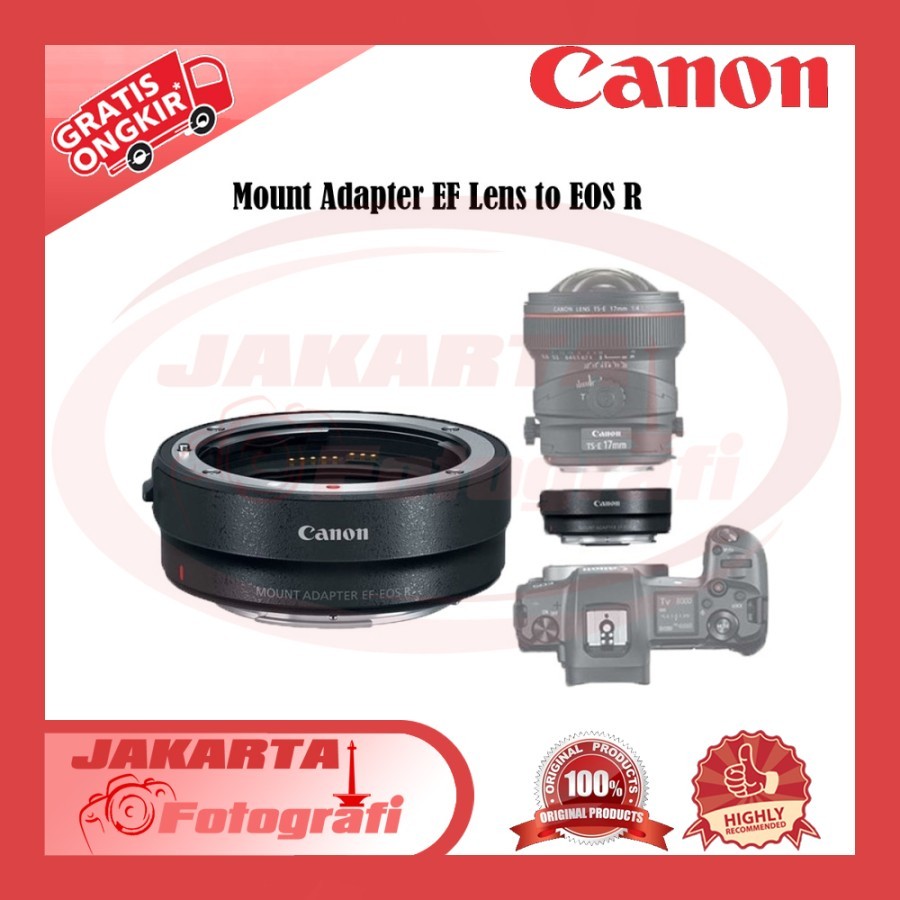
How to Install the Adapter on an EOS R or EOS RP
Attach the adapter in a clean, dry place and keep the camera and lens caps nearby. The basic process is the same for the EOS R and EOS RP.
- Turn off the camera. This reduces the chance of electronic connection errors during mounting.
- Remove the camera body cap.
- Remove the rear cap from the EF or EF-S lens.
- Align the red mounting marks. Match the red mark on the adapter with the red mark on the camera.
- Rotate the adapter clockwise until it locks in place.
- Align the lens mark with the adapter mark.
- Rotate the lens clockwise until it clicks.
- Turn on the camera and test autofocus, aperture control, and image stabilization if available.
To remove the lens, press the camera’s lens-release button and rotate the lens counterclockwise. To remove the adapter, press the camera’s lens-release button and rotate the adapter counterclockwise.
Do not press the lens-release button while shooting. Removing a lens or adapter exposes the sensor chamber to dust.
Signs that installation was successful
A correctly mounted lens should:
- Lock firmly without excess play
- Appear in the camera’s lens information
- Change aperture when the command dial is turned
- Focus when the shutter button or AF-ON button is pressed
- Activate optical stabilization when the lens includes it and the camera setting allows it
Some lenses may take a moment to initialize after the camera starts. That alone does not indicate a fault.

Autofocus, Image Stabilization, and Camera Functions
The adapter itself does not contain a focus motor. Autofocus performance comes from the lens, the camera body, and their electronic communication through the adapter.
Canon EF lenses with built-in autofocus motors generally work well with the EOS R and EOS RP when used with the official adapter. The exact result depends on the lens design, camera firmware, focusing mode, and subject.
Autofocus
The EOS R and EOS RP can use several autofocus modes with adapted EF lenses, including:
- One-Shot AF for still subjects
- Servo AF for moving subjects
- Face and eye detection where supported
- Subject tracking functions supported by the camera
- Manual focus with focus assistance
Older lenses may focus more slowly than newer RF lenses. This is more likely with lenses that use older focus motors or were designed before modern mirrorless tracking systems.
For critical work, test the lens before an important event. Check focus acquisition, tracking, low-light behavior, and continuous autofocus at the frame rate you plan to use.
Image stabilization
If an EF lens has optical image stabilization, the EOS R or EOS RP can usually control it through the adapter. The lens’s stabilizer switch still matters. If the switch is set to “OFF,” the lens will not stabilize.
The adapter does not add image stabilization to a lens that lacks it. Camera-body stabilization behavior also depends on the specific EOS R model and lens combination.
Aperture control
EF and EF-S lenses do not have a manual aperture ring in most cases. The camera controls the lens aperture electronically through the adapter. If the camera displays an error or the aperture remains unavailable, remove and remount the lens, clean the contacts carefully, and check firmware compatibility.
Standard Adapter Versus Control Ring Adapter
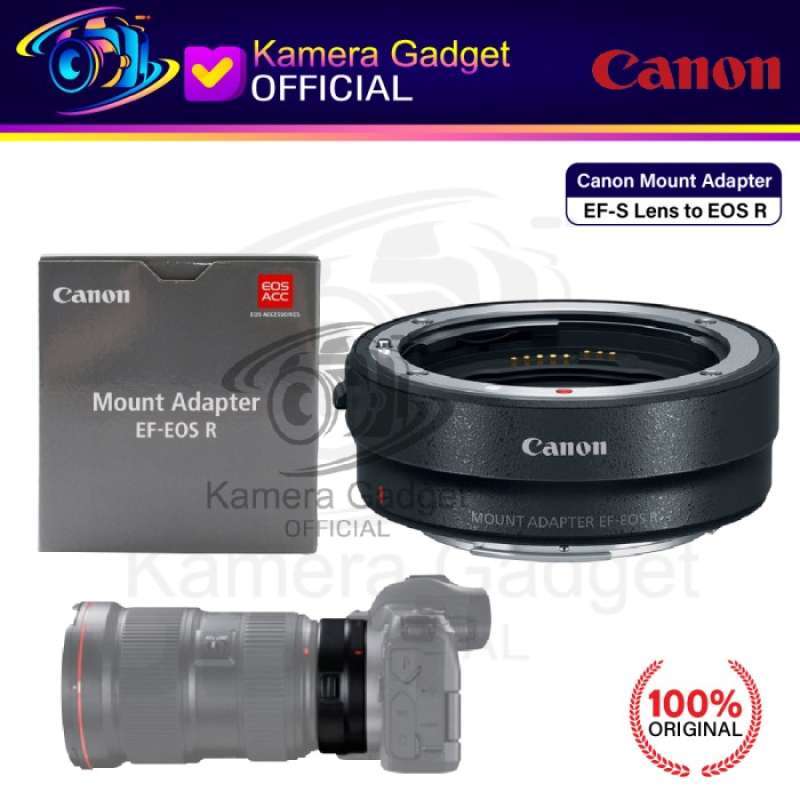
Canon sells more than one EF-to-RF adapter design. The standard Canon Mount Adapter EF-EOS R provides the core connection between an EF or EF-S lens and an EOS R camera.
A separate Control Ring Mount Adapter EF-EOS R adds a customizable control ring. The ring can be assigned to settings such as:
- Aperture
- Shutter speed
- ISO
- Exposure compensation
The control-ring version does not create better optical quality. Its advantage is handling. It may suit photographers who want a physical dial while using adapted lenses.
A third style, the Drop-In Filter Mount Adapter EF-EOS R, places a filter holder between the lens and camera. It can be useful for photographers who regularly use filters with lenses that have different front-thread sizes, but it is a different product and adds cost and complexity.
| Adapter type | Best for | Main trade-off |
|---|---|---|
| Standard EF-EOS R | Basic EF and EF-S lens compatibility | No extra controls |
| Control Ring EF-EOS R | Direct access to assigned camera settings | Higher cost and more controls to manage |
| Drop-In Filter EF-EOS R | Centralized filter use | More specialized and expensive |
Choose the standard adapter when the goal is simply to keep using existing EF lenses. Choose another version only when its added control or filter function solves a real need.

Common Problems and How to Fix Them
Most connection problems come from incomplete mounting, dirty contacts, unsupported lenses, or outdated firmware.
The camera says “No lens attached”
Try these checks in order:
- Turn the camera off.
- Remove and remount the lens.
- Remove and remount the adapter.
- Inspect the electrical contacts for dirt or damage.
- Test the adapter with another known-compatible Canon EF lens.
- Check the lens and camera firmware.
Do not scrape the contacts or apply liquid cleaner. If the contacts are damaged, seek service rather than trying to bend them back.
Autofocus does not work
Confirm that:
- The lens is set to AF, not MF.
- The camera is in a mode that permits autofocus.
- The subject has enough contrast or light.
- The lens is fully locked.
- The lens supports autofocus with the camera and adapter.
- A third-party lens has current firmware.
If manual focus works but autofocus does not, the issue may involve lens compatibility, a switch setting, or electronic communication.
The image looks cropped
This is expected with an EF-S lens. The EOS R and EOS RP use a smaller crop area with EF-S lenses. Check the lens label: an “EF-S” marking identifies a crop-sensor lens.
An EF lens should not produce this crop simply because it is adapted. If an EF lens appears cropped, check the camera’s crop or aspect settings and confirm that the lens is truly an EF model.
The lens feels loose
A small amount of normal mechanical movement may occur with some mount combinations, but visible wobble, failure to lock, or intermittent electronic contact is not normal. Stop using the setup if the lens can rotate after locking. A loose mount can damage the camera, adapter, or lens.
The camera will not release the lens
Do not force the lens. Turn the camera off, support the lens, press the correct release button fully, and rotate the lens in the release direction. If the mount remains stuck, professional service is safer than applying tools or excess pressure.

How to Choose the Right Adapter
For most EOS R and EOS RP owners, the standard Canon EF-EOS R adapter is the most direct choice when the main goal is EF lens compatibility.
Use the standard adapter when you:
- Already own Canon EF lenses
- Need autofocus and electronic aperture control
- Do not need a control dial
- Want the simplest setup
- Use one or more EF lenses across different camera bodies
Consider the control-ring adapter when changing exposure settings by feel is a major part of your work. Consider the drop-in filter model when you use polarizers, neutral-density filters, or other filters across lenses with different front diameters.
Also check the source before buying. Canon adapters are often sold through U.S. camera dealers, electronics retailers, used-equipment shops, and private marketplaces. Used units should have an intact mount, clean contacts, working release buttons, and no signs of impact.
Avoid listings that confuse the following products:
- EF-EOS R adapter
- EF-M adapter
- EF-S lens
- RF lens
- FD-to-RF adapter
- Speed booster or focal reducer
A focal reducer is not the same as the Canon EF-EOS R adapter. The Canon adapter does not reduce focal length, increase maximum aperture, or create a wider field of view.
Limitations to Understand Before Buying
The adapter provides compatibility, but it cannot remove the differences between DSLR lenses and RF lenses.
An adapted EF lens may be:
- Larger or heavier than a similar RF lens
- Slower to focus than a newer RF design
- Less suited to advanced subject tracking
- More difficult to balance on a small body such as the EOS RP
- Limited by old firmware or third-party compatibility
- Less convenient when changing lenses frequently
The EOS RP is compact, so a large EF telephoto lens may make the combination front-heavy. A tripod collar, hand strap, or support system may improve handling, but the correct choice depends on the lens and shooting method.
The adapter also adds physical length. This is not an optical defect; it is required to place the EF lens at the correct distance from the sensor. The added length can affect storage, balance, and the placement of a tripod mount.
Canon’s official compatibility information is the best source for specific lens behavior. Check the current Canon USA support pages for the EOS R, EOS RP, adapter model, and lens firmware before relying on an adapted setup for paid work.

Key Takeaways
- The Canon EF-EOS R adapter works with both the Canon EOS R and EOS RP.
- It supports Canon EF and EF-S lenses.
- EF lenses keep their normal full-frame field of view.
- EF-S lenses use a 1.6× crop area and produce smaller image files.
- The adapter has no optical glass and does not change focal length.
- Autofocus, aperture control, and stabilization depend on the lens, camera, firmware, and settings.
- EF-M and FD lenses are not compatible with this adapter.
- The standard adapter is best when basic lens compatibility is the main goal.
- Test older or third-party lenses before important assignments.
Frequently Asked Questions
Does the Canon EF-EOS R adapter work with the EOS RP?
Yes. The Canon Mount Adapter EF-EOS R is compatible with the Canon EOS RP and allows compatible EF and EF-S lenses to mount on the camera.
Does the adapter reduce image quality?
The standard adapter contains no optical elements, so it does not directly reduce image quality through added glass. Image quality still depends on the lens, camera sensor, focus accuracy, shooting conditions, and any crop mode in use.
Can I use an EF-S lens on the EOS R?
Yes. The EOS R can use compatible EF-S lenses through the Canon EF-EOS R adapter. The camera records a cropped image area, so resolution and field of view differ from those of a full-frame EF lens.
Does the adapter make an EF lens autofocus like an RF lens?
No. It allows many EF lenses to autofocus through electronic communication, but it does not change the lens’s focus motor or optical design. Performance can differ between older EF lenses, newer EF lenses, and RF lenses.
Can I use Canon EF-M lenses with this adapter?
No. EF-M lenses are not designed for the EF-EOS R adapter. They require a different system and should not be forced onto an EOS R camera.
Should I buy the standard or control-ring adapter?
Buy the standard adapter if you mainly need reliable EF lens mounting and electronic control. Choose the control-ring version if a customizable physical dial is worth the added price and handling change.
Conclusion
The Canon Mount Adapter EF-EOS R is a practical bridge for U.S. photographers moving from Canon DSLR equipment to the EOS R or EOS RP. It supports Canon EF and EF-S lenses while preserving key electronic functions in compatible combinations.
For the simplest setup, use the standard adapter with Canon EF lenses. Use EF-S lenses only when the reduced crop area and lower image resolution fit your needs. Before a major shoot, test autofocus, stabilization, aperture control, and lens firmware so the adapter works as part of a dependable camera system.

