
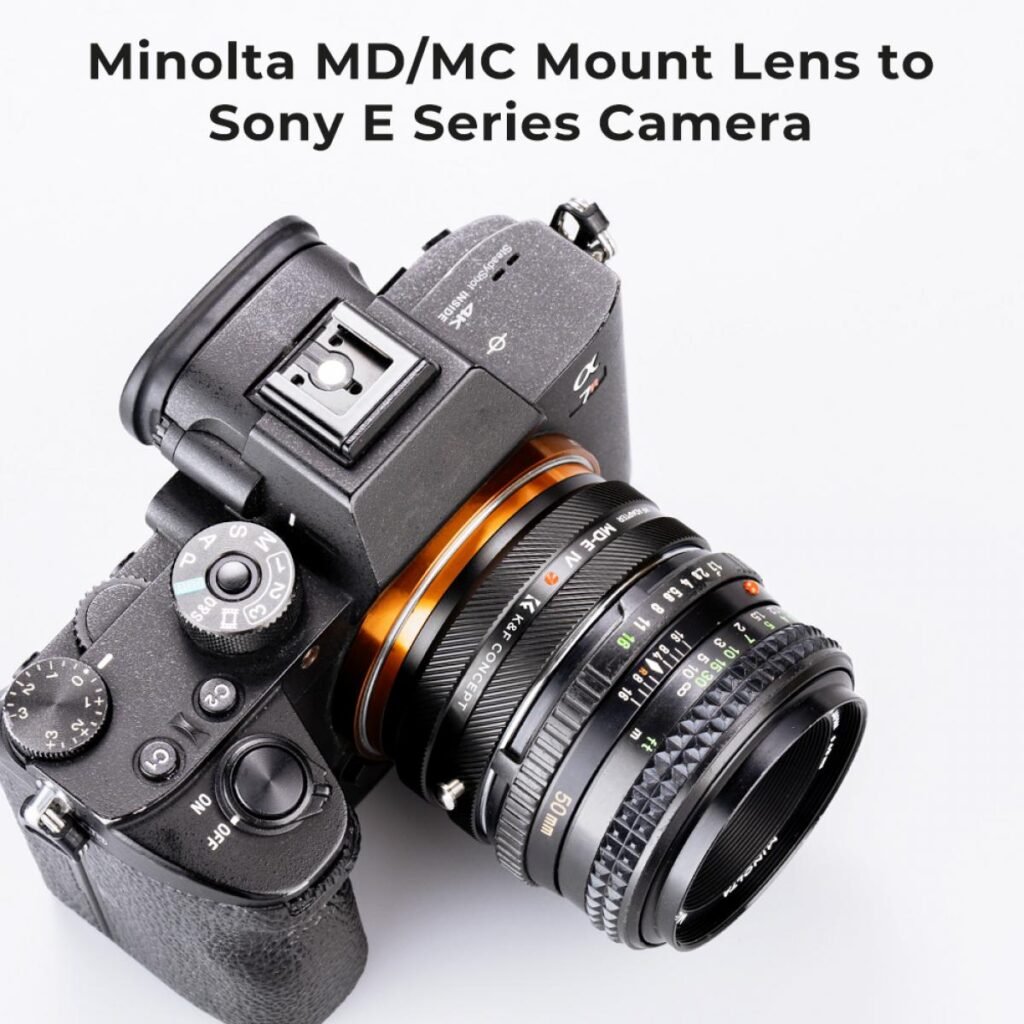
For photographers in the United States, the Fotasy Minolta MD MC Rokkor Lens to E-Mount Adapter MD-E offers a simple way to use classic Minolta manual-focus lenses on Sony mirrorless cameras with the E mount. It is a passive mechanical adapter. It does not add autofocus, electronic aperture control, image stabilization, or lens data.
The adapter is useful when you already own Minolta SR-mount lenses and want to use their manual focus and aperture rings on a Sony Alpha, a7, a7R, a7S, a9, a1, or many Sony APS-C E-mount cameras. Before buying, confirm that the product listing matches your lens and camera. Fotasy has sold several similar mount adapters, and small design details may vary by version.

What the Fotasy MD-E Adapter Does
The Fotasy MD-E adapter connects Minolta MD or MC Rokkor lenses to Sony E-mount cameras. It fills the distance between the older Minolta lens mount and the shorter Sony mirrorless mount flange distance.
Minolta MD and MC lenses use the Minolta SR bayonet mount. Sony E-mount cameras use a different bayonet mount. The adapter has a Minolta-compatible mount on one side and a Sony E-mount interface on the other.
The adapter has no optical glass in the normal passive design. That means it does not change:
- Focal length
- Maximum aperture
- Depth of field
- Lens rendering
- Optical character
It also does not create electronic communication between the lens and camera.
What “MD” and “MC” mean
Minolta MC and MD refer to generations of Minolta manual-focus lenses.
- MC lenses: Commonly associated with the earlier Minolta generation and metering-coupling features.
- MD lenses: Later lenses with added aperture information used by compatible Minolta camera bodies.
For a passive adapter, both MC and MD lenses normally use the same basic Minolta SR bayonet connection. The camera does not use the original metering-coupling features. The lens works as a manual lens on the Sony body.
What the adapter cannot do
The Fotasy MD-E adapter cannot provide:
- Autofocus
- Electronic aperture control
- Lens-based image stabilization
- EXIF lens information
- Automatic focal-length recording
- Automatic correction profiles
- Power transfer between camera and lens
If your lens has an aperture ring, you set the aperture on the lens. You focus with the lens focus ring. The Sony camera measures light through the lens, depending on the selected shooting mode and settings.
Sony Camera Compatibility
The adapter is intended for Sony E-mount mirrorless cameras, not every Sony camera with a Sony-branded lens mount.
It should be suitable for many Sony E-mount bodies, including:
- Sony Alpha APS-C cameras such as the a6000 series
- Sony full-frame E-mount cameras such as the a7 series
- Sony compact full-frame E-mount models
- Some Sony E-mount cinema and video cameras
It is not designed for Sony A-mount DSLR or SLT cameras. Sony A mount and Sony E mount are different systems.
The adapter also does not convert the lens for Canon RF, Nikon Z, Fujifilm X, Micro Four Thirds, or other camera mounts. An adapter must match both sides exactly.
Full-frame and APS-C use
The adapter itself does not crop the image. The camera sensor determines the field of view.
| Camera type | Example with a 50mm Minolta lens |
|---|---|
| Sony full frame | Similar field of view to a 50mm lens |
| Sony APS-C | Similar field of view to about 75mm on full frame |
| Sony APS-C with a 28mm lens | Similar field of view to about 42mm on full frame |
The APS-C comparison uses Sony’s approximate 1.5× crop factor. The lens remains a 50mm lens, but the smaller sensor records a narrower view.

How to Install the Fotasy Minolta MD MC to Sony E Adapter
Installing the adapter is simple, but careful handling protects the lens mount and camera body.
Before installation
Check these points first:
- Remove the rear cap from the Minolta lens.
- Remove the front and rear caps from the adapter.
- Set the camera to a safe handling position.
- Make sure the lens and adapter mounts are clean.
- Confirm that the adapter has no loose metal parts or damaged tabs.
Avoid forcing the mount. A bayonet mount should turn smoothly with light pressure.
Installation steps
-
Attach the adapter to the lens.
Match the alignment marks on the Minolta lens and adapter. Insert the lens into the adapter and rotate it until it locks. -
Set the lens aperture.
Turn the aperture ring to the desired value. Start with a middle setting such as f/4 or f/5.6 while testing. -
Mount the combined unit on the camera.
Align the adapter’s Sony E-mount mark with the camera mount. Rotate the adapter until it locks. -
Enable release without a lens if needed.
Many Sony cameras require the menu setting called Release w/o Lens or a similar option. The exact menu location depends on the camera model and firmware. -
Select a suitable exposure mode.
Aperture Priority and Manual exposure are usually the most practical choices. -
Focus manually.
Use the lens focus ring. Sony focus magnification and focus peaking can make this much easier. -
Check the first image.
Review sharpness, exposure, and the corners of the frame. Test infinity focus before using the setup for an important assignment.
Signs of correct installation
A correctly fitted setup should:
- Lock firmly to the camera
- Hold the lens without visible wobble
- Allow the focus ring to turn normally
- Reach or approach infinity focus
- Allow the aperture ring to operate
- Remove from the camera without unusual force
A small amount of rotational play can affect shooting comfort and alignment. Excessive looseness is a reason to stop using the adapter and inspect both mounts.

Camera Settings for Manual Minolta Lenses
The most useful Sony settings depend on whether you are taking still photos or recording video.
Aperture Priority
In Aperture Priority mode, you choose the aperture on the Minolta lens. The camera selects a shutter speed based on the light it measures.
This is often the easiest setup for still photography. It works well when light changes and you want to control depth of field.
Manual exposure
Manual mode gives you full control over shutter speed and aperture. Use the camera’s meter, histogram, or exposure preview as a guide.
Manual mode is useful for:
- Studio work
- Landscapes
- Consistent video exposure
- Long exposures
- Scenes where the camera meter may be fooled by bright or dark areas
Focus peaking and magnification
Focus peaking highlights areas that the camera believes are in focus. It is useful, but it is not proof of exact focus. Fine detail, low contrast, and wide apertures can make peaking less reliable.
Focus magnification gives a closer view of the subject. For portraits, landscapes, and close work, magnification is often more precise than relying on peaking alone.
Stabilization settings
Some Sony cameras include in-body image stabilization. With a fully manual lens, the camera may not know the focal length automatically.
If the camera asks for a focal length, enter the lens’s actual focal length. This helps the stabilization system choose an appropriate setting. The menu name and available options differ by camera model.
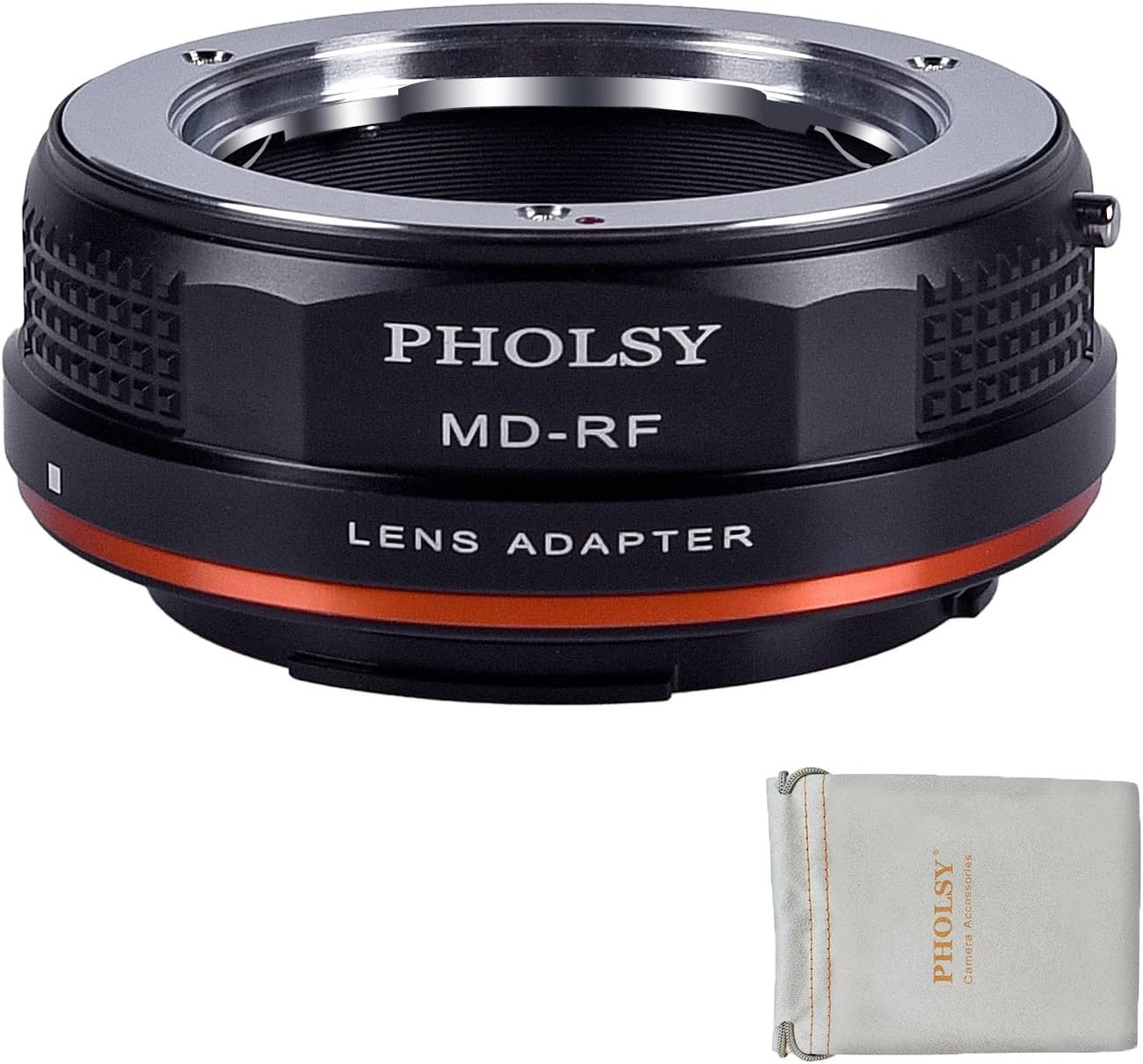
Image Quality and Handling Trade-Offs
The adapter does not determine the optical quality of the Minolta lens. The lens, sensor, shooting technique, and adapter alignment all affect the result.
A good mechanical adapter should hold the lens at the correct distance from the sensor. If that distance is wrong, the lens may lose infinity focus or focus past the intended range.
No light loss from a normal passive adapter
A passive adapter without corrective glass does not normally reduce the amount of light reaching the sensor. The lens still has the same maximum aperture.
For example, an f/1.7 lens remains an f/1.7 lens in terms of exposure. The adapter does not turn it into an f/2.8 lens.
This does not mean the final image will look identical to a modern autofocus lens. Older lenses may show more flare, lower contrast, softer corners, or different color behavior. Those traits belong to the lens and shooting conditions, not automatically to the adapter.
Manual focus is the main trade-off
Manual focus can be slow with moving subjects. It is better suited to subjects that stay still or move in a predictable way.
The adapter may work well for:
- Portraits
- Street photography
- Landscapes
- Still life
- Product photography
- Creative video
- Low-cost lens experimentation
It is less convenient for:
- Fast sports
- Birds in flight
- Erratic children or pets
- Events where rapid focus changes matter
- Situations that require reliable subject tracking
Adapter fit matters
A loose adapter can create:
- Frame shift during handheld work
- Difficulty turning the lens
- Uneven pressure on the camera mount
- Light leaks in severe cases
- Less confidence when using a heavy lens
A tight adapter is not automatically better. If removal requires excessive force, the mount may be damaged. The best fit is secure but removable.
Common Problems and Troubleshooting
Most problems come from incorrect camera settings, a wrong mount, or a poor mechanical fit.
| Symptom | Likely cause | What to check |
|---|---|---|
| Camera will not take a picture | Release without lens is disabled | Enable the setting in the Sony menu |
| Lens does not lock | Mounts are misaligned or incompatible | Confirm Minolta SR/MD/MC and Sony E |
| No autofocus | Normal adapter limitation | Focus manually |
| Aperture does not change | Lens ring is locked, damaged, or not fully attached | Check the lens and adapter connection |
| Infinity focus is missing | Adapter thickness or mount issue | Test another lens or adapter |
| Image is soft everywhere | Focus error or lens condition | Use magnification and inspect the lens |
| Image is soft on one side | Tilt, loose fit, or lens fault | Check for mount play and test another lens |
| Exposure looks wrong | Manual aperture and metering behavior | Use histogram and adjust shutter speed or ISO |
| Lens is hard to remove | Mount binding or excessive tolerance | Stop forcing it and inspect the mount |
If the camera says “No lens attached”
This message is normal with a passive adapter. The camera cannot detect the Minolta lens because the adapter has no electronic contacts.
Enable the camera’s release-without-lens function. The exact wording differs among Sony models.
If infinity focus does not work
First, confirm that the lens is a genuine Minolta SR-mount lens and not a different Minolta mount. Then test focus on a distant subject in good light.
If the lens focuses close but not at infinity, the adapter may be too thick. If the lens focuses beyond infinity, the adapter may be too thin, or the lens may need service. Do not sand or modify the adapter while it is attached to the camera.
If the lens feels loose
Remove the setup and inspect the locking tabs. Look for bent metal, missing screws, or dirt on the contact surfaces.
Do not carry the camera by a large or heavy lens if the adapter has noticeable play. The combined weight can place stress on the camera mount.

Buying Checklist for the Fotasy MD-E Adapter
Check the following details before ordering from a U.S. retailer or marketplace:
- The camera uses Sony E mount, not Sony A mount.
- The lens uses the Minolta SR, MC, or MD mount.
- The adapter is labeled MD-E, not Minolta AF to Sony E.
- The product photos show the correct bayonet shape.
- The listing states whether the adapter is passive and manual.
- The return policy covers poor fit or incorrect compatibility.
- The adapter has no optical glass unless you specifically need a focal reducer.
- The adapter can support the weight of your lens safely.
- The seller identifies the exact product version.
A Minolta MD or MC lens with an aperture ring is usually the best match. A lens with a damaged aperture mechanism may still mount, but the adapter cannot repair the lens.
Do not confuse this product with an adapter for Minolta AF lenses. Minolta AF and Minolta MD/MC are different mounts and require different adapters.
Key Takeaways
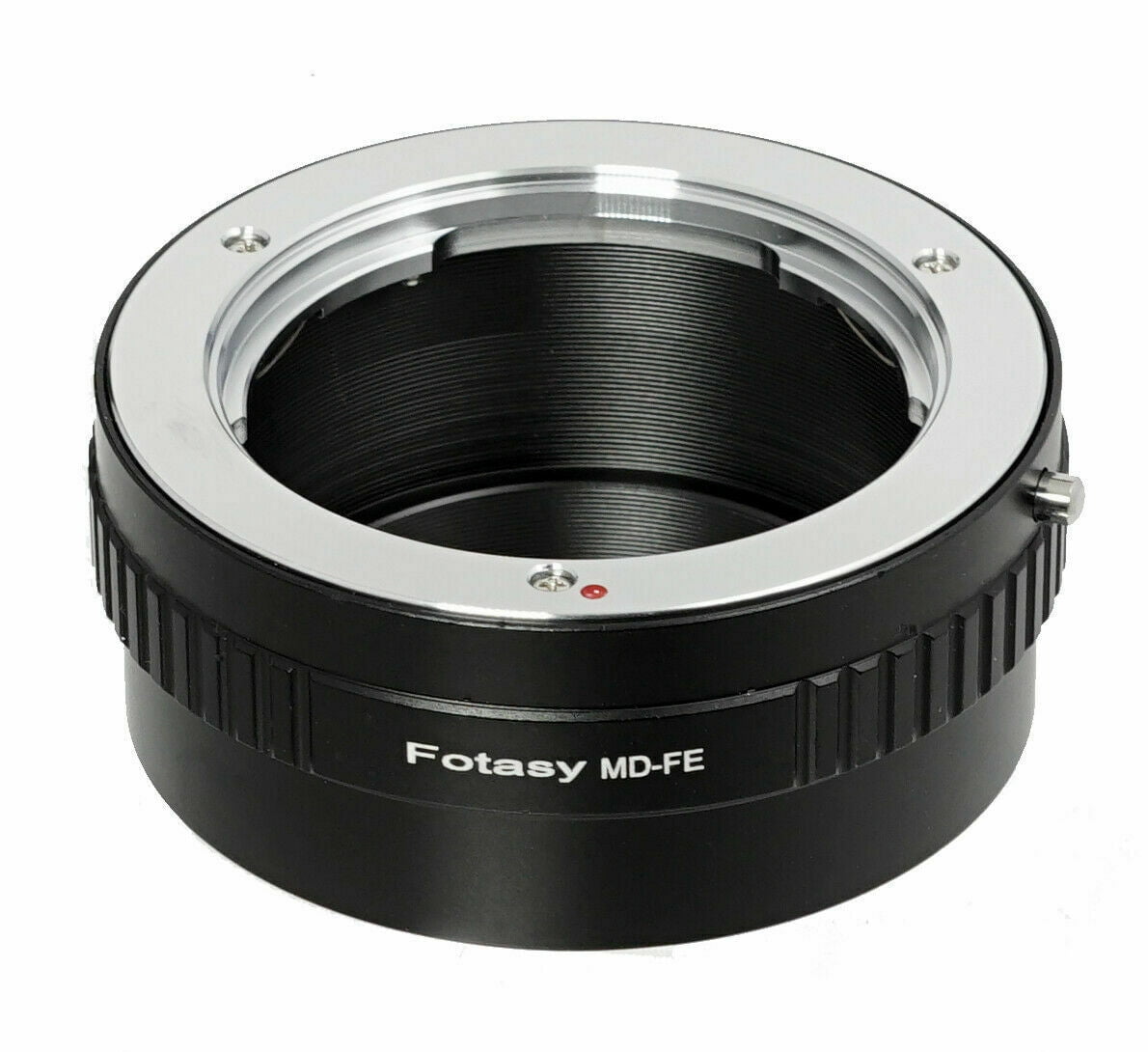
- The Fotasy MD-E is a mechanical adapter for Minolta MD or MC Rokkor lenses and Sony E-mount cameras.
- It normally provides no autofocus, electronic aperture control, EXIF data, or lens stabilization.
- The lens keeps its original focal length and maximum aperture.
- Sony cameras may need Release w/o Lens enabled.
- Aperture Priority and Manual exposure are the most useful modes.
- Focus peaking and focus magnification help with manual focusing.
- Check the exact mount, fit, infinity focus, and return policy before purchase.
- Do not force the adapter or carry a heavy lens by a loose mount.
Frequently Asked Questions
Does the Fotasy MD-E adapter work with Minolta Rokkor lenses?
It is intended for Minolta MD and MC Rokkor lenses that use the Minolta SR bayonet mount. Confirm the lens mount before ordering, especially if the lens is a Minolta AF model.
Will autofocus work with this adapter?
No. A standard passive Fotasy MD-E adapter has no electronic motor or communication system. You must focus manually.
Can I control the aperture from the Sony camera?
No. Set the aperture with the Minolta lens’s aperture ring. The Sony camera may still meter the scene, depending on its settings.
Does the adapter reduce image quality?
A passive adapter without optical glass should not add a lens element that changes image quality. However, incorrect thickness, tilt, looseness, or internal reflections can affect results. The condition and optical design of the Minolta lens remain major factors.
Can I use the adapter on a Sony full-frame camera?
Yes, if the camera is Sony E mount and the lens covers the sensor. Some older lenses may show corner darkening or reduced corner quality at certain apertures, so test the lens on your specific body.
Why will my Sony camera not release the shutter?
The camera may be set to prevent shooting without an electronic lens. Enable Release w/o Lens or the equivalent setting in the camera menu.
Is a Minolta MD-to-E adapter the same as a Minolta AF-to-E adapter?
No. Minolta MD/MC and Minolta AF use different lens mounts. An MD-E adapter is not the correct adapter for Minolta AF lenses.
Conclusion
The Fotasy Minolta MD MC Rokkor Lens to E-Mount Adapter MD E is a practical choice for using classic Minolta manual lenses on Sony E-mount mirrorless cameras. Its value comes from compatibility and simplicity, not added electronics or autofocus.
Use it when you are comfortable setting the aperture by hand and focusing through the electronic viewfinder or screen. Before a paid shoot, test the adapter with your exact lens and camera for fit, infinity focus, exposure, and corner performance.

