
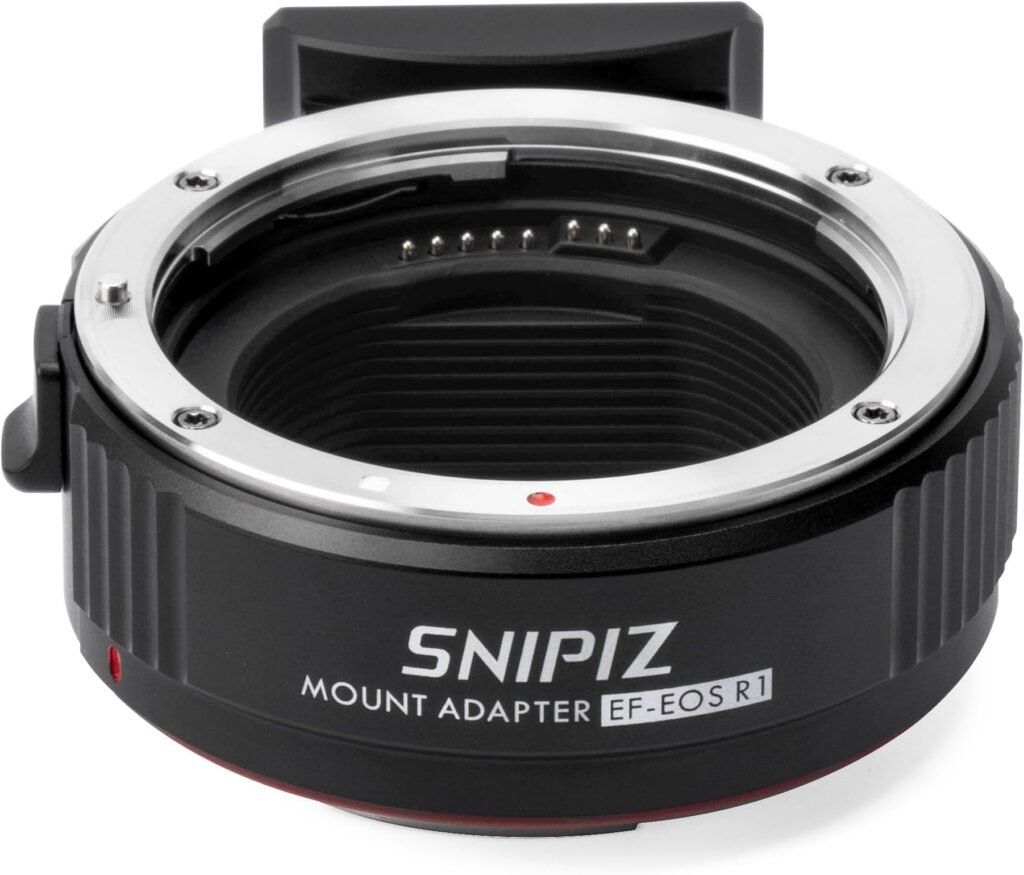
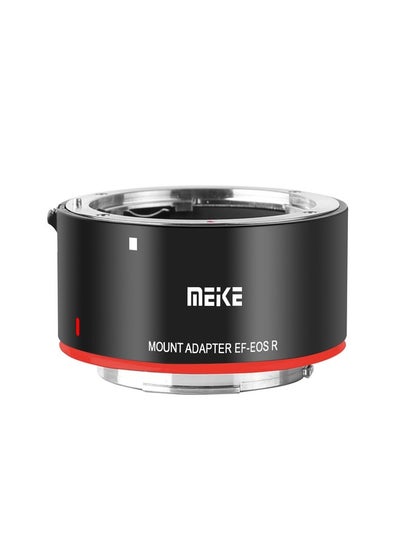
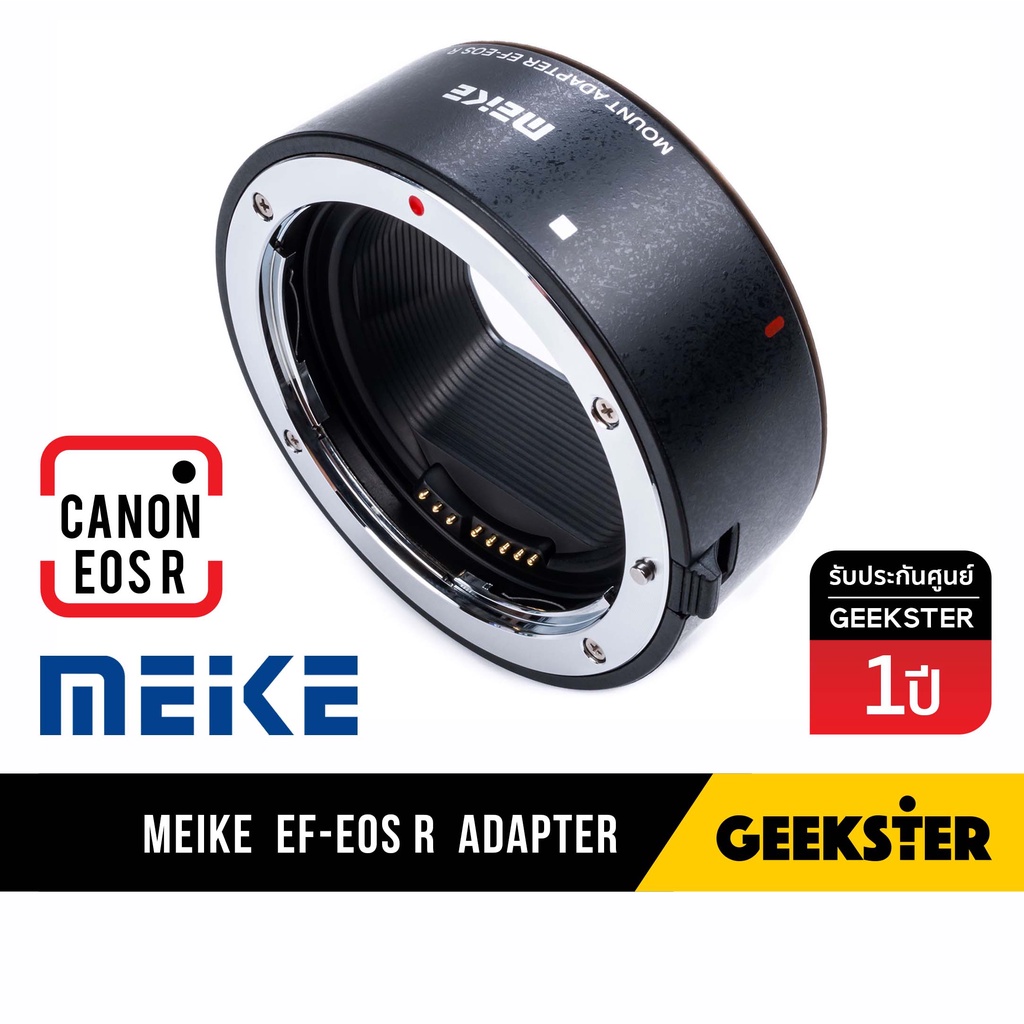
For photographers in the United States who own a Canon EOS R-series camera and older Canon EF or EF-S lenses, the Meike Metal Lens Adapter EF-EOS R Auto Focus Mount Converter can provide a lower-cost way to keep using existing glass. The adapter creates a physical connection between an EF lens and a Canon RF-mount camera while passing electronic signals for features such as autofocus, aperture control, image stabilization, and lens data.
The key point is simple: the Meike adapter can make many EF and EF-S lenses usable on Canon EOS R cameras, but performance depends on the exact adapter version, camera body, lens, firmware, and shooting mode. It is not the same as using a native RF lens.

What the Meike EF-EOS R adapter does
The Meike EF-EOS R adapter is a mount converter for attaching Canon EF-mount or EF-S-mount lenses to Canon RF-mount mirrorless cameras. It has no optical glass in the normal adapter design, so it does not change the lens’s focal length or maximum aperture.
The adapter mainly performs three jobs:
- It changes the physical mount from Canon EF to Canon RF.
- It maintains the correct flange distance between the lens and camera sensor.
- It transfers electronic communication between the lens and camera.
This lets a compatible EF lens communicate with an EOS R camera. Depending on the lens and camera combination, the system may support:
- Autofocus
- Electronic aperture control
- Lens information in image files
- Optical image stabilization
- Camera-controlled exposure
- Canon flash-related lens data
- Dual Pixel CMOS AF functions
- In-camera lens corrections, where supported
These features are supported functions, not performance guarantees. An older EF lens may focus more slowly than a newer RF lens. Some third-party lenses may show different results from Canon lenses.
What the adapter does not do
The Meike converter does not turn an EF lens into a native RF lens. It does not add:
- A new focusing motor
- Extra light
- Optical image stabilization to a lens without stabilization
- A control ring unless the exact model includes one
- Guaranteed silent autofocus
- Guaranteed full video autofocus
- Guaranteed compatibility with every EF or EF-S lens
A standard adapter is best understood as an electronic bridge and mechanical spacer.
Compatibility with Canon EOS R cameras
The Meike EF-EOS R adapter is designed for Canon RF-mount mirrorless cameras. This includes many cameras in the EOS R system, such as full-frame and APS-C models. However, the exact supported camera list can vary by Meike model and firmware version.
Before buying, confirm these three parts:
| Item | What to check |
|---|---|
| Camera | It must use the Canon RF mount |
| Lens | It must use the Canon EF or EF-S mount |
| Adapter | The listing must state EF-to-EOS R or EF-to-RF compatibility |
Do not confuse this adapter with an EF-M adapter. Canon EF-M lenses are made for Canon’s EOS M system and are not the same as EF or EF-S lenses.
EF lenses on full-frame EOS R cameras
A full-frame EOS R camera can generally use full-frame EF lenses through an EF-to-RF adapter. The lens keeps its stated focal length and maximum aperture.
For example, a 50mm f/1.8 EF lens remains a 50mm f/1.8 lens. The adapter adds no crop and no focal-length change.
EF-S lenses on full-frame EOS R cameras
EF-S lenses are designed for APS-C sensors. When an EF-S lens is used on a full-frame EOS R body, the camera may switch to a crop mode. This reduces the active sensor area and lowers the final image resolution.
That behavior is expected. It is not a fault in the Meike adapter.
A crop-mode example:
- Full-frame sensor: uses the complete sensor area.
- EF-S lens on a full-frame body: may use only the central APS-C-sized area.
- Result: narrower field of view and fewer recorded pixels.
On Canon APS-C EOS R cameras, such as models in the EOS R7 or EOS R10 class, EF-S lenses are a more natural match. The lens remains within its intended sensor format, although the camera’s crop factor still affects the effective field of view.

How to install the adapter safely
Mounting the Meike EF-EOS R converter is straightforward, but clean contacts and correct alignment matter.
Before installation
Turn off the camera. Remove the rear lens cap and check the electrical contacts on both the lens and adapter. Keep dust away from the open camera mount, especially when changing lenses outdoors in the United States’ dry, dusty, or coastal environments.
Do not force the lens or adapter. A mount that does not align easily may be the wrong model or may have a damaged bayonet.
Installation steps
- Turn off the Canon EOS R camera.
- Remove the camera’s RF body cap.
- Remove the rear cap from the Meike adapter.
- Align the adapter’s camera-side mark with the mark on the EOS R mount.
- Rotate the adapter until it locks.
- Align the EF or EF-S lens with the adapter’s lens-side mark.
- Rotate the lens until it clicks into place.
- Turn on the camera.
- Set the lens to autofocus if you want camera-controlled AF.
- Take a test photo and check focus, aperture, and image data.
To remove the setup, turn off the camera first when practical. Press the correct release button before rotating the lens or adapter. Never twist against the release lock.
Signs that installation worked
A successful connection normally allows the camera to:
- Recognize the lens
- Display an aperture value
- Change the aperture from the camera
- Focus when AF is enabled
- Record focal-length or lens data
- Activate lens stabilization when the lens supports it
The exact behavior depends on the lens, camera body, and adapter firmware.

Autofocus performance: what to expect
The Meike adapter can support autofocus, but “autofocus compatible” does not mean “identical to a native RF lens.”
Autofocus depends on several linked systems:
- The camera’s AF design
- The lens motor
- The lens firmware
- The adapter’s electronic communication
- Lighting and subject contrast
- Focus mode
- Servo AF settings
- Video or still-photo operation
A recent Canon EF lens may focus quickly and reliably. An older lens may hunt, pause, or lose tracking more often. Third-party EF lenses can also behave differently from Canon EF lenses.
Still photography
For still photos, single-point AF or one-shot AF is often the simplest way to check basic compatibility. Test the lens at a subject with clear contrast. Then try subject tracking only after basic focus works.
Portrait photographers should test eye detection with the exact lens and body. Eye detection is a camera feature, but the adapter and lens still have to pass focus commands correctly.
Video recording
Video autofocus is more demanding. A lens may focus well for still photography but make noise, move in steps, or hunt during video. The adapter cannot change the lens’s motor design.
For quiet video work, test:
- Focus transition speed
- Motor noise on the recorded track
- Face and eye tracking
- Focus breathing
- Continuous AF stability
- Manual focus response
If the result is poor, manual focus or an external microphone may be more practical than replacing the adapter.
Aperture control, stabilization, and lens data
The electronic contacts on the Meike adapter allow the camera to control many electronic EF lenses. The most useful functions are aperture control and lens communication.
Aperture control
If the camera shows an error or refuses to change the aperture, the issue may come from:
- Dirty electronic contacts
- A lens with unusual electronics
- Incorrect adapter seating
- Outdated adapter firmware
- A communication problem between the camera and lens
Try removing and reinstalling the lens. Clean contacts only with a suitable, dry method. Avoid liquid cleaners inside the camera mount.
Optical image stabilization
If an EF lens includes optical image stabilization, the camera may be able to activate it through the adapter. The result depends on the lens, body, and adapter communication.
Do not assume that every lens will combine optical stabilization and in-body stabilization in the same way. Read the camera and lens instructions for the available stabilization modes.
EXIF and lens information
Many electronic EF lenses can send basic information to the camera. This may include focal length, aperture, and lens identification.
However, third-party adapters do not always report every lens correctly. Some images may show incomplete or generic lens data. That affects cataloging and metadata, not the optical image itself.
Meike adapter versions and buying checks
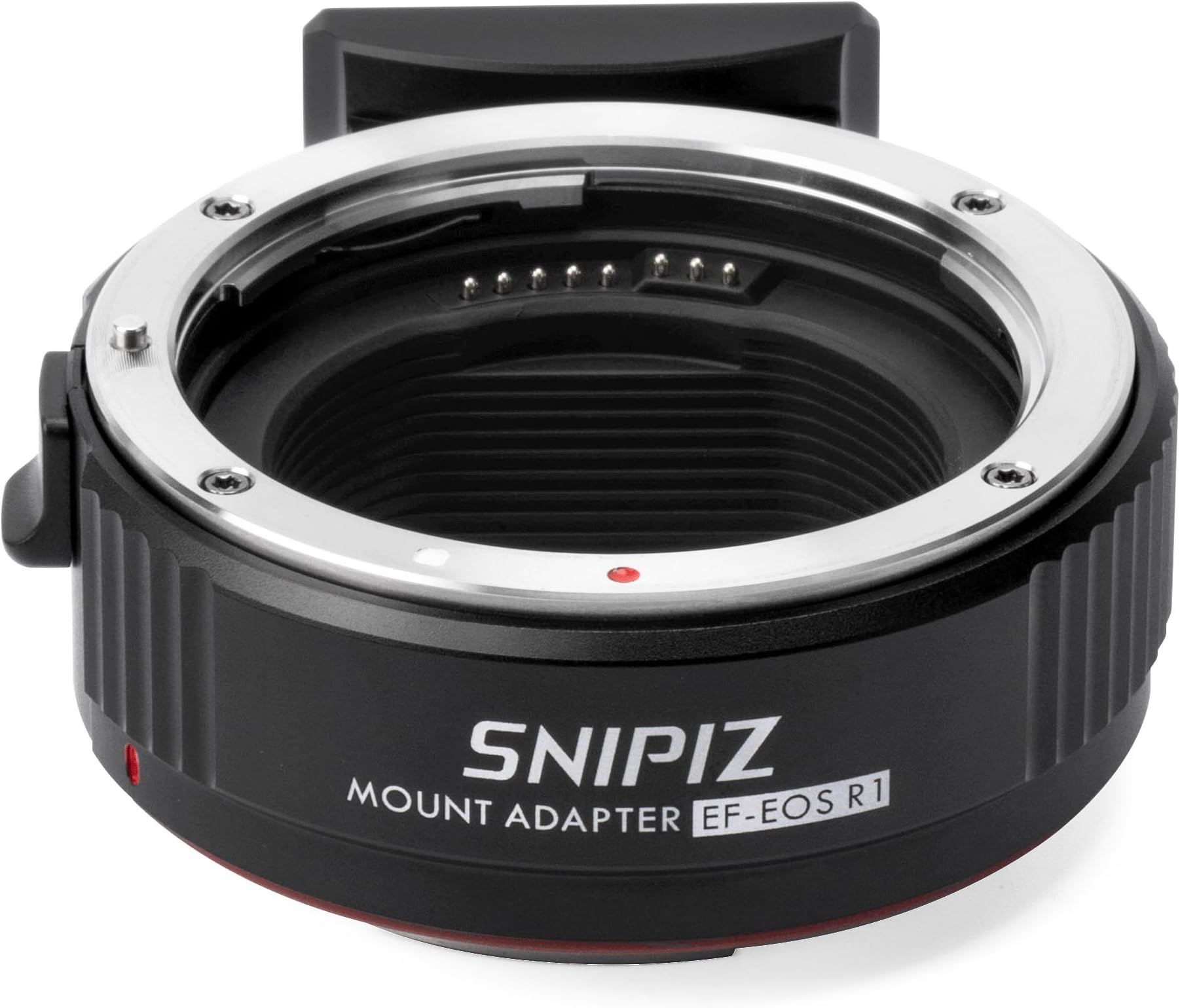
Meike has released more than one EF-to-EOS R adapter design. Product names may include different suffixes or feature descriptions. Some versions may add features such as a programmable control ring, tripod support, or a different exterior design.
Because listings can use similar names, check the exact model before ordering.
Use this buying checklist
- Confirm the adapter is for Canon EF or EF-S lenses to Canon RF cameras.
- Confirm that your camera model appears in the compatibility information.
- Check whether the adapter supports autofocus.
- Check whether it supports electronic aperture control.
- Look for firmware-update instructions.
- Confirm whether a control ring is included or absent.
- Check return terms in case a specific lens does not communicate correctly.
- Buy from a seller that identifies the actual Meike model number.
A metal exterior can improve the adapter’s physical feel, but it does not prove better autofocus. Housing material and electronic performance are separate issues.
Meike versus Canon’s official EF-EOS R adapter
Canon’s official Mount Adapter EF-EOS R is the reference option for Canon EF and EF-S compatibility. A Meike adapter may cost less and may provide similar basic functions, but Canon’s adapter has a stronger position when official support, long-term compatibility, and service access matter most.
The sensible choice depends on your priority:
| Priority | More suitable direction |
|---|---|
| Lowest initial cost | Meike, after checking the exact model |
| Official Canon support | Canon adapter |
| A specific control ring feature | Model with a documented control ring |
| Critical paid work | Test the exact lens and body before relying on it |
| Occasional legacy-lens use | Meike may be sufficient |
This is not a universal “best adapter” decision. It is a trade-off between cost, features, support, and the importance of dependable operation.
Troubleshooting common problems
Use the least invasive checks first. Do not update firmware or clean contacts until you have confirmed that the lens and adapter are correctly mounted.
The camera does not recognize the lens
Check the following:
- Turn off the camera.
- Remove and reinstall the lens.
- Remove and reinstall the adapter.
- Inspect the electronic contacts for dirt or damage.
- Test another compatible EF lens.
- Test the lens on another compatible camera or adapter, if available.
- Check for a Meike firmware update.
If one lens fails but others work, the lens may be the source of the problem. If every lens fails, suspect the adapter, camera mount, or compatibility issue.
Autofocus does not work
Set the lens to AF. Confirm that the camera is not in a manual-focus-only mode. Try one-shot AF with a well-lit subject.
If the lens still does not focus, check whether the adapter listing specifically supports AF rather than only mechanical mounting. Some inexpensive adapters are fully manual and cannot pass electronic signals.
The camera displays an error
A lens communication error can result from poor contact, incomplete seating, unsupported electronics, or firmware conflict. Remove the lens and adapter, power down the camera, and remount them carefully.
Do not repeatedly force the mount or continue using a loose connection. Mechanical play can damage the camera or lens mount over time.
The image is soft
An adapter without optical glass should not normally reduce lens sharpness by adding a new optical element. Soft images can instead come from missed focus, motion blur, a wide-aperture lens, a damaged lens, incorrect stabilization settings, or excessive adapter play.
Test from a tripod with a stationary subject. Compare manual focus and autofocus. If the lens shifts physically in the mount, stop using the setup until the cause is resolved.
The camera will not release the shutter
Some camera bodies have settings that control shutter release when no lens is detected. If the adapter does not communicate correctly, the camera may treat the setup as a non-electronic lens.
Check the camera’s “release shutter without lens” setting only when you understand the result. Enabling it may allow manual operation, but it will not restore electronic aperture control or autofocus.

Practical use cases
The Meike adapter is most useful when you already own EF glass and want to move to an EOS R body without replacing every lens at once.
It can make sense for:
- Portrait photographers with EF prime lenses
- Event photographers with compatible EF zooms
- Students building a low-cost Canon lens kit
- Travel photographers reusing existing EF lenses
- Video users who prefer manual focus
- Photographers testing the EOS R system before buying RF lenses
It may be a weaker choice for:
- Professional work that depends on tested, continuous eye AF
- Silent video recording with older focus motors
- Users who need official Canon service support
- Photographers buying several new lenses at the same time
- Users who expect RF-only features from an EF lens
A useful approach is to keep a reliable EF lens, test it through the adapter, and replace it with an RF lens only when the newer lens provides a clear benefit.
Key takeaways
- The Meike EF-EOS R adapter connects Canon EF and EF-S lenses to Canon RF-mount cameras.
- It can pass autofocus, aperture, stabilization, and lens data, but support varies by model and lens.
- EF-S lenses may trigger crop mode on full-frame EOS R cameras.
- Autofocus may differ from native RF performance, especially for video and older lenses.
- Confirm the exact Meike model, camera, lens, and firmware before purchase.
- Test the complete setup before using it for paid or once-only work.
- Do not force the mount if the adapter or lens does not lock smoothly.
Frequently asked questions
Does the Meike EF-EOS R adapter change focal length?
No. A standard EF-to-RF adapter has no corrective optical element, so it does not change focal length or maximum aperture. An EF-S lens may still cause a crop mode on a full-frame EOS R camera.
Can I use Canon EF-S lenses with the Meike adapter?
Usually, yes, when the adapter is designed for both EF and EF-S lenses. On a full-frame EOS R body, the camera may use a smaller crop area. On an APS-C EOS R body, EF-S lenses are generally a direct format match.
Will autofocus work with every EF lens?
No. Autofocus depends on the lens, camera, adapter electronics, firmware, and shooting mode. Canon EF lenses often have the most predictable compatibility, but each lens combination should be tested.
Does the adapter support image stabilization?
It may pass stabilization commands from a compatible EF lens to the camera. The result depends on the lens, camera body, and adapter model. The adapter itself does not create stabilization.
Is the Meike adapter safe for professional photography?
It can be suitable after proper testing, but do not assume reliability from the product name alone. Test autofocus, aperture changes, stabilization, and physical fit with the exact camera and lens you plan to use.
Should I buy the Meike adapter or Canon’s adapter?
Choose Meike when price and basic EF lens reuse are the main goals. Choose Canon’s adapter when official support and predictable system compatibility are more important. For paid work, test both the adapter and lens combination before making a final decision.
Final recommendation
The Meike Metal Lens Adapter EF-EOS R Auto Focus Mount Converter is a practical bridge for US photographers moving from Canon EF lenses to Canon EOS R cameras. Its value comes from preserving access to existing lenses, not from adding new optical capability.
Before purchase, verify the exact model number and feature list. After purchase, test the adapter with each important lens, especially for continuous autofocus, eye detection, video, aperture control, and stabilization. If those checks pass, the Meike adapter can extend the useful life of an EF lens kit while you decide when an RF upgrade is truly worthwhile.

