

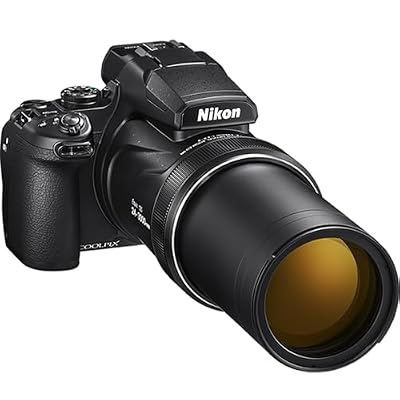
For photographers in the United States, the Nikon COOLPIX P1100 is a bridge camera built around one standout feature: a 125x optical zoom lens with a 24–3000mm equivalent range. It can capture wide landscapes, distant wildlife, birds, the Moon, sports, and travel scenes without changing lenses.
The P1100 is not a pocket camera. Its small 1/2.3-inch sensor limits low-light image quality, and the long lens needs good support at maximum reach. However, its enormous built-in zoom, RAW capture, 4K video, electronic viewfinder, and bird- and moon-focused shooting modes make it a useful option for U.S. travelers and wildlife viewers who value reach over compact size.
Nikon’s published specifications describe the P1100 as a 16-megapixel superzoom camera with a 125x optical NIKKOR lens, 4K UHD video, a tilting monitor, and built-in electronic viewfinder. This guide explains what those specifications mean in real use, where the camera performs best, and where its limits matter.

Nikon COOLPIX P1100 Key Specifications
The Nikon COOLPIX P1100 combines a very long lens with a small image sensor and a fixed-body design. The table below summarizes the main documented specifications for the U.S. model.
| Feature | Nikon COOLPIX P1100 specification |
|---|---|
| Camera type | Bridge-style superzoom digital camera |
| Image sensor | 1/2.3-inch backside-illuminated CMOS |
| Effective resolution | 16 megapixels |
| Optical zoom | 125x |
| 35mm-equivalent focal range | 24–3000mm |
| Maximum aperture | f/2.8–f/8 |
| Image stabilization | Dual Detect Optical VR |
| Still image formats | JPEG and NRW RAW |
| Video | 4K UHD at up to 30 frames per second |
| Monitor | 3.2-inch vari-angle LCD |
| Viewfinder | Electronic viewfinder |
| ISO range | ISO 100–6400, depending on shooting mode |
| Built-in flash | Yes |
| External microphone input | Yes |
| Hot shoe | Yes |
| Wireless features | Bluetooth and Wi-Fi through Nikon’s supported connectivity system |
| Battery | Rechargeable lithium-ion battery |
| Approximate weight | About 3.1 pounds with battery and memory card |
The exact camera settings available can vary by exposure mode, file type, and video mode. Nikon’s current U.S. manual and specifications should be checked before purchase for supported accessories, operating-system requirements, and firmware details.
What does 125x optical zoom mean?
A 125x optical zoom moves the lens through a wide focal-length range. On the P1100, that range is approximately 24mm to 3000mm in 35mm-equivalent terms.
The 24mm end is useful for:
- Landscapes
- Buildings
- Groups
- Indoor scenes with enough light
- Travel photos
The 3000mm end is designed for subjects that are far away, such as:
- Birds across a lake
- Wildlife viewed from a safe distance
- The Moon
- Boats and aircraft
- Outdoor sports
- Distant landmarks
Optical zoom uses the lens itself to enlarge the subject. Digital zoom enlarges pixels after capture or applies additional processing. Optical zoom normally preserves more useful detail, while digital zoom can make blur and noise more visible.
The P1100 also offers Nikon’s Dynamic Fine Zoom, which can extend the apparent reach beyond the optical range. Treat that setting as a secondary option. The sharpest results usually come from the optical range, careful focus, good light, and a stable camera.

How the Nikon P1100’s Superzoom Lens Performs
The P1100’s lens is its main reason to buy the camera. It reaches farther than nearly any interchangeable-lens setup that remains simple and relatively self-contained, but that reach comes with practical trade-offs.
At the wide end, the lens opens to f/2.8. At the telephoto end, the maximum aperture becomes f/8. A smaller aperture lets in less light, so distant subjects often require a faster shutter speed, higher ISO, bright daylight, or a tripod.
Why maximum zoom is difficult to use
At 3000mm equivalent, even a small hand movement can shift the subject far across the frame. Heat waves can also distort distant details. Atmospheric haze, dust, humidity, and rising air over pavement may reduce clarity before the image reaches the camera.
For better results at long range:
- Use a sturdy tripod or rest the camera on a solid surface.
- Turn on vibration reduction for handheld shooting.
- Use a fast shutter speed when the subject moves.
- Aim at distant subjects in cool, clear air when possible.
- Use the electronic viewfinder to steady the camera against your face.
- Frame at a shorter focal length first, then zoom in.
- Allow the camera time to focus before pressing the shutter fully.
A tripod does not solve every problem. It reduces camera movement, but it cannot remove subject movement or atmospheric distortion.
Bird and wildlife photography
The P1100 can be useful for casual bird photography when the subject is far away and light is strong. Its Bird Watching mode can help with common birding situations, while autofocus and continuous shooting support moving subjects.
Still, the small sensor and f/8 telephoto aperture limit the camera in shade, at dawn, or near dusk. A bird in deep cover may appear soft or noisy even when the camera is steady. For serious wildlife work, a larger-sensor camera with a fast telephoto lens can produce cleaner files, but it usually costs more and weighs more.
The P1100 is most suitable when:
- You want one camera and one built-in lens.
- You often photograph distant subjects in daylight.
- You do not want to change lenses in the field.
- You accept lower low-light performance.
- Portability means carrying one camera rather than carrying a small kit.
Moon photography
The Moon is one of the P1100’s clearest use cases. The Moon is bright, so the camera does not face the same low-light problem found with wildlife at dusk. The Moon mode can help simplify exposure and focus, although manual adjustments may provide more control for experienced users.
For a sharper Moon image:
- Use a tripod.
- Set a low ISO when conditions allow.
- Use a fast enough shutter speed to reduce vibration.
- Focus carefully.
- Use a remote control or delayed shutter release.
- Review the image at high magnification before changing settings.
The Moon’s apparent size changes by phase and distance, but the camera’s 3000mm equivalent reach can make it appear large in the frame. Atmospheric conditions still affect detail.
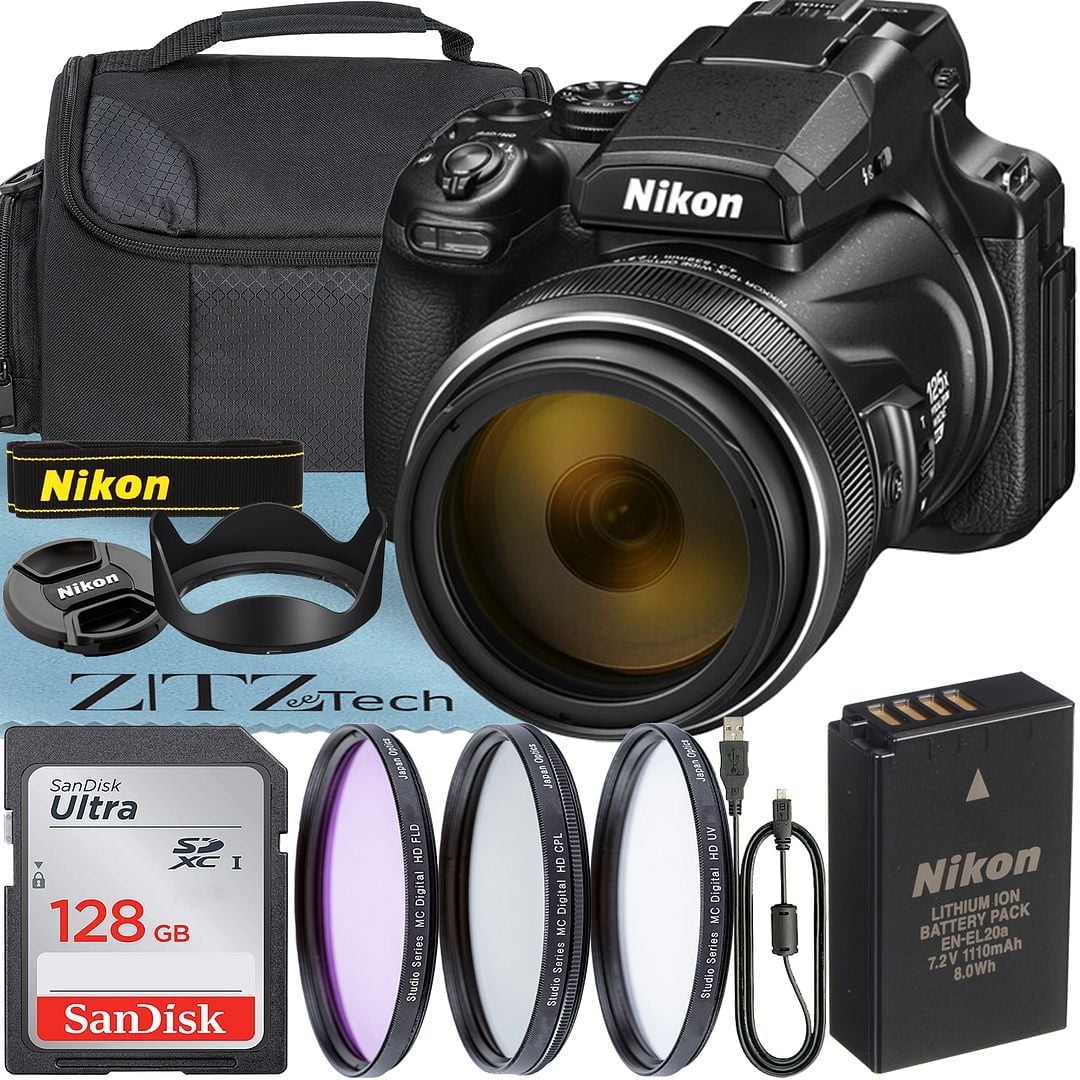
Image Quality, RAW Files, and Video
The Nikon P1100 uses a small 1/2.3-inch sensor. That sensor allows the camera and lens to remain practical in size, but it cannot gather as much light as the larger sensors used in many mirrorless and DSLR cameras.
Still image quality
In bright outdoor light, the P1100 can produce detailed images for web use, prints, travel albums, and general viewing. Detail may decline when:
- Light levels fall
- ISO rises
- Digital zoom is used
- The subject is very distant
- Atmospheric haze is strong
- The camera or subject moves
The 16-megapixel resolution is adequate for many uses, but it does not create unlimited cropping freedom. If a bird occupies only a small part of the frame, cropping heavily may reveal noise, blur, or compression artifacts.
The camera supports JPEG and Nikon NRW RAW files. JPEG files are processed inside the camera and are ready to share. RAW files retain more unprocessed image data for later editing, but they require compatible software and take more storage space.
RAW capture is useful when you need to adjust:
- Exposure
- White balance
- Highlights
- Shadows
- Color
- Noise reduction
- Sharpening
RAW cannot restore detail that was never recorded. It will not fully correct missed focus, strong motion blur, or severe atmospheric distortion.
4K UHD video
The P1100 can record 4K UHD video at up to 30 frames per second. Its long lens can create striking footage of distant wildlife, aircraft, boats, and the Moon.
Long-zoom video requires more care than still photography. A tiny movement can look large in the final clip. For smoother footage:
- Use a stable tripod with a fluid head.
- Avoid fast zoom movements.
- Start with a wider view before moving closer.
- Keep the subject near the center while learning the controls.
- Record short test clips to check focus and exposure.
- Use an external microphone when clear sound matters.
The camera includes an external microphone input, which can help when built-in microphone sound is affected by handling noise or wind. The quality of the final video still depends on light, focus, stabilization, air clarity, and camera support.
Low-light limits
The P1100 is not a specialist low-light camera. Its lens becomes slower as it zooms, and the small sensor produces more visible noise at higher ISO settings.
In a dim indoor room, a city at night, or a forest at sunset, you may need to:
- Use a tripod.
- Reduce zoom.
- Add light where appropriate.
- Accept a slower shutter speed for still subjects.
- Raise ISO while checking for noise.
- Use flash within its effective range.
A larger-sensor camera is usually a better choice if clean high-ISO images are a main priority.

Nikon P1100 Controls, Connectivity, and Accessories
The P1100 is designed to work as a complete camera rather than as a small body that depends on extra lenses. Its built-in electronic viewfinder and vari-angle monitor support different shooting positions.
The vari-angle screen can help when photographing from low or high positions. The electronic viewfinder is often more useful at long focal lengths because it blocks some surrounding light and gives the camera a third point of contact against your face.
Useful accessories
A practical P1100 kit may include:
- A fast, compatible SD memory card
- A spare rechargeable battery
- A camera bag with room for the large body
- A sturdy tripod
- A remote control or compatible release method
- An external microphone for video
- A lens hood or protective filter if compatible with Nikon’s instructions
- A cleaning cloth and blower for outdoor use
Check Nikon’s compatibility information before buying batteries, remotes, microphones, filters, or other accessories. A product that fits the thread or connector may not work correctly with every camera function.
Storage and file planning
RAW images and 4K video use more storage than standard JPEG files. For a long day outdoors, carry a spare card and battery. Do not rely on a single memory card for important travel or wildlife work.
Back up images as soon as practical. A simple plan is to keep one copy on the memory card and another copy on a computer or approved storage device. Do not format the card until the backup is verified.
Weather and outdoor use
The P1100 should not be treated as a waterproof camera unless Nikon specifically states otherwise for the exact product and accessory combination. Protect it from rain, spray, sand, and condensation.
When moving from a cold outdoor location into a warm building, keep the camera in a closed bag until it warms gradually. This reduces the risk of condensation forming inside or on the lens.
Nikon COOLPIX P1100 vs. a Mirrorless Camera
The P1100 is easier to understand when compared with the type of camera it replaces for many buyers: a mirrorless camera with a separate telephoto lens.
| Consideration | Nikon P1100 | Mirrorless camera with telephoto lens |
|---|---|---|
| Lens changes | Not required | Usually required |
| Maximum reach | Built-in 3000mm equivalent | Depends on lens and teleconverter |
| Sensor size | Small 1/2.3-inch class | Often larger |
| Low-light performance | More limited | Usually stronger |
| Portability | One large camera body | May require multiple large parts |
| Control | Manual and automatic options | Broad system control |
| Upgrade path | Limited to built-in lens | Many lens choices |
| Learning curve | Moderate | Often higher |
| Cost structure | One camera purchase | Body and lens purchases |
The P1100 is a sensible fit for the photographer who values reach, convenience, and a single integrated system. A mirrorless system is usually better for someone who needs high image quality in low light, fast subject tracking, shallow depth of field, or a path to specialized lenses.
Do not compare cameras only by zoom number. A larger number does not guarantee a sharper image. The final result depends on sensor size, lens quality, focus accuracy, shutter speed, light, atmospheric conditions, and camera support.
Nikon P1100 vs. Nikon COOLPIX P1000
The P1100 follows the P1000 and keeps the same central concept: a built-in 125x optical zoom lens reaching 24–3000mm equivalent. Buyers comparing the two should check Nikon USA’s current specifications, firmware notes, included accessories, warranty terms, and retailer pricing.
The P1100 may be preferable when its updated connectivity, control changes, or current support status matter to you. The P1000 may remain attractive if it is substantially less expensive and its feature set meets your needs.
Because prices and bundles change, compare the exact U.S. package rather than relying on an old listing. Confirm whether the listing includes the original battery, charger, strap, warranty, and any advertised remote or accessory.

Common Nikon P1100 Problems and Practical Fixes
Many apparent camera problems are caused by the demands of extreme telephoto shooting. Check the simple causes first.
The image looks soft
Possible causes include camera shake, subject movement, missed focus, haze, or digital zoom.
Try the following:
- Reduce the zoom and take a test image.
- Increase shutter speed for moving subjects.
- Use a tripod or solid support.
- Confirm the focus point is on the subject.
- Clean the front lens element.
- Compare a nearby subject with a distant subject.
- Turn off extra digital zoom and review the result.
If nearby subjects are sharp but distant subjects are consistently weak, atmospheric conditions may be the main cause.
The subject is hard to find at 3000mm
This is normal at extreme magnification. Zoom out, locate the subject, and then zoom in slowly. Keep the subject near the center while learning the camera.
A tripod with a smooth head can make tracking easier. Avoid grabbing the lens barrel or forcing the zoom mechanism.
The camera struggles in dim light
The lens transmits less light at maximum zoom, and the small sensor has limited high-ISO performance. Move closer if possible, use more light, reduce zoom, or support the camera for a slower shutter speed.
For a moving animal in low light, a tripod alone may not solve the problem because the subject continues to move.
Autofocus hunts
Low contrast, backlighting, haze, branches, and a small subject against a busy background can make autofocus difficult. Place the focus area over a clear part of the subject, improve the light, zoom out slightly, or use manual focus if the scene allows it.
Battery life seems short
Frequent zooming, 4K video, the electronic viewfinder, image stabilization, wireless connections, cold weather, and long periods with the screen active can reduce battery life.
Carry a charged spare battery for extended outdoor sessions. Use Nikon-approved charging and battery equipment.

Is the Nikon COOLPIX P1100 Worth Buying?
The Nikon COOLPIX P1100 is worth considering if your main goal is extreme optical reach from one camera. It is especially well suited to daylight wildlife viewing, birding from a fixed location, travel scenes, aircraft, boats, and Moon photography.
It is less suitable if you mainly photograph indoor events, night scenes, fast action in poor light, portraits with strong background blur, or professional wildlife work that demands high-ISO quality and rapid subject tracking.
Choose the P1100 if you want:
- A 125x optical zoom in one integrated camera
- A 24–3000mm equivalent range
- RAW still capture
- 4K UHD video
- A built-in electronic viewfinder
- A vari-angle monitor
- Bird and moon shooting modes
- No lens changes in the field
Consider another camera if you need:
- Strong low-light performance
- Very clean high-ISO images
- A compact pocketable body
- Interchangeable lenses
- A large, shallow-focus portrait look
- The fastest autofocus for demanding sports
- Professional-level weather protection
The best buying decision depends on the subject distance and light where you will use the camera. If distance is the problem and daylight is available, the P1100 offers an unusual solution. If light and image quality are the main problems, a larger sensor may be the better investment.

Frequently Asked Questions
Does the Nikon P1100 really have a 125x optical zoom?
Yes. Nikon lists the lens as a 125x optical zoom with a 35mm-equivalent range of approximately 24–3000mm. Additional digital or fine zoom settings may extend the apparent reach, but those settings are not the same as optical zoom.
Is the Nikon P1100 good for bird photography?
It can be effective for daylight bird photography, especially when birds are distant and the camera is supported. It becomes less capable in shade, at dawn, at dusk, or when fast autofocus and very clean high-ISO files are required.
Can the Nikon P1100 shoot RAW?
Yes. The camera supports Nikon NRW RAW files as well as JPEG. RAW files need compatible software and require more storage than JPEG files.
Does the Nikon P1100 have image stabilization?
Yes. Nikon lists Dual Detect Optical Vibration Reduction. Stabilization can reduce camera movement, but it cannot freeze a moving subject or remove atmospheric haze.
Is the Nikon P1100 waterproof?
Do not assume that it is waterproof or weather-sealed. Protect the camera from rain, spray, sand, and condensation unless Nikon’s official documentation for your exact setup states otherwise.
What memory card does the Nikon P1100 use?
The camera uses an SD memory card. Choose a card that meets Nikon’s speed and capacity recommendations, especially for 4K video. Format the card in the camera after backing up important files.
Does the P1100 replace a DSLR or mirrorless camera?
It can replace a lens-based system for users who mainly need extreme reach and convenience. It does not replace a larger-sensor camera for every task, particularly low-light photography, shallow-depth portraits, and demanding professional action work.
Sources and Verification Notes
This article is based on Nikon’s published U.S. product information, Nikon’s COOLPIX P1100 reference documentation, and general photographic analysis of the listed sensor, lens, and exposure characteristics. Specifications, included accessories, firmware, availability, and U.S. pricing can change.
Before purchasing, verify the current details on:
- Nikon USA COOLPIX P1100 product information
- Nikon USA support and manuals
- The exact retailer listing and warranty terms
Final Recommendation
The Nikon COOLPIX P1100 is a specialized superzoom camera, not a universal replacement for a larger-sensor system. Its value comes from the rare combination of a 125x optical zoom, 24–3000mm equivalent reach, RAW capture, 4K video, and a built-in viewfinder.
Buy it for distant subjects in good light, especially wildlife, birds, travel details, aircraft, boats, and the Moon. Choose a larger-sensor interchangeable-lens camera when low-light image quality, fast action, or lens flexibility matters more than maximum reach.

