
Introduction
The Nikon Z30 paired with the NIKKOR Z DX 12-28mm f/3.5-5.6 PZ VR is one of Nikon’s most practical compact setups for U.S. vloggers, travelers, and home creators. The camera is small, the lens covers a useful ultra-wide range, and the screen flips forward for self-recording.
This kit is built for video first. It offers 4K UHD recording, a fully articulating touchscreen, a microphone input, and electronic vibration reduction. The wide-angle zoom also helps keep your face, room, or travel scene in the frame when you hold the camera at arm’s length.
The trade-off is clear: the Z30 has no built-in electronic viewfinder, and the 12-28mm lens has a modest maximum aperture. It is a strong choice for daylight, indoor talking-head videos, travel clips, and social content. It is less suitable for sports, very dark rooms, or photographers who want a traditional eye-level shooting experience.

Nikon Z30 and 12-28mm Lens: What You Get
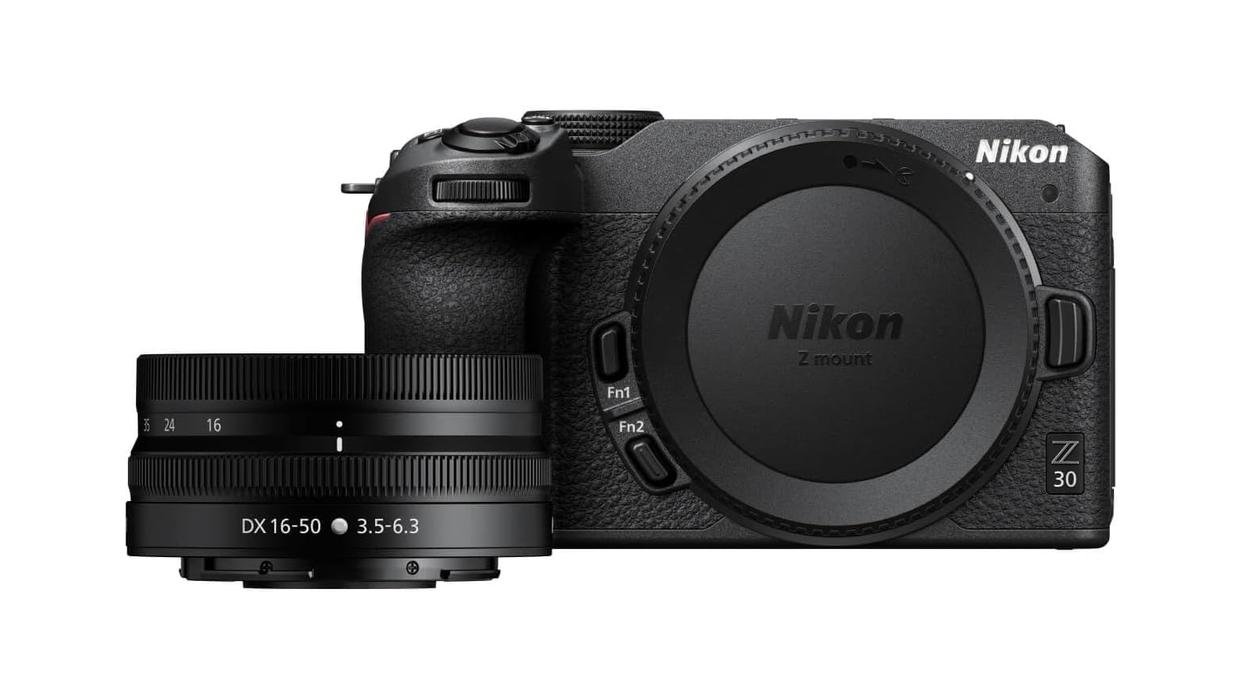
The Nikon Z30 is a DX-format mirrorless camera designed for creators. Its 20.9-megapixel sensor records still photos and video, while its compact body keeps controls simple and the rear screen easy to use from in front of the camera.
The NIKKOR Z DX 12-28mm f/3.5-5.6 PZ VR is an ultra-wide power-zoom lens. On the Z30’s DX sensor, its angle of view is similar to an 18-42mm lens on a full-frame camera. That range is useful for:
- Selfie-style video
- Small rooms and desks
- Architecture and interiors
- Travel scenes
- Group shots
- Landscape video
- Smooth zooms during recording
The lens uses power zoom rather than a standard mechanical zoom ring. You can change focal length with controls on the lens or through compatible camera controls. This can create a slower, more even zoom than turning a conventional zoom ring by hand.
Core specifications
| Feature | Nikon Z30 | NIKKOR Z DX 12-28mm |
|---|---|---|
| Camera format | Nikon DX mirrorless | DX-format lens |
| Sensor resolution | 20.9 MP | — |
| Video | Up to 4K UHD at 30p | — |
| Focal length | — | 12-28mm |
| Full-frame angle equivalent | — | About 18-42mm |
| Maximum aperture | — | f/3.5-5.6 |
| Stabilization | Electronic VR for video | Optical VR |
| Screen | Vari-angle touchscreen | — |
| Viewfinder | None | — |
| Filter size | — | 67mm |
| Lens focus | — | internal focusing |
The camera and lens are compatible with Nikon’s Z mount. Because the Z30 uses a DX sensor, Nikon’s smaller DX lenses help keep the system lighter than a full-frame setup.

Why This Is Nikon’s Compact Wide-Angle Creator Setup
The main benefit is not just a small camera body. The advantage comes from the balance between body size, lens coverage, and ease of use.
A wide lens lets you stand close to the camera while still showing more of the scene. This matters when you record at a desk, in a car, in a hotel room, or on a narrow sidewalk. At 12mm, the lens gives you much more room than Nikon’s smaller 16-50mm kit lens at its widest setting.
The 12-28mm lens is also compact for an ultra-wide zoom. It does not require a large front element or a heavy tripod collar. Its internal zoom design keeps the lens from extending and retracting as you change focal length.
The complete setup remains easy to carry. Nikon lists the Z30 body at about 405 grams with a battery and memory card. The 12-28mm lens weighs about 205 grams. The combined camera and lens weight is therefore about 610 grams before adding a microphone, cage, or extra battery.
That is light enough for many small tripods, tabletop stands, and handheld rigs. Still, “compact” does not mean pocket-sized. You will usually need a small bag rather than a coat pocket.
Compact does not mean simple in every situation
The lens is wide, but that width can change faces and objects near the edge of the frame. A face placed too close to the camera may look stretched. Keep some distance when possible, and place important subjects near the center.
The wide view also shows more background. That can help a vlog look open and energetic. It can also reveal clutter, bright windows, or unwanted people. Check the frame before recording.

Video Performance and Self-Recording Features
The Nikon Z30 records 4K UHD video at frame rates up to 30 frames per second. It also supports Full HD recording at higher frame rates for slow-motion playback.
For most U.S. creators, 4K at 24p or 30p is the most useful starting point. Use 24p for a more film-like motion style. Use 30p for general vlogging, product demonstrations, and online videos.
The Z30’s vari-angle screen flips to the side and faces forward. You can see your composition while standing or sitting in front of the camera. The touchscreen also gives you a simple way to set focus and change some camera options.
The camera includes a dedicated stereo microphone and a 3.5mm microphone input. The input is important because built-in camera microphones often capture room echo, fan noise, and handling sounds. An external microphone placed closer to your mouth can make a larger improvement than changing many image settings.
Stabilization: what it can and cannot do
The 12-28mm lens includes optical vibration reduction, often called VR. VR can reduce the effect of small hand movements. It is useful for handheld clips, slow pans, and standing presentations.
The Z30 also offers electronic vibration reduction for video. Electronic stabilization can crop the image slightly. The exact result depends on the recording mode and camera settings.
Neither system can fully remove the movement caused by walking. For smoother walking footage, use a small gimbal, a grip, or a slower movement style. A wide focal length can make movement look less severe, but it does not replace physical support.
Autofocus for people
The Z30 supports autofocus features for people and animals. Nikon’s subject-detection performance depends on light, contrast, distance, movement, and the selected focus mode.
For a talking-head video, place the camera at eye level and keep your face well lit. A window in front of you or a soft light behind the camera usually works better than a bright window behind your head.

Image Quality and Low-Light Limits
The Z30 can produce detailed images in good light. Its DX sensor is larger than the sensors used in many phones and basic webcams. That gives the camera more control over background blur, lens choice, and exposure.
The 12-28mm lens has a variable maximum aperture. It reaches f/3.5 at the wide end and f/5.6 at the telephoto end. In plain terms, less light reaches the sensor as you zoom toward 28mm.
This does not make the lens unusable indoors. It does mean that dark rooms may require a higher ISO, a slower shutter speed, or added light. Higher ISO can add visible noise. A slower shutter speed can make movement look blurry.
For indoor creator work, a small LED light may help more than buying a larger camera. Keep the light soft and place it slightly to one side of the camera. Avoid looking directly into a hard, bright lamp.
Wide-angle perspective
At 12mm, the lens shows a broad view. This is helpful for room tours and self-recording. At 28mm, the view is tighter and can work better for product details, portraits from a greater distance, or a less expansive background.
Wide-angle lenses also make near objects look larger compared with distant objects. This effect can add energy to travel video. It can make a hand, nose, or microphone look unusually large if it is too close to the lens.
The lens is not designed mainly for strong background blur. Its aperture and wide focal lengths favor context and stable framing over a heavily blurred background.

Nikon Z30 12-28mm vs. the 16-50mm Kit Lens
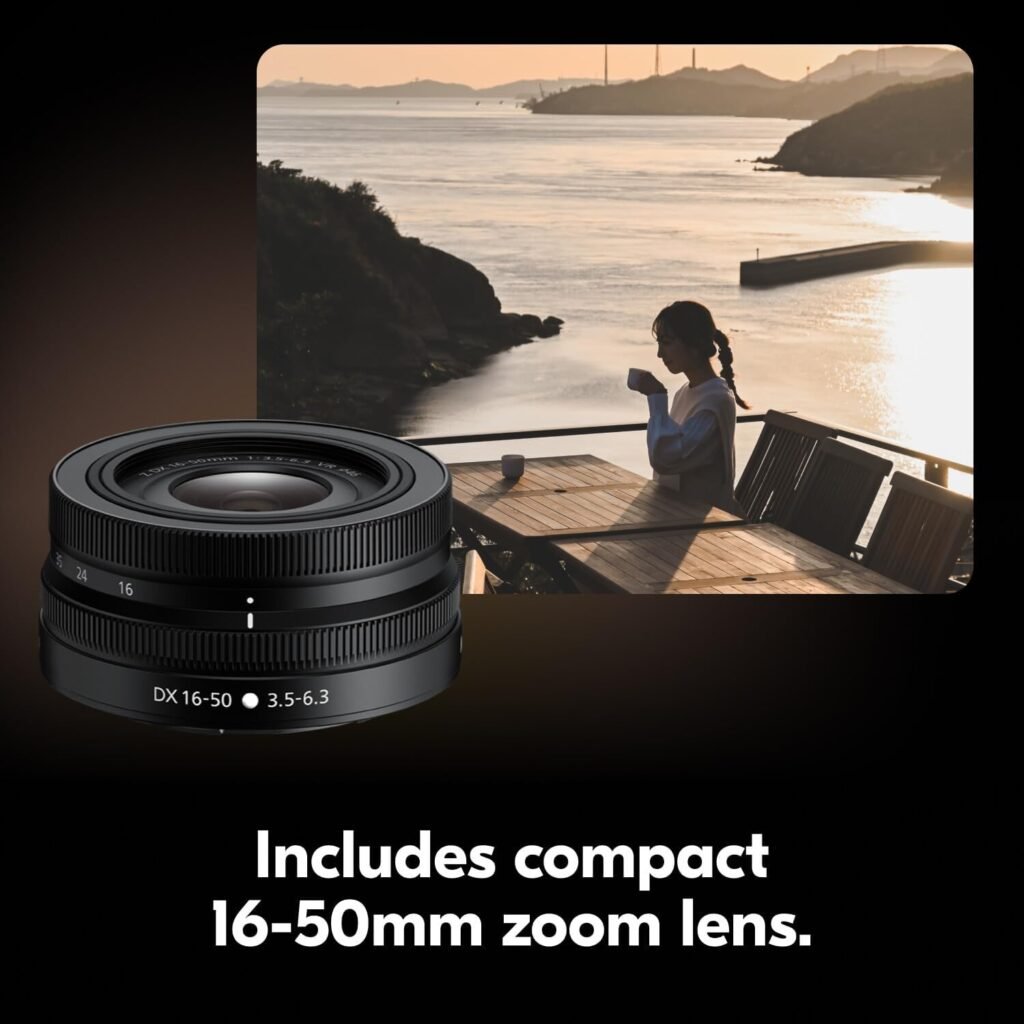
The NIKKOR Z DX 16-50mm f/3.5-6.3 VR is often the smaller general-purpose lens in Nikon’s DX lineup. The 12-28mm lens is the better fit when wide framing is the main need.
| Need | Better fit |
|---|---|
| Self-recording at arm’s length | 12-28mm |
| Small rooms and desk videos | 12-28mm |
| Landscapes and architecture | 12-28mm |
| Portraits with a tighter view | 16-50mm |
| Longer reach for distant subjects | 16-50mm |
| A compact everyday walk-around lens | 16-50mm |
| Smooth in-camera power zoom | 12-28mm |
The 16-50mm lens reaches farther, but 16mm can feel less wide when the camera is close to your face. The 12-28mm lens gives up reach in exchange for a wider starting point.
If you record yourself often, the 12-28mm range is easier to work with. If you mainly take photos of people, food, street scenes, and general travel subjects, the 16-50mm lens may be more flexible.
The two lenses can also complement each other. The 12-28mm can handle wide video and interiors. The 16-50mm can cover everyday photos and tighter compositions.

Best Settings for the Nikon Z30 With a Wide-Angle Zoom Lens
The best settings depend on light and motion, but these starting points work for many U.S. creator setups.
For 4K talking-head video
- Set the resolution to 4K UHD.
- Choose 24p or 30p.
- Use a shutter speed near twice the frame rate, such as 1/50 second for 24p or 1/60 second for 30p.
- Use autofocus with face or eye detection.
- Turn on lens VR when shooting handheld.
- Add electronic VR only when its crop and movement suit the shot.
- Set white balance to a fixed value when room lighting stays the same.
- Use an external microphone when sound quality matters.
- Keep the camera slightly farther away at 12mm if facial distortion is distracting.
A shutter speed near twice the frame rate gives motion a natural amount of blur. This is a starting point, not a rule for every scene.
For handheld travel video
Use 12mm when you need a broad view. Keep your arms close to your body and move slowly. If you walk, bend your knees slightly and avoid sudden turns.
Use 28mm for details only when you can hold the camera steady. The narrower view makes shake more noticeable.
For still photos
Use the widest focal length for interiors, buildings, and large scenes. Step back when possible instead of placing a person at the extreme edge of the frame.
For portraits, avoid putting a face very close to the lens. A longer focal length and greater camera distance usually produce more natural facial proportions.

Power, Storage, and Setup Needs
A compact camera still needs a basic support kit. Plan for a memory card, spare battery, and a way to support the camera.
The Z30 uses Nikon EN-EL25-series batteries. Battery life varies with screen brightness, autofocus, temperature, recording mode, and how often you review clips. A spare battery is useful for travel or long recording sessions.
The camera supports USB power in supported operating conditions. USB power can help during a desk recording, but it should not be treated as a replacement for every battery or power-bank setup. Check Nikon’s current manual for the supported power source and operating limits.
Use a memory card with a speed rating suitable for the selected video mode. Format the card in the camera after backing up important files. A card that works for photos may not perform well for every high-bitrate video setting.
Before recording:
- Charge the battery.
- Insert a compatible memory card.
- Set the date, time, and video format.
- Check the frame rate.
- Test the microphone.
- Confirm focus on the subject.
- Look at the screen edges for clutter.
- Record a short test clip.
- Play back both the image and sound.
- Start the full recording.
The short test clip is easy to skip and often prevents the most frustrating mistakes.

Limitations and Common Mistakes
The Nikon Z30 is not the right tool for every buyer. Its lack of an electronic viewfinder may disappoint photographers who prefer to compose with the camera against their eye. The rear screen works well for video and low-angle work, but bright outdoor light can make any screen harder to see.
The 12-28mm lens is not a fast low-light lens. If you often shoot indoor events, night scenes, or moving subjects in dim light, consider a faster prime lens or add light.
The wide end can also encourage poor framing. Do not place people at the far edge without checking their appearance. Avoid pointing the camera upward at close range unless you want strong perspective effects.
Other common mistakes include:
- Relying on electronic VR for walking shots
- Recording without checking audio
- Leaving white balance on auto under mixed lights
- Using a slow shutter speed for moving subjects
- Forgetting the lens hood in strong side light
- Shooting toward a bright window without adjusting exposure
- Assuming a wide lens will create strong background blur
- Ignoring heat, battery, and storage limits during long takes
The camera is compact, but good results still depend on light, sound, focus, and stable framing. A smaller kit reduces the burden. It does not remove the need for basic video technique.
Is the Nikon Z30 With the 12-28mm Lens Worth It?
The Nikon Z30 with the NIKKOR Z DX 12-28mm lens makes sense for creators who value a wide view, a small kit, and simple self-recording. It is especially useful for:
- YouTube and social video
- Travel vlogging
- Desk and room recordings
- Real-estate-style room views
- Family and group video
- Landscape and architecture
- Creators moving up from a phone or webcam
It is a weaker fit for buyers who need an electronic viewfinder, strong low-light performance, long telephoto reach, or advanced in-body image stabilization.
The most important buying decision is the lens. Choose the 12-28mm if your main challenge is fitting yourself or a large scene into the frame. Choose the 16-50mm if you want a more general-purpose lens with more reach.
The Nikon Z30 is compact in a useful, practical sense. It is small enough to carry and easy to position. The wide-angle zoom makes the camera more useful in tight spaces. Together, they form a balanced creator kit rather than a universal camera system.

Frequently Asked Questions
Is the Nikon Z30 good for vlogging?
Yes. The Z30 was designed with creators in mind. Its vari-angle screen, microphone input, 4K video, and compact body suit vlogging. The 12-28mm lens is particularly helpful when you record yourself at close range.
Does the Nikon Z30 have a built-in viewfinder?
No. The Nikon Z30 uses its rear vari-angle touchscreen for composition. This keeps the body smaller but may be a drawback for photographers who prefer an electronic viewfinder.
Is the 12-28mm lens good for low light?
It can work in moderate light, but its f/3.5-5.6 aperture is not considered fast. In dark conditions, use additional light, raise ISO, or choose a faster lens.
Can the Nikon Z30 record while charging?
The camera supports USB power in certain supported conditions. The exact power behavior depends on the power source, battery state, recording mode, and Nikon’s current instructions. Check the Z30 manual before relying on USB power for a long recording.
Does the 12-28mm lens work on other Nikon Z cameras?
The lens is made for Nikon Z-mount DX cameras. It can mount on compatible full-frame Nikon Z cameras, but the camera may use a DX crop mode or show substantial image-area limits. Check the specific camera’s compatibility information before buying.
Is the Nikon Z30 better than a smartphone?
It depends on the task. The Z30 offers interchangeable lenses, a larger sensor than many phones, a real microphone input, and more control over focus and exposure. A smartphone is usually easier to carry, quicker to share from, and often strong in automatic HDR and computational processing.
Conclusion
The Nikon Z30 with the NIKKOR Z DX 12-28mm f/3.5-5.6 PZ VR is a compact wide-angle camera setup for U.S. creators who need simple framing and reliable self-recording. Its strongest features are the wide 12mm view, 4K video, vari-angle screen, microphone input, and manageable weight.
Its limits are just as practical: no viewfinder, modest low-light capability, and no substitute for a gimbal when walking. Buy this combination when wide framing and portability matter more than long reach or advanced stabilization.
For a first setup, add a spare battery, a suitable memory card, a small tripod, and an external microphone. Those accessories will usually improve the finished video more than changing minor camera settings.

