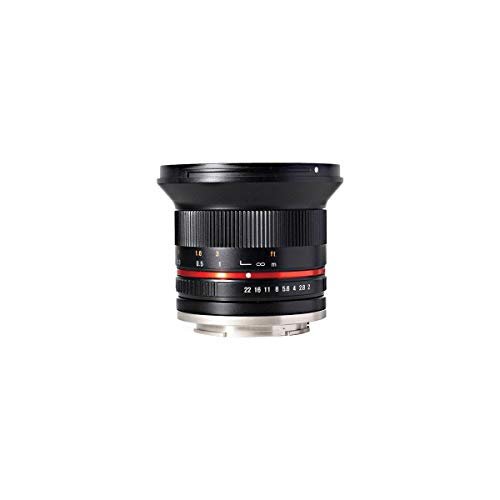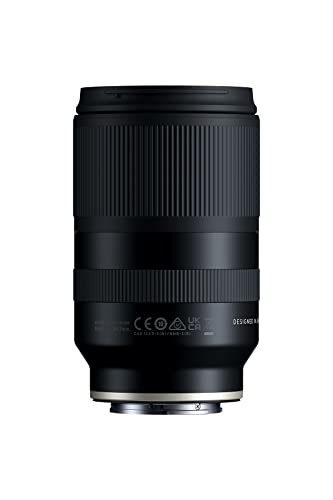
For photographers in the United States, the feature that physically adjusts a camera lens to counteract hand movement is optical image stabilization, often called OIS.
OIS uses small motors and moving lens elements to shift the optical path. This helps reduce blur caused by camera shake during handheld shots.
Different brands use different names:
- Canon: Image Stabilizer, or IS
- Nikon: Vibration Reduction, or VR
- Sony: Optical SteadyShot, or OSS
- Panasonic: Optical Image Stabilizer, or O.I.S.
- Fujifilm: Optical Image Stabilization, or OIS
A related system called in-body image stabilization, or IBIS, moves the camera sensor instead of the lens elements.
What Is Optical Image Stabilization?
Optical image stabilization is a lens-based system that detects camera movement and shifts one or more lens elements to compensate for it.
The system usually contains:
- Motion sensors that detect small camera movements.
- A control processor that measures the direction and amount of movement.
- A movable lens group that shifts to keep the image steady.
- Small motors or actuators that move the lens group very quickly.
When you hold a camera, your hands make tiny movements. At slow shutter speeds, those movements can make the image look soft. OIS works against this shake before the image reaches the camera sensor.
How OIS works
Imagine pointing a laser at a wall while your hand shakes. The dot moves across the wall. If a small mirror moves in the opposite direction, the dot can stay closer to the same spot.
Optical stabilization uses a similar idea. It shifts lens elements in response to movement. The lens does not remove every form of blur, but it can reduce blur from the photographer’s movement.
This is why the answer to “which feature physically adjusts a camera lens to counteract movement?” is optical image stabilization.
Optical Stabilization vs. Sensor-Shift Stabilization
The main difference is the part that moves.
| Stabilization type | Moving part | Common name | Main purpose |
|---|---|---|---|
| Lens-based stabilization | Lens elements | OIS, IS, VR, OSS | Reduces camera shake |
| Sensor-based stabilization | Image sensor | IBIS | Reduces camera shake |
| Electronic stabilization | Image area or video frame | EIS | Uses software and cropping |
| Tripod or support | Camera body or lens | Physical support | Prevents movement |
OIS moves lens elements. IBIS moves the sensor. Both systems can reduce blur caused by camera shake, but they do so in different ways.
Some cameras can combine lens stabilization and sensor stabilization. Manufacturers may call this system Dual IS, Coordinated IS, or another brand-specific name. The exact performance depends on the camera, lens, firmware, and shooting mode.
Does autofocus physically adjust the lens?
Yes, autofocus can move lens elements, but it does not counteract camera shake.
Autofocus changes the position of lens elements to make the subject sharp. OIS shifts a separate stabilizing lens group, or another optical component, to reduce the effect of movement.
These systems may work at the same time, but they solve different problems:
- Autofocus: makes the subject sharp.
- OIS: reduces blur from camera movement.
- Fast shutter speed: helps freeze subject movement.
- Tripod: keeps the camera physically steady.
What Kind of Movement Does OIS Correct?
OIS mainly corrects camera movement caused by the photographer’s hands.
This movement often appears as:
- Small side-to-side shaking
- Small up-and-down movement
– Slight camera rotation - Angular movement when using a long lens
Telephoto lenses make camera shake more visible. A small movement at the camera can create a much larger shift in the image when the lens magnifies a distant subject.
OIS can help when photographing:
- Landscapes in low light
- Indoor scenes
- Museums or buildings where flash is restricted
- Handheld portraits in dim light
- Wildlife with a long lens
- Travel scenes after sunset
- Video recorded while walking or standing
OIS does not fully correct movement by the subject. If a person moves during a long exposure, that person may still look blurred even when the camera remains steady.
Camera shake and subject movement are different
Consider a photo taken at a slow shutter speed:
- If the camera moves but the subject stays still, OIS may help.
- If the camera stays still but the subject moves, OIS may not help.
- If both move, you need stabilization for the camera and a faster shutter speed for the subject.
This distinction prevents a common mistake. Image stabilization does not freeze action. It mainly helps keep the camera’s view steady.
How to Tell Whether a Lens Has Optical Image Stabilization
Look for a stabilization label on the lens barrel, product box, or manufacturer’s specifications.
Common labels include:
- IS
- VR
- OSS
- OIS
- VC, used by some third-party lens makers
- OS, used by some lens makers
- SteadyShot
A lens may also have a switch labeled:
- ON/OFF
- STABILIZER
- IS
- VR
- MODE 1, MODE 2, or MODE 3
The model manual gives the most reliable answer. Names can vary by brand and lens mount, so do not assume that every lens has stabilization just because the camera body does.
Check the camera menu
Some cameras show stabilization settings in the menu. Depending on the model, you may see options for:
- Still photography
- Video
- Panning
- Tripod use
- Focal length
- Electronic stabilization
- Coordinated lens and sensor stabilization
Use the manual for the exact model. Camera menus differ, even within the same brand.
When Should You Turn OIS On or Off?
For normal handheld photography, leave OIS on when the lens or camera supports it.
Turn OIS off in situations where the camera is already locked in place, especially when using a tripod for a long exposure. Some modern cameras can detect a tripod and manage stabilization on their own, but this behavior varies by model.
Use OIS when:
- You are holding the camera by hand.
- The shutter speed is slow.
- You use a telephoto lens.
- You photograph in low light.
- You record handheld video.
- You want a steadier view through the viewfinder.
Consider turning OIS off when:
- The camera is mounted on a firm tripod.
- You are making a long exposure.
- The manual tells you to disable it for tripod work.
- The stabilization system creates visible movement in a locked-off video shot.
- You are testing whether the stabilization system is causing a problem.
Do not switch stabilization off simply because a tripod is available. Check the camera or lens manual first. Some systems are designed to remain active on a tripod, while others may benefit from being disabled.
OIS Modes for Panning and Moving Subjects
Some stabilized lenses include special modes for panning.
Panning means moving the camera sideways while following a moving subject, such as a runner, cyclist, or race car. A standard stabilization mode may try to correct the movement you want to keep.
A panning mode changes how the system responds. It may reduce correction on one axis while continuing to correct unwanted movement on another axis.
Typical settings include:
- Standard mode: General handheld shooting.
- Panning mode: Side-to-side movement with a moving subject.
- Active mode: Stronger correction for movement during video or walking.
- Sport or action mode: Designed for continuous shooting and moving subjects.
The names and functions differ among manufacturers. Read the lens manual before choosing a special mode.
OIS, IBIS, and Electronic Stabilization Compared
These three systems can all make images look steadier, but they work in different ways.
Optical image stabilization
OIS moves lens elements. It works through the lens’s optical design and can stabilize the view before the image reaches the sensor.
A benefit is that the stabilized view may also appear in the electronic viewfinder or rear screen. This can make it easier to frame a distant subject.
In-body image stabilization
IBIS moves the image sensor inside the camera. It can work with many lenses, including lenses that do not have built-in optical stabilization.
IBIS may also correct several types of movement, depending on the camera design. Some systems use information from the lens to improve correction.
Electronic image stabilization
Electronic image stabilization uses software. It may crop the image slightly and shift the crop from frame to frame to make video appear steadier.
Electronic stabilization does not physically adjust the lens. It also may reduce the field of view or image quality, depending on the camera and setting.
How Much Can OIS Help?
Manufacturers often describe stabilization using “stops.” A stop represents a doubling or halving of exposure time.
For example, if a photographer can normally hold a camera at about 1/60 second, a system rated at four stops might theoretically allow a much slower shutter speed under similar conditions. The exact result depends on technique, focal length, subject distance, camera resolution, and the test method.
A rating is not a promise that every photo will be sharp.
Hypothetical example
Suppose a photographer normally needs 1/125 second to reduce hand shake with a certain lens.
A theoretical four-stop gain could produce this sequence:
| Stop gain | Theoretical shutter speed |
|---|---|
| 0 stops | 1/125 second |
| 1 stop | 1/60 second |
| 2 stops | 1/30 second |
| 3 stops | 1/15 second |
| 4 stops | 1/8 second |
This example shows the exposure change, not a guaranteed result. The photographer may get sharp images at 1/8 second, but some frames may still show blur.
OIS works best when the subject is still. It cannot make a moving person sharp at a shutter speed that is too slow for that person’s movement.
Common Problems With Lens Stabilization
Most stabilization problems come from the wrong setting, unrealistic expectations, or a mechanical fault.
The image is still blurry
Check these causes in order:
- The subject moved. Use a faster shutter speed.
- The shutter speed is too slow. Increase the ISO or open the aperture if possible.
- OIS is switched off. Check the lens or camera menu.
- The wrong stabilization mode is selected. Use the standard mode for ordinary handheld shots.
- The photographer moved too much. Hold the camera with both hands and press the shutter gently.
- The lens or camera has a fault. Test another lens or body if available.
The view jumps or drifts
A small shift when stabilization starts or stops can be normal. A repeated jump, grinding sound, error message, or severe image shift may indicate a problem.
Remove the lens only after turning the camera off if the manufacturer recommends doing so. Do not open the lens or camera body. Stabilization units contain delicate moving parts and may require professional service.
Stabilization makes a tripod shot look worse
Turn stabilization off if the manual recommends it for tripod use. Also check for:
- A loose tripod head
- Wind or vibration
- A long lens touching the tripod
- A special panning mode
- Electronic stabilization active in video
A tripod prevents most camera movement, but it does not prevent vibration from floors, traffic, wind, or the shutter mechanism.
Best Practices for Sharper Handheld Photos
Use stabilization as one part of a larger technique.
- Hold the camera with both hands.
- Keep your elbows close to your body.
- Press the shutter without jabbing it.
- Use a faster shutter speed for moving subjects.
- Support a long lens with your left hand.
- Avoid leaning on unstable objects.
- Use burst shooting for difficult low-light scenes.
- Check the first image at high magnification.
- Use a tripod or other firm support when practical.
- Keep the lens and camera firmware current when updates address documented stabilization issues.
For video, use a shutter speed that fits the motion in the scene. Stabilization can reduce small hand movements, but it cannot replace careful camera movement or a solid support.
Frequently Asked Questions
What is the exact answer to the question?
The answer is optical image stabilization, or OIS. It physically moves lens elements to counteract camera shake.
Does image stabilization move the whole lens?
Usually, no. OIS normally moves a specific group of lens elements inside the lens. The outer lens barrel may remain still.
Is OIS the same as autofocus?
No. Autofocus moves focusing elements to make the subject sharp. OIS moves stabilizing elements to reduce camera shake.
Is IBIS better than OIS?
Neither is always better. OIS is built into the lens, while IBIS moves the sensor. Some cameras and lenses combine both systems. The result depends on the camera, lens, focal length, firmware, and shooting conditions.
Does OIS stop subject motion?
No. OIS mainly corrects movement of the camera. Use a faster shutter speed to reduce blur from a moving subject.
Should OIS stay on all the time?
For handheld photography, usually yes. On a tripod, follow the camera and lens manual because the correct setting depends on the stabilization system.
Sources and Verification
The terms and system differences in this guide align with the technical descriptions provided by major camera manufacturers, including:
- Canon: Image Stabilizer technology
- Nikon: Vibration Reduction technology
- Sony: Optical SteadyShot information
- OM SYSTEM: In-body image stabilization information
- Panasonic LUMIX: Image stabilization information
Manufacturer names, stabilization modes, and supported features vary by camera and lens model. For a specific setup, the product manual remains the controlling source.
Conclusion
The camera feature that physically adjusts a lens to counteract movement is optical image stabilization. It uses motion sensors, a control system, and moving lens elements to reduce blur from handheld camera shake.
Remember the key difference:
- OIS moves lens elements.
- IBIS moves the image sensor.
- Autofocus moves focusing elements.
- Electronic stabilization uses software.
For your next step, check the markings on your lens or camera manual for terms such as IS, VR, OSS, OIS, or VC. Then select the standard stabilization mode for handheld shooting and use a faster shutter speed when the subject is moving.