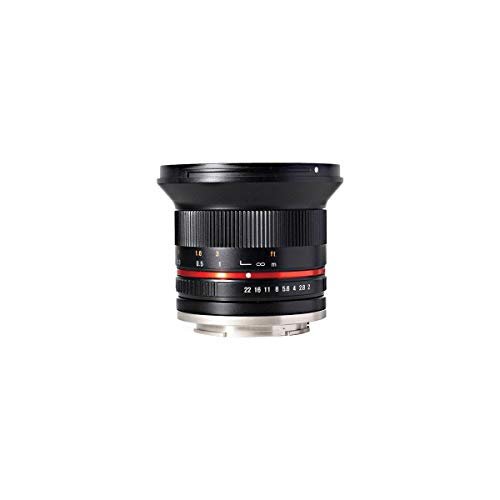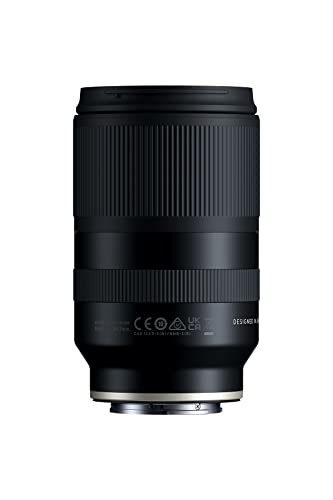
The camera feature that physically adjusts lens elements to counteract hand movement is optical image stabilization (OIS). Camera brands may use different names, including Canon IS, Nikon VR, Sony Optical SteadyShot, Panasonic O.I.S., and Sigma OS.
OIS uses motion sensors and a small motor to move part of the lens. This shift helps keep the image steady on the camera sensor. It can reduce blur from camera shake when you take photos at slow shutter speeds or record handheld video.
Quick Answer: Optical Image Stabilization Moves Lens Elements
Optical image stabilization, or OIS, physically moves one or more lens elements to offset camera movement.
The system detects small shifts caused by your hands. It then moves a floating lens group in the opposite direction. This keeps the incoming light closer to the same point on the image sensor.
OIS is different from:
- Digital image stabilization, which crops or changes the video after capture.
- Electronic stabilization, which uses software and sensor data to correct movement.
- Sensor-shift stabilization, which moves the camera sensor instead of the lens.
- A faster shutter speed, which reduces blur through exposure settings rather than physical correction.
If a question asks which camera feature physically adjusts the lens to counter movement, the best answer is optical image stabilization.
How Optical Image Stabilization Works
Optical image stabilization works through sensors, a control system, and a movable lens group.
Most OIS systems use gyroscopic sensors or similar motion sensors to detect angular movement. Angular movement means the camera tilts or rotates slightly, such as when your hands move up, down, left, or right.
The camera’s control system reads this movement many times during the exposure. Small motors then shift an internal lens element in the opposite direction.
For example, if the camera moves slightly to the right, the stabilization group may move left. This does not stop the camera body from moving. Instead, it changes the path of light so the image stays more stable on the sensor.
The main parts of an OIS system
An optical stabilization system usually includes:
- Motion sensors that detect camera movement.
- A processor that calculates the needed correction.
- Actuators or motors that move the lens group.
- A floating optical element that redirects the image.
- Control software that coordinates the system with autofocus and exposure.
This process happens quickly and continuously. You do not manually move the lens group when OIS is active.
Manufacturers describe these systems in different ways. Canon uses Image Stabilizer, Nikon uses Vibration Reduction, and Sony uses Optical SteadyShot on compatible lenses. The names differ, but the basic purpose is similar.
Optical Stabilization vs. Sensor-Shift Stabilization
Both optical stabilization and sensor-shift stabilization reduce camera shake, but they move different parts of the camera.
| Stabilization type | Part that moves | Common name | Main location |
|---|---|---|---|
| Optical stabilization | Lens elements | OIS, IS, VR, OS | Inside the lens |
| Sensor-shift stabilization | Image sensor | IBIS | Inside the camera body |
| Digital stabilization | Cropped image or video frame | Digital IS, EIS | Software |
| Gimbal stabilization | Camera or lens assembly | Mechanical gimbal | External support |
With sensor-shift stabilization, the camera moves the image sensor to compensate for movement. This is commonly called in-body image stabilization, or IBIS.
With optical image stabilization, the lens itself changes the light path. That is why OIS is the precise answer when the question specifically asks which feature adjusts a camera lens.
Some cameras combine both systems. A compatible lens may provide optical stabilization while the camera body provides sensor stabilization. The camera can coordinate both systems for added correction, depending on the model and lens combination.
Why the distinction matters
The stabilization system affects compatibility and performance.
A camera body with IBIS may stabilize many lenses, including older lenses that do not contain optical stabilization. An OIS lens can provide stabilization on a camera body that lacks IBIS.
However, not every lens, camera, or setting supports combined stabilization. Check the camera and lens manuals for the exact compatibility rules.
What OIS Can and Cannot Correct
OIS mainly corrects camera movement, not every kind of motion.
It works well when your hands cause the camera to tilt during a still-photo exposure. This is common in low light, indoor scenes, evening streets, and telephoto photography.
OIS does not reliably freeze a moving subject. If a person runs across the frame, the person may still appear blurred even when the lens is stabilized. The camera may be steady, but the subject is moving.
OIS is useful for:
- Handheld photos in dim light
- Telephoto shots
- Close-up photography
- Handheld video
- Static subjects
- Scenes where a tripod is not practical
OIS is less useful for:
- Fast-moving people or animals
- Sports action
- A camera mounted on a moving vehicle
- Large camera movement
- Deliberate panning, unless the lens has a suitable panning mode
- Very long exposures without a tripod
A simple way to remember this is:
Stabilization helps keep the camera still. A fast shutter speed helps keep the subject still.
You may need both.
How to Use Lens Stabilization Correctly
The steps below apply to many interchangeable-lens cameras, though the controls vary by brand and model.
1. Check whether the lens has stabilization
Look for labels such as:
- IS
- VR
- OSS
- OS
- O.I.S.
- VC
- SR
- Stabilizer
The exact label depends on the manufacturer. Some compact cameras and smartphones include stabilization without placing a clear label on the lens.
2. Turn stabilization on
Many lenses have a physical switch marked ON/OFF. Some cameras control stabilization through a menu.
For normal handheld shooting, turn the system on. You may see the image settle in the electronic viewfinder or on the rear screen.
3. Hold the camera firmly
Stabilization is not a replacement for good technique. Keep both hands on the camera when possible. Tuck your elbows near your body and press the shutter gently.
A stable stance gives the stabilization system less movement to correct.
4. Choose a suitable shutter speed
OIS may let you use a slower shutter speed, but the correct speed depends on the focal length, subject, camera, and movement.
For example, a static scene photographed with a wide-angle lens may remain sharp at a slower speed than a distant subject photographed with a telephoto lens.
Do not assume a stabilized lens can make every slow exposure sharp. Test your lens and review images at full size.
5. Turn stabilization off when the manual says to do so
Many modern lenses detect a tripod, but this is not universal. A tripod can create a very stable platform, and some stabilization systems may introduce small shifts when they keep searching for movement.
Follow the lens manual for tripod use. If the camera or lens manual recommends switching OIS off on a locked tripod, do that.
How Much Can Optical Image Stabilization Help?
Manufacturers often describe stabilization strength in stops. A stop represents a doubling or halving of exposure time.
For example, if a camera could normally produce a sharp image at 1/60 second, a theoretical four-stop gain might allow:
- 1/30 second: one stop
- 1/15 second: two stops
- 1/8 second: three stops
- 1/4 second: four stops
This is a simplified example, not a guarantee.
Real results vary because stabilization performance depends on:
- Focal length
- Camera resolution
- The photographer’s technique
- The direction and frequency of movement
- Subject movement
- How the manufacturer measured the result
- Whether the camera and lens work together
- Whether the photographer is panning
A published stabilization rating is best treated as a comparison under stated test conditions. It is not a promise that every photo will be sharp at the same shutter speed.
A practical example
Imagine you are photographing a still building indoors with a 50mm lens. Without stabilization, 1/60 second may be a useful starting point for handheld work. With OIS, you may be able to try 1/15 or 1/8 second, then check the result.
The building may remain sharp if you hold the camera well. A person inside the building may still blur if they move during the exposure.
OIS for Photos and Video
Optical stabilization can help both still photography and video, but the effect is different.
For photos, OIS works during the exposure. Its main goal is to reduce blur caused by camera shake.
For video, OIS can reduce small hand movements while the camera records. This may make handheld footage look smoother. It usually cannot produce the same result as a tripod, gimbal, or other physical support.
Some lenses offer separate stabilization modes. A lens may have a mode for:
- Normal handheld use
- Panning
- Strong or active movement
A panning mode may reduce correction in one direction so the camera can follow a moving subject. Use the mode recommended by the lens manual.
Electronic video stabilization may also work with OIS. Electronic systems often crop the frame to create room for software correction. This can improve smoothness but may reduce the field of view.
Common Confusion About Camera Stabilization
Several camera features sound similar, but they do different jobs.
Autofocus does not stabilize the image
Autofocus changes lens position to make the subject sharp. OIS moves a dedicated stabilization group to reduce camera shake.
Some lenses may move several internal parts for different purposes, but autofocus and stabilization are separate functions.
A faster lens is not the same as a stabilized lens
A lens with a wide maximum aperture, such as f/1.8, lets in more light. This may allow a faster shutter speed.
A stabilized lens can let you use a slower shutter speed for a still subject. The two features solve different problems.
A tripod is not a type of OIS
A tripod prevents or reduces camera movement by supporting the whole camera. OIS uses internal electronics and moving optics.
A tripod is often better for long exposures, but it cannot freeze a moving subject either.
Digital stabilization does not move the lens
Digital or electronic stabilization analyzes motion and shifts or crops the recorded image. It does not physically move lens elements.
If the question emphasizes “physically adjusts a camera lens,” digital stabilization is not the correct answer.
Troubleshooting Lens Stabilization
If stabilization seems ineffective, check the problem in a safe order.
The viewfinder or screen does not look steadier
Possible causes include:
- Stabilization is switched off.
- The lens does not include OIS.
- The camera menu disables stabilization.
- The lens and camera do not support a combined mode.
- The movement is too large for the system.
- The subject, rather than the camera, is moving.
First, confirm the lens switch and camera settings. Then test a static subject at two shutter speeds. Compare several images at full size.
Images are still blurry
OIS does not guarantee sharp images. Check whether the shutter speed is too slow for the subject. A person, pet, or vehicle may need a faster shutter even if the camera is stabilized.
Also check focus. A sharp stabilization system cannot correct missed focus, motion blur from the subject, or poor technique.
The image jumps while panning
The lens may be using a normal stabilization mode while you move the camera deliberately. If the lens has a panning setting, use it as directed by the manual.
Some cameras detect panning automatically. Do not assume every model does.
The lens makes a small sound
A faint click, hum, or movement may be normal while the stabilization group operates. The exact sound depends on the lens design.
If the lens makes a harsh grinding sound, shows an error, or fails to focus, stop using it and consult the manufacturer’s support information. Do not open the lens yourself.
Stabilization behaves oddly on a tripod
Read the lens manual. Some systems should be left on, while others should be turned off on a rigid tripod. If the camera is on a tripod but the head or platform is moving, stabilization may still be useful.
Frequently Asked Questions
What is the exact answer to “which feature physically adjusts a camera lens to counteract movement”?
The answer is optical image stabilization, or OIS. It moves internal lens elements to compensate for camera shake.
Does image stabilization move the entire lens?
Usually, no. OIS generally moves a small internal lens group rather than shifting the entire lens barrel.
Is OIS better than IBIS?
Neither is always better. OIS can be very useful with telephoto lenses because the correction happens in the lens. IBIS can stabilize many lenses from inside the camera body. Some systems combine both.
Does optical stabilization stop subject motion?
No. OIS mainly reduces blur caused by camera movement. Use a faster shutter speed to reduce blur from a moving subject.
Should image stabilization stay on all the time?
For normal handheld photography, it usually should stay on. Turn it off only when the camera or lens manual recommends doing so, such as with certain tripod setups or specific shooting conditions.
Key Takeaways
- Optical image stabilization is the feature that physically adjusts lens elements to counteract movement.
- OIS uses motion sensors, a processor, and small motors.
- It reduces blur from camera shake, especially at slower shutter speeds.
- It does not freeze a moving subject.
- Sensor-shift stabilization moves the sensor, not the lens.
- Digital stabilization uses software rather than moving optical parts.
- Stabilization works best when combined with steady handling and an appropriate shutter speed.
Conclusion
The correct feature is optical image stabilization (OIS). It detects camera movement and shifts internal lens elements in the opposite direction to keep the projected image more stable on the sensor.
When shopping for or setting up a camera, look for terms such as IS, VR, OSS, OS, O.I.S., VC, or stabilizer. If the camera uses in-body stabilization, it may move the sensor instead. For the best results, match the stabilization system to the camera, lens, subject movement, and shooting support.
Next, check your lens or camera manual for the exact stabilization name, available modes, and tripod guidance.