
Introduction
The K&F Concept Pro lens mount adapter for Canon FD lenses can let you use vintage Canon FD lenses on a newer camera, but the correct adapter depends on your camera body. In the United States, common targets include Canon EOS DSLR, Canon EOS R mirrorless, Sony E-mount, Nikon Z, Fujifilm X, and Micro Four Thirds cameras.
The key point is simple: “Compatible with Canon FD” describes the lens side, not always the camera side. Check the full model name, camera mount, and whether the adapter uses optical glass before buying. Most setups require manual focus, manual exposure control, or both.

What the K&F Concept Canon FD Adapter Does
The adapter creates a mechanical connection between a Canon FD lens and a camera with a different mount. It does not change the lens’s focal length by itself. It also does not turn an old FD lens into a modern autofocus lens.
A typical adapter may provide:
- A Canon FD mount for the lens
- A camera-specific mount for the body
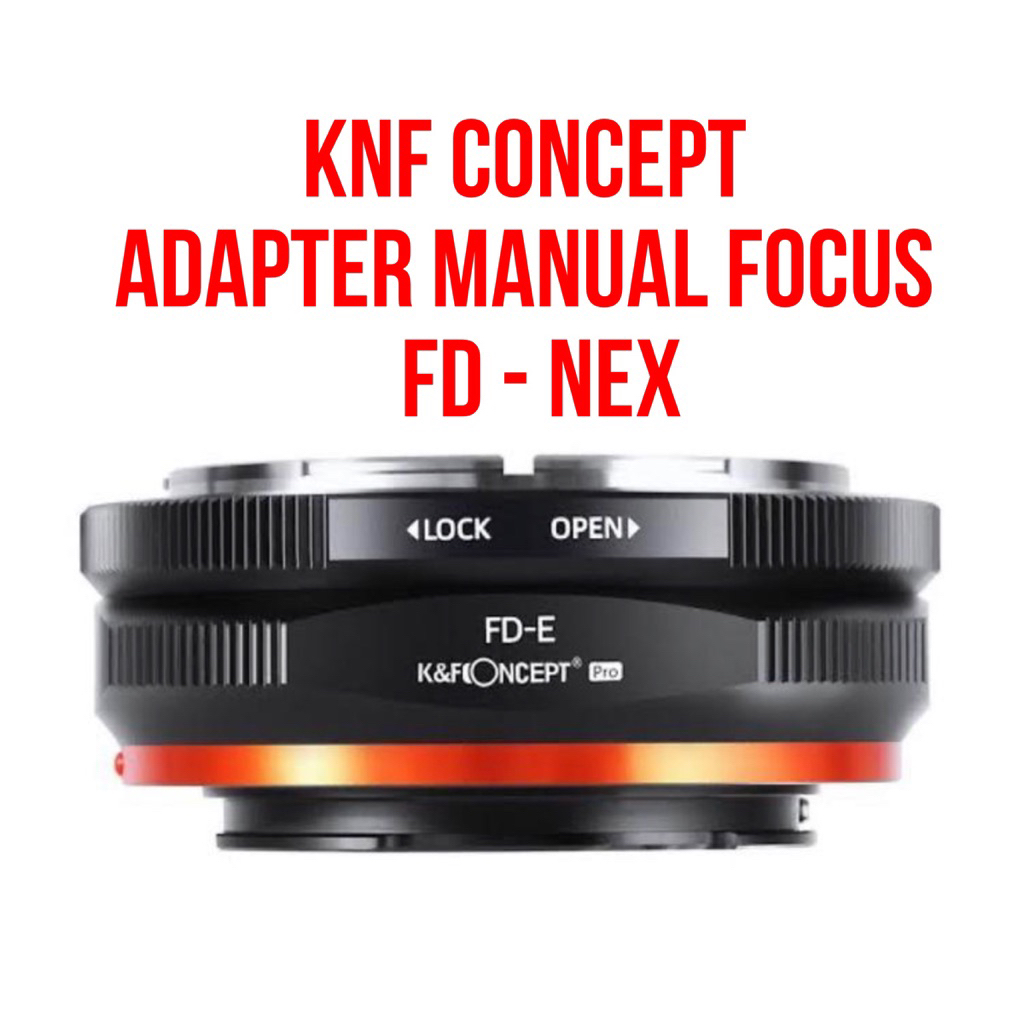
- A locking ring or release mechanism
- An aperture-control ring or internal lever
- An optical element on some DSLR versions
- A metal body, depending on the exact K&F Concept model
The adapter’s camera-side mount is the deciding feature. An FD-to-Sony E adapter is not suitable for a Canon EOS DSLR. An FD-to-Canon RF adapter is not the same as an FD-to-Canon EF adapter.
Canon FD is the lens mount
Canon FD was used on many manual-focus Canon film cameras. FD lenses use a breech-lock or bayonet-style connection, depending on the lens generation. They are not the same as Canon EF lenses.
Do not assume that:
- Canon FD equals Canon EF
- Canon FD equals Canon RF
- A Canon-branded adapter fits every Canon camera
- An adapter labeled “for Canon FD” fits an FD lens to a Canon body
The word for often identifies the lens mount, while the second mount identifies the camera.
The adapter is usually not electronic
Most K&F Concept FD adapters are passive mechanical adapters. They normally have no electronic contacts and cannot transmit lens data to the camera.
As a result, the camera usually will not receive:
- Autofocus commands
- Aperture information
- Focal-length data
- Lens identification
- Optical stabilization commands
Some cameras allow a “release shutter without lens” setting. This may need to be enabled before the camera will take a photograph.
Check Compatibility Before You Buy
The safest way to choose a K&F Concept Pro adapter is to identify both mounts in the product title or specification sheet.
| Lens mount | Camera mount | Main issue to check |
|---|---|---|
| Canon FD | Sony E | Usually a simple manual adapter |
| Canon FD | Fujifilm X | Manual focus and aperture operation |
| Canon FD | Micro Four Thirds | Manual operation and crop factor |
| Canon FD | Nikon Z | Manual operation; adapter thickness matters |
| Canon FD | Canon RF | Manual operation; verify exact RF model |
| Canon FD | Canon EF DSLR | May require optical correction for infinity focus |
| Canon FD | Canon EF-M | Check the exact adapter designation |
| Canon FD | Canon FD | Not an adaptation; this is a native connection |
Why the camera mount matters
Every interchangeable-lens camera system has a flange focal distance. This is the measured distance between the lens mounting surface and the image sensor or film plane.
An adapter must place the FD lens at the correct distance. If it places the lens too far from the sensor, the lens may lose infinity focus. If it is too short, the lens may focus past its intended range or strike internal camera parts.
Mirrorless cameras often make FD adaptation easier because their flange distance is short. Canon EF DSLR bodies have a longer flange distance than Canon FD lenses, so FD-to-EF adapters may need optical correction to preserve infinity focus.
Confirm the exact product version
K&F Concept sells adapters for many combinations. Product names can look similar even when the camera-side mount differs.
Before ordering, confirm:
- The lens side says Canon FD.
- The camera side names your exact mount.
- The description states whether infinity focus is supported.
- The adapter includes optical glass if the design requires it.
- The product photos show the same locking and aperture parts as the written description.
A listing that only says “Canon FD adapter” is incomplete for purchase decisions.

How to Install a Canon FD Lens Safely
Install the adapter on the lens first or on the camera first, depending on the manufacturer’s instructions. Many FD adapters are easier to attach to the lens before mounting the combined unit on the camera.
Step 1: Turn off the camera
Turn the camera off before attaching the adapter. This reduces the chance of accidental shutter release and protects electronic contacts on the camera body, even though the FD adapter itself may have no electronics.
Remove the camera body cap and place it in a clean area. Avoid changing lenses in blowing dust, rain, or high humidity.
Step 2: Inspect the mount
Check both sides of the adapter. Look for:
- Bent locking parts
- Loose screws
- Dirt or metal filings
- A damaged bayonet edge
- A stuck aperture lever
- Scratches on any optical element
Do not force a mount that does not align. A mount that needs heavy pressure may be misaligned or may be the wrong version.
Step 3: Attach the adapter to the FD lens
Set the FD lens and adapter in the position shown by the adapter’s alignment marks. Secure the lens using the FD locking ring or the adapter’s locking system.
The lens should seat firmly without wobbling. Some FD adapters include an aperture mechanism that must be set before the lens can operate correctly.
Step 4: Attach the lens and adapter to the camera
Align the camera-side mark with the camera mount. Turn the unit until it locks.
After mounting, gently check for excessive play. A very small amount of movement may occur with low-cost mechanical adapters, but obvious rocking can affect focus and image sharpness.
Step 5: Set the camera for a manual lens
Select a manual exposure mode such as:
- Manual
- Aperture priority, if supported
- Shutter priority only when the camera can control exposure without lens data
Turn on the camera’s “shoot without lens” setting if required. The exact name varies by brand.
Step 6: Set aperture and focus manually
Use the FD lens aperture ring to choose the f-stop. Turn the focusing ring by hand.
For more accurate focus, use:
- Focus magnification
- Focus peaking
- A large live-view display
- A tripod for still subjects
Take a test image at infinity and at a nearby subject. This quickly shows whether the adapter reaches the expected focus range.
Signs of a correct installation
The lens and adapter should:
- Lock without unusual force
- Sit squarely on the camera
- Focus smoothly
- Allow the aperture ring to move
- Produce a sharp image at the expected focus distances
- Detach with the normal release button or ring
If the lens does not lock, remove it and inspect the alignment. Never twist harder to overcome a suspected mismatch.

What to Expect When Shooting With an FD Adapter
A Canon FD lens can still produce useful images on a modern camera, but the shooting process differs from using a native autofocus lens.
Manual focus is the normal workflow
The adapter does not provide autofocus. You must rotate the FD lens’s focus ring yourself.
Modern mirrorless cameras make this easier with focus peaking and magnification. DSLR users may need to rely on live view because the optical viewfinder does not always provide a reliable manual-focus aid for adapted lenses.
Aperture control depends on the adapter design
The lens aperture may work in one of two ways:
- The adapter may hold or move the lens aperture lever.
- The lens may require a separate manual-aperture setting.
Some FD lenses have an automatic diaphragm system designed for a film camera. The adapter must interact with that mechanism correctly. If the aperture stays wide open or refuses to close, the lens and adapter may not be set correctly.
Exposure is often manual
Because the camera does not receive aperture data, the meter may not behave like it does with a native lens. Many mirrorless cameras can still meter through the lens, but the result may change as you stop the lens down.
A practical method is:
- Set the desired aperture.
- Choose a shutter speed.
- Adjust ISO or shutter speed while watching the meter.
- Review the histogram.
- Correct exposure when highlights clip.
The live histogram is often more useful than relying only on the camera’s meter.
Focal length does not change, but the field of view can
The adapter does not alter the lens’s stated focal length. A 50mm FD lens remains a 50mm lens.
However, a smaller sensor shows a narrower field of view. The approximate full-frame equivalent can be estimated by multiplying the lens focal length by the camera’s crop factor.
Hypothetical example:
- 50mm FD lens on a 1.5× crop-sensor camera
- 50 × 1.5 = approximately 75mm full-frame field of view
This is an angle-of-view comparison, not a change in the lens’s true focal length.

Optical Adapter Versus Non-Optical Adapter
The most important technical difference is whether the K&F Concept adapter contains glass.
Non-optical adapters
A non-optical adapter is a mechanical spacer. It usually preserves the lens’s intended optical behavior when the camera mount has a suitable flange distance.
Potential advantages include:
- No added glass
- No extra optical surface
- Lower risk of added flare
- Simple construction
- Often lower cost
The main requirement is correct adapter thickness. An inaccurate adapter may prevent infinity focus or cause focus errors across the range.
Optical adapters
An optical adapter contains a corrective lens group. This may be necessary when the target camera’s flange distance is longer than the FD system’s distance, such as some FD-to-Canon EF DSLR applications.
Potential trade-offs include:
- Additional glass between the lens and sensor
- Possible reduction in contrast
- Possible flare or ghosting
- Changes in effective image quality
- More surfaces that require careful cleaning
An optical adapter is not automatically worse or better. It solves a physical compatibility problem, but the added optics create another variable.
Why infinity focus matters
Infinity focus is useful for distant subjects such as landscapes, buildings, and stars. If an adapter cannot reach infinity focus, it may still work for close subjects, but it is not functioning as a full-range adapter.
Test infinity focus with a distant subject before an important shoot. Use a wide aperture and magnified live view. Distant detail should become sharp near the infinity mark, although lens markings are not always exact.
Common Problems and Troubleshooting
Most problems come from the wrong mount, an incorrect installation, or a misunderstanding about manual operation.
| Symptom | Likely cause | What to check |
|---|---|---|
| Lens will not attach | Wrong camera-side mount or poor alignment | Confirm the full adapter name |
| Camera says “no lens” | Passive adapter has no contacts | Enable manual-lens shooting |
| Autofocus does not work | Adapter is mechanical | Focus by hand |
| Aperture remains wide open | FD lever is not engaged | Check adapter instructions and lens settings |
| Infinity focus is missing | Wrong adapter thickness or optical design | Verify the stated focus range |
| Image is soft at all distances | Tilt, loose mount, or misaligned adapter | Check for play and test another lens |
| Lens is hard to remove | Locking ring is under tension | Stop forcing it; use the normal release |
| Exposure looks inconsistent | Camera lacks lens data | Use manual exposure and review the histogram |
| Corners look dark | Lens or adapter is not designed for the sensor | Test at different apertures and distances |
| Flare appears in backlight | Added optical element or bright light source | Use a hood and change the angle |
If the camera refuses to take a picture
Look for a camera setting such as “release shutter without lens.” Some cameras hide this setting in the custom controls menu.
If the setting is already enabled, remove and remount the adapter. A passive adapter cannot create electronic communication, so cleaning electronic contacts will not solve a genuinely mechanical-only design.
If the aperture does not change
First remove the lens from the camera and inspect the adapter. Move the aperture-control ring, if present, and watch whether the lens diaphragm changes.
Do not press small levers with a sharp tool. A damaged FD aperture mechanism can be costly or difficult to repair. If the lens works normally on its original Canon FD camera but not with the adapter, the adapter may not engage the diaphragm correctly.
If the lens is stuck
Do not use pliers or excessive force. Keep the camera supported and operate the release button or adapter locking ring as designed.
If the mount remains stuck, stop using the camera until the cause is clear. A forced removal can damage the camera mount, lens, or adapter.

How to Decide if This Adapter Fits Your Use
The K&F Concept Pro FD adapter is most suitable for photographers who want to use manual Canon FD lenses on a compatible modern body.
It may be a good fit when you:
- Already own Canon FD lenses
- Enjoy manual-focus photography
- Use a mirrorless camera
- Accept manual exposure or aperture control
- Want to keep using a vintage lens collection
It may not be the right tool when you need:
- Fast autofocus
- Automatic lens metadata
- Electronic aperture control
- Optical stabilization communication
- Reliable professional operation without testing
- Automatic correction for every lens defect
Use this decision checklist
Choose the adapter only after answering these questions:
- What is the exact camera mount?
- Is the camera mirrorless or DSLR?
- Does the adapter require optical glass?
- Does it support infinity focus?
- How will the lens aperture be controlled?
- Does the camera support shooting without electronic lens contacts?
- Is the adapter intended for standard FD lenses, breech-lock FD lenses, or both?
- Do you need a tripod, focus peaking, or an external light meter?
The best adapter is not the one with the broadest title. It is the one that matches the lens mount, camera mount, focus requirement, and shooting method.

Care and Safe Handling
Keep the adapter and FD lens clean, dry, and free of grit. Dust on the adapter’s optical element can reduce contrast, while grit in the mount can cause wear.
Use these habits:
- Replace front and rear caps when the lens is not in use.
- Store the lens in a dry, moderate environment.
- Avoid mounting gear over sand or blowing dust.
- Use a blower before a lens cloth.
- Do not use household glass cleaner.
- Do not lubricate the camera mount unless a qualified repair technician recommends it.
- Check the adapter screws and locking ring from time to time.
Vintage FD lenses may have aged lubricants, haze, fungus, or stiff aperture blades. An adapter cannot correct those conditions. If the lens diaphragm is oily or slow to close, have the lens assessed before relying on it for important work.
Key Takeaways
- The K&F Concept Pro adapter connects a Canon FD lens to a different camera mount.
- “Compatible with Canon FD” does not identify the camera body by itself.
- Confirm the exact camera-side mount before purchase.
- Most adapters are mechanical and do not provide autofocus or lens data.
- Mirrorless cameras are often easier to use with FD lenses.
- FD-to-Canon EF DSLR adapters may require optical correction for infinity focus.
- Manual focus, aperture control, and exposure are normal.
- Do not force a lens or adapter that does not align or release normally.
Frequently Asked Questions
Does the K&F Concept Canon FD adapter provide autofocus?
Usually, no. Most Canon FD adapters from K&F Concept are passive mechanical adapters. They allow the lens to mount, but they do not add an autofocus motor or electronic communication.
Can I use a Canon FD lens on a Canon EOS camera?
It depends on the EOS mount. A Canon EOS R camera uses the RF mount, while many older EOS DSLR cameras use the EF mount. You need an adapter specifically made for Canon FD to RF or Canon FD to EF. These are different products.
Will a Canon FD adapter preserve infinity focus?
A correctly designed adapter should preserve infinity focus for its intended camera mount. Some FD-to-DSLR adapters need optical correction because of flange-distance differences. Check the product specifications rather than assuming all FD adapters have the same focus range.
Can I control the aperture with an adapted FD lens?
Often, yes, but the method depends on the adapter and lens. Some adapters include an aperture-control ring or engage the lens’s diaphragm lever. Test the lens before shooting and confirm that the aperture changes as expected.
Why does my camera display “no lens attached”?
A passive adapter normally has no electronic contacts. The camera may not detect the lens, even though the lens is mounted correctly. Enable the camera’s setting for releasing the shutter without a lens, then use manual focus and exposure controls.
Is an FD adapter safe for every Canon FD lens?
Not automatically. Check the adapter’s compatibility notes for the exact FD lens type. If the lens does not seat correctly, the aperture does not work, or the mount feels tight, stop and inspect the combination rather than forcing it.
Final Recommendation
The K&F Concept Pro lens mount adapter can be a practical way to use Canon FD lenses on a modern camera, especially a mirrorless body. The purchase decision should begin with the camera mount, not the brand name or the phrase “for Canon FD.”
For the best result, verify the exact adapter version, confirm whether it contains optical glass, test infinity focus, and expect manual operation. If the lens mounts firmly, the aperture responds, and the camera can shoot without electronic lens data, the setup is ready for careful testing.

