
Introduction
The Nikon Z 8 is a high-resolution full-frame mirrorless camera for photographers and video creators in the United States who need one body for both serious stills and professional video. It uses the same 45.7-megapixel sensor class and EXPEED 7 processor found in Nikon’s Z 9, but in a smaller body with a lower weight.
For U.S. wedding photographers, commercial shooters, sports photographers, filmmakers, and hybrid creators, the Nikon Z 8 offers high detail, fast autofocus, 8K video, 4K slow motion, and a wide Nikon Z lens system. Its main limits are also clear: it has no built-in vertical grip, uses electronic shutter capture only, and produces large files that need fast cards and strong storage.

Nikon Z 8 at a Glance
The Nikon Z 8 is a full-frame mirrorless camera built around a 45.7MP stacked CMOS sensor. A stacked sensor uses faster readout circuits to reduce rolling-shutter effects and support fast bursts, silent shooting, and high-resolution video.
| Feature | Nikon Z 8 specification |
|---|---|
| Camera type | Full-frame mirrorless |
| Sensor | 45.7MP stacked CMOS |
| Processor | EXPEED 7 |
| Lens mount | Nikon Z mount |
| Still image format | FX and DX formats |
| Maximum still resolution | 8256 × 5504 pixels |
| Burst speed | Up to 20 fps in RAW |
| JPEG burst speed | Up to 30 fps |
| High-speed capture | Up to 120 fps at 11MP |
| Video | 8K up to 60p; 4K up to 120p |
| Internal video formats | N-RAW and ProRes RAW options, depending on settings |
| Viewfinder | 3.69-million-dot electronic viewfinder |
| Rear screen | 3.2-inch, 2.1-million-dot tilting touchscreen |
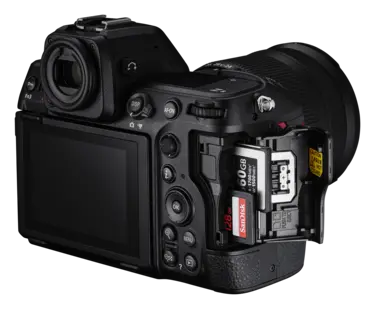
| Storage | One CFexpress Type B/XQD slot and one UHS-II SD slot |
| Battery | EN-EL15c |
| Weight | About 910 g with battery and memory card |
| Wireless features | Wi-Fi and Bluetooth |
| Shutter | Electronic shutter only |
These figures come from Nikon’s U.S. product information and operating documentation. Maximum recording rates can change with file type, image size, shutter speed, card speed, temperature, and other camera settings.
The central idea is simple: the Nikon Z 8 is a high-resolution hybrid camera. It is not a small travel body with basic video tools. It is designed for demanding work where image quality, speed, and flexible recording options matter.

Image Quality for Professional Stills
The Nikon Z 8 produces detailed 45.7MP still images that suit commercial work, portraits, landscapes, weddings, editorial assignments, and large prints. The high pixel count also gives photographers room to crop while keeping useful detail.
At its full FX resolution, the camera records images at 8256 × 5504 pixels. It can also use the DX crop mode, which gives a narrower field of view and smaller files. DX mode can help when a photographer needs extra reach, but it does not create the same detail as a native high-resolution FX image.
RAW and JPEG options
The Z 8 supports Nikon NEF RAW files as well as JPEG and HEIF options. RAW files preserve more information for exposure, color, and highlight adjustments. They also require more storage and a suitable editing program.
The camera can record 14-bit RAW files for high-quality still work. Nikon also offers compressed and lossless compressed choices. Lossless compressed RAW usually provides a strong balance between image quality and file size, while uncompressed files use more space.
Electronic shutter behavior
The Nikon Z 8 does not use a mechanical shutter. It relies on an electronic shutter for still images and video. This design helps reduce mechanical wear and allows quiet shooting, but it requires care under some lighting and motion conditions.
Electronic shutter readout is fast, but it is not instant. Fast movement can still show rolling-shutter distortion. A propeller, golf club, or rapidly moving subject may look bent if the sensor scans the frame while the subject moves.
For quiet ceremonies, theater work, wildlife, and some commercial sets, silent electronic shooting is useful. Under flickering LED lights, fluorescent lights, or some studio systems, photographers should test shutter speed and lighting before an important job.
Dynamic range and ISO
The Z 8 offers a low native ISO setting of ISO 64 for still photography. A low ISO can help preserve highlight detail and support wider apertures in bright light. Its standard still-image ISO range extends to ISO 25,600, with expanded settings available.
The best ISO depends on the scene. A clean image at a higher ISO is often more useful than a blurred image made with a lower ISO. A fast lens, stable support, or added light may improve results more than a small ISO change.

Autofocus and Subject Detection
The Nikon Z 8 uses Nikon’s hybrid autofocus system with subject detection powered by the EXPEED 7 processor. It can detect people, animals, vehicles, and other subjects through selected autofocus modes.
Subject detection does not replace good autofocus setup. The photographer still needs to choose the right area mode and confirm that the camera has selected the intended subject. In a crowded wedding scene, for example, a small single-point or dynamic-area mode may offer more control than a wide auto-area mode.
Useful autofocus choices include:
- Wide-area AF: Useful when the subject stays within a chosen part of the frame.
- 3D-tracking AF: Useful for moving subjects that change position.
- Auto-area AF with subject detection: Useful when the camera can identify the subject clearly.
- Pinpoint or single-point AF: Useful for still subjects and precise focus.
- Eye detection: Useful for portraits, weddings, and people in motion.
The Z 8 can detect human eyes and faces, but detection can weaken when a subject turns away, becomes very small, moves behind an object, or appears in poor light. Photographers should know how to switch to a smaller focus area when automatic selection fails.
For sports, the camera’s fast readout, high burst rates, and tracking tools are valuable. However, focus performance depends on lens motors, subject contrast, light, distance, and the selected settings. A fast camera cannot remove every focus problem.

Nikon Z 8 Video Features
The Nikon Z 8 is one of Nikon’s strongest video-focused mirrorless bodies. It can record 8K video internally and supports advanced formats for editors who need more control over color and exposure.
8K recording
The camera can record 8K UHD video at frame rates up to 60p, depending on the selected format and firmware. 8K provides a large frame for reframing, cropping, or creating 4K output.
For example, a filmmaker may record a wide interview in 8K and create a tighter 4K version later. This approach can reduce the need for a second camera angle, but it creates larger files and increases storage, backup, and computer demands.
4K and slow motion
The Z 8 supports 4K recording at high frame rates, including up to 120p in supported modes. When played at 30p, 120p footage can create a 4× slow-motion effect. When played at 24p, the slow-motion effect is 5×.
High-frame-rate video can be useful for:
- Sports and action scenes
- Water and splash effects
- Dance
- Wedding details
- Product demonstrations
- Wildlife movement
Slow motion reduces the amount of light available to each frame because the shutter speed must usually be faster. In dark venues, the creator may need brighter lights, a faster lens, or a higher ISO.
N-RAW, ProRes RAW, and N-Log
Nikon includes professional video tools such as N-Log and RAW video options. N-Log records a flat image designed for later color grading. It can preserve more usable highlight and shadow information than a finished-looking picture profile, but it requires careful exposure and post-production.
The Z 8 can record 12-bit N-RAW internally in supported modes. It also supports ProRes RAW workflows with compatible settings and recorders. The exact options depend on firmware, resolution, frame rate, crop mode, and recording destination.
RAW video is not automatically better for every project. It creates larger files and takes more time to edit. For a fast-turnaround event, a well-set 10-bit format may be more practical. For a commercial production with a color workflow, RAW can provide greater flexibility.
Heat and recording time
Long 8K or high-frame-rate recordings can create heat. The camera may stop recording if its temperature becomes too high. Room temperature, card speed, screen position, image quality, frame rate, and recording time all affect heat behavior.
Before a paid shoot, test the exact resolution, frame rate, card, lens, power method, and room temperature you plan to use. A short home test is not proof of unlimited recording time in a hot outdoor location.
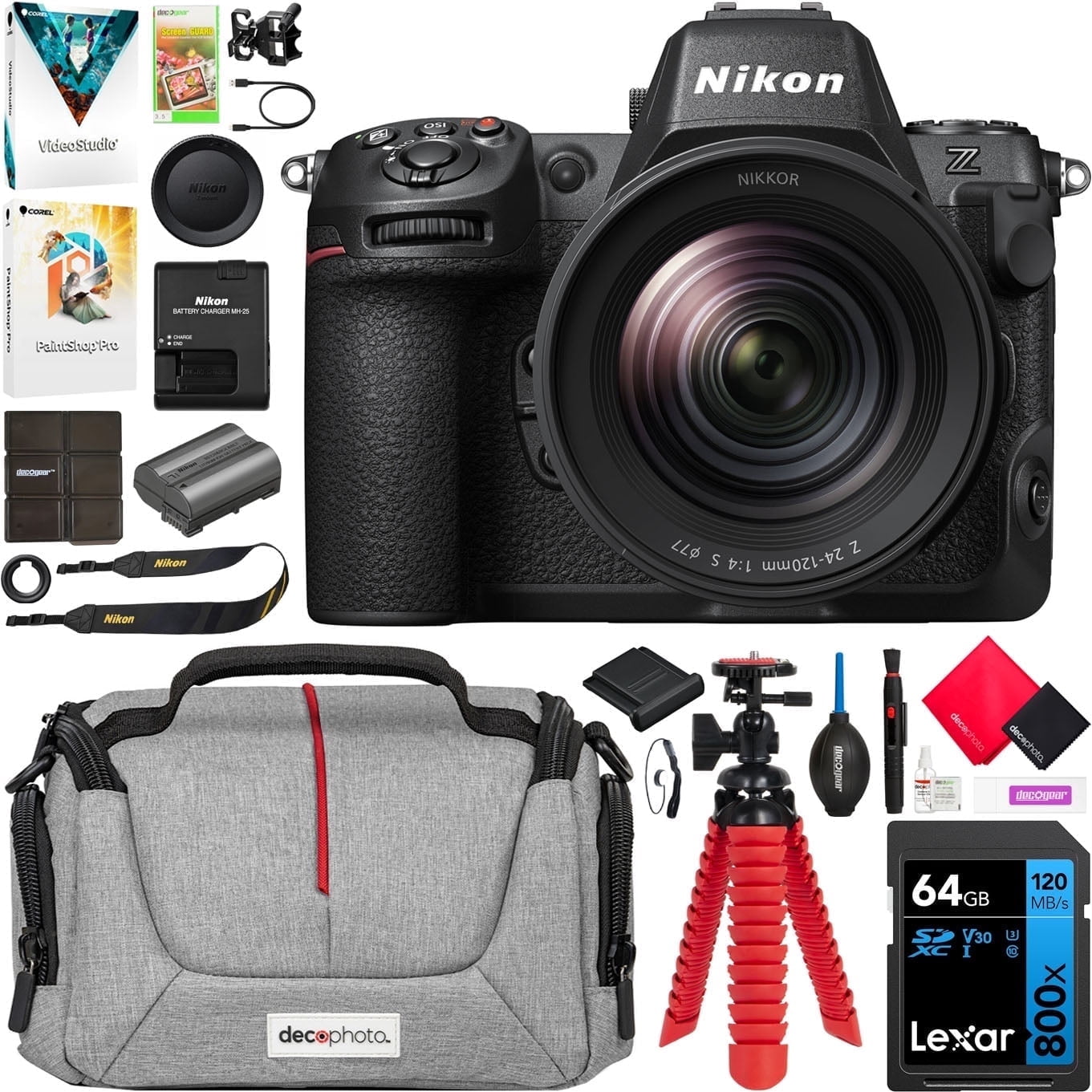
Body Design, Controls, and Storage
The Z 8 provides a professional control layout in a body that is smaller than Nikon’s flagship Z 9. It includes dedicated controls for key exposure settings and a multi-axis tilting rear screen.
The 3.2-inch touchscreen tilts for low and high camera positions. It is useful for video framing, landscape work, and shooting from a tripod. It does not offer the same side-hinged movement as a fully articulated screen, so the screen position may be less convenient for some front-facing video work.
The electronic viewfinder has about 3.69 million dots. It shows exposure, focus, and color information without the mirror blackout found in many DSLR designs. The experience depends on display settings, lighting, and the photographer’s preference.
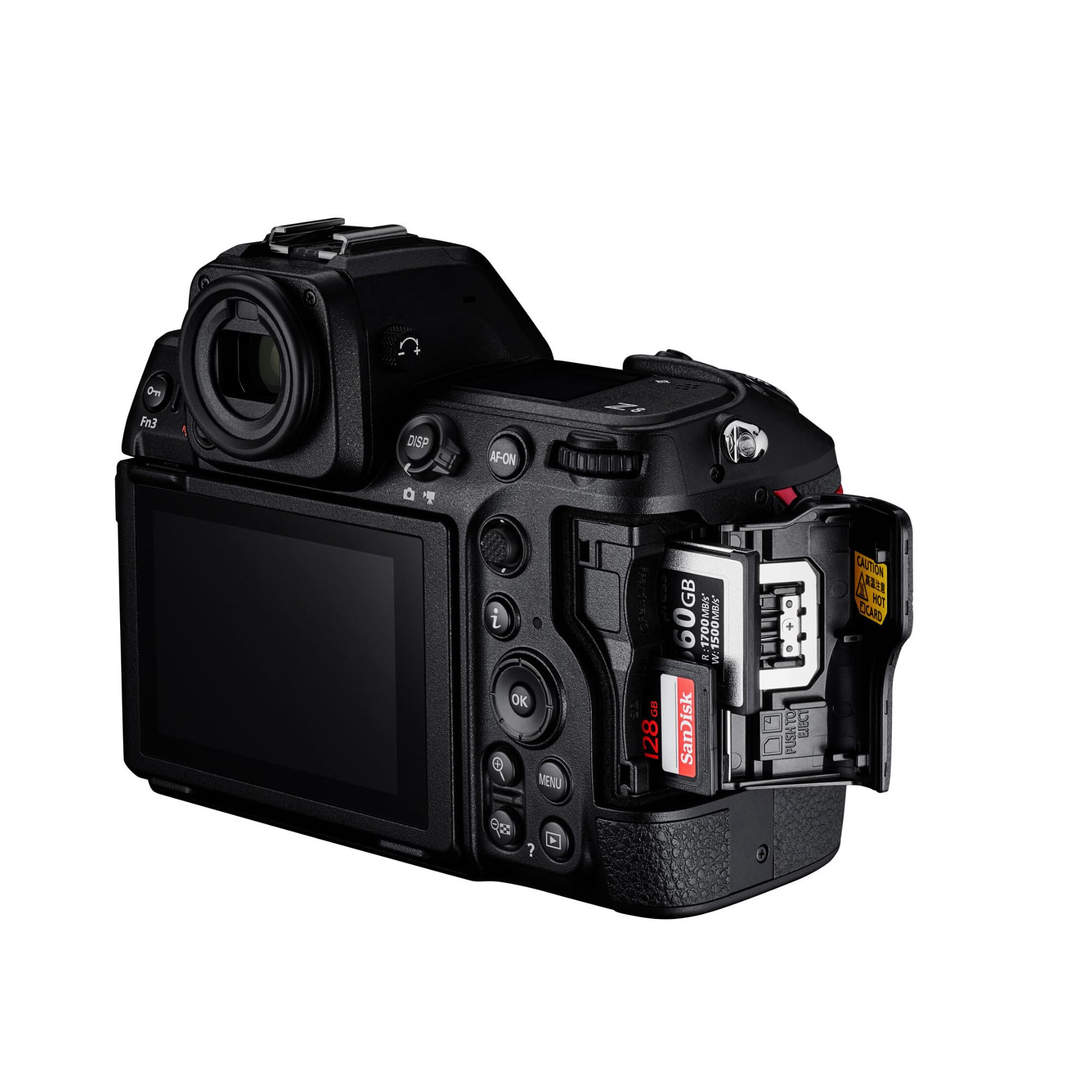
Dual card slots
The camera has:
- One CFexpress Type B/XQD-compatible slot
- One UHS-II SD card slot
The two slots can support different recording plans, such as backup recording, overflow recording, RAW plus JPEG separation, or stills and video separation. The slower SD card slot may limit some high-bitrate video or burst settings.
Use cards that meet Nikon’s speed and capacity guidance for the selected recording mode. A card that works for ordinary JPEGs may not support high-bitrate 8K video.
Power and connections
The Z 8 uses the EN-EL15c battery family and supports USB power options. USB power can help during long video sessions, but the cable, power source, battery state, and camera setting all matter.
The camera also includes professional connections for video and data use, such as HDMI and USB-C. Accessories may include an external monitor, recorder, microphone, headphones, cage, tripod plate, spare batteries, and fast card readers.
Nikon Z 8 Compared With the Nikon Z 9
The Nikon Z 8 and Z 9 share a high-resolution sensor class and EXPEED 7 processing, but they serve different working styles.
| Priority | Better fit |
|---|---|
| Smaller body for travel and handheld work | Nikon Z 8 |
| Built-in vertical grip | Nikon Z 9 |
| Larger battery and extended professional handling | Nikon Z 9 |
| Lower carry weight | Nikon Z 8 |
| Similar high-resolution still output | Both |
| Advanced 8K and 4K video | Both, with setting-specific differences |
| Long events with fewer battery changes | Nikon Z 9 |
| Use with a separate vertical grip or compact kit | Nikon Z 8 |
The Z 9 is the better fit for photographers who need a built-in grip, a larger battery, and a body made for long professional assignments. The Z 8 is often more practical when size, weight, and cost matter.
The Z 8 is not simply a smaller Z 9 in every operational detail. Battery capacity, body shape, heat behavior, card layout, and handling differ. Buyers should compare the exact recording modes they need rather than relying only on shared headline specifications.
Nikon Z 8 Compared With the Nikon Z6 III
The Nikon Z6 III is a lower-resolution full-frame hybrid camera with a 24.5MP partially stacked sensor. It can be a better fit for creators who value lower file sizes, strong low-light work, and faster workflow over maximum resolution.
Choose the Z 8 when you need:
- 45.7MP files
- More cropping room
- 8K capture
- High-resolution commercial stills
- A single body for detailed stills and advanced video
Consider the Z6 III when you need:
- Smaller still files
- A lower storage burden
- A camera centered on 4K production
- Strong performance in dim scenes
- A lower-resolution workflow that is easier to edit and archive
Neither camera is best for every user. A wedding photographer who delivers mostly online images may not need 45.7MP files. A commercial photographer who crops product images or makes large prints may benefit greatly from the Z 8’s resolution.
Best Lenses and Accessories for the Nikon Z 8
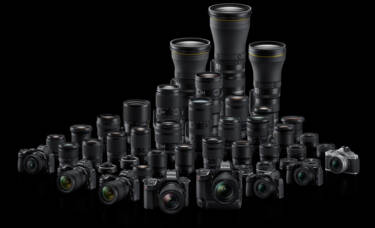
The best lens depends on the work. The Nikon Z mount includes full-frame S-Line lenses, compact lenses, telephoto lenses, and third-party options.
Useful lens categories include:
- 24-70mm f/2.8: A flexible choice for events, portraits, and commercial work.
- 14-24mm or 14-30mm wide zoom: Useful for architecture, interiors, landscapes, and video.
- 70-200mm f/2.8: Useful for sports, weddings, stage work, and portraits.
- 50mm or 85mm prime: Useful for portraits, low light, and shallow depth of field.
- 100-400mm or longer telephoto: Useful for wildlife and outdoor sports.
- Macro lens: Useful for products, food, and close detail.
The Z 8’s resolution can reveal lens flaws, focus errors, motion blur, and poor technique. A sharp lens helps, but a tripod, stable handling, correct shutter speed, and accurate focus remain essential.
For video, consider a microphone, headphones, spare batteries, fast media, a variable ND filter, and a stable support system. An external monitor may help with focus and exposure. A cage can add mounting points, but it also increases weight.
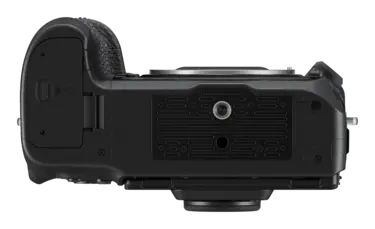
Common Nikon Z 8 Problems and Practical Fixes
The camera overheats during video
Check the room temperature, recording format, frame rate, card, and recording time. Lowering resolution or frame rate may reduce heat. Keep the screen positioned as recommended in Nikon’s guidance and avoid blocking vents or placing the camera in direct sun.
If the camera stops from heat, let it cool before restarting. Do not place a hot camera in a freezer or expose it to sudden moisture.
Autofocus chooses the wrong subject
Use a smaller autofocus area, move the focus box, or switch to a subject-specific detection setting. In crowded scenes, auto-area AF may select a nearer face instead of the intended person.
Video files are too large
Use a lower resolution when 8K is not needed. Choose a suitable 10-bit format instead of RAW when the project does not require RAW grading. Plan storage before recording, including at least one verified backup.
Flicker appears under indoor lights
Test shutter speed with the actual lights in the location. Enable suitable flicker reduction options where supported, or adjust the shutter speed to match the lighting frequency. LED fixtures can behave differently from one another.
Images show motion distortion
Use a faster shutter speed, change the subject’s movement, or use lighting and settings that reduce rolling-shutter effects. The electronic shutter is quiet and fast, but it does not make all motion distortion impossible.
Who Should Buy the Nikon Z 8?
The Nikon Z 8 is a strong fit for U.S. professionals and advanced creators who need high-resolution stills and serious video in one body. It works especially well for commercial photographers, wedding teams, portrait photographers, landscape shooters, filmmakers, and creators who crop or deliver high-resolution content.
It may not be the best choice for someone who wants a very simple camera, very small files, or a built-in vertical grip. Beginners may also find its menu system and video options more complex than needed.
The best buying decision depends on the complete system cost. Include lenses, memory cards, batteries, storage, editing hardware, and backup equipment. A camera body is only one part of a professional workflow.
Frequently Asked Questions
Is the Nikon Z 8 a professional camera?
Yes. Its high-resolution sensor, EXPEED 7 processor, advanced autofocus, dual card slots, professional video formats, and broad control options support professional work. “Professional” does not mean every user needs it; the camera may be more capable than necessary for basic photography.
Does the Nikon Z 8 have a mechanical shutter?
No. The Nikon Z 8 uses an electronic shutter. This supports quiet operation and reduces mechanical shutter wear, but photographers should test it under artificial lights and with fast motion.
Can the Nikon Z 8 record 8K video?
Yes. It can record 8K video internally in supported formats and frame rates, including options up to 60p under the right settings. Check Nikon’s current firmware notes and manual for the exact mode required.
Is the Nikon Z 8 good for low-light photography?
It can perform well in low light, but results depend on lens aperture, shutter speed, ISO, subject movement, and exposure. A fast lens and stable technique may matter more than the camera body alone.
What memory card should be used?
Use a fast CFexpress Type B card for demanding RAW, high-bitrate, and high-frame-rate recording. A suitable UHS-II SD card can handle many still and video modes, but not every maximum setting. Confirm the card’s speed rating against Nikon’s approved or recommended media guidance.
Final Recommendation
The Nikon Z 8 is a high-resolution full-frame mirrorless camera for creators who want professional stills and video without the larger body of the Z 9. Its strongest advantages are detailed 45.7MP images, fast subject detection, 8K recording, 4K slow motion, advanced RAW video options, and a flexible Nikon Z lens system.
Its main trade-offs are large files, electronic-shutter limitations, heat management during demanding video, and the need for fast cards and storage. Choose it when those capabilities match your work. If you need a built-in grip and long battery life, compare the Z 9. If you prefer smaller files and a lighter 4K-focused workflow, compare the Z6 III.
Before purchase, list your required still resolution, video format, lens range, recording time, storage plan, and support accessories. That checklist will show whether the Nikon Z 8 fits your real workflow better than its headline specifications alone.

