
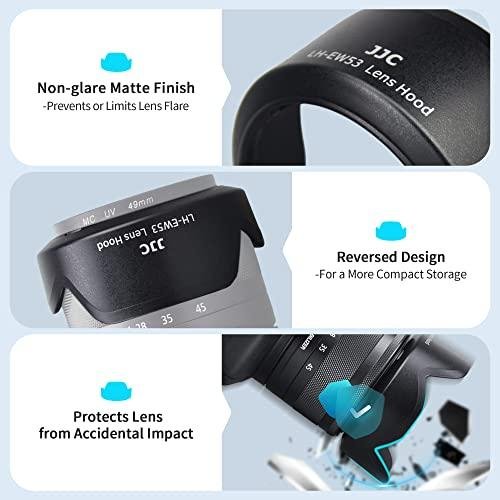
The JJC lens hood shade for the Canon EF-M 15-45mm f/3.5-6.3 IS STM is a compact replacement hood made for photographers in the United States who use Canon EOS M cameras. Its main job is to block stray light from reaching the front lens element, which can help reduce flare and unwanted glare in bright outdoor scenes.
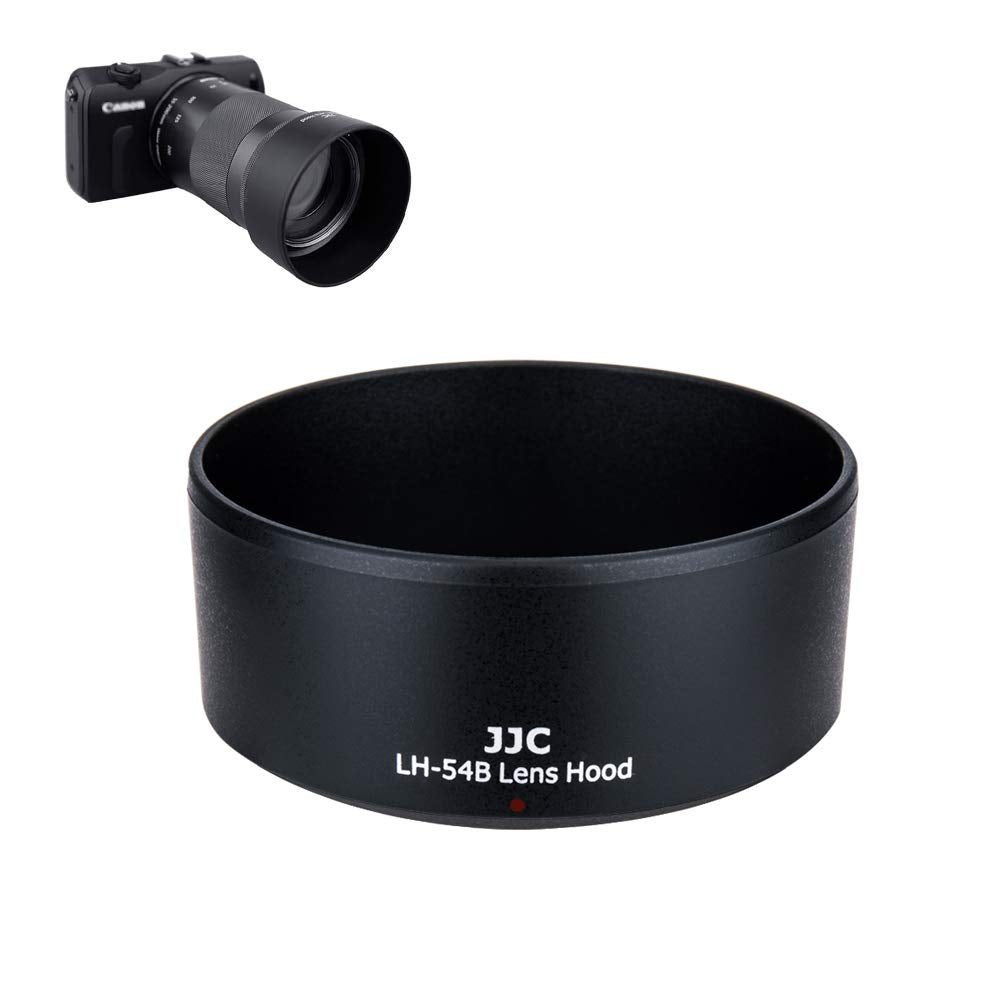
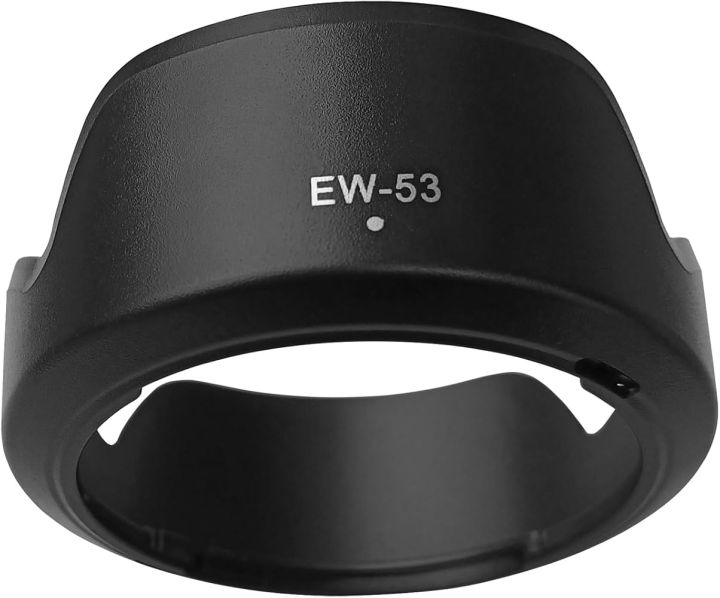
The commonly listed replacement is the JJC LH-53, designed to replace Canon’s EW-53 hood. Because JJC product names and marketplace listings can differ, check the package and seller description before buying. The hood should be listed for the Canon EF-M 15-45mm f/3.5-6.3 IS STM lens, not simply for any Canon 15-45mm lens.

What the JJC lens hood does
A lens hood creates a small shield around the front of the lens. It blocks light that comes from outside the image area, such as sunlight from above or a bright lamp near the frame.
This can help preserve contrast and reduce visible flare. It may also protect the front glass from light bumps, fingerprints, and falling drops.
The hood is not a filter, lens cap, or image stabilizer. It does not increase the lens focal length, improve autofocus, or make the camera weather-sealed.
Main benefits
- Reduces some stray light and glare.
- Helps maintain contrast in bright conditions.
- Adds a layer of physical protection.
- Can reduce the chance of fingerprints on the front element.
- Fits the small form of the Canon EF-M 15-45mm lens.
- May be reversed on the lens for storage, if the specific JJC model supports reverse mounting.
A hood cannot remove all flare. Strong light that enters the lens from inside the frame can still create flare, even when the hood is installed.

Canon EF-M 15-45mm lens compatibility
The JJC hood is intended for the Canon EF-M 15-45mm f/3.5-6.3 IS STM lens. The lens uses Canon’s EF-M mount and was made for Canon EOS M-series cameras.
The key compatibility points are:
| Item | What to check |
|---|---|
| Lens | Canon EF-M 15-45mm f/3.5-6.3 IS STM |
| Hood type | Replacement for Canon EW-53 |
| Mount style | Bayonet mount, if stated by the listing |
| Camera mount | Canon EF-M system |
| Lens diameter | Confirm the seller’s product details |
| Filter use | Confirm whether the hood allows normal access to the filter thread |
Do not select a hood only because it says “Canon 15-45mm.” Canon makes lenses with different mounts and dimensions. An EF-S, RF, EF, or EF-M lens may require a different hood.
How to verify the lens
Look at the writing on the lens barrel. The correct lens name should include:
EF-M 15-45mm f/3.5-6.3 IS STM
The “EF-M” label matters. The “IS” marking refers to image stabilization, while “STM” identifies Canon’s stepping motor autofocus system. These features do not change the hood’s basic purpose, but they help confirm the exact lens model.

How to install the JJC hood
Install the hood with the camera turned off and the lens retracted when possible. The Canon EF-M 15-45mm lens is compact and retractable, so avoid forcing the hood while the lens is changing position.
- Remove the front lens cap.
- Find the alignment marks on the hood and the lens.
- Place the hood over the front of the lens.
- Turn the hood gently in the locking direction.
- Stop when it clicks or reaches its locked position.
- Check that the hood does not wobble.
- Extend the lens and test the zoom and focus controls.
The hood should sit evenly around the lens. It should not press against the front glass or interfere with the lens barrel.
If the hood will not lock, remove it and check the alignment marks. Do not twist harder. A wrong hood, cross-threaded filter, dirt in the mount, or damaged plastic can prevent a proper fit.

Using the hood with filters and a lens cap
A lens hood may affect how easily you can use a polarizing filter, neutral-density filter, or other front-mounted accessory. The exact result depends on the hood design.
Before a photo session, test these items together:
- Lens hood
- UV or clear protective filter
- Circular polarizer
- Neutral-density filter
- Original Canon lens cap
- Third-party replacement lens cap
A filter can add height to the front of the lens. If the hood fits over the filter ring, the added thickness may affect clearance or create dark corners at the widest focal length.
A circular polarizer may also become harder to turn once the hood is attached. If you use one, rotate the filter before or after mounting the hood, depending on the hood design.
Do not assume that every 55 mm or similar-looking cap will fit. Check the filter size and the cap’s stated compatibility.
Can the JJC hood cause vignetting?
A correctly designed hood for the EF-M 15-45mm lens should avoid visible vignetting under normal use. Vignetting means darkening at the corners of the image.
The risk increases when you use:
- The wrong hood model.
- A hood designed for a longer focal length.
- Multiple stacked filters.
- A thick step-up ring.
- A hood that is not fully seated.
- An aftermarket hood with incorrect dimensions.
Test the hood at the 15 mm setting, where the field of view is widest. Photograph a plain bright wall or sky and inspect all four corners. Repeat the test with any filter or adapter that you plan to use.
If dark corners appear, remove the accessories one at a time. This identifies whether the hood, filter, or adapter is the cause.

JJC LH-53 versus the Canon EW-53
The JJC LH-53 is generally marketed as an alternative to the Canon EW-53 hood. Both are intended for the Canon EF-M 15-45mm lens, but a replacement product may differ in plastic finish, locking tension, markings, packaging, and warranty support.
| Feature | JJC replacement hood | Canon EW-53 |
|---|---|---|
| Intended lens | Canon EF-M 15-45mm | Canon EF-M 15-45mm |
| Main purpose | Shade and front protection | Shade and front protection |
| Brand support | JJC seller or distributor | Canon |
| Fit certainty | Depends on exact model and seller | Canon’s own accessory specification |
| Cost | Often lower, but varies | Often higher, but varies |
| Warranty and returns | Depends on retailer | Depends on Canon or authorized retailer |
The Canon hood may be the safer choice when exact fit, brand support, or warranty service matters most. The JJC option may suit buyers who want a replacement at a lower cost, provided the listing clearly names the EF-M 15-45mm lens and the EW-53 replacement.
Price and availability change by retailer and date. Compare the return policy as well as the purchase price.
Common fit and use problems
Most problems come from buying the wrong hood or installing it without aligning the mount.
The hood does not fit
Check the full lens name first. A hood for the Canon EF-M 11-22mm, EF-M 18-55mm, or EF-M 22mm lens is not automatically compatible with the 15-45mm lens.
Next, compare the hood model number with the listing. If the product says only “Canon EOS M lens hood,” treat that as incomplete information.
The hood feels loose
Remove the hood and inspect the bayonet tabs. Look for cracked plastic, bent parts, or dirt. Reinstall it using the alignment marks.
If it still moves after correct installation, stop using it until you confirm that the hood is the correct model. A loose hood can fall into the frame or interfere with lens operation.
The hood causes dark corners
Set the lens to 15 mm and remove filters or rings. If the corners clear, add each accessory back one at a time.
If vignetting remains with only the hood attached, the hood may be incorrect or defective.
The lens cap does not attach
Some hoods allow the original cap to remain usable. Others can make the cap harder to reach or remove. Confirm the design before relying on it for travel or storage.
Never store the camera in a bag with a hood that presses against the lens cap or camera controls.
Buying checklist for US shoppers
Use this checklist before ordering a JJC lens hood shade:
- Confirm the lens says Canon EF-M 15-45mm f/3.5-6.3 IS STM.
- Look for the model JJC LH-53, if that is the model shown by the seller.
- Confirm that the listing states compatibility with Canon EW-53.
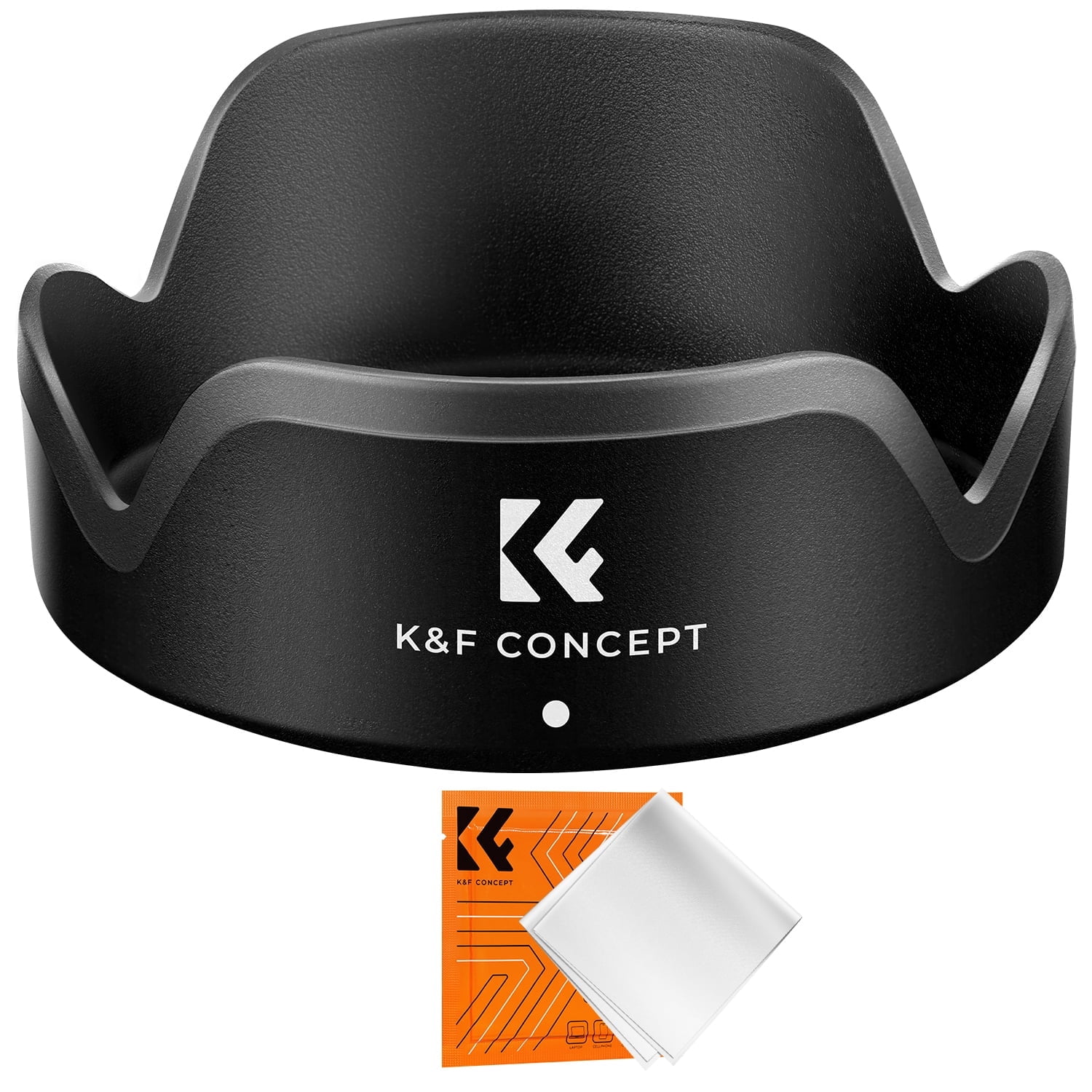
- Check product photos for the correct bayonet shape.
- Read the return policy.
- Check whether the seller ships from or to the United States.
- Review delivery dates and possible import charges.
- Confirm whether the hood can reverse for storage.
- Check whether the original Canon cap remains usable.
- Avoid listings that provide no model number or lens compatibility details.
A clear return option matters because third-party accessory listings can contain copied or incomplete compatibility information.

Cleaning and storage
Keep the hood clean with a soft, dry cloth. For dust near the mount, use a blower or a clean brush made for camera equipment.
Do not use strong solvents on the plastic. Avoid putting oil on the bayonet mount, since oil can collect dust and transfer to the lens barrel.
When storing the lens, reverse the hood only if the manufacturer’s design allows it. Do not force a reversed hood over the lens. Store the front and rear lens caps in place when the camera is not in use.
Key takeaways
- The JJC LH-53 is commonly sold as a replacement for the Canon EW-53.
- It is intended for the Canon EF-M 15-45mm f/3.5-6.3 IS STM lens.
- Its main benefits are stray-light control, contrast protection, and minor physical protection.
- Confirm the exact lens model before ordering.
- Test the hood at 15 mm with all filters and rings attached.
- Do not force the hood if it does not align or lock.
- Choose the Canon EW-53 when official brand support is more important than possible savings.
FAQs
Is the JJC lens hood compatible with the Canon EOS M50?
It can be compatible when the Canon EOS M50 is fitted with the Canon EF-M 15-45mm f/3.5-6.3 IS STM lens. Compatibility depends on the lens, not only the camera body.
Does the hood work with image stabilization?
Yes. A lens hood does not disable the lens’s optical image stabilization. The IS function remains controlled by the camera and lens.
Can I leave the hood on while using the camera?
Yes, if it is correctly mounted and does not block the lens from extending or retracting. Check the lens operation after installation.
Does a lens hood improve image sharpness?
Not directly. It may improve the appearance of an image by reducing stray light and preserving contrast. It does not change the lens optics or autofocus accuracy.
Should I buy the JJC hood or the Canon EW-53?
Buy the JJC option when its listing clearly confirms EF-M 15-45mm and EW-53 compatibility, and the return policy is acceptable. Choose the Canon EW-53 when official fit assurance and Canon support have greater value for your use.
Can I use this hood with another Canon lens?
Do not assume that it will fit another lens. Bayonet mounts and hood depth vary by lens model. Use it only when the seller or manufacturer specifically lists that lens.
Conclusion
The JJC camera lens hood shade is a practical accessory for the Canon EF-M 15-45mm f/3.5-6.3 IS STM lens. The most important buying step is to verify the exact lens model and confirm that the hood is a JJC LH-53 or an explicitly listed replacement for Canon EW-53.
When properly fitted, the hood can help reduce stray light and offer modest front-lens protection without affecting image stabilization. Test it at the 15 mm setting, check it with your filters and lens cap, and return it if it does not lock firmly or causes corner shading.

