
Introduction
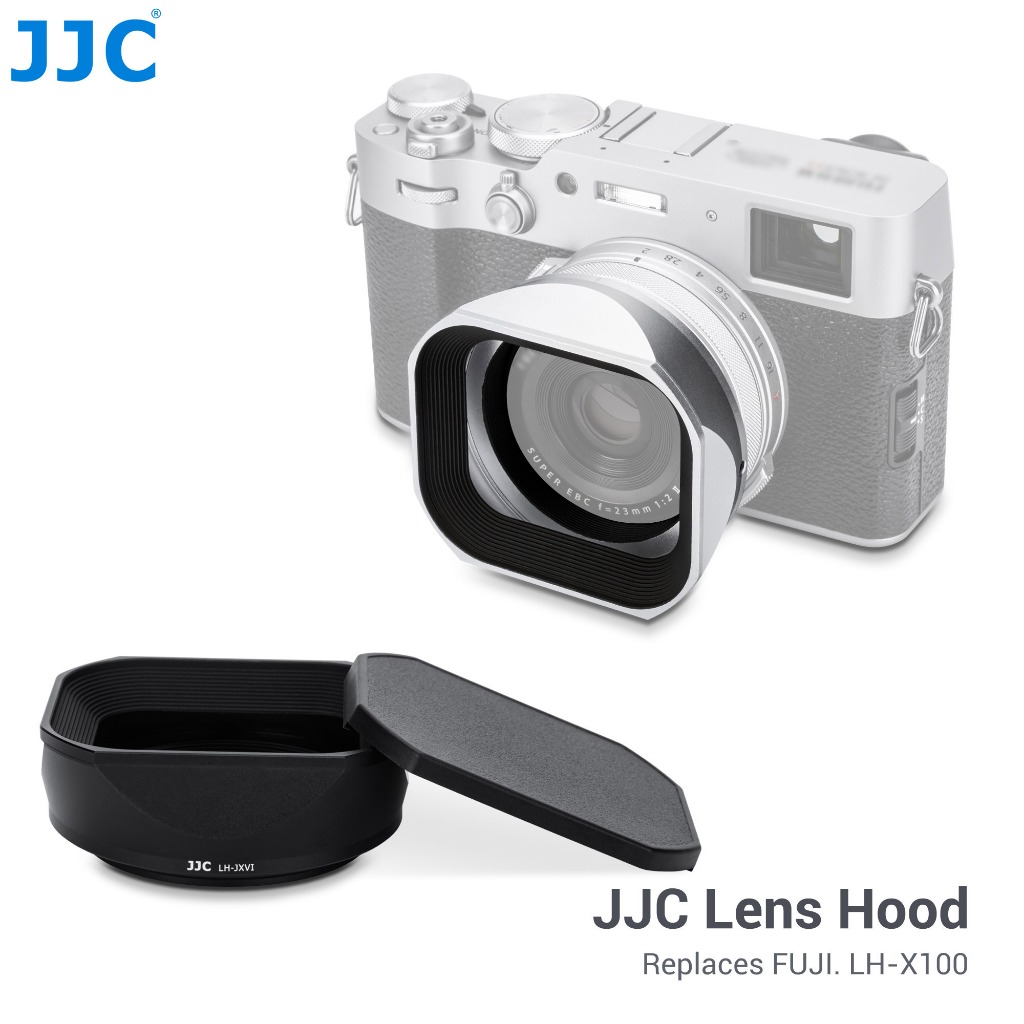
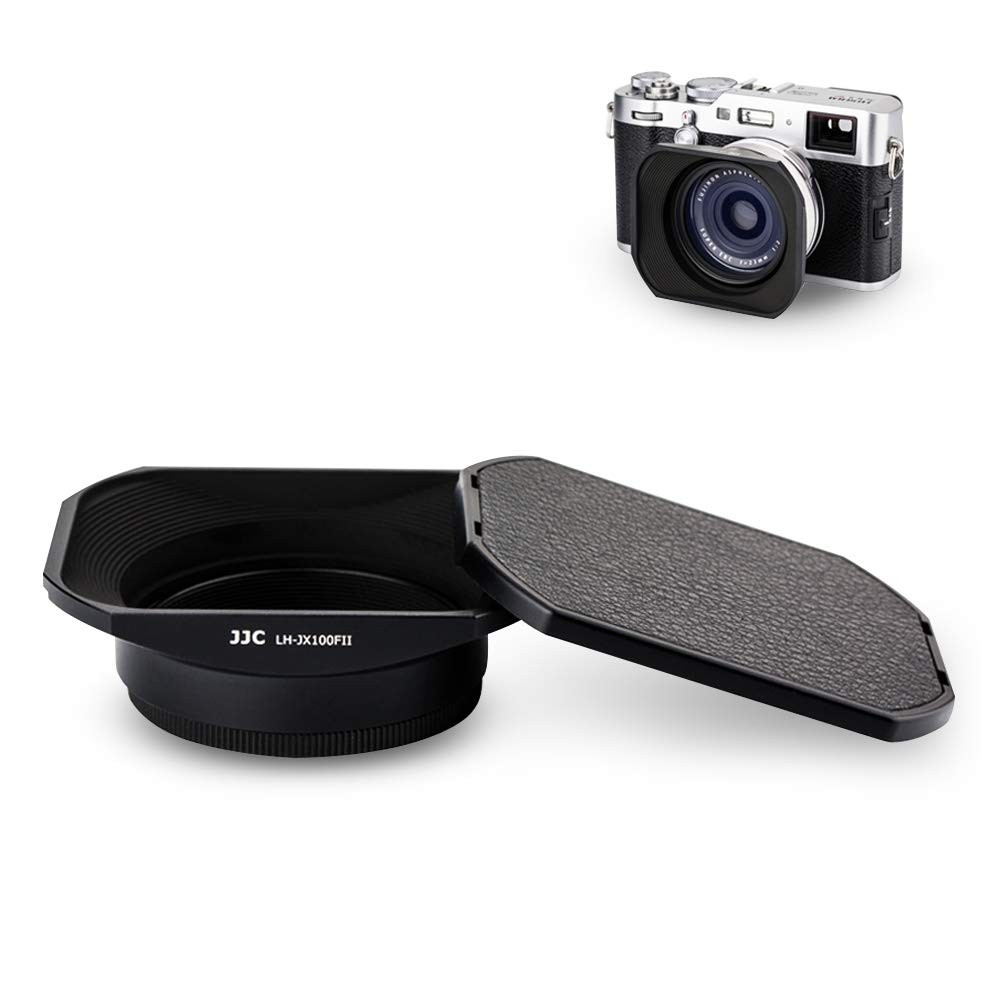
The JJC lens hood for the Fujifilm X100 series is a compact metal hood and filter adapter made for fixed-lens cameras such as the Fujifilm X100VI, X100V, X100F, X100T, X100S, and original X100. Its main jobs are to reduce stray light, protect the front of the lens, and provide a thread for a 49mm filter when the correct JJC version is used.
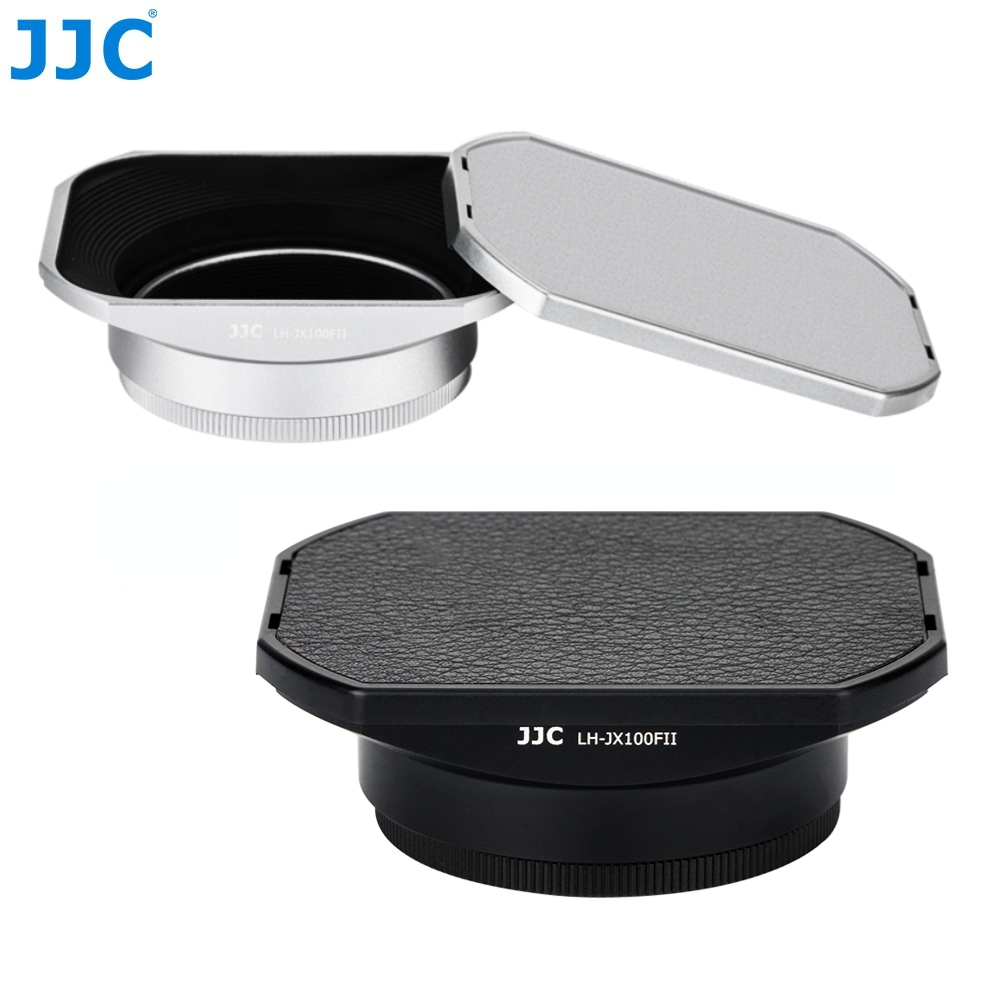
For buyers in the United States, the key issue is not the brand name alone. JJC sells more than one X100 hood design, and compatibility can vary by product code. Check the exact model number, included adapter ring, and supported camera list before ordering. The newer JJC LH-JX100II is commonly listed for the X100VI, X100V, X100F, X100T, X100S, and X100.
What the JJC X100 Lens Hood Does
The JJC hood sits around the fixed 23mm lens on the Fujifilm X100 camera line. The hood creates a small barrier that can help block light from outside the image area.
This can reduce the risk of:
- Veiling flare
- Low contrast from strong side light
- Finger contact with the front filter or lens area
- Minor bumps to the front of the camera
A lens hood cannot remove all flare. Bright light that enters the lens from within the frame can still create flare. The result also depends on the light angle, lens coatings, filter use, and shooting conditions.
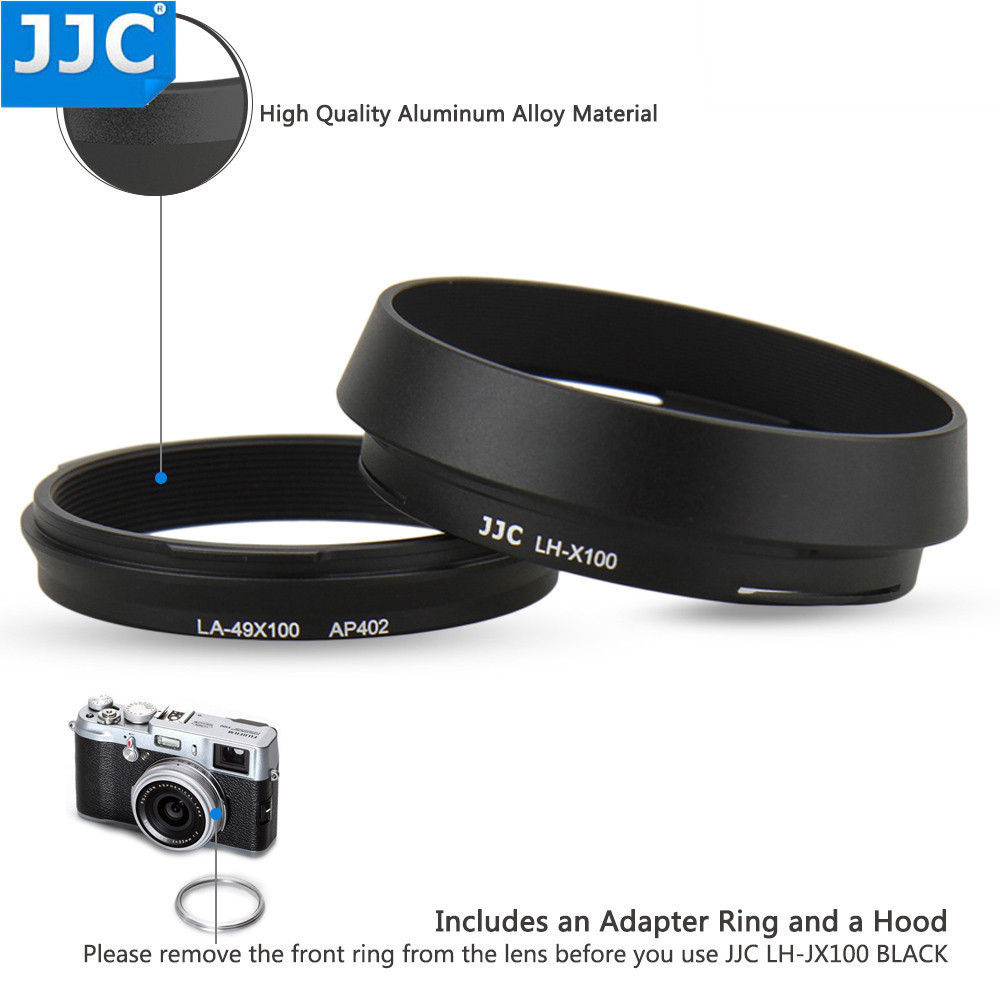
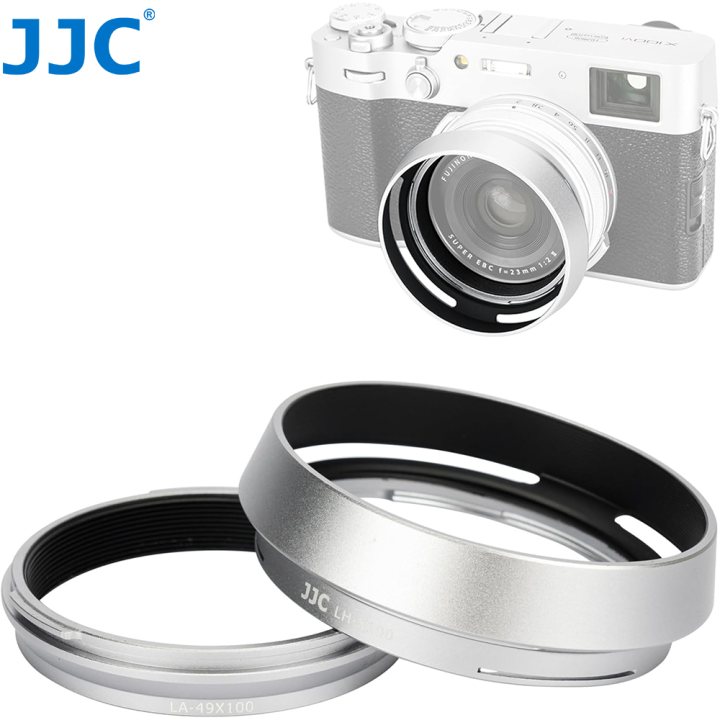
The JJC design also acts as an adapter for filters on versions that include a 49mm filter thread. This matters because the X100 lens itself does not use a standard external filter thread without an adapter.
Main functions
| Function | Practical benefit | Important limit |
|---|---|---|
| Blocks stray light | May improve contrast in side light | Does not stop all flare |
| Protects the front area | Adds a buffer around the lens | It is not impact armor |
| Adds filter support | Allows use of compatible 49mm filters | The filter size must match |
| Provides a fixed shade | Useful for street and travel work | Adds some width to the camera |
| Supports an accessory cap | May allow use of a hood-compatible cap | Cap fit depends on the JJC version |
The hood is most useful when you often shoot outdoors, work near bright windows, or want more protection than the standard lens cap provides.

JJC Lens Hood Compatibility With Fujifilm X100 Cameras
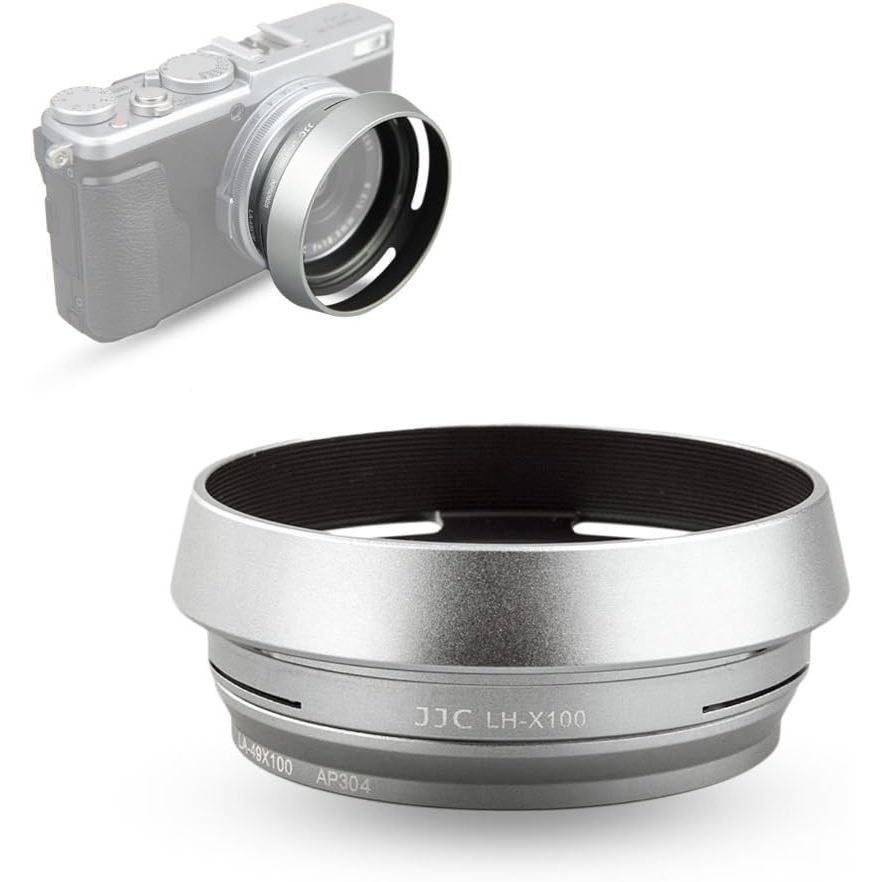
The JJC hood is generally intended for Fujifilm X100-series cameras, but the product code is the deciding factor. Do not assume that every JJC X100 hood fits every X100 camera.
Common compatibility list
| Fujifilm camera | Commonly listed with JJC LH-JX100II | Buying guidance |
|---|---|---|
| Fujifilm X100VI | Yes | Confirm the listing names X100VI |
| Fujifilm X100V | Yes | Check whether the adapter ring is included |
| Fujifilm X100F | Yes | Confirm the exact JJC model |
| Fujifilm X100T | Often listed | Check the seller’s current compatibility chart |
| Fujifilm X100S | Often listed | Confirm the included ring |
| Original Fujifilm X100 | Often listed | Older hood versions may differ |
The X100VI and X100V are especially important because both use a redesigned lens barrel compared with earlier X100 models. A listing made only for the original X100, X100S, or X100T may not fit newer cameras correctly.
The safest approach is to match all three items:
- The JJC product code
- The camera model named by the seller or manufacturer
- The shape and thread of the included adapter ring
X100VI and X100V weather resistance
A lens hood does not make the X100VI or X100V weather sealed. Fujifilm’s weather-resistant design requires the appropriate filter and adapter arrangement, along with properly fitted body and accessory seals.
A JJC hood may help hold or support a filter, but that alone does not prove full weather protection. If you shoot in rain, dust, snow, or near salt water, use an accessory setup that is specifically documented as compatible with the camera’s weather-resistant system.
Why older listings can cause confusion
Online stores sometimes use broad titles such as “for Fuji X100 series.” That wording may combine several generations and several JJC designs. Product photos can also show a filter, cap, or adapter that is sold separately.
Before placing an order in the United States, inspect:
- The exact model number
- The “fits” list
- Whether the adapter ring is included
- Whether a front cap is included
- The filter thread size
- The seller’s return policy
How to Install the JJC Lens Hood
Installation should be slow and gentle. The camera lens and adapter threads are small, so forcing the parts can cause cross-threading.
What you need
You need:
- A compatible Fujifilm X100 camera
- The correct JJC hood and adapter ring
- A clean, dry work area
- A soft cloth, if the camera or adapter needs cleaning
Do not use pliers or another tool to tighten the hood. Hand pressure is enough.
Installation steps
-
Turn off the camera.
Retract the lens if your camera design allows it, and remove the original front cap. -
Check the adapter ring.
Look for dust, metal chips, or damaged threads. Clean the ring with a soft cloth if needed. -
Align the ring with the lens.
Place it straight over the front lens area. Do not start at an angle. -
Turn the ring by hand.
Rotate it slowly in the direction shown by the accessory design. It should turn with light, even pressure. -
Stop if the ring binds.
Remove it and realign the threads. Resistance at the first turn often means the ring is not straight. -
Attach the hood.
Fit the JJC hood to the adapter ring. Depending on the model, it may screw on or lock into place. -
Check the viewfinder and lens.
Look through the optical viewfinder, electronic viewfinder, and screen. The hood should not block the image area. -
Test the camera controls.
Confirm that the lens cap, filter, flash, and lens shutter operate as expected.
Signs of a correct fit
A properly fitted hood should:
- Sit evenly around the lens
- Stay secure during normal handling
- Not wobble
- Not scrape the lens barrel
- Allow the lens cap to fit, if the cap is designed for that hood
- Avoid visible corner blockage in the final image
Take a test photo of a bright, even surface at the widest aperture. Check the corners for dark areas. This is a simple way to detect possible vignetting.
Using Filters With the JJC X100 Hood
The filter thread lets you use accessories such as a UV or clear protective filter, circular polarizer, or neutral-density filter. The correct size is usually 49mm for JJC X100 adapter systems that advertise 49mm support.
A filter can change the working setup in several ways:
- A clear filter may add a protective front layer.
- A polarizer can reduce reflections from glass and water.
- A neutral-density filter can help control shutter speed in bright light.
- A thick filter ring can increase the chance of corner shading.
- Stacking filters can make the front assembly wider and heavier.
Use one filter when possible. If you stack two or more filters, check the corners at the focal length and aperture you use most often.
Does the hood replace the Fujifilm adapter ring?
It depends on the JJC product version. Some JJC kits include an adapter ring designed to replace or cover the camera’s front accessory ring. Others may be intended to attach to a separate adapter.
Read the package contents carefully. A listing that shows a filter and hood does not always include both items.
Can you use the original Fujifilm lens cap?
Often, the answer depends on the hood design. A hood that remains attached may require a dedicated JJC cap. A cap made for the bare camera lens may not fit over the hood.
Test the cap before carrying the camera in a bag. A loose cap can fall off, while an overly tight cap may put pressure on the hood or filter.

JJC Hood vs. the Standard Fujifilm X100 Setup
The JJC hood is not automatically better for every photographer. It changes the camera’s size, handling, and accessory setup.
| Setup | Best for | Main advantage | Main drawback |
|---|---|---|---|
| Standard lens cap only | Minimal carry | Smallest setup | Less side-light control |
| JJC hood without filter | Outdoor use and lens protection | Adds shade and a protective rim | More bulk |
| JJC hood with clear filter | Travel and daily carry | Protects the filter surface | Extra glass may affect flare |
| JJC hood with polarizer | Reflections and blue skies | Controls some reflected light | Reduces light and needs adjustment |
| JJC hood with ND filter | Bright daylight video or long exposures | Allows slower shutter speeds | Requires exposure changes |
The best choice depends on how you use the camera. A street photographer who values a small body may prefer the original cap. A travel photographer who works in strong sun may accept the extra width of a hood.
The hood can also make the camera less discreet. The Fujifilm X100 line is popular partly because it has a compact rangefinder-style shape. Adding a metal hood and filter makes the front profile more noticeable.
Common Problems and Fixes
The hood does not fit the camera
Likely causes:
- Wrong JJC model
- Missing adapter ring
- Adapter ring designed for another X100 generation
- Cross-threaded installation
What to do:
Remove the hood without forcing it. Compare the product code with the camera model. Check whether the kit requires a separate adapter. If the threads feel rough or uneven, stop using the part and contact the seller.
The hood blocks the corners of photos
Likely causes:
- Hood not fully seated
- Incorrect hood or adapter
- Thick filter or stacked filters
- Hood designed for a different lens version
What to do:
Take a test image of a blank wall or bright sky. Try the test without a filter. If the dark corners remain, remove the hood and compare the image. Persistent vignetting indicates a fit or design issue.
The lens cap falls off
Likely causes:
- The original Fujifilm cap is not designed for the hood
- The JJC cap is not fully seated
- The hood or filter is not the correct version
What to do:
Use the cap specified for the JJC hood. Do not stretch or modify the cap. A loose cap can expose the filter or front lens to dust and scratches.
The built-in flash looks different
The hood can change the way the flash illuminates nearby subjects. The hood may cast a shadow at short distances or alter the lower part of the light pattern.
Test the flash indoors before an event. If the hood causes a visible shadow, remove it for close flash work or use an external flash positioned away from the lens axis.
The adapter feels stuck
Do not use force. Hold the adapter with clean fingers and turn it slowly. If it will not move, stop and seek help from the seller or a camera repair shop. Excessive force can damage the camera’s front threads or lens barrel.
Buying Checklist for U.S. Customers
Use this checklist before buying a JJC lens hood for a Fujifilm X100 camera:
- Confirm the exact camera: X100VI, X100V, X100F, X100T, X100S, or X100.
- Confirm the JJC model number.
- Check whether the kit includes the adapter ring.
- Check whether a 49mm filter is supported.
- Check whether a front cap is included.
- Confirm that the hood does not block the viewfinder or image corners.
- Review the seller’s return terms.
- Avoid listings with only generic “X100 series” wording.
- Treat weather resistance as a separate requirement.
- Inspect the parts for damaged or rough threads before installation.
For an X100VI or X100V, choose a listing that names that exact camera. This is safer than relying on a product photo or a broad title.
Frequently Asked Questions
Does the JJC lens hood fit the Fujifilm X100VI?
Many listings for the JJC LH-JX100II state that it fits the Fujifilm X100VI. Confirm the current listing, product code, and included adapter before ordering because older JJC X100 hood versions may not fit the X100VI.
Does it fit the Fujifilm X100V?
The newer JJC X100 hood versions are commonly listed for the X100V. Check that the listing specifically includes X100V and that the adapter ring is supplied or already available.
What filter size works with the JJC X100 hood?
Compatible JJC X100 adapter systems commonly use 49mm filters. Confirm the filter size on the specific hood package before buying. A filter with the wrong thread size will not attach correctly.
Does the hood make the Fujifilm X100 weather sealed?
No. A hood by itself does not make the camera weather sealed. Weather protection depends on the camera, the correct filter and adapter system, and proper sealing of all related parts.
Can I leave the JJC hood on all the time?
You can leave it attached if it fits correctly and does not interfere with the lens, cap, flash, or viewfinder. Remove it if you see vignetting, need the smallest possible setup, or notice that the hood is loosening.
Is the JJC hood better than the original Fujifilm accessory?
Neither is best for every user. The JJC hood may offer a lower-cost way to add shade and filter support, while an original Fujifilm accessory may provide a closer match to the camera’s design. Compare fit, included parts, cap support, and return terms rather than price alone.
Final Recommendation
The JJC lens hood is a practical accessory for Fujifilm X100-series owners who want extra front-lens protection, better control of stray light, or access to a 49mm filter system. The JJC LH-JX100II is commonly associated with newer models such as the X100VI and X100V, but the exact product listing should always confirm compatibility.
For the best result, match the JJC model to the exact Fujifilm camera, install the adapter without force, test for corner shading, and treat weather sealing as a separate concern. If a compact body is your top priority, keep the standard cap available and use the hood only when its protection or filter support is useful.

